
Introduction
The ASOMETECH 160W 5-Port USB C Charging Station is designed to provide efficient and versatile charging for a wide range of electronic devices. This station features multiple charging ports, including USB-C with Power Delivery (PD), Quick Charge 3.0 (QC3.0), and a wireless charging pad, all complemented by an intuitive LCD display for real-time monitoring.

Image: The ASOMETECH 160W Multi-Port USB Charging Station is capable of powering up to 6 devices simultaneously, including laptops, tablets, phones, earphones, and gaming consoles, showcasing its versatility.
Product Features
- 65W PD Fast Charging: Two USB-C ports (Type-C1, Type-C2) support up to 65W Power Delivery 3.0, compatible with PD, QC4+/PPS/AFC/FCP protocols, ideal for laptops like MacBooks, and other high-power devices.
- QC3.0 Quick Charge: Two USB-A ports (USB-A1, USB-A2) provide up to 18W Quick Charge 3.0 for compatible smartphones and tablets.
- Wireless Charging: A dedicated wireless charging pad supports 5W/7.5W/10W/15W output, automatically adapting to your device's needs.
- 160W Total Output: The station delivers a combined total output of 160W across all ports and the wireless charger, intelligently distributing power.
- Smart LCD Display: An integrated LCD screen shows real-time voltage, current, and wattage for each active port, allowing for precise monitoring.
- Sleeping Friendly: The LCD display features a touch button to turn it on or off, preventing light disturbance during sleep.

Image: The charging station's 65W USB-C port provides high-speed charging, significantly reducing the time required to fully charge devices like MacBooks, iPad Pros, and iPhones.
Setup
- Unpack: Carefully remove the charging station and all accessories from the packaging.
- Connect Power: Insert the provided AC power cord into the power input port on the back of the charging station.
- Plug In: Connect the other end of the AC power cord to a standard wall outlet (AC 100-240V, 50-60Hz). The LCD display on the front of the station will illuminate.
- Placement: Place the charging station on a stable, flat surface, ensuring adequate ventilation.
Operating Instructions
Connecting Devices
- USB-C Ports (Type-C1, Type-C2, Type-C3): Use a compatible USB-C to USB-C cable (100W 3.3ft with E-marker Chip included) to connect your USB-C enabled devices, such as laptops, tablets, and smartphones, to the Type-C ports for fast charging.
- USB-A Ports (USB-A1, USB-A2): Use a compatible USB-A cable to connect your devices that support QC3.0 or standard USB charging.
Wireless Charging
Place your Qi-compatible device (e.g., smartphone, wireless earbuds) on the wireless charging pad located on the top surface of the station. Ensure the device is centered on the charging symbol for optimal charging. The LCD display will show the charging status.
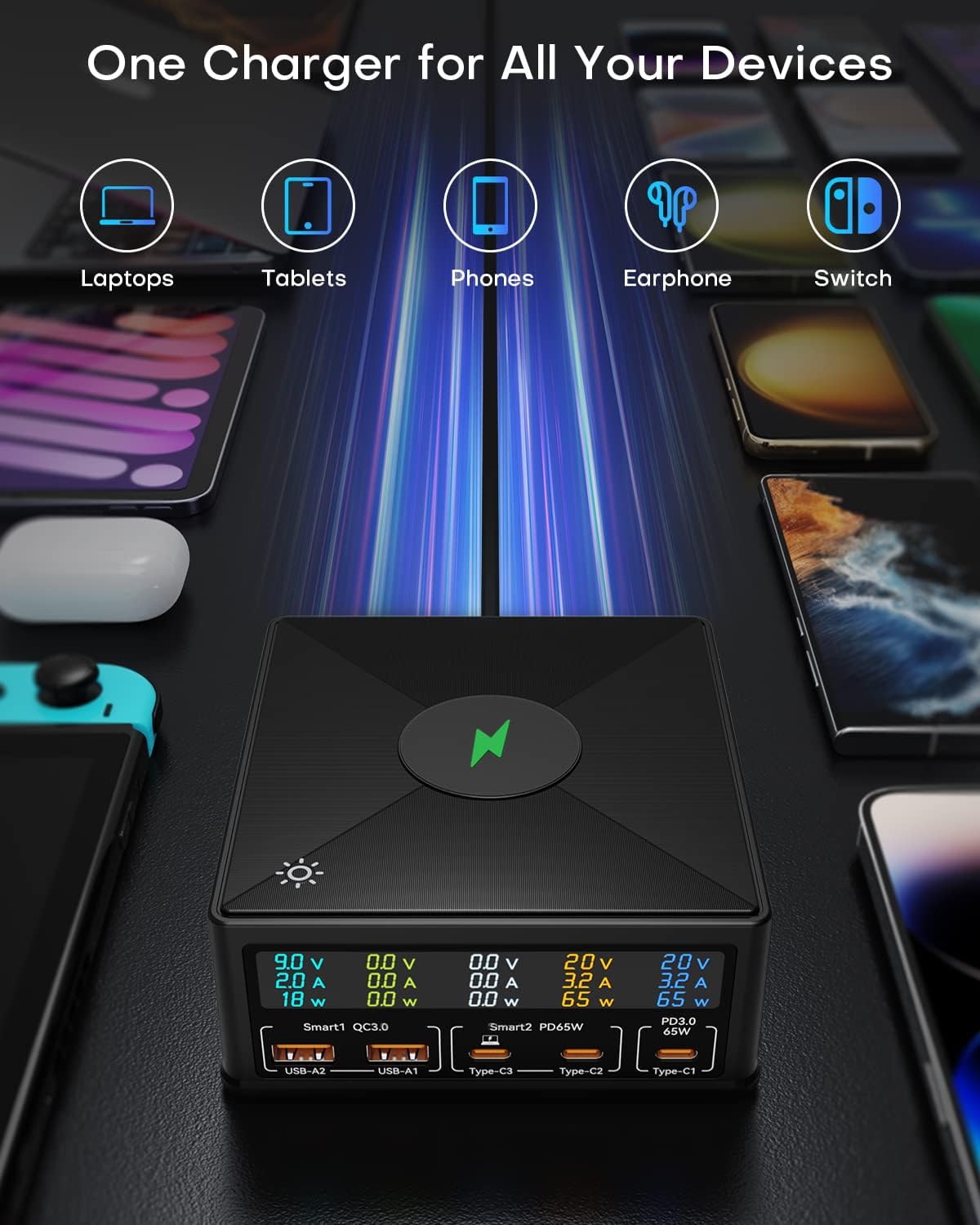
Image: A smartphone is placed on the wireless charging pad of the ASOMETECH 160W Charging Station, demonstrating the wireless charging capability with a visible charging animation.
LCD Display Operation
The LCD display provides real-time information on the voltage (V), current (A), and wattage (W) for each active charging port. This allows you to monitor the power consumption of your connected devices.

Image: The digital LCD display on the ASOMETECH 160W Charging Station provides real-time readings of current, voltage, and power for each port, allowing users to monitor charging status.
To turn the LCD display on or off, gently touch the light-bulb icon sensor located on the top surface of the charging station. This feature is useful for reducing light in dark environments, such as a bedroom.

Image: The 'Sleeping Friendly' feature allows users to turn the LCD display on or off at any time by touching the sensor, ensuring no light disturbance during sleep.
Intelligent Power Distribution
The charging station intelligently distributes the total 160W output across all connected devices. When multiple devices are connected, the power output per port may adjust to ensure optimal and safe charging for all devices. Refer to the 'Ports Use' diagram for detailed power distribution scenarios.

Image: This diagram illustrates how the ASOMETECH 160W Charging Station intelligently distributes power across its ports depending on the number of devices connected, optimizing charging efficiency.
Specifications
| Feature | Detail |
|---|---|
| Model Number | 868H |
| Product Dimensions | 5 x 4.6 x 1.8 inches |
| Item Weight | 1 pounds |
| Input Voltage | AC 100-240V, 50-60Hz |
| Total Output Wattage | 160W |
| USB-C Output (Type-C1, Type-C2) | PD3.0 65W Max (5V/3A, 9V/3A, 12V/3A, 15V/3A, 20V/3.25A) |
| USB-C Output (Type-C3) | PD65W Max (5V/3A, 9V/3A, 12V/3A, 15V/3A, 20V/3.25A) |
| USB-A Output (USB-A1, USB-A2) | QC3.0 18W Max (5V/3A, 9V/2A, 12V/1.5A) |
| Wireless Charging Output | 5W/7.5W/10W/15W |
| Material | Anti-Fire PC+ABS |
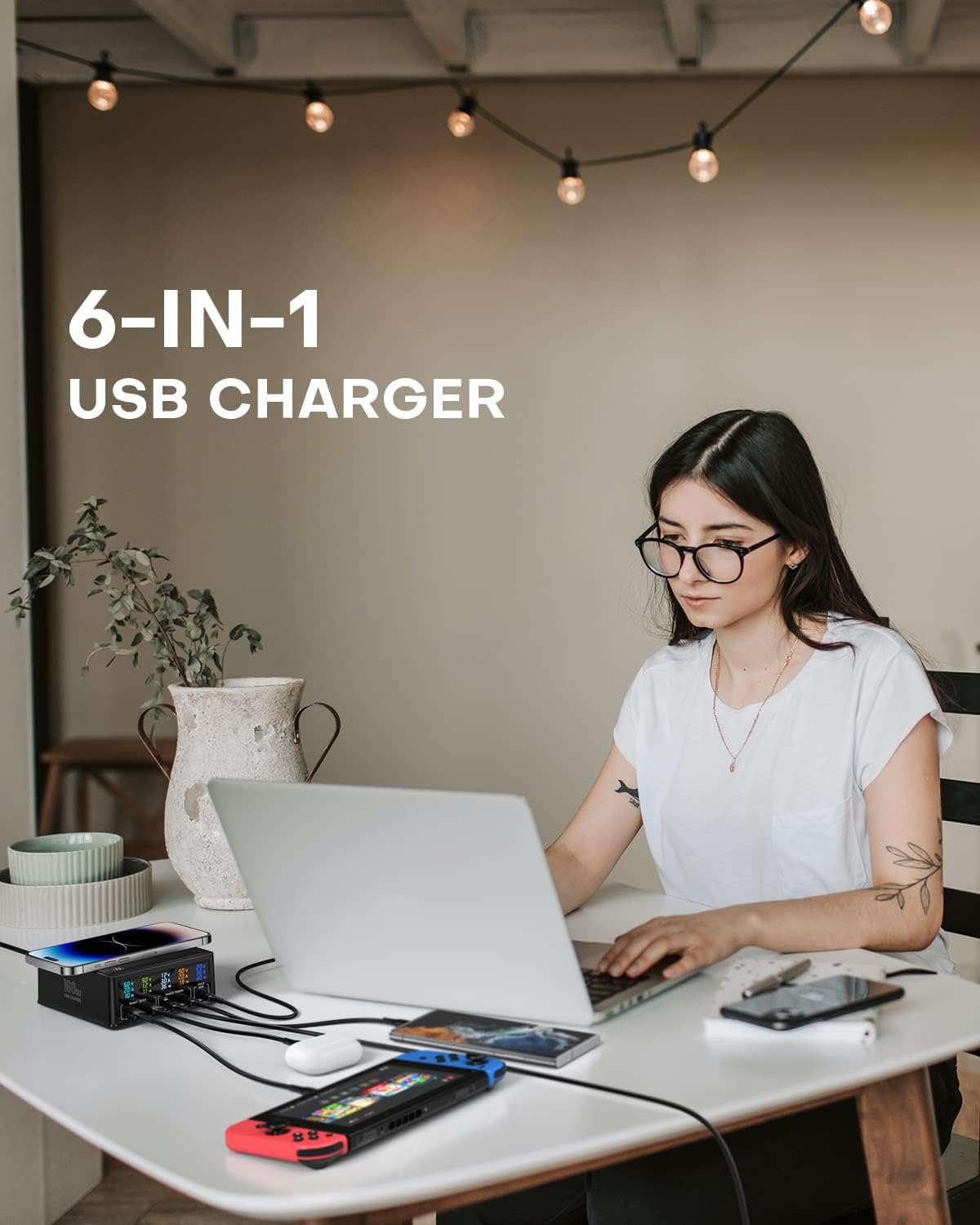
Image: The compact dimensions of the ASOMETECH 160W Charging Station are highlighted, making it suitable for various desk or home setups.
Safety Information
The ASOMETECH 160W Charging Station is built with advanced safety features to protect your devices and ensure reliable operation. It is constructed from Anti-Fire PC+ABS material.
- Overvoltage Protection: Safeguards against excessive voltage input.
- Overheat Protection: Prevents the device from reaching unsafe temperatures.
- Overcurrent Protection: Protects against excessive current flow.
- Short Circuit Protection: Automatically cuts off power in case of a short circuit.
- Overpower Protection: Manages total power output to prevent overload.
- Leakage Protection: Additional safety measure against electrical leakage.

Image: The ASOMETECH 160W Charging Station incorporates multiple safety protections, including leakage, overheat, overvoltage, overcurrent, overpower, and short circuit protection, ensuring safe charging for all devices.
Troubleshooting
- Device not charging: Ensure the power cord is securely connected to both the station and the wall outlet. Verify that the charging cable is properly inserted into both the station and your device. Check if your device is compatible with the specific port (e.g., USB-C PD for laptops). For wireless charging, ensure your device is Qi-compatible and correctly positioned on the pad.
- Slow charging: If multiple devices are connected, the total 160W output is shared. Disconnecting some devices may increase the charging speed for others. Ensure you are using appropriate cables for fast charging (e.g., E-marker chip for 100W USB-C).
- LCD display not working: Check if the power cord is connected. If the display is off, gently touch the light-bulb icon sensor on the top of the station to turn it on.
- Overheating: If the station feels excessively hot, disconnect all devices and the power cord immediately. Ensure the station is placed in a well-ventilated area and not covered. Contact customer service if the issue persists.
Warranty and Support
This ASOMETECH Charging Station comes with a 12-month warranty. If you encounter any questions or issues with your product, please do not hesitate to contact our friendly customer service team. We are committed to providing support and will reply within 24 hours.
For customer service inquiries, please refer to the contact information provided in your product packaging or on the official ASOMETECH website.


