
GROWATT VITA 550
GROWATT VITA550 Portable Power Station User Manual
Model: VITA 550
Brand: GROWATT
Product Overview
The GROWATT VITA550 is a versatile portable power station designed for various applications, from home backup to outdoor adventures. It features a 538Wh LiFePO4 battery, 600W AC output (1050W with Watt+), and multiple charging options, providing reliable power wherever you need it.

This image shows the front panel of the GROWATT VITA550, highlighting its various output ports including AC outlets, USB-A, USB-C, and DC ports, along with an informative display and a wireless charging pad on top.
What's in the Box
- 1 x VITA 550 Portable Power Station
- 1 x Solar Panel Charging Cable
- 1 x User Manual and Warranty Card
- 1 x AC Charging Cable (1.8m)
- 1 x Car Charging Cable (1.5m)
Setup
Initial Charge
Before first use, fully charge the VITA550 using the provided AC charging cable. It can reach 100% in approximately 1.6 hours, ensuring it's ready for immediate use.

The power station can be quickly charged from a standard wall outlet, reaching full capacity in about 1.6 hours.
Connecting Solar Panels (Optional)
For outdoor charging, connect compatible solar panels (up to 240W) using the provided solar panel charging cable. Full solar charge can be achieved in about 2.5 hours under optimal sunlight conditions.

This image illustrates the VITA550 being charged by a solar panel in an outdoor setting, demonstrating its solar charging capability.
This video demonstrates the GROWATT VITA550 being set up with a 200W solar panel for outdoor use, showcasing its portability and ease of solar charging.
Operating Instructions
Powering On/Off
Press and hold the main power button (located below the display) for a few seconds to turn the unit on or off. The LCD screen will illuminate upon activation.
Using AC Outlets
Press the "AC Power ON/OFF" button to activate the three 120V/600W (Pure Sine Wave) AC outlets. A green indicator light will confirm activation. The Watt+ feature can boost output to 1050W for certain high-power appliances.
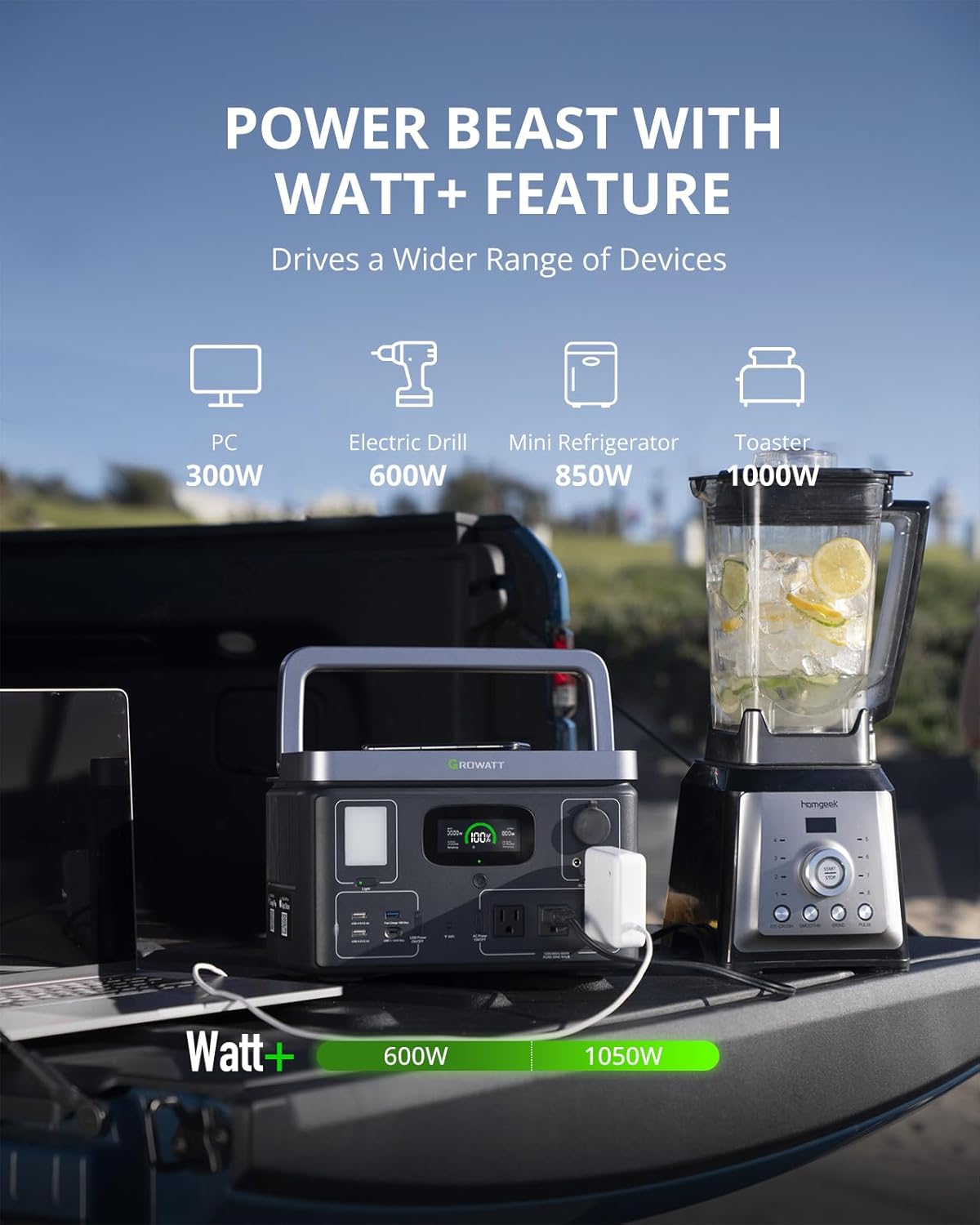
The VITA550 can power various appliances up to 600W, with a boosted output of 1050W using the Watt+ feature, as shown powering a blender.
Using USB Ports
Press the "USB Power ON/OFF" button to activate the USB-A (5V/2.4A), Fast Charge (18W Max), and USB-C (100W Max) ports. These are ideal for charging smartphones, tablets, and laptops.
Using DC Outlets
Press the "DC Power ON/OFF" button to activate the 12V car outlet and two DC5521 ports. These are suitable for powering car refrigerators, portable fans, and other 12V devices.
Wireless Charging
Place your Qi-compatible device on the wireless charging pad located on top of the unit. Ensure the device is centered for optimal charging.

The power station features a convenient wireless charging pad on its top surface for compatible devices.
LED Light
Press the "Light" button to cycle through different brightness levels and SOS mode. This built-in light is useful for camping, emergencies, or general illumination.

The built-in LED light provides illumination for various situations, including camping or power outages.
Smart App Control
Download the GROWATT app to monitor real-time status, control outlets, customize settings, and perform firmware upgrades via Wi-Fi or Bluetooth. This provides convenient remote management of your power station.
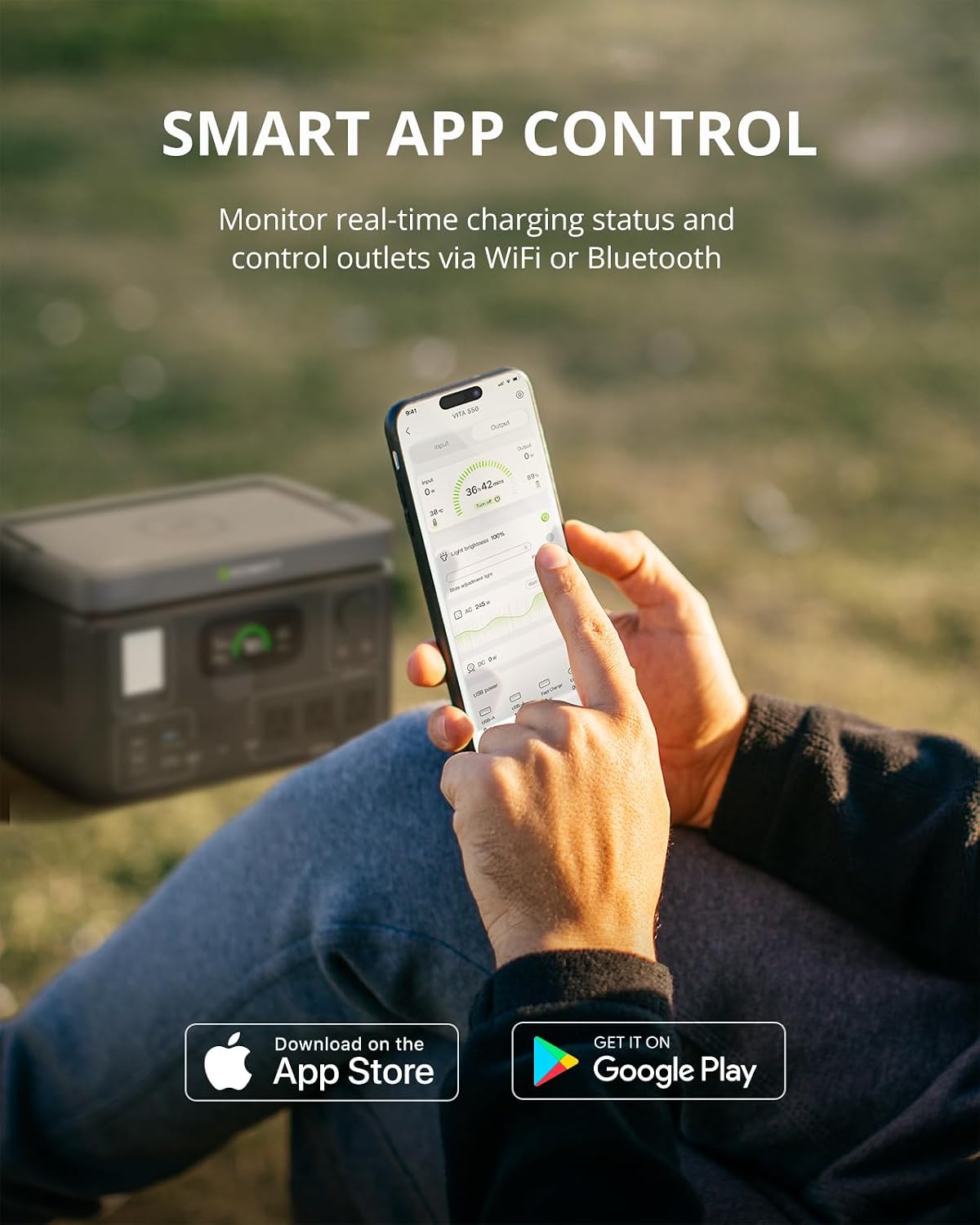
The GROWATT app allows for remote monitoring and control of the power station's functions.
This video highlights the compact size and various features of the Growatt VITA 550, including its multiple output ports, fast charging, and smart app control.
Battery Information
The VITA550 utilizes EV-grade LiFePO4 battery cells, offering over 3000 life cycles and an impressive 10-year lifespan, ensuring long-term durability and performance.
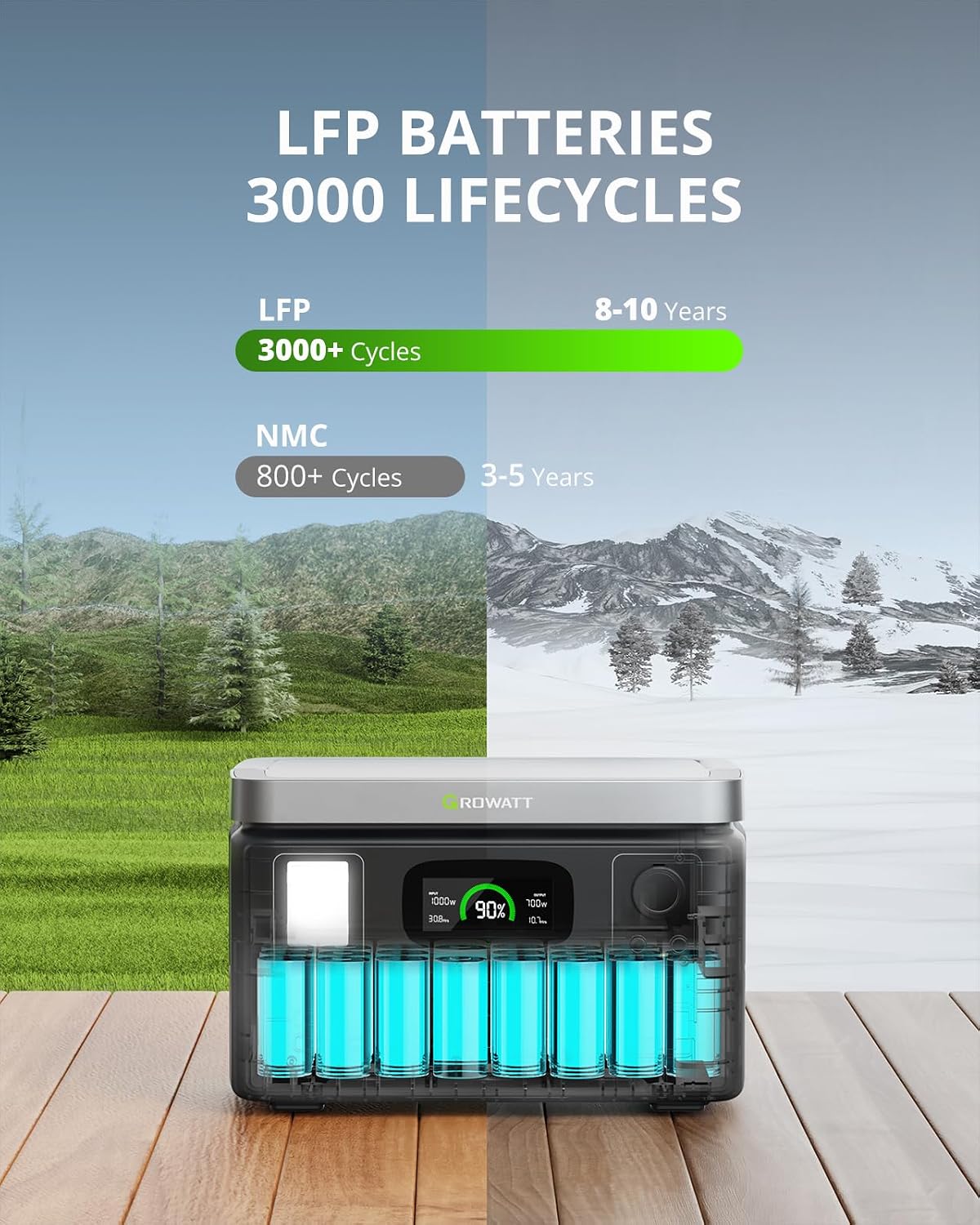
LiFePO4 batteries provide a significantly longer lifespan compared to traditional NMC batteries.
Battery Management System (BMS)
The integrated BMS technology ensures exceptional safety and reliability through comprehensive protections against over/low temperature, over/low voltage, overcurrent, short circuit, and overload, safeguarding both the unit and connected devices.
Safety Guidelines
Always operate the power station in a well-ventilated area to prevent overheating. Avoid exposing it to extreme temperatures, direct sunlight for prolonged periods, or moisture. Do not disassemble or attempt to repair the unit yourself; contact qualified service personnel. Keep out of reach of children and pets.
Proposition 65 Warning: This product may contain chemicals known to the State of California to cause cancer and birth defects or other reproductive harm.
Maintenance
Store the unit in a cool, dry place away from direct sunlight when not in use. For long-term storage, charge the battery to 50-80% every 3-6 months to maintain optimal battery health and extend its lifespan. Clean the exterior with a dry, soft cloth; avoid using harsh chemicals or abrasive materials.
Troubleshooting
Unit Not Powering On
Ensure the battery is sufficiently charged. If the unit does not respond, try connecting it to an AC outlet to see if it begins charging. If the issue persists, contact support.
No Output from Ports
Check if the respective power buttons (AC, USB, DC) are turned on and their indicator lights are green. Verify that the connected device is within the power station's output limits (e.g., 600W for AC). Overloaded devices will trigger a protection shutdown.
Error Messages
Refer to the informative LCD display for specific error codes or warnings (e.g., low temperature, overload, fan error). Consult the GROWATT app for detailed diagnostics and potential solutions. Some settings may require logging into the app.
This video shows an error message on the power station's display, indicating a potential issue that may require troubleshooting.
Specifications
| Feature | Detail |
|---|---|
| Brand | GROWATT |
| Model Name | VITA 550 |
| Item Weight | 17.99 pounds |
| Product Dimensions | 12.2"L x 8.4"W x 7.8"H |
| Battery Type | LiFePO4 |
| Battery Capacity | 538Wh |
| AC Output | 600W (1050W with Watt+) |
| Fast Charging (AC) | 1.6 hours (wall socket) |
| Solar Input | 240W Max (2.5 hours to full charge) |
| USB Ports | USB-A, Fast Charge USB-A, USB-C (100W Max) |
| DC Ports | Car Outlet, DC5521 |
| Special Features | Wireless Charging, Built-in LED Light, Smart App Control, UPS Function |
Warranty and Support
The GROWATT VITA550 Portable Power Station comes with a 2-year warranty, ensuring peace of mind regarding its quality and performance. For detailed warranty information, advanced troubleshooting, or technical assistance, please refer to the official user manual or contact GROWATT customer support directly.
Official User Manual (PDF): Download Here
Related documentsVITA 550


Ask a question about this manual
Ask about setup, troubleshooting, compatibility, parts, safety, or missing instructions. Manuals+ will review the question and use this page’s manual context to help answer it.