
Introduction
Welcome to the user manual for your INFURTURE H1 Active Noise Cancelling Over-Ear Headphones. These headphones are designed to provide a high-quality audio experience with advanced noise cancellation, comfortable wear, and extended battery life. This manual will guide you through the setup, operation, and maintenance of your new headphones.
Package Contents
- INFURTURE H1 Over-Ear Headphones
- USB-C Charging Cable
- 3.5mm Audio Cable
- Carrying Pouch
- User Manual
Product Overview
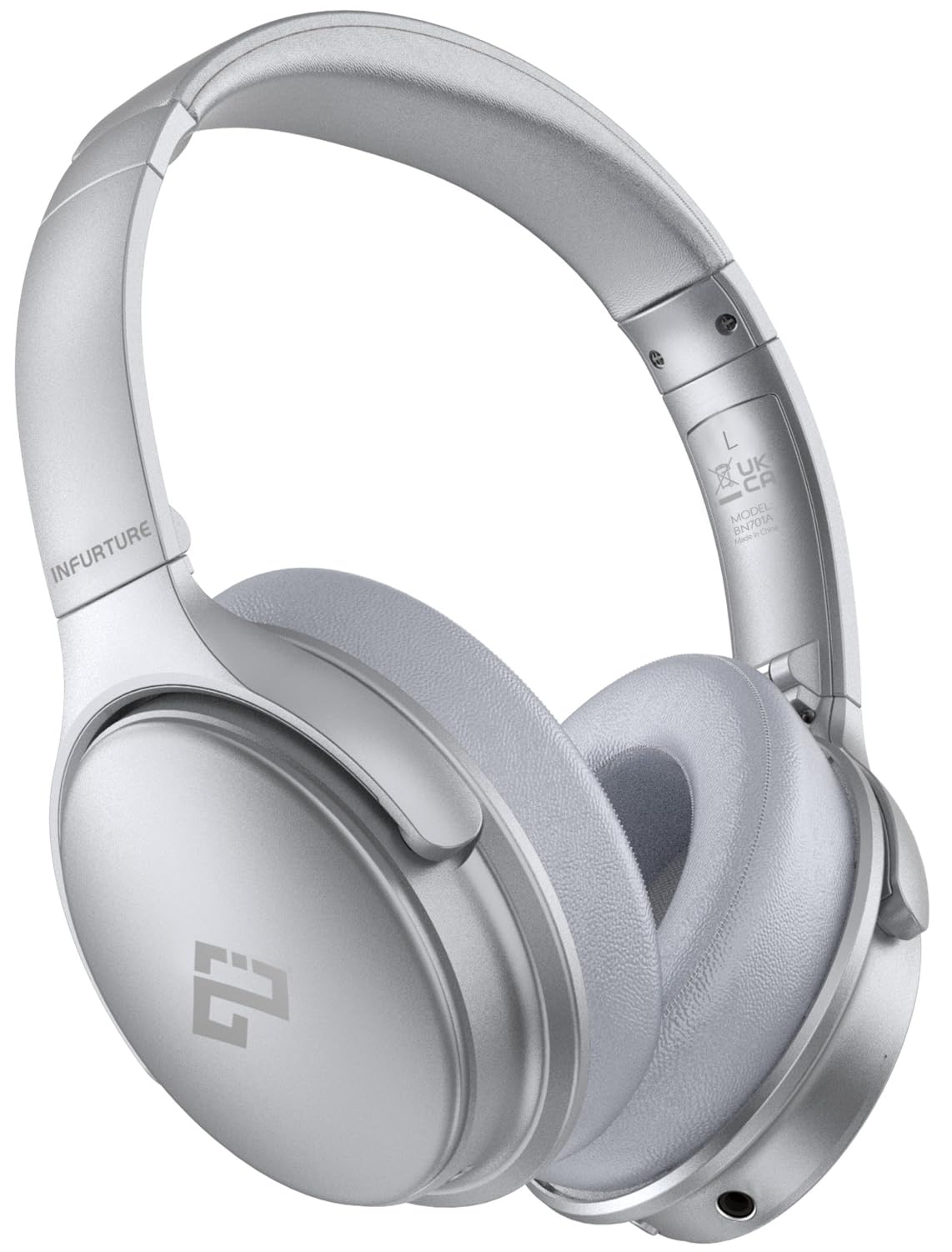
Figure 1: INFURTURE H1 Over-Ear Headphones (Silver)
Controls and Ports
- Power/Multi-function Button: Power on/off, play/pause, answer/end calls.
- Volume Up/Next Track Button: Short press for volume up, long press for next track.
- Volume Down/Previous Track Button: Short press for volume down, long press for previous track.
- ANC (Active Noise Cancelling) Switch: Toggle active noise cancellation on/off.
- USB-C Charging Port: For charging the headphones.
- 3.5mm Audio Jack: For wired audio connection.
- Microphone: Built-in for calls.

Figure 2: USB-C Charging Port

Figure 3: 3.5mm Audio Jack
Features
- Active Noise Cancelling (ANC): Effectively reduces low to mid-range environmental noise, ideal for travel or noisy environments. Note: ANC is not available in wired mode.
- High-Resolution Audio: Equipped with oversized 40mm dynamic drivers for clear sound and deep bass.
- Extended Playtime: Up to 90 hours of listening time on a single charge.
- Fast Charging: 10 minutes of USB-C charging provides approximately 2 hours of listening.
- Comfortable Design: Features memory foam ear cushions, skin-friendly protein leather, an adjustable headband, and 90° rotatable earcups for a comfortable fit.
- Bluetooth 5.4 Connectivity: Ensures quick pairing and a stable wireless connection.
- Built-in Microphone: CVC8.0 microphone for clear hands-free calls. Note: The microphone functions only in Bluetooth mode.

Figure 4: Active Noise Cancelling in action

Figure 5: Powerful Deep Bass with 40mm Speaker Driver

Figure 6: 90-Hour Playtime and Fast Charging

Figure 7: Comfort Features
Setup
1. Charging the Headphones
- Connect the USB-C charging cable to the charging port on the headphones.
- Connect the other end of the cable to a USB power adapter (not included) or a computer's USB port.
- The LED indicator will show red during charging and turn off when fully charged.
- A full charge takes approximately 5 hours.
2. Bluetooth Pairing
- Ensure the headphones are turned off.
- Press and hold the Power/Multi-function button for approximately 3-5 seconds until the LED indicator flashes blue and red alternately, indicating pairing mode.
- On your device (smartphone, tablet, computer), enable Bluetooth and search for available devices.
- Select "INFURTURE H1" from the list of devices.
- Once connected, the LED indicator will flash blue slowly.
3. Wired Connection
To use the headphones in wired mode, connect one end of the 3.5mm audio cable to the headphone's 3.5mm audio jack and the other end to your audio device. In wired mode, the Active Noise Cancelling feature is not available.
Operating Instructions
Power On/Off
- Power On: Press and hold the Power/Multi-function button for 2 seconds. The LED indicator will flash blue.
- Power Off: Press and hold the Power/Multi-function button for 3 seconds. The LED indicator will flash red and then turn off.
Volume Control
- Volume Up: Short press the Volume Up button.
- Volume Down: Short press the Volume Down button.
Track Control
- Next Track: Long press the Volume Up button.
- Previous Track: Long press the Volume Down button.
Play/Pause Music
- Short press the Power/Multi-function button to play or pause music.
Call Management (Bluetooth Mode Only)
- Answer/End Call: Short press the Power/Multi-function button.
- Reject Call: Long press the Power/Multi-function button.
Active Noise Cancelling (ANC)
- Slide the ANC switch to activate or deactivate the noise cancelling function.
- When ANC is active, a green LED indicator will light up.
- Remember to turn off ANC when not in use to conserve battery.
Maintenance
- Cleaning: Use a soft, dry cloth to clean the headphones. Do not use harsh chemicals or abrasive materials.
- Storage: When not in use, store the headphones in the provided carrying pouch to protect them from dust and damage. Avoid extreme temperatures.
- Battery Care: Charge the headphones regularly, even if not used frequently, to maintain battery health.
Troubleshooting
| Problem | Solution |
|---|---|
| Headphones won't turn on | Ensure the headphones are charged. Connect to a power source and try again. |
| Cannot pair via Bluetooth | Make sure headphones are in pairing mode (flashing blue/red). Ensure your device's Bluetooth is on and within 10 meters. Forget previous pairings on your device and try again. |
| No sound in Bluetooth mode | Check volume levels on both headphones and your device. Ensure headphones are correctly paired and connected. |
| ANC not working | Ensure the ANC switch is in the 'on' position (green LED). ANC does not function in wired mode. |
| Microphone not working | The microphone only works in Bluetooth mode. Ensure headphones are connected via Bluetooth for calls. |
Specifications
- Brand: INFURTURE
- Model Name: H1
- Model Number: BN701AS
- Color: Silver
- Ear Placement: Over Ear
- Form Factor: Over Ear
- Impedance: 32 Ohms
- Noise Control: Active Noise Cancellation
- Audio Driver Type: Dynamic Driver (40mm)
- Frequency Range: 20Hz - 20,000Hz
- Enclosure Material: Faux Leather
- Connectivity Technology: Wireless (Bluetooth), Wired (3.5mm Jack)
- Bluetooth Version: 5.4 (Feature bullets mention 5.4, specifications mention 5.0. Prioritizing 5.4 as 'latest' from feature bullets.)
- Bluetooth Range: 10 Meters
- Control Type: Media Control (Push Button)
- Battery Average Life: Up to 90 Hours (40 hours also mentioned in specifications, actual life may vary with usage and ANC)
- Battery Charge Time: 5 Hours (10 minutes for 2 hours playtime)
- Additional Features: Adjustable Headband, Foldable, Lightweight, Microphone Included, Noise Cancellation
- Water Resistance Level: Not Water Resistant
Warranty and Support
Your INFURTURE H1 headphones come with a 1-year warranty from the date of purchase. This warranty covers manufacturing defects and ensures your product is free from material and workmanship flaws under normal use.
For technical support, warranty claims, or any questions regarding your product, please contact INFURTURE customer service. Refer to the contact information provided on the product packaging or the official INFURTURE website.
Product Video Overview
Video 1: Official INFURTURE H1 Wireless Over Ear Bluetooth Headphones Overview. This video provides a brief visual introduction to the headphones' design and key features.


