
1. Introduction
Thank you for choosing the Jocca Multifunction Food Processor Model 2145. This appliance is designed to simplify your cooking process with its versatile functions and integrated programs. Please read this manual carefully before first use to ensure safe and optimal operation. Keep this manual for future reference.
Safety Precautions
- Always ensure the appliance is unplugged before assembly, disassembly, or cleaning.
- Do not immerse the motor base in water or any other liquid.
- Keep hands and utensils away from moving blades during operation.
- Ensure all parts are correctly assembled before operating the appliance.
- This appliance is for household use only.
2. Product Components
Familiarize yourself with the various parts of your Jocca Multifunction Food Processor.
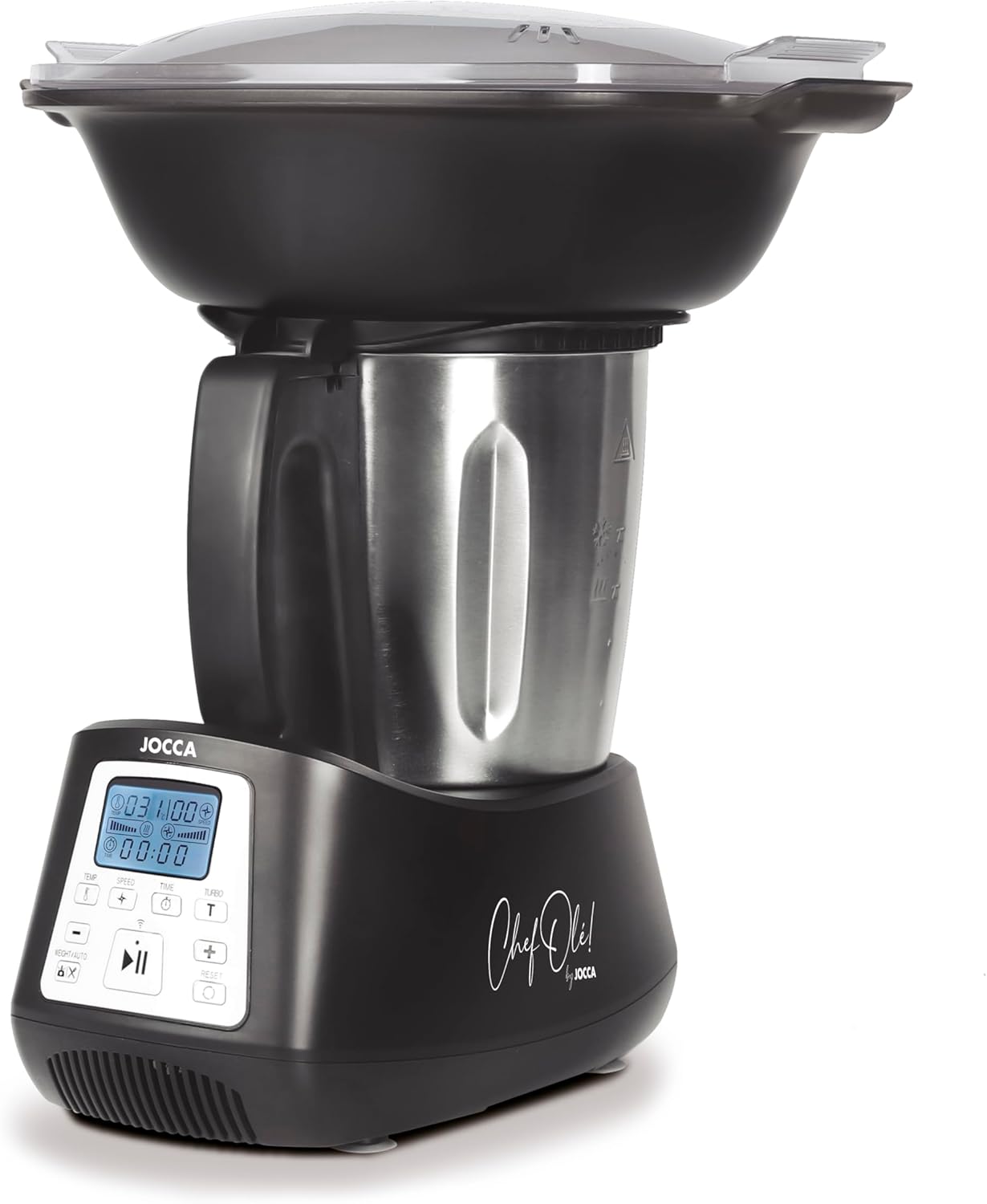
Image 2.1: Front view of the Jocca Multifunction Food Processor. This image displays the main unit with the stainless steel mixing bowl, the control panel, and the steaming basket assembly on top.
Main Parts:
- Motor Base: Contains the motor, control panel, and integrated scale.
- Stainless Steel Mixing Bowl: 3.5-liter capacity for processing ingredients.
- Lid for Mixing Bowl: Secures the bowl during operation.
- Steaming Basket: For steaming ingredients inside the mixing bowl.
- Steaming Tray (2 levels): Allows for multi-level steaming.
- Steaming Lid: Covers the steaming trays.
Accessories:
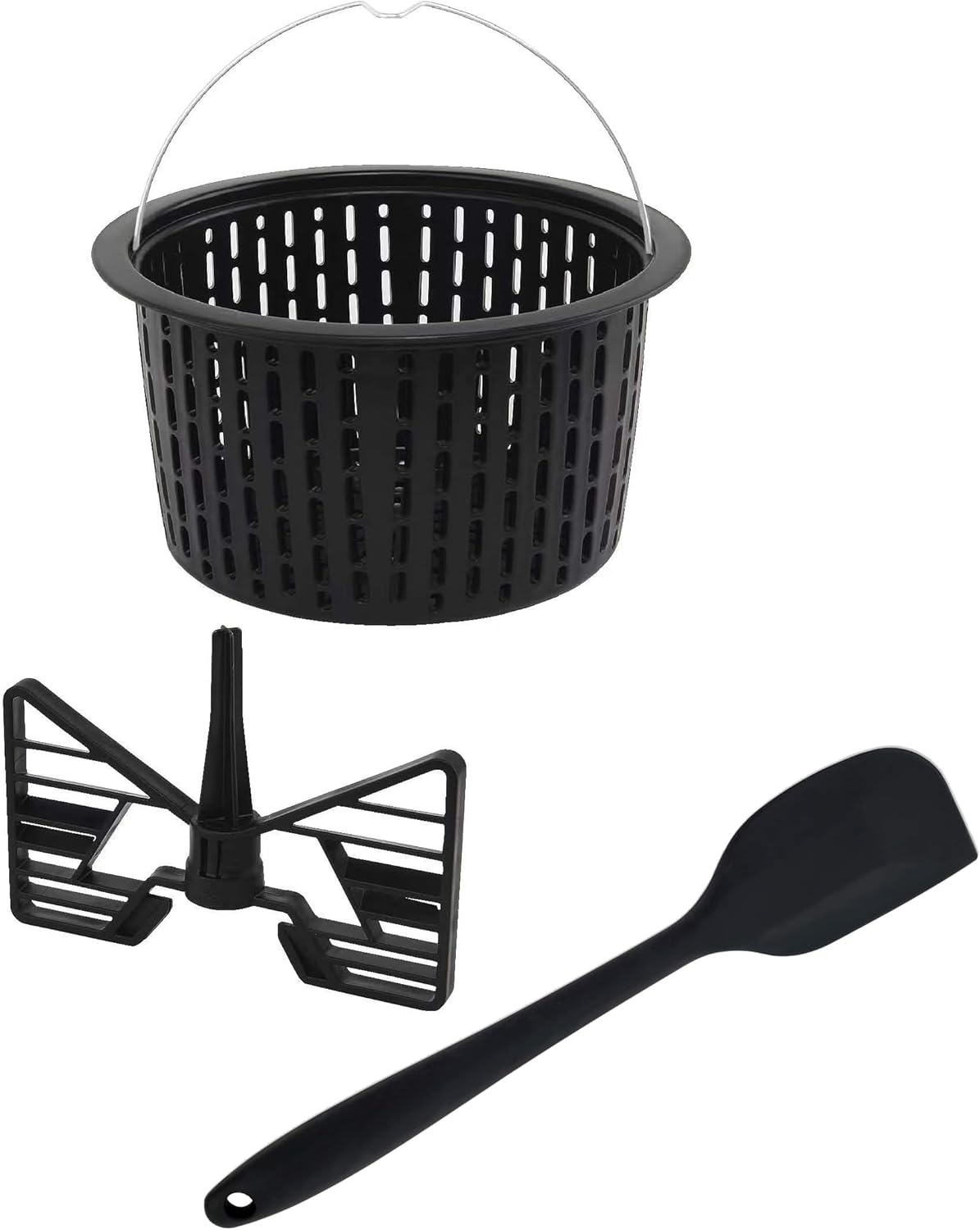
Image 2.2: Included accessories: a basket, a mixing paddle, and a spatula. These tools assist in various food preparation tasks.
- Chopping Blade: For chopping, grinding, and crushing.
- Mixing Paddle: For gentle mixing and stirring.
- Spatula: For scraping and stirring ingredients.
- Measuring Cup: Integrated into the lid.
3. Setup and First Use
Unpacking and Initial Cleaning:
- Carefully remove all components from the packaging.
- Wash the mixing bowl, lid, steaming baskets, mixing paddle, chopping blade, and spatula in warm soapy water. Rinse thoroughly and dry.
- Wipe the motor base with a damp cloth. Do not immerse the motor base in water.
Assembly:
- Place the motor base on a stable, flat, and dry surface.
- Insert the chopping blade or mixing paddle into the bottom of the mixing bowl, ensuring it is securely seated.
- Place the mixing bowl onto the motor base, aligning it correctly until it clicks into place.
- Secure the lid onto the mixing bowl. For steaming, place the steaming basket(s) and lid on top of the mixing bowl.
4. Operating Instructions
The Jocca Food Processor offers 12 functions and 10 integrated programs to assist with various culinary tasks.
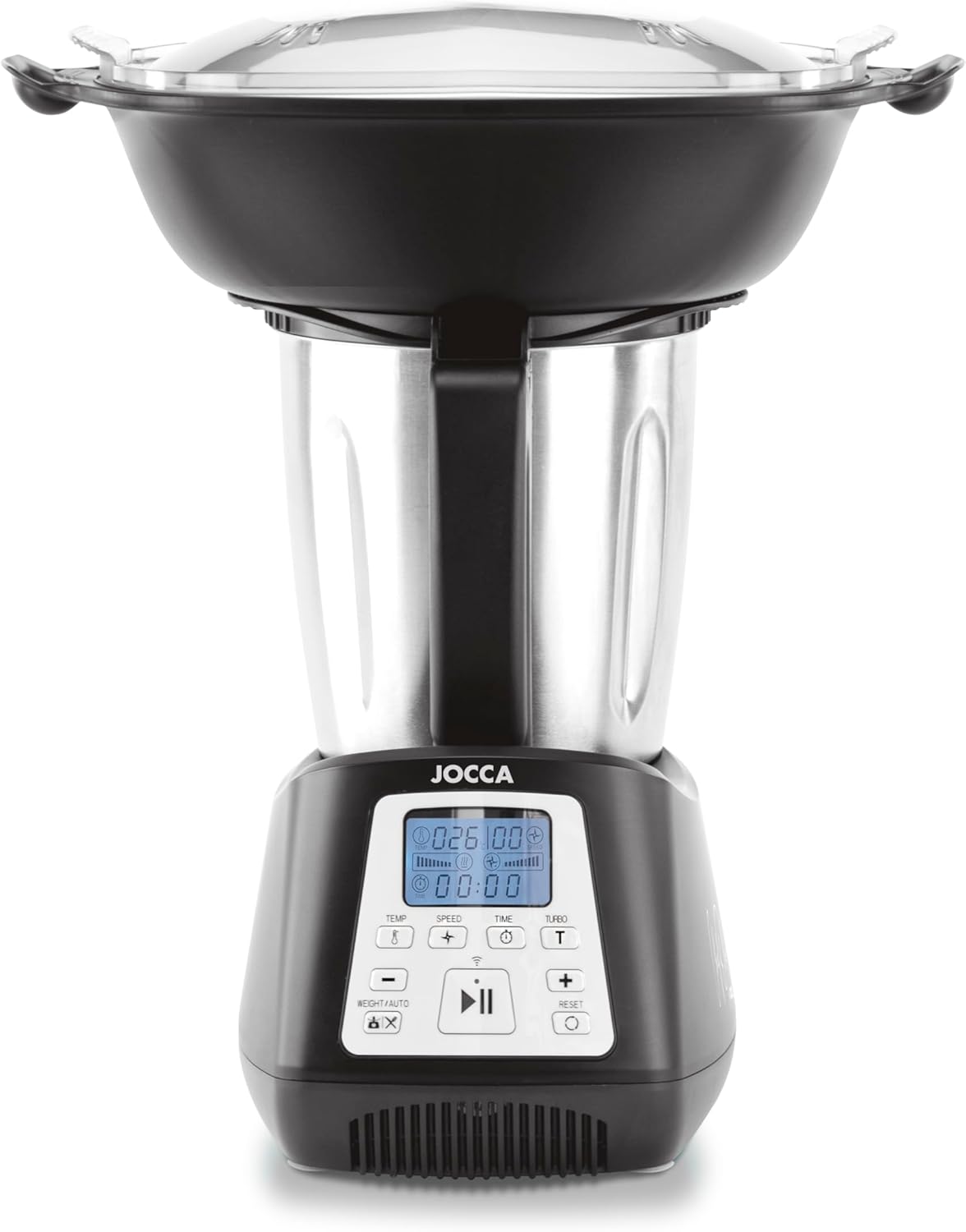
Image 4.1: Close-up of the control panel, showing the digital display for temperature, speed, and time, along with various function buttons.
Control Panel Overview:
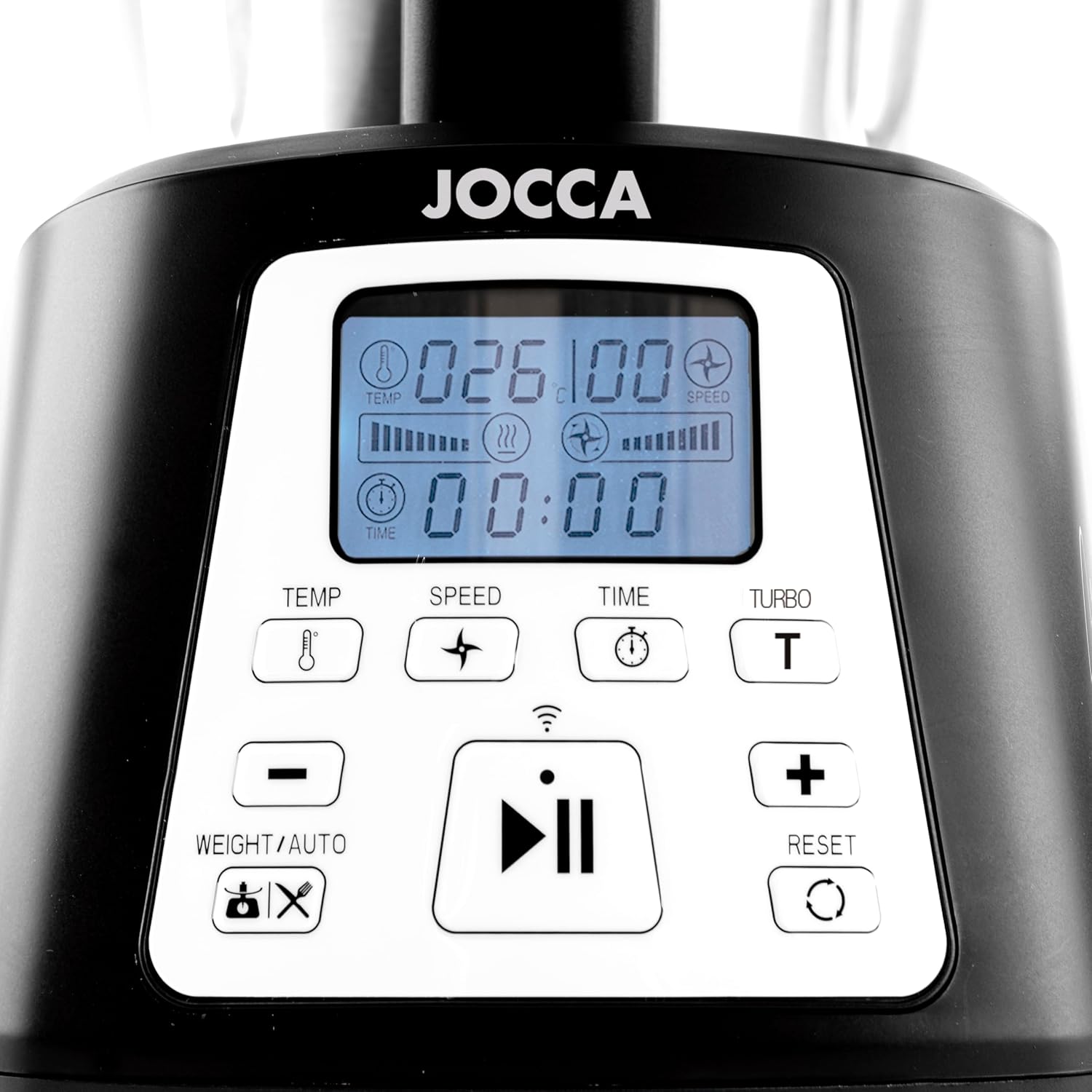
Image 4.2: Detailed view of the control panel buttons and display. This image highlights the temperature, speed, time, turbo, and integrated scale controls.
- Display Screen: Shows current settings for temperature, speed, and time.
- TEMP Button: Adjusts cooking temperature.
- SPEED Button: Selects one of 10 available speeds.
- TIME Button: Sets the operating duration.
- TURBO Button: Activates maximum speed for short bursts.
- +/- Buttons: Adjust values for temperature, speed, and time.
- WEIGHT/AUTO Button: Activates the integrated scale or selects automatic programs.
- Start/Pause Button: Initiates or pauses operation.
- RESET Button: Resets settings or clears errors.
Functions and Programs:
The appliance features 12 functions and 10 pre-set programs. Use the WEIGHT/AUTO button to cycle through or select programs, and the +/- buttons to adjust parameters.
- Weighing: Use the integrated scale (up to 5000g) by pressing the WEIGHT/AUTO button.
- Mixing/Chopping/Grinding/Crushing: Utilize the chopping blade and adjust speed for desired consistency.
- Kneading: Use the mixing paddle at low speeds for dough.
- Steaming: Place ingredients in the steaming baskets. Add water to the mixing bowl. Select the steaming function and desired temperature/time. The appliance supports two levels of steaming.
- Browning/Simmering/Melting: Set desired temperature and time for cooking tasks.
- Emulsifying: Use appropriate speed for creating emulsions.

Image 4.3: The steaming basket, designed to fit inside the mixing bowl for healthy cooking.

Image 4.4: The complete steaming assembly, including the lower steaming tray, upper steaming tray, and transparent lid, allowing for two levels of steaming.
Using the Tuya Smart App:
The Jocca Food Processor features Wi-Fi connectivity, allowing control via the Tuya Smart App. Download the app from your device's app store or scan the QR code found in the included recipe book. Follow the in-app instructions to pair your device and access additional recipes and remote control features.
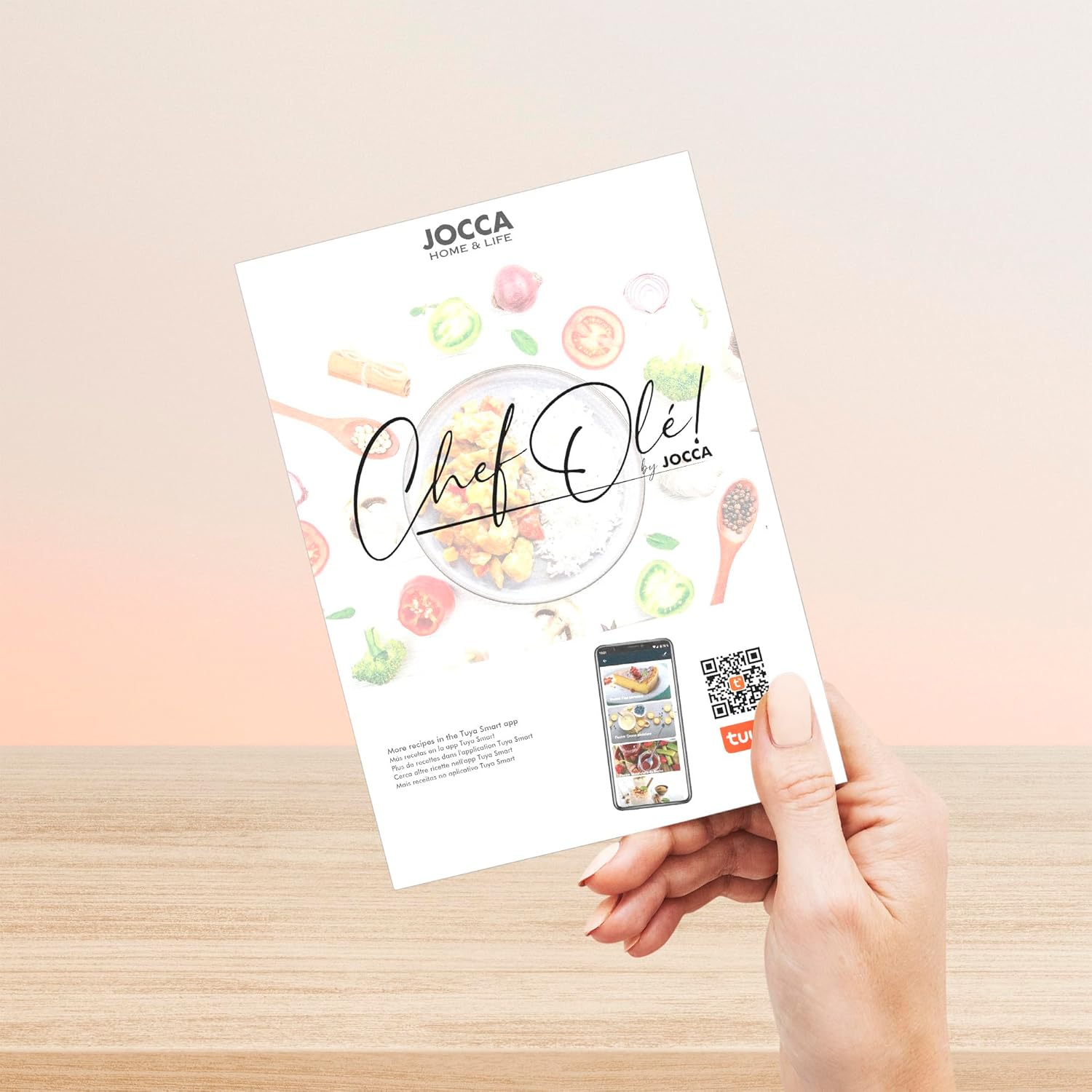
Image 4.5: The included 'Chef Olé' recipe book, which also provides a QR code for downloading the Tuya Smart App. The app offers additional recipes and smart control features. Download the app here.
5. Maintenance and Cleaning
Regular cleaning ensures the longevity and hygienic operation of your food processor.
Self-Cleaning Program:
The appliance includes a self-cleaning program. After use, add a small amount of water and a drop of dish soap to the mixing bowl. Select the self-cleaning program (refer to the control panel or app for specific activation) and let it run. Afterwards, rinse the bowl thoroughly.
Manual Cleaning:
- Always unplug the appliance before cleaning.
- Remove the mixing bowl and all accessories.
- Wash the mixing bowl, lid, blades, and accessories in warm soapy water. Use a brush for hard-to-reach areas. Be cautious with sharp blades.
- Rinse all parts thoroughly and dry immediately to prevent water spots or corrosion.
- Wipe the motor base with a damp cloth. Do not use abrasive cleaners or immerse the base in water.

Image 5.1: The included spatula is useful for scraping down the sides of the mixing bowl and assisting with cleaning.
6. Troubleshooting
If you encounter issues with your food processor, refer to the following common problems and solutions.
| Problem | Possible Cause | Solution |
|---|---|---|
| Appliance does not turn on | Not plugged in; power outlet fault; safety lock not engaged. | Check power connection; try a different outlet; ensure bowl and lid are correctly assembled and locked. |
| Error Code E3 displayed | Indicates a technical fault, potentially with the NTC sensor or motor. | Unplug the appliance, wait a few minutes, then plug it back in. If the error persists, contact customer support. |
| Ingredients not mixing/chopping properly | Too much ingredient; incorrect blade/accessory; insufficient liquid. | Reduce quantity; ensure correct blade is installed; add more liquid if necessary; use spatula to push ingredients down. |
| Appliance vibrates excessively | Uneven load; appliance not on a stable surface. | Distribute ingredients evenly; place appliance on a flat, stable surface. |
If the problem persists after attempting these solutions, please contact Jocca customer support.
7. Specifications
Technical details for the Jocca Multifunction Food Processor Model 2145.

Image 7.1: The Jocca Food Processor with indicated dimensions: approximately 33 cm height, 27 cm depth, and 15 cm width at the base.
| Feature | Detail |
|---|---|
| Model Number | 2145 |
| Brand | Jocca |
| Power | 1200 Watts |
| Voltage | 220 Volts (AC) |
| Capacity (Bowl) | 3.5 Liters |
| Material | Stainless Steel (bowl), Plastic (housing, steaming parts) |
| Dimensions (L x W x H) | 28 x 41.5 x 47 cm (approximate, as per product data) |
| Weight | 6 Kilograms |
| Number of Speeds | 10 |
| Special Features | Automatic Stop, Manual Control, Programmable, Integrated Scale, Wi-Fi Connectivity |
8. Warranty and Support
For warranty information, please refer to the documentation included with your purchase or contact the retailer. For technical support, spare parts, or service inquiries, please contact Jocca customer service directly. Contact details can typically be found on the Jocca official website or on your purchase receipt.