1. Introduction
Thank you for choosing the Nivian 4G Dome 360° Security Camera. This camera is designed for 100% wireless operation, utilizing 4G SIM communication and a high-capacity 18000mAh battery complemented by a 7W solar panel. It provides 2K resolution video, 360° panoramic viewing, advanced motion and human detection, night vision, and two-way audio, making it ideal for outdoor surveillance without Wi-Fi or constant power access.

Image: Nivian 4G Dome 360° Security Camera highlighting key features like 4G, solar power, 2K resolution, motion detection, and Eseecloud app compatibility.
2. Package Contents
Before installation, please verify that all components are present:
- Nivian 4G Dome 360° Security Camera
- 7W Solar Panel
- Mounting Bracket and Screws
- SIM Card (multi-operator compatible)
- User Manual (this document)
3. Setup Guide
3.1 Initial Charging
For optimal performance, fully charge the camera's 18000mAh battery before its first use. Connect the camera to a power source using a compatible USB charger (not included) or ensure the solar panel is exposed to direct sunlight for several hours.

Image: Camera mounted outdoors, emphasizing 100% wire-free operation and the 18000mAh battery, with a note to fully charge initially.
3.2 SIM Card and Micro-SD Card Installation
Locate the SIM card and Micro-SD card slot on the camera. Insert the provided 4G SIM card and a Micro-SD card (up to 128GB, not included) for local storage. Ensure they are inserted correctly according to the markings.
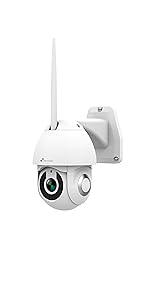
Image: Detailed view of the camera's underside, showing the Micro-SD card slot and 4G SIM card slot.
3.3 Mounting the Camera
The camera is designed for wall mounting. Choose a location that provides an optimal view of the surveillance area and ensures the solar panel receives maximum direct sunlight throughout the day. Use the provided mounting bracket and screws to securely attach the camera and solar panel.

Image: Nivian camera and solar panel securely mounted on an outdoor wall.
3.4 App Installation and Pairing
Download the EseeCloud app from your smartphone's app store (available for iOS and Android). Follow the in-app instructions to register an account and add your camera. The pairing process is designed to be quick and straightforward, requiring no complex wiring.

Image: A smartphone showing the EseeCloud app, demonstrating remote management of the security system.
4. Operating Instructions
4.1 Live View and PTZ Control
Open the EseeCloud app to access the live feed from your camera. Use the on-screen controls to pan the camera horizontally up to 260°, tilt vertically up to 90°, and utilize the 4x digital zoom to adjust your view. This allows for comprehensive coverage without blind spots.

Image: A hand interacting with a smartphone displaying the Eseecloud app, demonstrating the pan, tilt, and zoom controls for the camera.
4.2 Motion and Human Detection
The camera features a Passive Infrared (PIR) sensor and AI human recognition to detect movement. When motion is detected, you will receive instant notifications on your smartphone. The AI helps reduce false alarms by distinguishing between human activity and other movements.

Image: Illustrates the camera's ability to differentiate between human movement and animal movement, reducing false alarms.
4.3 Night Vision Modes
The camera offers three night vision modes for clear visibility up to 30 meters in low-light conditions:
- Infrared Mode: Provides black and white images using infrared LEDs.
- Color Mode: Utilizes integrated spotlights to provide full-color images even at night. These spotlights can also deter intruders.
- Smart Mode: The camera operates in infrared mode normally, and switches to color mode by activating the spotlights upon motion detection.

Image: Visual representation of the three night vision modes: Infrared, Color, and Smart Mode, showing how the camera adapts to lighting conditions and motion.
4.4 Two-Way Audio
The integrated microphone and speaker enable two-way audio communication. You can listen to the environment around the camera and speak through the app, allowing you to communicate with visitors or deter unwanted individuals.
Image: A person interacting with a dog via the camera's two-way audio feature, demonstrating its communication capabilities.
4.5 Recording and Playback
Recordings are stored on the Micro-SD card (up to 128GB). You can access and review recorded footage directly through the EseeCloud app at any time.
5. Maintenance
5.1 Cleaning
Regularly clean the camera lens and solar panel with a soft, damp cloth to ensure clear image quality and efficient solar charging. Avoid abrasive cleaners.
5.2 Battery and Solar Panel Care
The 7W solar panel is designed to keep the 18000mAh battery charged for year-round operation. Ensure the solar panel is free from obstructions (leaves, dirt, snow) to maximize sunlight exposure. The camera is built with IP66 weather resistance, protecting it from rain and extreme temperatures (-20°C to 50°C).
Image: The camera and solar panel enduring various weather conditions, highlighting its durability and IP66 protection.
6. Troubleshooting
- Camera not powering on: Ensure the battery is charged. Check solar panel for obstructions.
- No 4G connection: Verify SIM card is correctly inserted and activated. Check network coverage in the installation area. The camera is compatible with Movistar, Simyo, and Jazztel SIMs.
- Motion detection not working or too many false alarms: Adjust sensitivity settings in the EseeCloud app. Ensure the PIR sensor is clear. The AI human recognition helps reduce false alarms.
- Poor image quality: Clean the camera lens. Ensure there are no obstructions in the camera's field of view.
- Cannot access recordings: Ensure a Micro-SD card is inserted and formatted correctly. Check storage capacity.
- App connectivity issues: Ensure your smartphone has a stable internet connection. Restart the app or your phone.
7. Specifications
| Feature | Specification |
|---|---|
| Model Name | NV-CAM02S-SOLAR4G |
| Resolution | 2K (4K recording resolution mentioned in some specs, but 2K is primary for live view/recording) |
| Connectivity | 4G (SIM card), Wireless (Wi-Fi for app control) |
| Battery Capacity | 18000mAh |
| Solar Panel Power | 7W |
| Night Vision Range | Up to 30 meters |
| PTZ Movement | 260° Horizontal, 90° Vertical, 4x Digital Zoom |
| Storage | Micro-SD card up to 128GB |
| Weather Resistance | IP66 |
| Operating Temperature | -20°C to 50°C |
| Dimensions (L x W x H) | 20 x 13 x 17 cm |
| Weight | 1 kg |
| Special Features | Two-way audio, Human detection, PIR motion sensor, LED spotlights |
8. Warranty and Support
For warranty information, please refer to the purchase documentation or contact Nivian customer support directly. Information regarding the availability of spare parts is not provided.
For technical assistance or further inquiries, please contact Nivian support or refer to the help section within the EseeCloud application.


