Introduction
Thank you for choosing DBSOARS Wireless Earbuds. These Bluetooth 5.3 headphones offer immersive stereo sound, an LED digital display charging case, dual power display, and IPX5 waterproof rating, making them ideal for various activities including music listening and workouts. This manual provides detailed instructions on setup, operation, maintenance, and troubleshooting to ensure optimal performance and longevity of your earbuds.

Image: The DBSOARS wireless earbuds shown with their charging case, highlighting their sleek black design and the digital display on the case.
Package Contents
- DBSOARS Wireless Earbuds (Left and Right)
- Charging Case with LED Digital Display
- USB Charging Cable
- Protective Case
- Multiple Ear Cap Sizes
- User Manual (this document)
Product Overview
The DBSOARS Wireless Earbuds are designed for comfort and high-quality audio. Key features include:
- Bluetooth 5.3: For stable and efficient wireless connection.
- LED Digital Display Charging Case: Shows battery levels for both earbuds and the charging case.
- IPX5 Waterproof: Resistant to sweat and light splashes, suitable for workouts.
- Smart Touch Control: Manage music playback, calls, and voice assistant with simple touches.
- Ergonomic Design: Lightweight and comfortable fit for extended wear.

Image: Close-up of the charging case displaying the battery percentage for the case and individual earbud battery levels, indicating the case can fully charge earbuds 4 times.
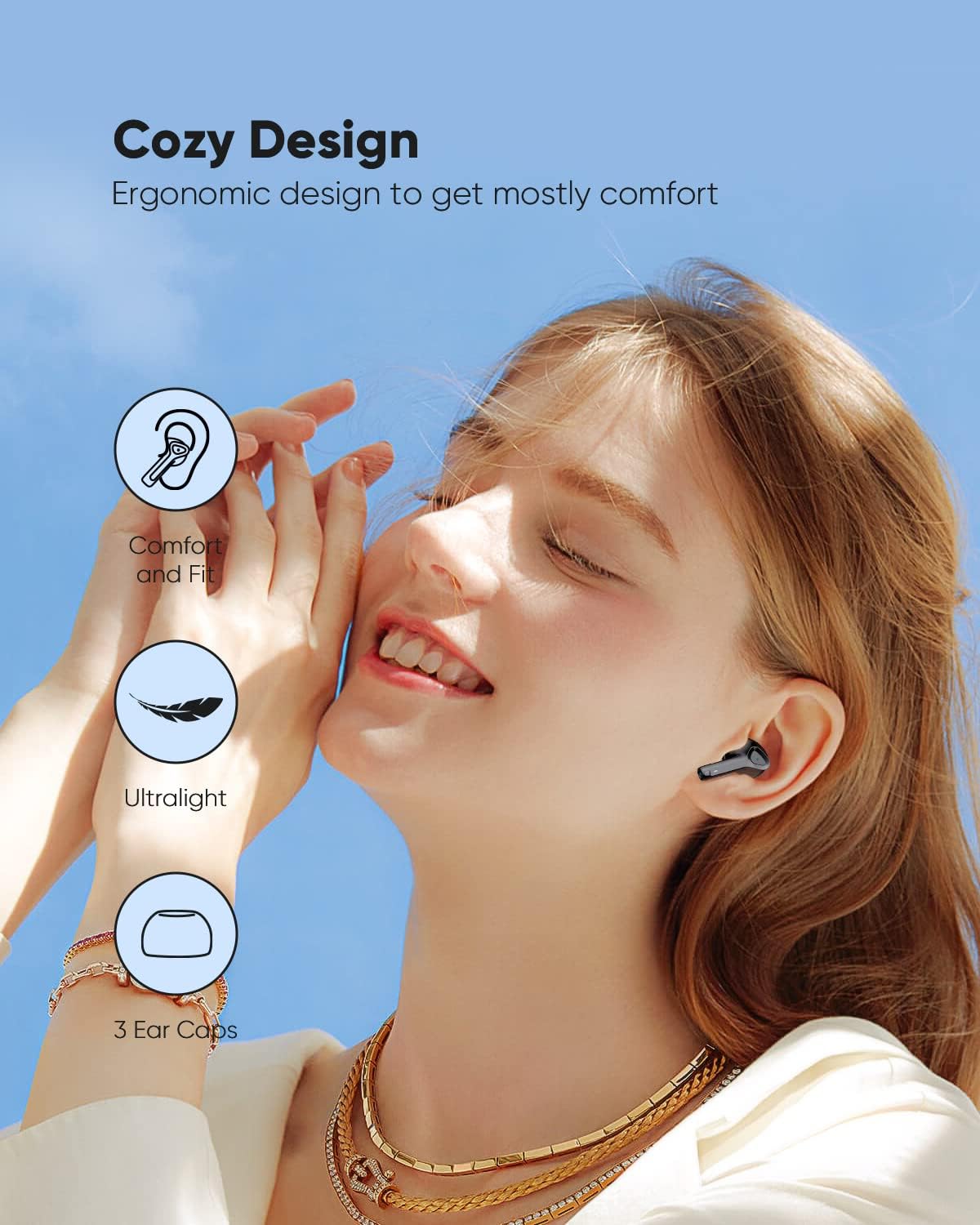
Image: Illustrates the ergonomic design of the earbuds, emphasizing comfort, ultralight weight, and the inclusion of 3 ear cap sizes for a customized fit.
Setup
1. Initial Charging
Before first use, fully charge the earbuds and the charging case. Connect the charging case to a USB power source using the provided USB cable. The LED digital display on the case will show the charging progress. Once fully charged, the display will indicate 100%.
2. Pairing with Your Device (One-step Auto Pairing)
- Ensure your device's Bluetooth is turned on.
- Open the charging case. The earbuds will automatically enter pairing mode.
- On your device, search for Bluetooth devices and select "DBSOARS Earbuds" (or similar name) from the list.
- Once connected, a voice prompt will confirm successful pairing.
The earbuds will automatically reconnect to the last paired device when taken out of the case, provided Bluetooth is enabled on the device.
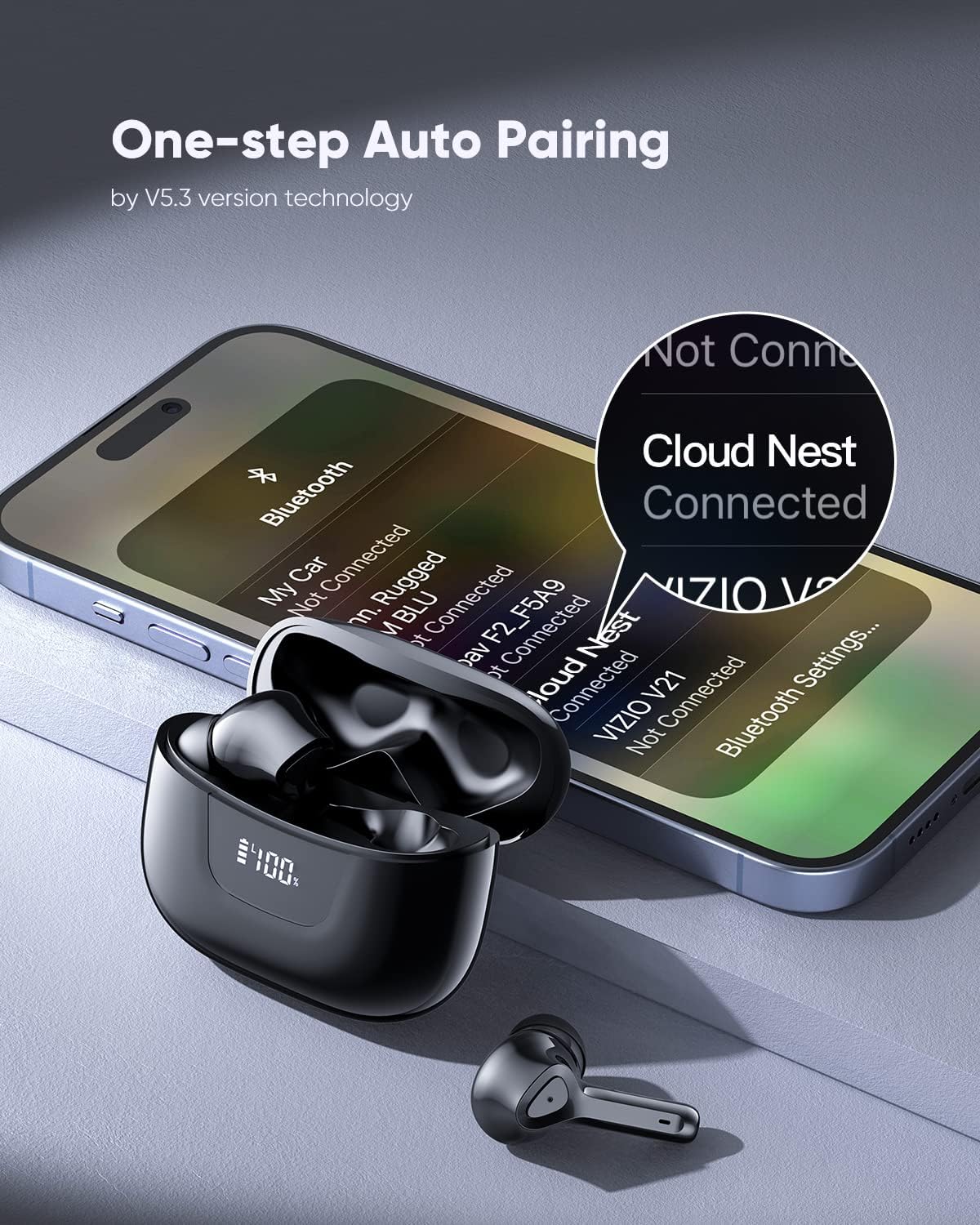
Image: Depicts a smartphone screen showing Bluetooth settings with the earbuds' name "Cloud Nest" connected, illustrating the one-step auto pairing process.
Operating Instructions
Smart Touch Controls
The earbuds feature intuitive touch controls on their outer surface. A single touch or long press performs various functions:
- Power On/Off: Earbuds power on automatically when removed from the case and power off when placed back in the case.
- Play/Pause: Single tap on either earbud.
- Next Track: Double tap the right earbud.
- Previous Track: Double tap the left earbud.
- Answer Call: Single tap on either earbud during an incoming call.
- Hang Up Call: Single tap on either earbud during a call.
- Reject Call: Long press on either earbud during an incoming call.
- Activate Voice Assistant: Triple tap on either earbud.

Image: Diagram illustrating the various smart touch control functions on the earbuds, including On/Off, Play/Pause, Previous/Next Track, Voice Assistant, Answer Call, Hang Up, and Reject Call.
Volume Control
Adjust the volume directly from the earbuds:
- Increase Volume: Long press the right earbud's touch button for 3 seconds and hold.
- Decrease Volume: Long press the left earbud's touch button for 3 seconds and hold.
Video: Demonstrates how to control the volume using the touch controls on the earbuds. Long press the right earbud to increase volume, and long press the left earbud to decrease volume.
Maintenance
Cleaning and Care
- Regularly clean the earbuds and charging case with a soft, dry, lint-free cloth.
- Avoid using abrasive cleaners, solvents, or aerosol sprays.
- Clean the charging contacts on both the earbuds and the case to ensure proper charging.
IPX5 Waterproof Rating
The earbuds are rated IPX5 waterproof, meaning they are protected against low-pressure water jets from any direction. This makes them suitable for use during workouts where sweat may be present, or in light rain. However, they are not designed for submersion in water, swimming, or showering. Ensure the earbuds are dry before placing them back into the charging case to prevent damage.

Image: The earbuds are shown with water droplets, illustrating their IPX5 waterproof capability, which protects them from sweat during workouts.

Image: A person is shown running outdoors while wearing the earbuds, demonstrating their suitability for active use due to their IPX5 waterproof rating.
Troubleshooting
| Problem | Possible Solution |
|---|---|
| Earbuds not pairing/connecting. |
|
| No sound or low volume. |
|
| Earbuds not charging. |
|
| One earbud not working. |
|
Specifications
| Feature | Detail |
|---|---|
| Brand | DBSOARS |
| Model | B0C2HBB275 |
| Wireless Communication Technology | Bluetooth |
| Bluetooth Version | 5.3 |
| Ear Placement | In Ear |
| Form Factor | In Ear |
| Control Method | Touch, Voice |
| Waterproof Rating | IPX5 |
| Color | Black |
| Recommended Uses | Running, Music |
Warranty and Support
Information regarding product warranty and customer support is not provided within this manual. Please refer to the product packaging or the retailer's website for details on warranty coverage and how to contact customer support for assistance.
