
HUIZHEN FOR2000
HUIZHEN SmartClean 2000 Robovac Vacuum Replacement Parts Instruction Manual
Model: FOR2000
Product Overview
This accessory kit provides essential replacement parts for your Ionvac SmartClean 2000 Robovac Robot Vacuum (Model No: 7687). Regular replacement of these components is crucial for maintaining the optimal cleaning performance and extending the lifespan of your robot vacuum.
The kit includes a comprehensive set of parts designed to restore your vacuum's efficiency in capturing dust, debris, and allergens from various floor types.

Image: A complete set of HUIZHEN replacement parts for the Ionvac SmartClean 2000 Robovac, including two main brushes, six side brushes, six HEPA filters, and a brush cover.
Package Contents
Please verify that all items listed below are present in your package:
- 2 x Main Roller Brush: Essential for deep cleaning and picking up larger debris.
- 6 x Side Brushes: Designed to sweep debris from edges and corners into the vacuum's path.
- 6 x Hepa Filters: Captures fine dust, allergens, and microscopic particles.
- 2 x Hepa Filter with Shell (Removable Filter Holder): Provides a frame for the HEPA filter, allowing for easy replacement of the internal filter.
- 1 x Brush Cover: Protects the main brush and ensures proper suction.

Image: A detailed diagram illustrating the main brush, side brush, HEPA filter, and brush cover, along with their approximate dimensions and their placement on the underside of the Ionvac SmartClean 2000 Robovac.
Installation Guide
Before installing any replacement parts, ensure your robot vacuum is powered off and unplugged from its charging base.
1. Replacing the Main Roller Brush
- Turn the robot vacuum upside down on a flat, stable surface.
- Locate the brush cover (usually secured by clips or screws).
- Press the release tabs or unscrew the fasteners to remove the brush cover.
- Lift out the old main roller brush.
- Insert the new main roller brush, ensuring the ends align with the slots in the vacuum.
- Replace the brush cover and secure it.

Image: A visual comparison of a dirty main brush and a clean one, emphasizing the DeepClean V-shape, reinforced ABS material, and anti-tangle design of the replacement main brush.

Image: A close-up of the brush cover, showing its quick-release lock mechanism, reinforced ABS construction, and precision brush strip designed to remove hair and debris.
2. Replacing the Side Brushes
- Turn the robot vacuum upside down.
- Locate the side brushes. They are typically held in place by a single screw or a snap-on mechanism.
- If screwed, use a screwdriver to remove the screw and detach the old side brush.
- Align the new side brush with the post and press it firmly into place or secure it with the screw.

Image: A pair of side brushes, highlighting their soft bristles for gentle cleaning on all floor types, a slot-in design for easy replacement, and reinforced ABS material for durability.
3. Replacing the Hepa Filters
- Open the dustbin compartment on your robot vacuum.
- Remove the dustbin.
- Locate the filter assembly within the dustbin.
- Remove the old filter. If your filter holder is removable, you can separate the old HEPA filter from its frame.
- Insert the new HEPA filter into the filter holder or directly into the dustbin if it's a combined unit. Ensure it fits snugly.
- Reinsert the dustbin into the vacuum.

Image: A side-by-side comparison showing the HUIZHEN filter with a removable filter holder, allowing for easy replacement of the internal filter, contrasted with a non-removable, sealed filter holder.
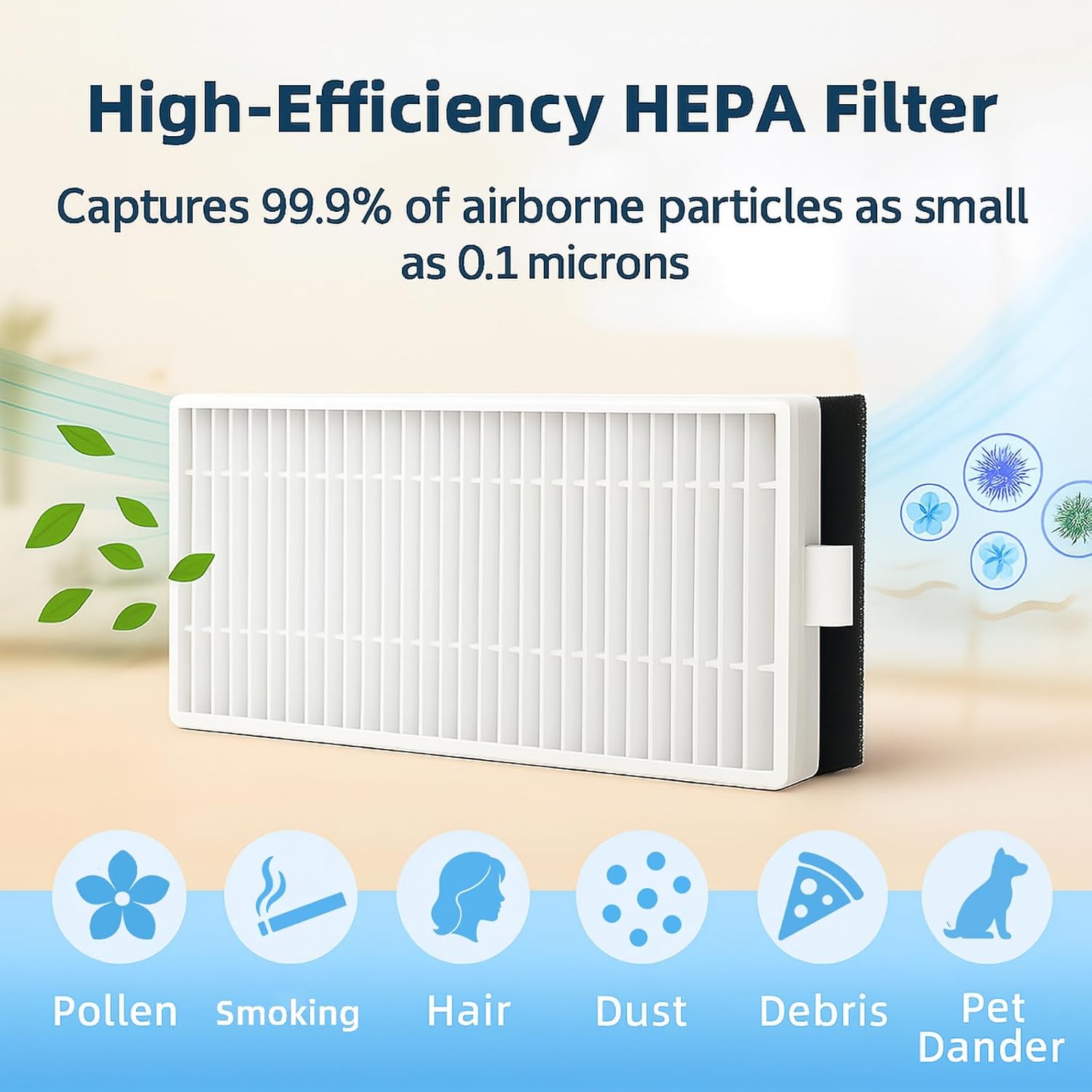
Image: A visual representation of a High-Efficiency HEPA Filter, illustrating its ability to capture 99.9% of airborne particles as small as 0.1 microns, including pollen, smoke, hair, dust, debris, and pet dander.
Operating with New Parts
Once the replacement parts are installed, your Ionvac SmartClean 2000 Robovac will operate with renewed efficiency. The new brushes will ensure thorough debris collection, and the fresh HEPA filters will maintain superior air filtration, contributing to a cleaner home environment.

Image: An Ionvac SmartClean 2000 Robovac cleaning across different floor surfaces (wood, tiles, carpets), demonstrating its multi-floor cleaning capability to pick up pet hair, dust, and fine dirt.
Maintenance and Care
To ensure your robot vacuum continues to perform at its best, regular maintenance of these replacement parts is recommended.
- Replacement Frequency: We recommend replacing the accessories every three months. This schedule helps maintain optimal cleaning efficiency and extends the device's overall lifespan.
- Main Brush: Periodically remove hair and debris tangled around the main brush. A cleaning tool (often included with the vacuum) can assist with this.
- Side Brushes: Check side brushes for wear or damage. If bristles are bent or broken, replace them.
- HEPA Filters: Tap the filter gently over a trash can to remove accumulated dust. Do not wash HEPA filters with water unless explicitly stated by the vacuum manufacturer, as this can damage the filter material.
Troubleshooting
If you experience reduced cleaning performance or unusual noises from your robot vacuum, consider the following:
- Reduced Suction/Cleaning: This is often a primary indicator that the HEPA filter is clogged or the main brush is worn. Replace the filter and inspect the main brush for excessive wear or tangles.
- Unusual Noises: Worn or damaged main brushes or side brushes can cause abnormal sounds. Inspect these components for any visible damage and replace if necessary.
- Vacuum Not Picking Up Debris: Ensure the main brush is properly installed and spinning freely. Check side brushes for damage. A full dustbin or clogged filter can also contribute to this issue.
Regular replacement of these accessories, as outlined in the Maintenance section, is the most effective way to prevent these common issues and ensure consistent performance.
Specifications
| Brand | HUIZHEN |
| Model Number | FOR2000 |
| Compatible Device | Ionvac SmartClean 2000 Robovac |
| Material Type | ABS materials + Soft bristles + HEPA Filter |
| Included Components | 2 x Main Roller Brush, 6 x Side Brush, 6 x Hepa Filter, 2 x Hepa Filter with Shell, 1 x Brush Cover |
| Item Weight | 6.4 ounces |
| Product Dimensions | 7.76 x 6.61 x 2.68 inches |
Warranty and Support
These replacement parts are designed for durability and performance. For any issues related to manufacturing defects or compatibility, please contact the seller, HUI ZHEN, through the platform where the purchase was made. Standard return policies apply as per the retailer's terms.
For general inquiries regarding the Ionvac SmartClean 2000 Robovac, please refer to the original vacuum's user manual or the manufacturer's support channels.
Ask a question about this manual
Ask about setup, troubleshooting, compatibility, parts, safety, or missing instructions. Manuals+ will review the question and use this page’s manual context to help answer it.