
Netzu 6206D
Netzu Digital Alarm Clock User Manual
Model: 6206D
Product Overview
The Netzu Digital Alarm Clock (Model 6206D) is designed to provide a clear, customizable time display with advanced alarm and lighting features. It includes an RGB aesthetic with a wide range of colors for both the time display and the night light. Key features include a large, easy-to-read display, dual alarms with adjustable volume, a snooze function, and a convenient USB charging port.

Figure 1: Front view of the Netzu Digital Alarm Clock with its vibrant time display.
Setup
- Power Connection: Connect the provided USB cable and adapter to the alarm clock and plug it into a standard wall outlet. The clock is mains powered.
- Backup Batteries: For power outage protection, insert 2 AAA batteries (not included) into the battery compartment located on the back of the clock. These batteries will preserve time settings during a power interruption, but the alarm will not sound.
- Initial Time Setting: Upon first power-up, the clock may display a default time. Refer to the "Setting Time and Alarms" section for detailed instructions on adjusting the time.
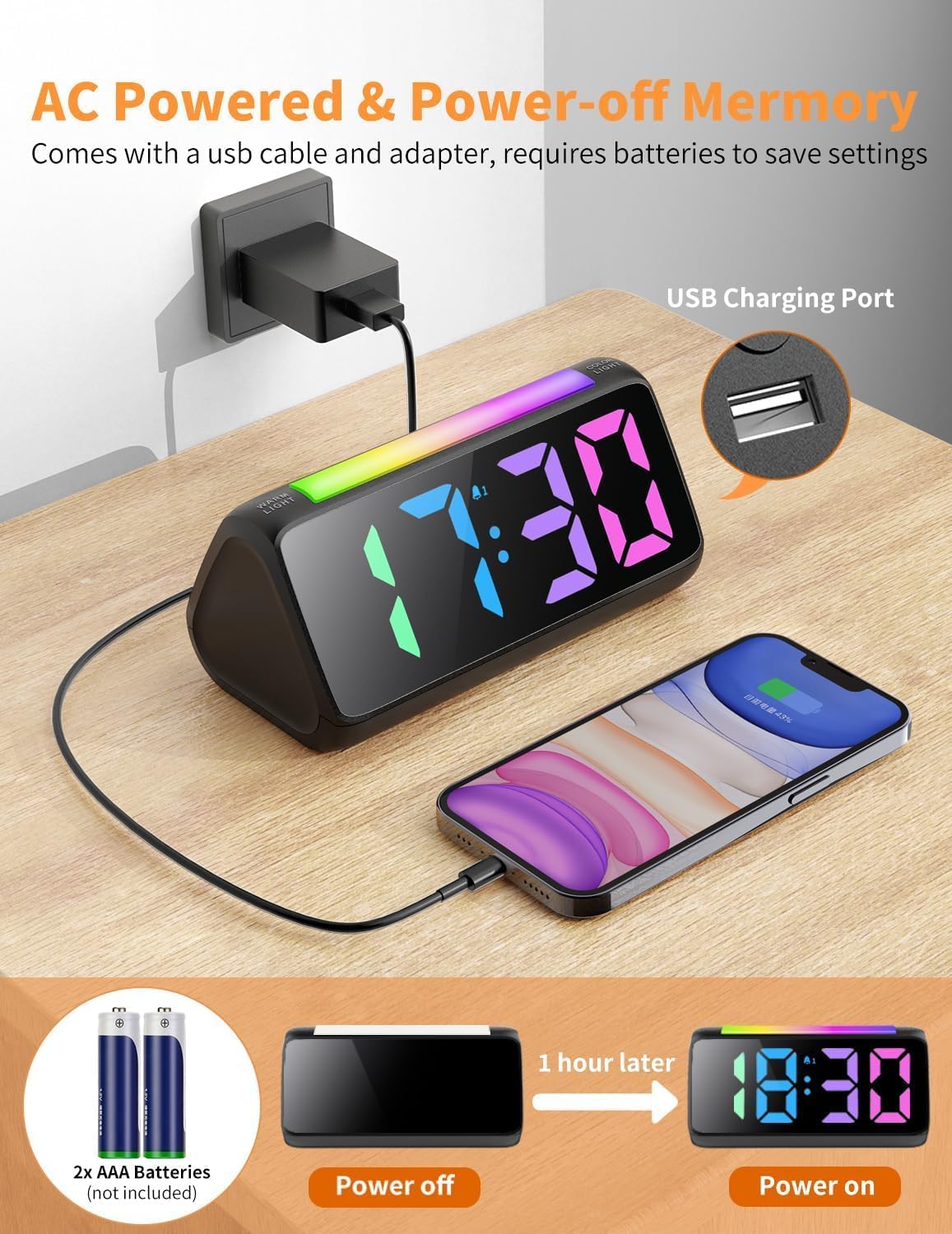
Figure 2: Connecting the alarm clock to power and utilizing the USB charging port.

Figure 3: Location of the backup battery compartment.
Operating Instructions
Setting Time and Alarms
The control buttons for setting time and alarms are located on the back of the unit. These large, clearly labeled buttons simplify the setup process.

Figure 4: Rear view of the alarm clock with control buttons for settings.
- Time Setting: Use the dedicated time setting buttons (often labeled with clock icons or "SET") to adjust the current hour and minute.
- 12H/24H Format: Easily switch between 12-hour (AM/PM) and 24-hour (military) time formats using the designated button.
- Dual Alarms: The clock supports two independent alarms. Use the alarm setting buttons (e.g., AL1, AL2) to set desired wake-up times.
- Alarm Volume: Choose from 3 adjustable volume levels (75-95dB) to suit your preference. This ensures the alarm is loud enough for heavy sleepers.
- Snooze Function: A large snooze button is located on the top of the clock. Press it to activate a 9-minute snooze period.

Figure 5: Demonstration of 12-hour and 24-hour time display options.
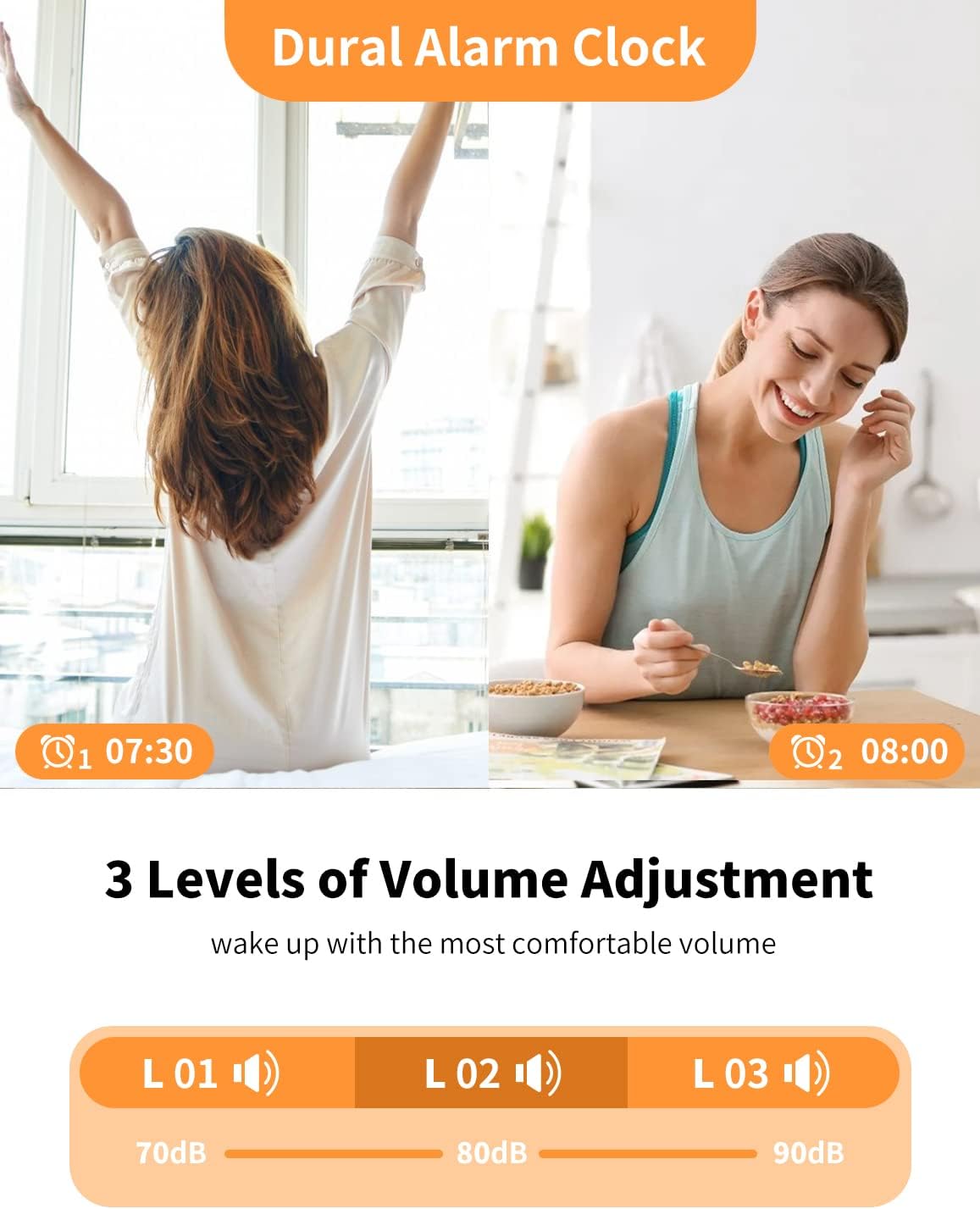
Figure 6: Dual alarm functionality with three adjustable volume levels.
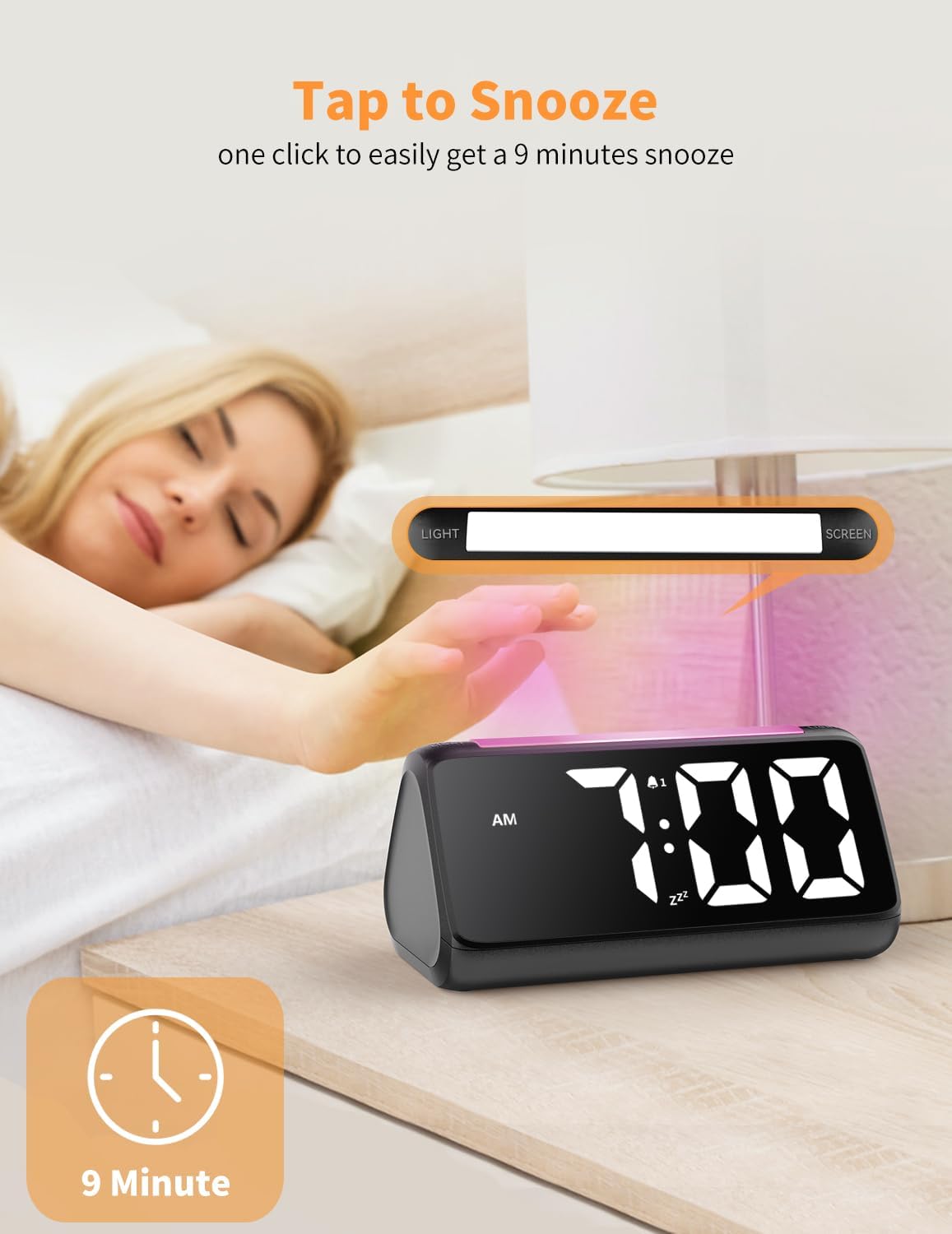
Figure 7: Activating the 9-minute snooze function.
Display and Lighting Features
- Large Digital Display: The clock features large, 1.9-inch tall numbers for excellent visibility from a distance.
- Color LED Display: Customize the time display color with 8 different options, including a vibrant rainbow mode.
- Dimmable Brightness: Adjust the brightness of the time display from 0% to 100% to suit ambient light conditions and personal preference, preventing eye strain.
- RGB Night Light: A dedicated button on top activates the night light, offering 10 colorful options. This provides soft illumination for navigating in the dark.
- USB Charging Port: A convenient USB charging port is integrated into the clock, allowing you to charge your phone or other devices overnight.

Figure 8: Various color options for the main time display.
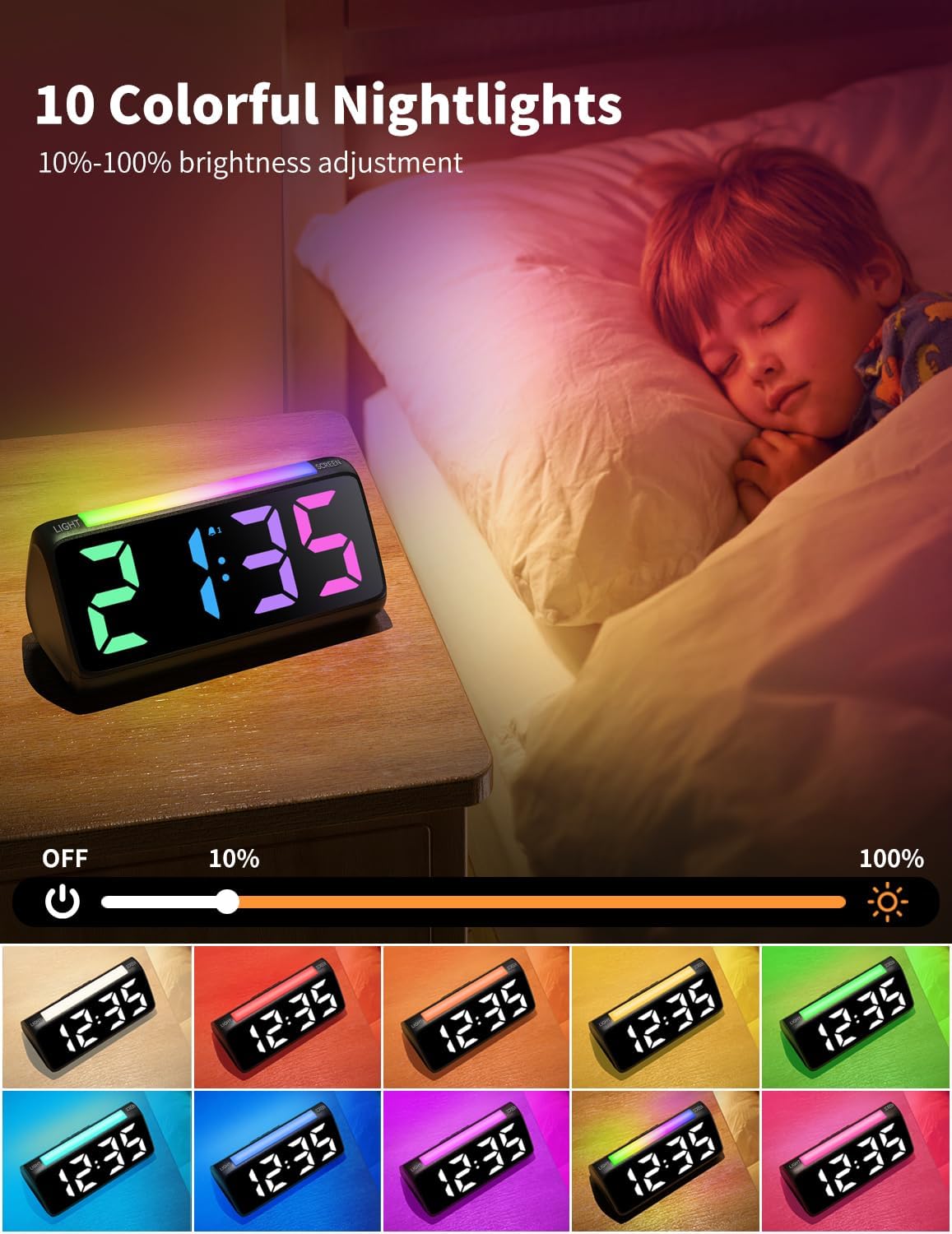
Figure 9: The night light feature with 10 color choices and brightness adjustment.
Maintenance
- Cleaning: Use a soft, dry cloth to clean the surface of the alarm clock. Avoid using abrasive cleaners or solvents, as they may damage the finish.
- Battery Replacement: Replace the 2 AAA backup batteries annually or when the clock fails to retain time settings during a power outage.
- Storage: If storing the clock for an extended period, disconnect it from the power source and remove the backup batteries to prevent leakage.
Troubleshooting
| Problem | Possible Cause | Solution |
|---|---|---|
| Clock display is off or flickering. | Power disconnected or unstable. | Ensure the power adapter is securely plugged into both the clock and the wall outlet. Check the power source. |
| Alarm does not sound during power outage. | Backup batteries are not installed or are depleted. | Install or replace 2 AAA backup batteries. Note that the alarm function is not active during battery backup mode. |
| Cannot change display color or brightness. | Incorrect button usage or temporary software glitch. | Refer to the "Operating Instructions" section for correct button functions. Try unplugging and re-plugging the clock to reset. |
Specifications
- Brand: Netzu
- Model Number: 6206D
- Color: Black
- Display Type: Digital
- Product Dimensions: 6.3"W x 2.9"H
- Power Source: Corded Electric
- Backup Power: 2x AAA Batteries (not included)
- Special Features: Loud Alarm, Snooze, Adjustable Brightness, Adjustable Volume, USB Charging Port, RGB Night Light, Rainbow Time
- Material: Plastic (Acrylonitrile Butadiene Styrene)
- Item Weight: 10.6 ounces (0.3 Kilograms)
Warranty and Support
For detailed warranty information and customer support, please refer to the official Netzu website or contact their customer service directly. Keep your purchase receipt for any warranty claims.
Related documents6206D

Ask a question about this manual
Ask about setup, troubleshooting, compatibility, parts, safety, or missing instructions. Manuals+ will review the question and use this page’s manual context to help answer it.