
Introduction
Thank you for choosing the AIFINI X2 Wireless Ear Cleaner. This device is designed to provide a clear, real-time view of your ear canal, assisting in safe and effective ear wax removal. It features a 1080P HD camera, bright LED lights, and connects wirelessly to your iOS or Android device for visual guidance.
Important Safety Information
- Always use the device gently and slowly within the ear canal.
- Do not use the product while it is charging.
- Ensure the silicone sleeve on the ear spoon is tightened before each use to prevent scratching the ear canal.
- Avoid inserting the device too deeply into the ear canal to prevent injury to the eardrum.
- Keep out of reach of children.
- Consult a medical professional if you experience pain, discomfort, or have a pre-existing ear condition.
Package Contents
Please verify that all items are present in your package:
- AIFINI X2 Otoscope with Light (1)
- Type-C Charging Cable (1)
- Silicone Ear Spoons (6) - 3 kinds of curved designs
- User Manual (1)
- 7-piece Ear Wax Removal Tool Kit (1)

Image: Contents of the AIFINI X2 package, showing the main device, charging cable, various ear spoons, and a separate set of metal ear cleaning tools.
Product Features
- 1080P HD Camera: Provides a clear, real-time view of the ear canal.
- Integrated Ear Spoon Design: The ear spoon is firmly fixed to the camera, enhancing security and simplifying use.
- Soft Silicone Ear Spoons: Includes six interchangeable silicone ear spoons with three different curve types for comfortable and effective cleaning.
- Bright LED Lights: Illuminates the dark ear canal for improved visibility.
- Wide Compatibility: Supports both iOS and Android devices via Wi-Fi connection.
- Six-Axis Gravity Sensor & Screen Reverse Design: Automatically adjusts the image orientation for consistent viewing regardless of device position.
- Type-C Charging: Convenient and fast charging.
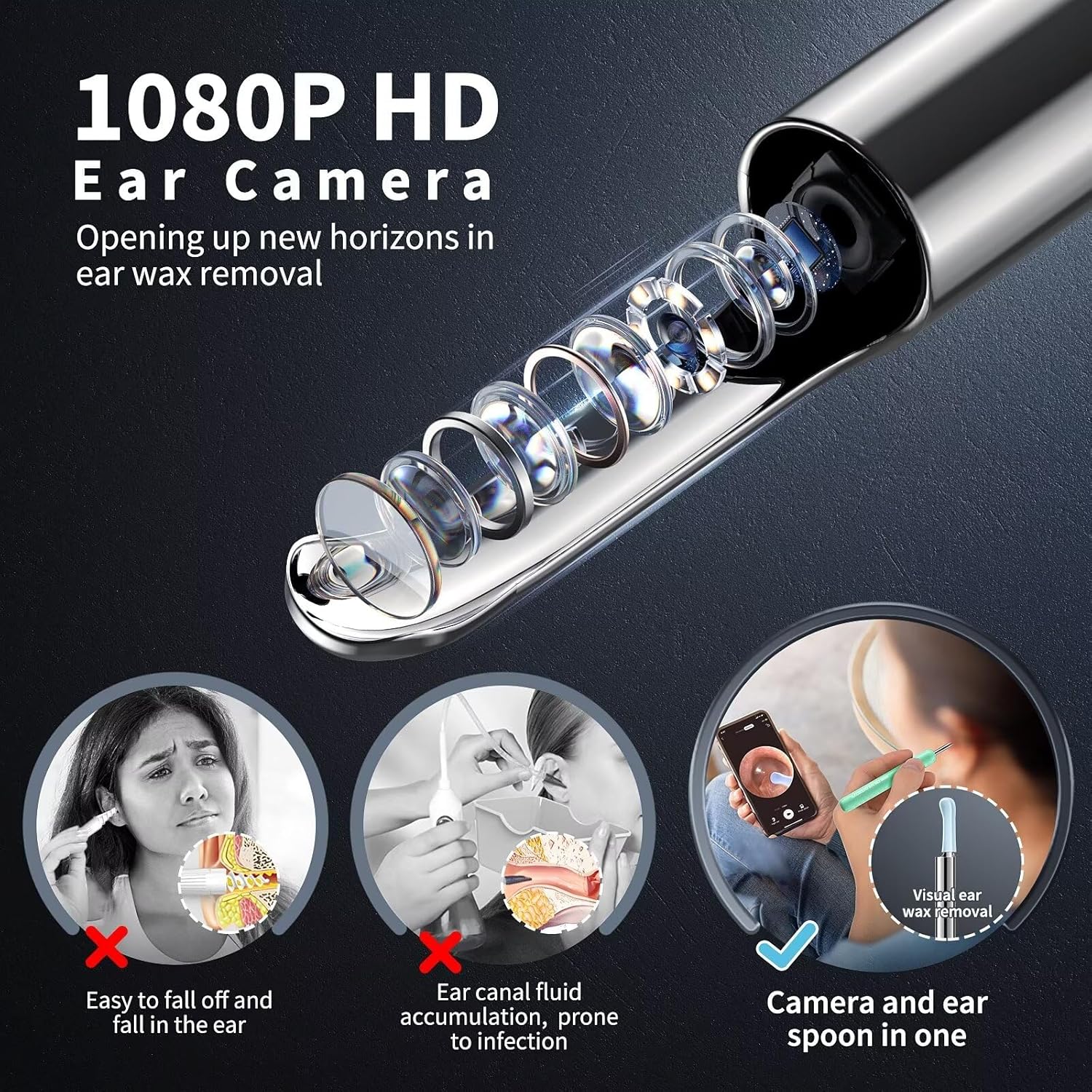
Image: Detailed view of the 1080P HD camera and integrated ear spoon design.

Image: Illustration of the soft silicone ear spoons with low, middle, and high arc designs.

Image: Key features of the AIFINI X2 device, including camera, LED lights, and charging port.
Setup Guide
- Download the App: Scan the QR code below or visit http://qr19.cn/CRUIhc to download the "Suear" application on your iOS or Android device.
- Power On: Press and hold the ear wax cleaner's on/off button for 1 to 2 seconds to turn on the device.
- Connect to Wi-Fi:
- Open your device's Wi-Fi settings.
- Locate and connect to the Wi-Fi network named "Suear -xxxx" (where xxxx is a unique identifier).
- Note: It is normal to see a "Network unavailable" prompt as this Wi-Fi connection is for device communication only and does not provide internet access.
- Launch App: Return to the "Suear" app. The live view from the ear cleaner camera should now be displayed.

Image: Visual guide for connecting the device to your smartphone.
Operating Instructions
- Attach Ear Spoon: Select a suitable silicone ear spoon and firmly attach it to the device. Ensure it is securely tightened.
- Positioning: Gently insert the ear cleaner into your ear canal. Observe the live feed on your smartphone.
- Cleaning: Using the visual guidance, carefully and slowly maneuver the ear spoon to remove ear wax. Avoid aggressive scraping or pushing wax deeper.
- Adjust View: The device features a six-axis gravity sensor, automatically adjusting the screen orientation for optimal viewing. You can switch between left and right ear views within the app.
- Optimal Posture: The device can be used comfortably in various positions, including sitting or reclining, thanks to its screen reverse design.
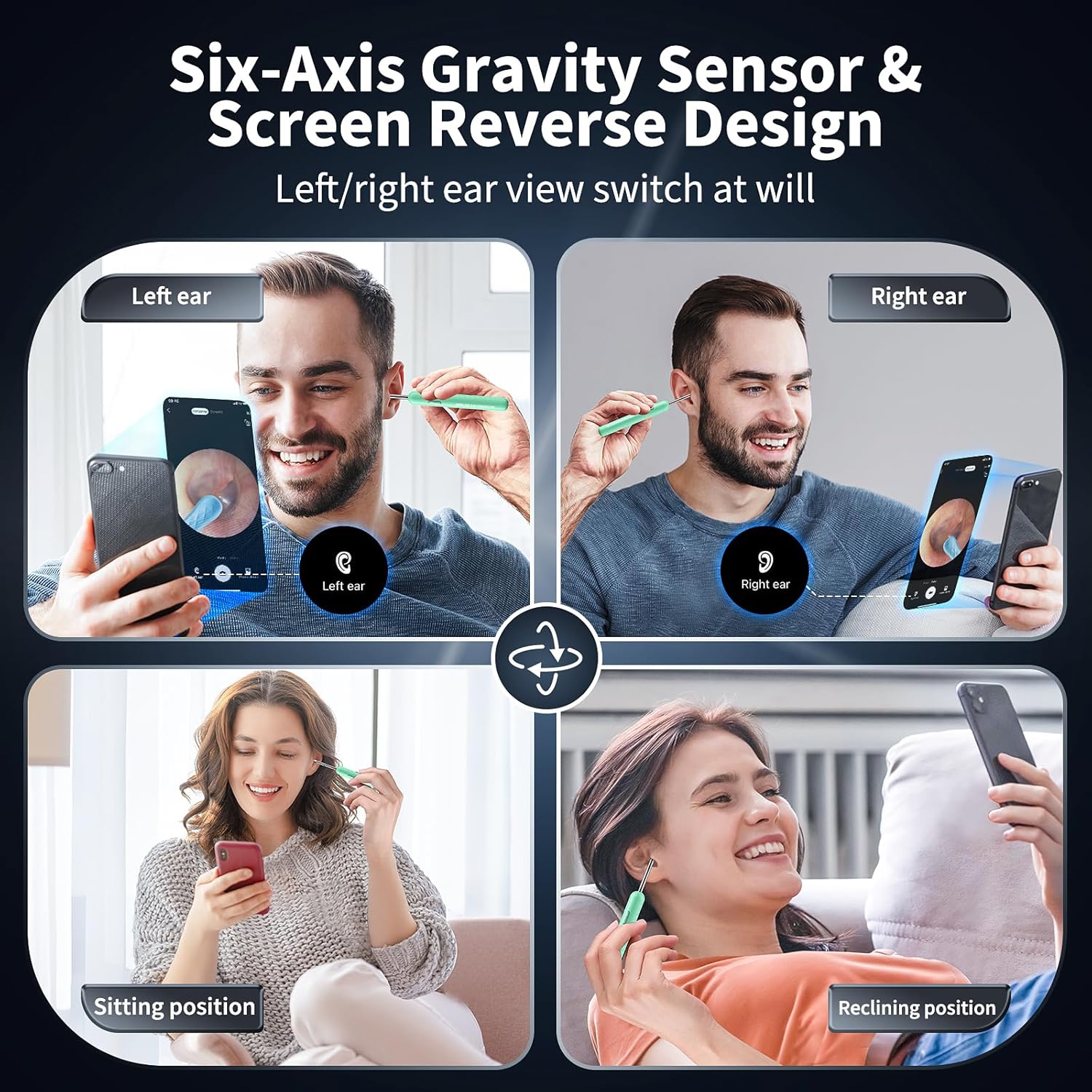
Image: Demonstrates flexible usage positions and automatic screen orientation.
Maintenance
- Cleaning Ear Spoons: After each use, remove the silicone ear spoon and clean it thoroughly with soap and water or an alcohol wipe. Ensure it is dry before storage.
- Device Cleaning: Wipe the main body of the device with a soft, dry cloth. Do not immerse the device in water. The lens is waterproof and can be gently wiped.
- Storage: Store the device and accessories in a clean, dry place away from direct sunlight and extreme temperatures.
- Charging: Charge the device using the provided Type-C charging cable. Do not use the device while it is charging.

Image: Illustrates features that aid in maintenance, such as soft silicone and waterproof lens.
Troubleshooting
| Problem | Possible Cause | Solution |
|---|---|---|
| Device does not turn on. | Low battery or not charged. | Charge the device using the provided Type-C cable. Ensure the power button is pressed and held for 1-2 seconds. |
| Cannot connect to Wi-Fi. | Device not powered on or incorrect Wi-Fi selected. | Ensure the device is powered on. Select the Wi-Fi network starting with "Suear -xxxx". Restart the device and try again. |
| "Network unavailable" message appears. | This is normal behavior. | The device's Wi-Fi provides a direct connection for the camera feed, not internet access. This message can be ignored. |
| No image in the app. | Not connected to device Wi-Fi or app not launched. | Verify Wi-Fi connection to "Suear -xxxx" and ensure the "Suear" app is open. |
| Image is blurry or unclear. | Lens might be dirty. | Gently clean the camera lens with a soft, dry cloth. |
Specifications
- Model Number: X2
- Camera Resolution: 1080P HD
- Lens Diameter: 4.00mm
- LED Lights: 6 Bright LEDs
- Battery: 1 Lithium Polymer battery (included), 350mAh
- Charging Port: Type-C
- Connectivity: Wi-Fi (2.4 GHz)
- Compatibility: iOS & Android devices
- Product Dimensions: 6.69 x 2.55 x 0.7 inches
- Item Weight: 2.4 ounces

Image: Highlights technical specifications like Type-C charging, LED lights, and Wi-Fi stability.
Warranty and Support
For warranty information and customer support, please refer to the documentation included with your purchase or visit the official AIFINI store on Amazon: