
Ataller KS-1005
Ataller Mini Digital Pocket Scale User Manual
Model: KS-1005
1. Product Overview
The Ataller Mini Digital Pocket Scale is designed for high-precision weighing, offering accurate results from 0.01g up to 100g. Its compact and portable design makes it ideal for various weighing needs, including jewelry, gems, coins, powders, and more. The scale features a durable stainless steel platform, user-friendly buttons, and a clear LCD display with blue backlight for easy reading.
Key features include:
- High-precision sensor system for instant and accurate readings.
- Seven different measurement units: grams (g), grains (gn), ounces (oz), troy ounces (ozt), carats (ct), taels (tl), and pennyweights (dwt).
- Automatic shut-off after 60 seconds of inactivity to conserve battery life.
- Intelligent indications for low battery, overload, and uneven surface placement.
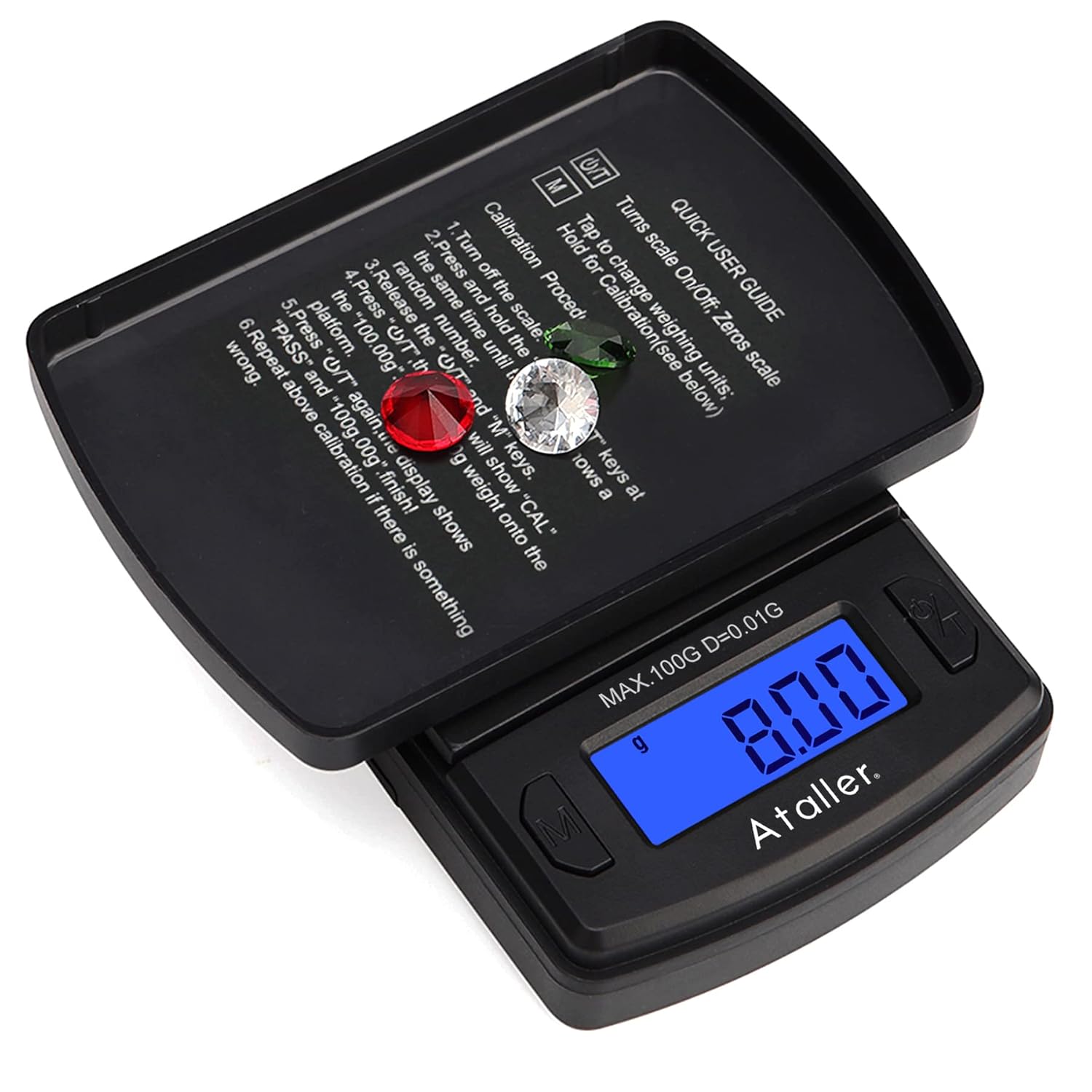
Image: The Ataller Mini Digital Pocket Scale with its protective flip cover open, displaying the digital readout and the weighing platform.
2. Getting Started
2.1 Package Contents
- 1 x Ataller Mini Digital Pocket Scale
- 2 x AAA Batteries
2.2 Battery Installation
- Locate the battery compartment on the underside of the scale.
- Slide open the battery compartment cover.
- Insert the 2 AAA batteries, ensuring correct polarity (+/-) as indicated inside the compartment.
- Close the battery compartment cover securely.

Image: Diagram illustrating the compact dimensions of the scale and the placement of the 2 AAA batteries.
3. Operating Instructions
3.1 Power On/Off
- To turn the scale ON, press the ON/OFF button. The display will light up and show "0.00g" when ready.
- To turn the scale OFF, press and hold the ON/OFF button until the display turns off. The scale will also automatically turn off after 60 seconds of inactivity.
3.2 Unit Conversion
The scale supports 7 different measurement units. To switch between units:
- With the scale ON, press the MODE (M) button repeatedly to cycle through the available units: g (grams), gn (grains), oz (ounces), ozt (troy ounces), ct (carats), tl (taels), and dwt (pennyweights).
- The selected unit will be displayed on the LCD screen.

Image: Examples of the scale's display showing various measurement units.
3.3 Tare Function
The tare function allows you to subtract the weight of a container, so you can weigh only the contents.
- Place an empty container on the weighing platform.
- Press the TARE (T) button. The display will reset to "0.00g".
- Now, place the items you wish to weigh into the container. The display will show the net weight of the items.

Image: Visual guide for using the tare function, showing how to zero out the weight of a container before weighing contents.
3.4 Calibration
For optimal accuracy, periodic calibration is recommended. Note: A 100g calibration weight is NOT included with the scale.
- Turn the scale OFF.
- Press and hold the MODE (M) and TARE (T) keys simultaneously. The display will show a random number.
- Release the TARE (T) and MODE (M) keys. The display will then show "CAL" followed by "100.00g".
- Place a 100g calibration weight onto the center of the weighing platform.
- Wait for the display to show "PASS" and then "100.00g" again. This indicates successful calibration.
- Remove the calibration weight. The scale is now calibrated and ready for use.

Image: Step-by-step visual instructions for performing the calibration process.
4. Care and Maintenance
4.1 Cleaning
- Wipe the scale with a slightly damp cloth. Do not immerse the scale in water or use abrasive cleaners.
- Ensure the scale is completely dry before storage or next use.
4.2 Storage
- Store the scale in a clean, dry place at room temperature.
- Avoid extreme temperatures, humidity, and direct sunlight.
- Always place the protective flip cover over the weighing platform when not in use to prevent damage.
5. Troubleshooting
If you encounter issues with your Ataller Mini Digital Pocket Scale, please refer to the following common problems and solutions:
| Problem | Possible Cause | Solution |
|---|---|---|
| Scale does not turn on | Low or dead batteries; Incorrect battery installation | Replace batteries; Check battery polarity |
| Inaccurate readings | Uneven surface; Overload; Needs calibration; Electromagnetic interference | Place on a flat, stable surface; Do not exceed max capacity; Perform calibration; Ensure no strong electromagnetic sources nearby (within 50cm) |
| "LO" or "UNSE" displayed | Low battery | Replace batteries |
| "O_LD" or "EEEE" displayed | Overload | Remove items immediately; Do not exceed 100g capacity |
6. Technical Specifications
| Specification | Value |
|---|---|
| Capacity | 0.01g - 100g |
| Readability | 0.01g |
| Automatic Shut Off Time | 60 seconds |
| Power Source | 2 x AAA Batteries (Included) |
| Product Dimensions | 3.5 x 2.4 x 0.8 inches (60mm x 85mm x 20mm) |
| Item Weight | 2.05 ounces |
| Display Type | LCD with Blue Backlight |
| Platform Material | Stainless Steel |
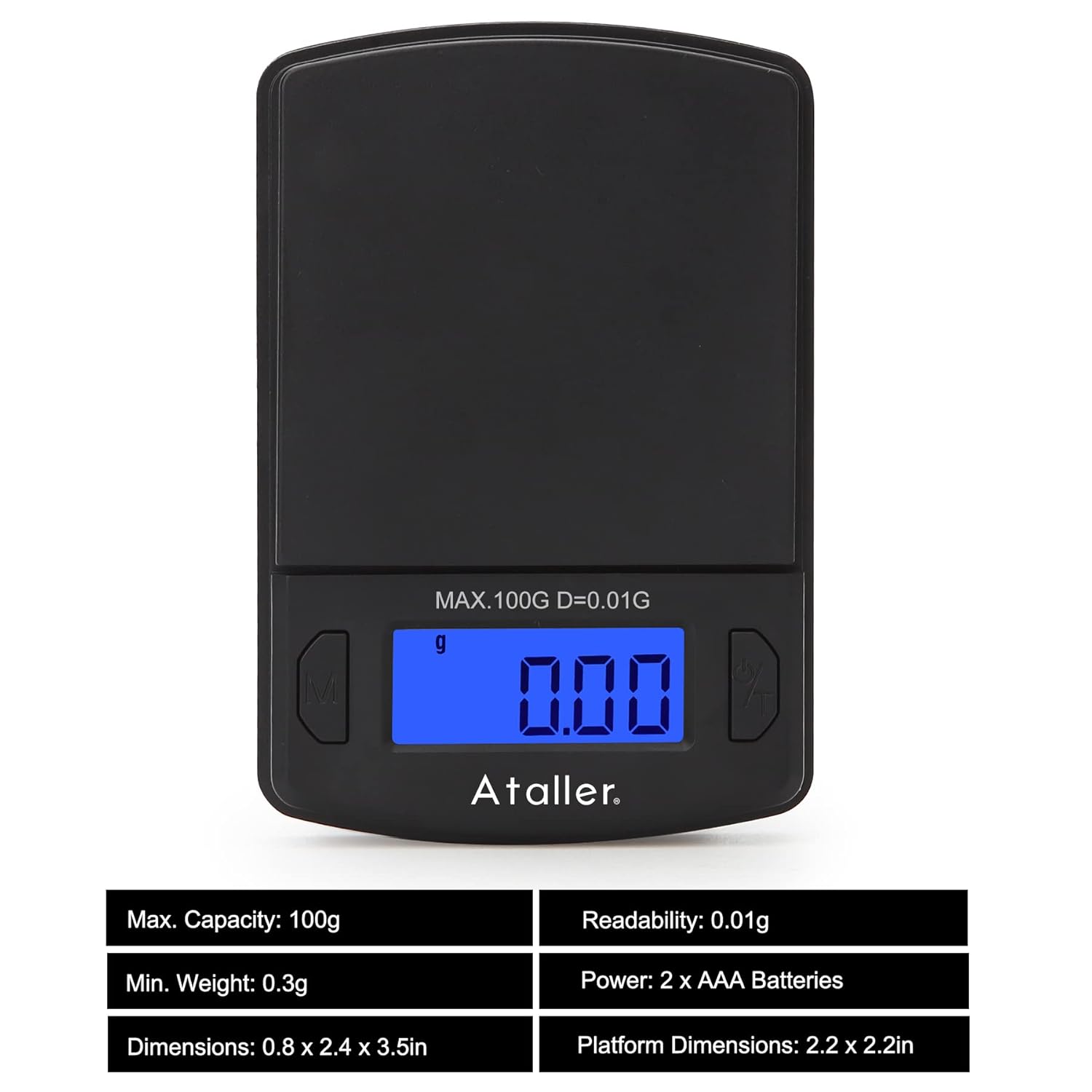
Image: A visual representation of the scale's key specifications.
7. Warranty and Customer Support
Ataller provides a 24-month unconditional warranty for this product. If you experience any issues or have questions regarding your Ataller Mini Digital Pocket Scale, please contact our customer service team for efficient and easy-to-reach support. Refer to your purchase documentation for specific contact details or visit the official Ataller website.
Ask a question about this manual
Ask about setup, troubleshooting, compatibility, parts, safety, or missing instructions. Manuals+ will review the question and use this page’s manual context to help answer it.