
TOTEDELL XR950
TOTEDELL XR950 Carburetor Instruction Manual
For Briggs & Stratton 208cc 950 Series Engines
1. Important Safety Information
Read and understand all safety instructions before installation or operation. Failure to follow these instructions may result in serious injury or property damage.
- Always wear appropriate personal protective equipment, including safety glasses and gloves, when working with fuel systems and engine components.
- Ensure the engine is cool and the spark plug wire is disconnected before performing any maintenance or installation.
- Work in a well-ventilated area. Gasoline and its vapors are highly flammable and explosive.
- Keep open flames, sparks, and other ignition sources away from the work area.
- Properly dispose of old fuel and engine fluids according to local regulations.
2. Package Contents
Verify that all components are present before beginning installation:
- 1 x XR950 Carburetor
- 1 x Air Filter
- 1 x Fuel Filter
- 1 x Spark Plug
- Gaskets (various sizes for installation)
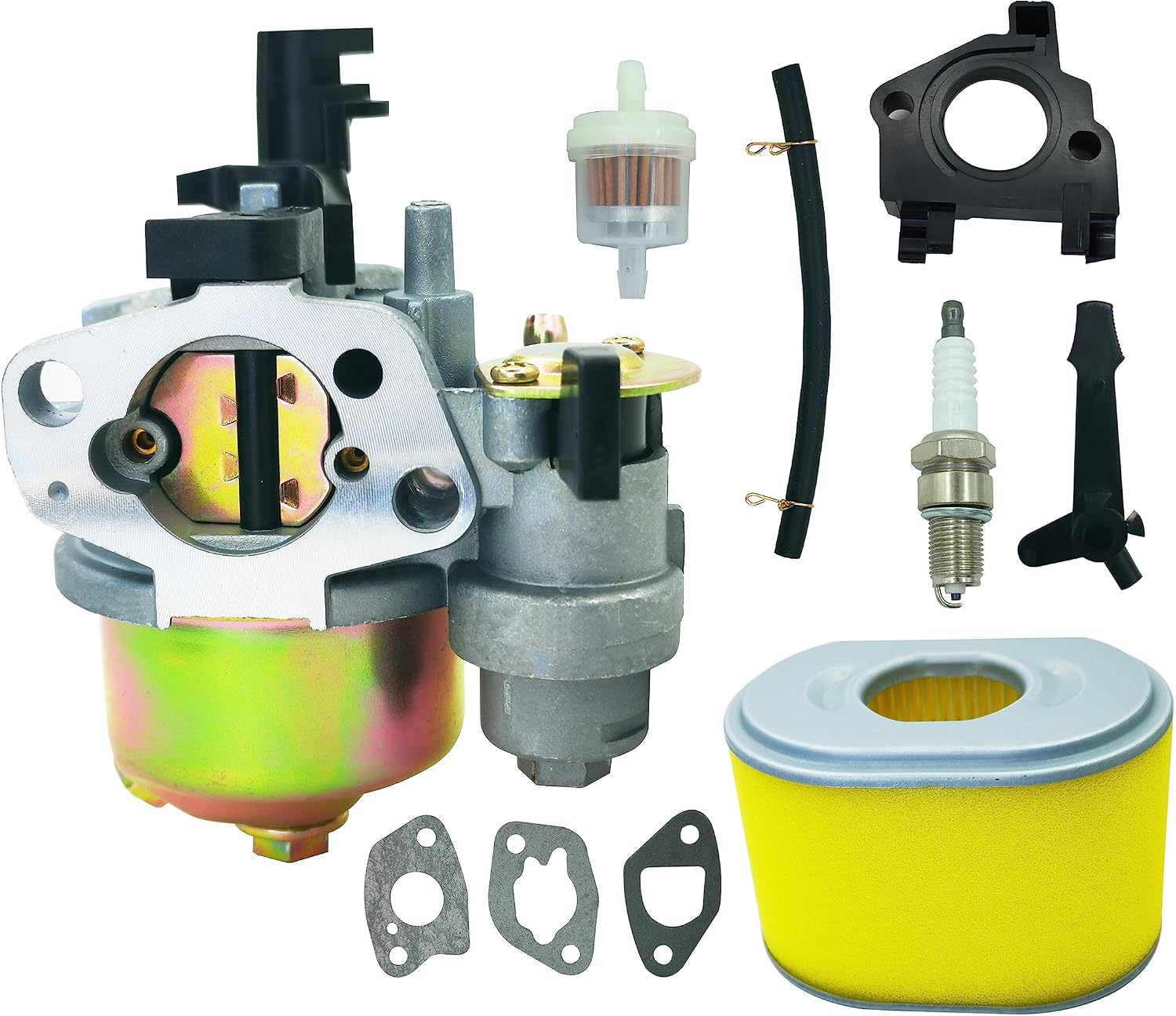
Figure 2.1: Complete XR950 Carburetor Kit. This image displays all components included in the package: the carburetor unit, an air filter, a fuel filter, a spark plug, and a set of gaskets.
3. Product Overview
The TOTEDELL XR950 Carburetor is designed as a replacement part for Briggs & Stratton 208cc 950 series engines, specifically model 130G32. It is responsible for mixing air and fuel in the correct ratio for combustion.

Figure 3.1: Front view of the XR950 Carburetor. This image shows the main body of the carburetor, including the air intake and fuel inlet.
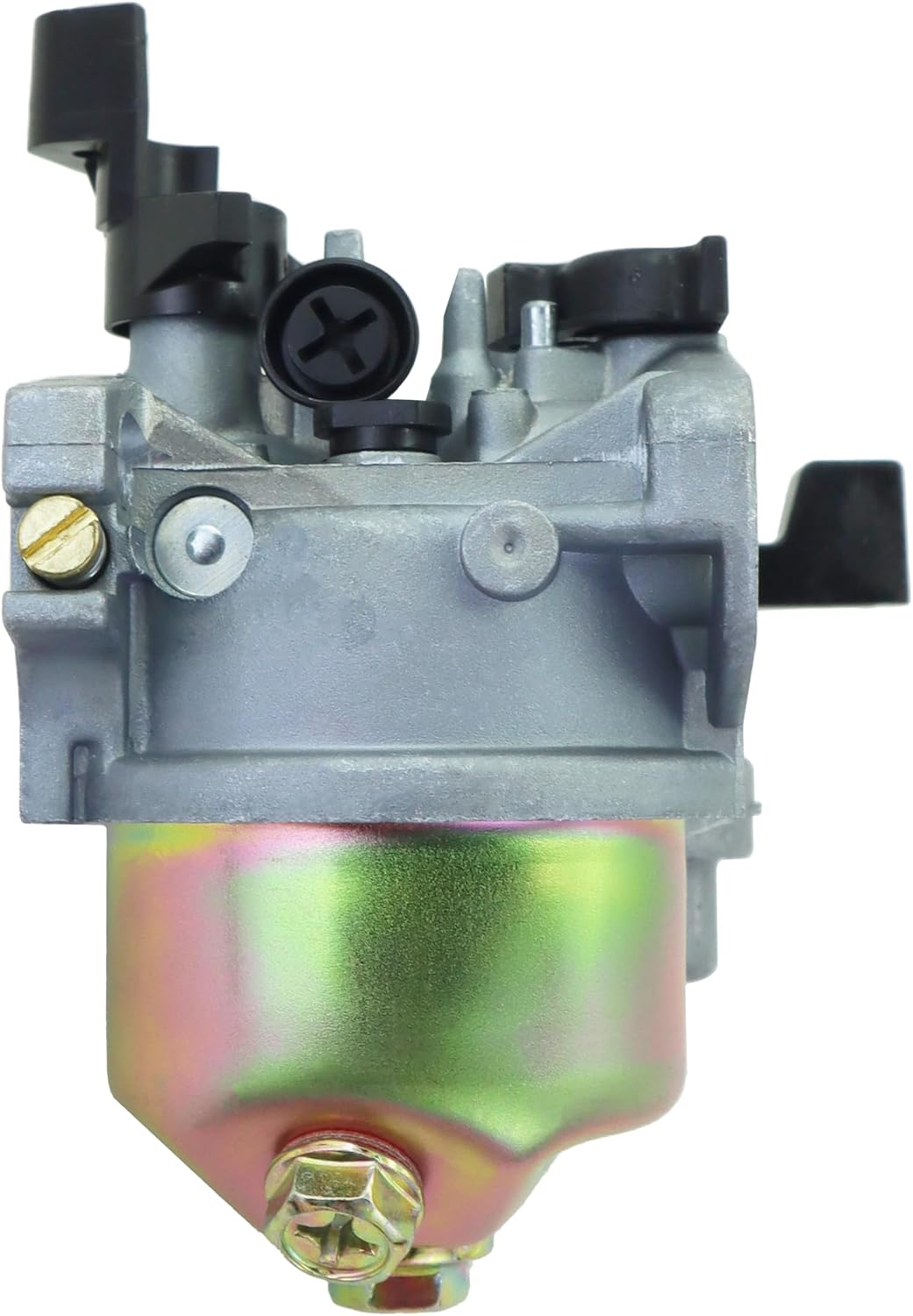
Figure 3.2: Side view of the XR950 Carburetor. This perspective highlights the fuel bowl and various adjustment points.
4. Installation Instructions (Setup)
This section provides general guidance for replacing a carburetor. Specific steps may vary depending on your engine model. Refer to your engine's service manual for detailed instructions.
4.1. Preparation
- Ensure the engine is turned off and cool to the touch.
- Disconnect the spark plug wire to prevent accidental starting.
- Turn off the fuel supply valve, if equipped.
- Place a suitable container under the carburetor to catch any draining fuel.
- Carefully drain the fuel tank or pinch off the fuel line to prevent fuel leakage.
4.2. Removal of Old Carburetor
- Remove the air filter housing and air filter.
- Disconnect the fuel line from the carburetor.
- Carefully detach any throttle linkage, choke linkage, and governor springs connected to the carburetor. Note their positions for reassembly.
- Unbolt the carburetor from the engine manifold. Remove any old gaskets.
4.3. Installation of New Carburetor
- Clean the mounting surfaces on the engine manifold.
- Install new gaskets between the carburetor and the engine manifold.
- Mount the new XR950 Carburetor onto the engine, ensuring proper alignment. Secure with bolts, tightening them evenly.
- Reconnect the throttle linkage, choke linkage, and governor springs to their original positions.
- Install the new fuel filter in the fuel line, ensuring the flow direction is correct.
- Reconnect the fuel line to the carburetor.
- Replace the old spark plug with the new one provided.
- Install the new air filter into the air filter housing, then reattach the housing.
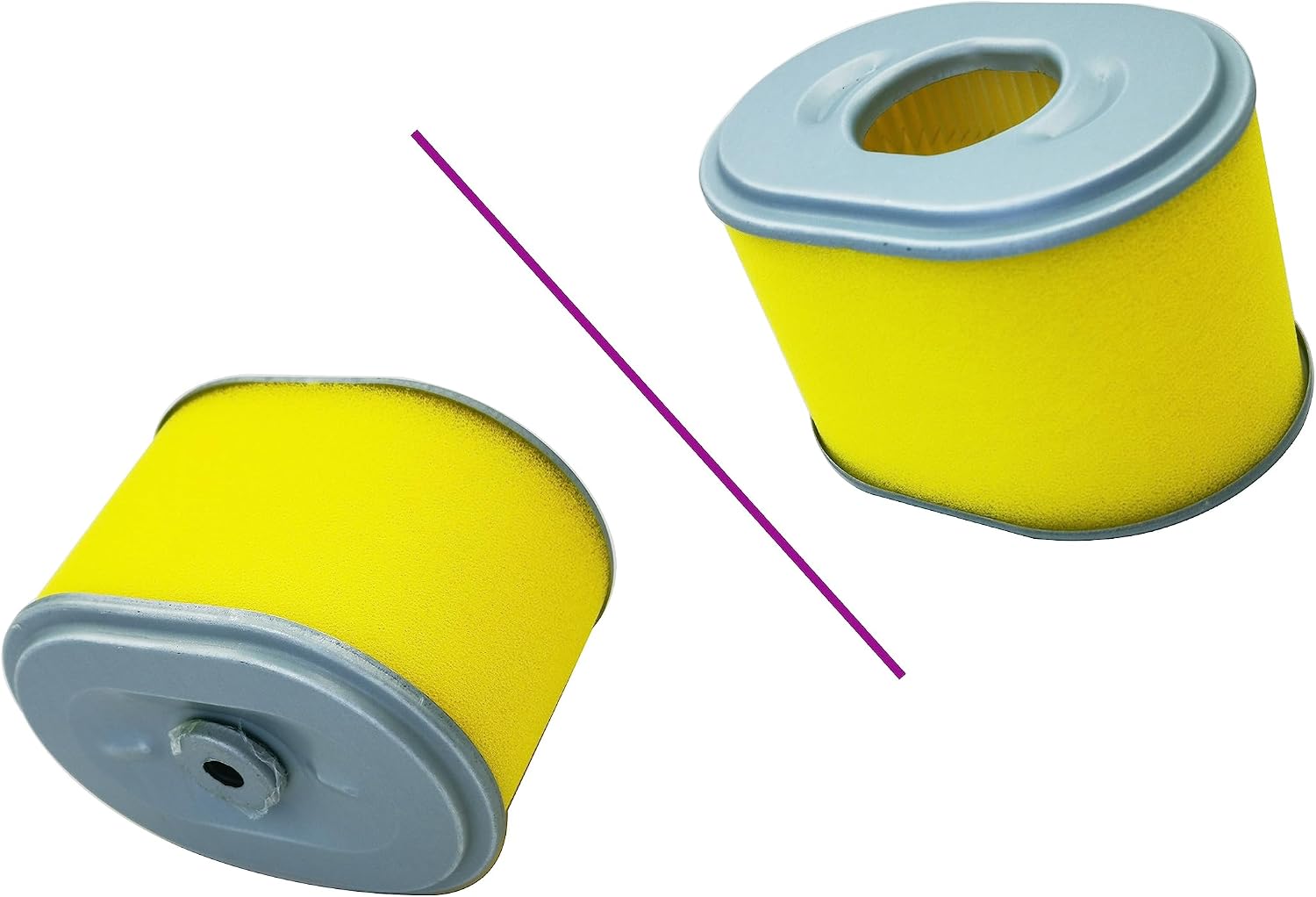
Figure 4.1: The included air filter. This component is crucial for protecting the engine from dust and debris.
4.4. Post-Installation
- Open the fuel supply valve.
- Check all connections for leaks.
- Reconnect the spark plug wire.
5. Operating Instructions
After successful installation, the engine should start and run smoothly. Follow your engine manufacturer's specific starting procedures.
- Ensure the fuel tank contains fresh, clean gasoline.
- Engage the choke if starting a cold engine.
- Pull the starter cord or engage the electric starter.
- Once the engine starts, gradually disengage the choke as the engine warms up.
- Allow the engine to warm up for a few minutes before applying load.
6. Maintenance
Regular maintenance ensures optimal performance and extends the life of your engine and carburetor.
6.1. Air Filter Maintenance
- Inspect the air filter regularly (e.g., every 25 operating hours or annually).
- Clean or replace the air filter if it appears dirty or clogged. A clogged air filter can lead to poor engine performance and increased fuel consumption.
6.2. Fuel System Maintenance
- Replace the fuel filter annually or if fuel flow is restricted.
- Use fresh, clean gasoline. Stale fuel can cause carburetor issues.
- Consider using a fuel stabilizer if the engine will be stored for an extended period.
6.3. Spark Plug Maintenance
- Inspect the spark plug annually or every 100 operating hours.
- Clean or replace the spark plug if it is fouled, worn, or damaged. Ensure the gap is set correctly according to engine specifications.
7. Troubleshooting
This section addresses common issues you might encounter after carburetor installation.
| Problem | Possible Cause | Solution |
|---|---|---|
| Engine does not start | No fuel, clogged fuel filter, incorrect choke setting, faulty spark plug, incorrect installation. | Check fuel level, replace fuel filter, adjust choke, inspect/replace spark plug, re-check all installation steps. |
| Engine runs rough or stalls | Dirty air filter, stale fuel, fuel restriction, carburetor adjustments needed (if applicable). | Clean/replace air filter, use fresh fuel, check fuel lines, consult engine service manual for carburetor adjustment procedures. |
| Fuel leaks | Loose fuel line connection, damaged gasket, cracked fuel line. | Tighten fuel line clamps, replace gaskets, replace damaged fuel lines. |
If issues persist after attempting these solutions, it is recommended to consult a qualified service technician or refer to your engine's specific service manual.
8. Specifications
| Feature | Detail |
|---|---|
| Brand | TOTEDELL |
| Model Number | XR950 |
| Compatible Engine Series | Briggs & Stratton 208cc 950 Series (e.g., 130G32) |
| Fuel Type | Gasoline |
| UPC | 768399154765 |
9. Warranty Information
This product is covered by a manufacturer's warranty.
- Warranty Period: 180 days after date of purchase.
- This warranty covers defects in materials and workmanship under normal use. It does not cover damage resulting from improper installation, misuse, neglect, accident, or unauthorized repairs.
- Keep your proof of purchase for warranty claims.
10. Customer Support
For technical assistance, questions regarding installation, or warranty claims, please contact TOTEDELL customer support through the retailer where the product was purchased.
When contacting support, please have the following information ready:
- Product Model Number: XR950
- Date of Purchase
- Description of the issue
Ask a question about this manual
Ask about setup, troubleshooting, compatibility, parts, safety, or missing instructions. Manuals+ will review the question and use this page’s manual context to help answer it.