
1. Introduction
This manual provides comprehensive instructions for the setup, operation, and maintenance of your Arlo Pro 5S XL Spotlight Security Camera system. Designed for both indoor and outdoor use, this system offers advanced features for home surveillance.
Key features include:
- 2K HDR Video with 12X Digital Zoom for clear details.
- Color Night Vision and Integrated Spotlight for enhanced visibility in low light.
- Dual-Band Wi-Fi (2.4Ghz and 5Ghz) for reliable connectivity.
- Two-Way Audio for communication.
- Long-lasting XL Rechargeable Battery.
- Advanced Object Detection (Person, Vehicle, Package, Animal) with AI.
- Compatibility with Amazon Alexa, Apple Home, and Google Assistant.
2. What's in the Box
Your Arlo Pro 5S XL Spotlight Security Camera package includes the following components:
- (3) Arlo Pro 5S 2K XL Cameras
- (3) XL Rechargeable Batteries
- (1) Magnetic Charging Cable
- (3) Wall Mounts and Screw Kits
- (1) Quick Start Guide
- (1) Video Monitoring Decal

Figure 2.1: Contents of the Arlo Pro 5S XL 3-pack, including cameras, hub, and mounting hardware.
3. Setup and Installation
Follow these steps to set up your Arlo Pro 5S XL Security Camera system:
- Charge Batteries: Fully charge all XL rechargeable batteries using the provided magnetic charging cable before initial use.
- Download Arlo App: Download the Arlo Secure App from your device's app store.
- Create Account: Open the app and follow the on-screen instructions to create an Arlo account or log in to an existing one.
- Add Device: Select "Add New Device" in the app and choose your Arlo Pro 5S XL camera.
- Connect to Wi-Fi: The camera supports Dual-Band Wi-Fi (2.4Ghz and 5Ghz) and will automatically connect to the stronger network for seamless setup.
- Mounting: Use the included wall mounts and screw kits to securely install your cameras in desired locations. Ensure the camera has a clear field of view (160 degrees).

Figure 3.1: Simple wire-free installation of the Arlo camera using the included mount.

Figure 3.2: The camera automatically connects to the strongest 2.4 GHz or 5 GHz Wi-Fi network.
Setup Video Guide:
Video 3.1: An official guide demonstrating the setup process for the Arlo Pro 5S camera.
4. Operating the Camera
Your Arlo Pro 5S XL camera offers a range of features for comprehensive surveillance:
- 2K HDR Video: Captures clear and detailed footage. You can zoom up to 12X to see finer details.
- Color Night Vision & Spotlight: The integrated spotlight illuminates your property at night, enabling full-color night vision for better identification.
- Two-Way Audio: Use the Arlo app to listen in and speak through the camera, allowing for direct communication with visitors or deterring intruders.
- Motion Detection & Alerts: Receive real-time notifications on your smartphone when motion is detected. The camera's AI can differentiate between people, vehicles, packages, and animals.
- Live Video Streaming: Access a live feed of your camera's view anytime, anywhere through the Arlo Secure App.
- Remote Siren: Activate a siren remotely from the app to deter unwanted visitors.

Figure 4.1: The Arlo Secure App provides real-time notifications and control over camera features.
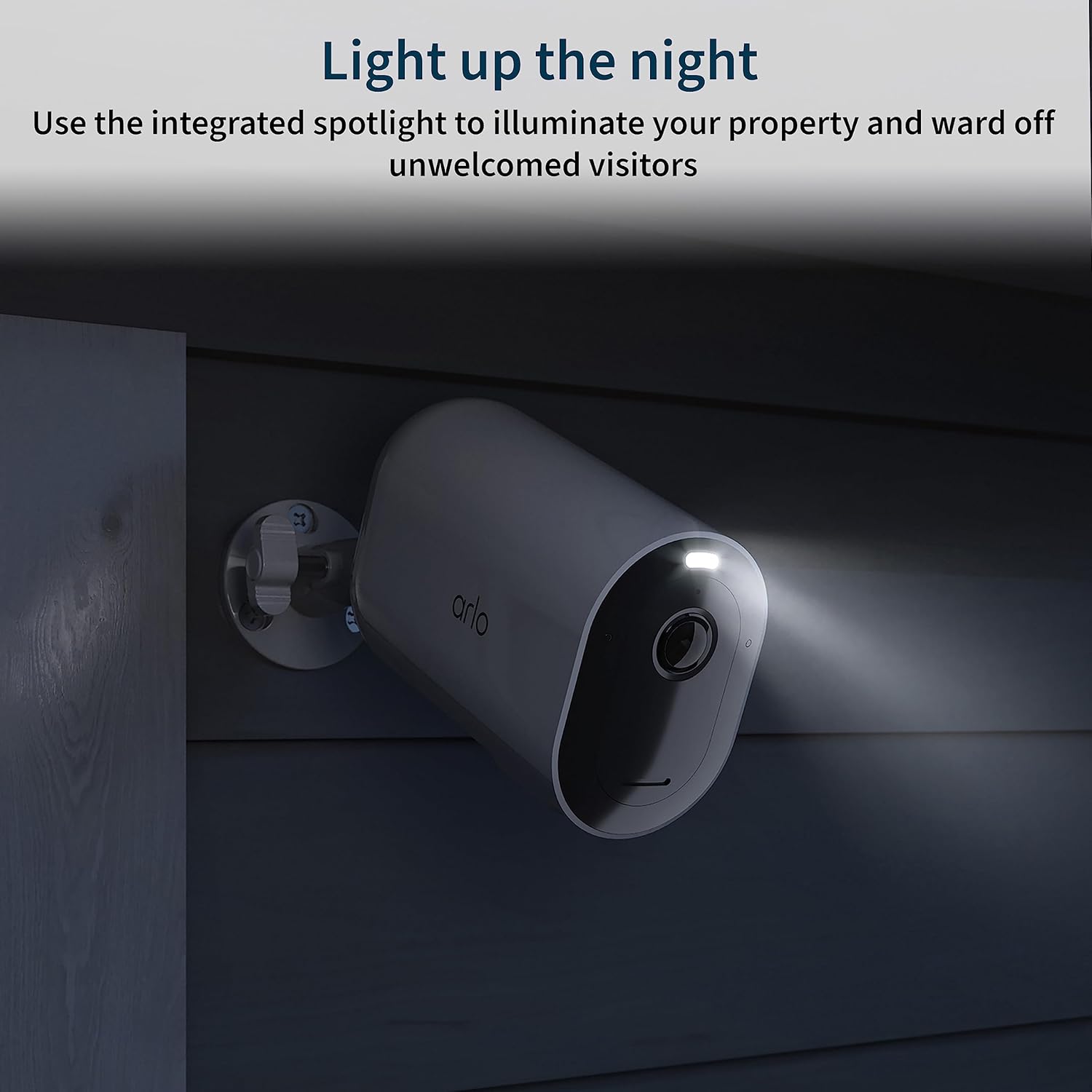
Figure 4.2: Advanced AI object detection helps identify specific events like packages, persons, or animals.

Figure 4.3: The integrated spotlight enhances night vision and can deter unwanted visitors.
5. Maintenance
- Battery Life: The XL rechargeable battery provides extended battery life, up to 12 months on a single charge, depending on usage and settings.
- Recharging: Recharge batteries as needed using the magnetic charging cable.
- Cleaning: Periodically clean the camera lens and housing with a soft, damp cloth to ensure optimal video quality and performance. Avoid abrasive cleaners.

Figure 5.1: The XL rechargeable battery offers extended power for your camera.
6. Privacy and Data Security
Arlo is committed to protecting your privacy and personal data. Your data belongs to you, and Arlo employs military-grade encryption for data protection. You have control over who sees your account and content.
Arlo Privacy Pledge Video:
Video 6.1: An official video from Arlo Technologies, Inc. detailing their commitment to user privacy and data security.
7. Troubleshooting
If you encounter issues with your Arlo Pro 5S XL camera, consider the following:
- Connectivity Issues: Ensure your Wi-Fi network is active and the camera is within range. Check the Arlo app for network status.
- Battery Low: If the camera is unresponsive, check the battery level in the app and recharge if necessary.
- No Motion Detection: Verify motion detection settings in the Arlo app, including activity zones and sensitivity.
- Poor Video Quality: Ensure the camera lens is clean and free from obstructions. Check your Wi-Fi signal strength.
For further assistance, refer to the official Arlo support resources available through the Arlo app or their website.
8. Specifications
| Feature | Detail |
|---|---|
| Model Number | VMC4060A, VMC4060B |
| Indoor/Outdoor Usage | Outdoor |
| Video Capture Resolution | 2K |
| Connectivity Technology | Wi-Fi |
| Power Source | Battery Powered |
| Battery Type | Lithium Ion |
| Viewing Angle | 160 Degrees |
| Digital Zoom | 12X |
| Night Vision | Color Night Vision |
| Audio | 2 Way Audio |
| Water Resistance Level | Water Resistant (IP65) |
| Dimensions (L x W x H) | 3.5 x 2 x 3 inches |
| Item Weight | 5.33 pounds (total for 3 cameras) |
| Compatible Devices | Laptop, Desktop, Smartphone |
| Control Method | App |
9. Warranty and Support
Arlo provides expert support for its products. For any questions or issues, you can access 24/7 chat support via the Arlo app or their official website. Product use and support are available for the United States only.
For detailed warranty information, please refer to the official Arlo website or the documentation included with your product.
You can also find additional user guides and support documents on the Amazon product page or directly from Arlo's support portal. A user manual in PDF format is available here.


