
Wanbo WANBO TT
Wanbo TT Projector
User Manual
1. Introduction
Thank you for choosing the Wanbo TT Projector. This manual provides essential information for the safe and efficient use of your device. Please read this manual thoroughly before operating the projector and retain it for future reference.
The Wanbo TT is a smart portable projector designed to deliver a high-quality viewing experience with its Full HD 1080p resolution, 650 ANSI lumens brightness, and advanced features like auto-focus and L1 DRM licensing for seamless streaming.
2. Safety Information
- Do not look directly into the projector lens when the lamp is on.
- Ensure proper ventilation around the projector to prevent overheating.
- Do not expose the projector to rain, moisture, or extreme temperatures.
- Use only the power adapter supplied with the projector.
- Keep the projector away from water and other liquids.
- Do not attempt to disassemble or repair the projector yourself. Contact qualified service personnel.
- Clean the projector with a soft, dry cloth. Avoid abrasive cleaners.
3. Package Contents
Verify that all items are present in your package:
- Wanbo TT Projector
- Remote Control
- Power Adapter
- User Manual (this document)
4. Product Overview
4.1. Components and Controls

Front view of the Wanbo TT Projector with its accompanying remote control.

Top view of the Wanbo TT Projector showing the input/output ports and examples of compatible devices.
The Wanbo TT Projector features a compact design with essential ports for connectivity:
- USB Port: For connecting USB drives to play media files.
- HDMI Port: For connecting external devices such as laptops, gaming consoles (e.g., PS5), TV sticks, or TV boxes.
- DC Input: For connecting the power adapter.
- Headphone Jack: For connecting external audio devices like headphones or speakers.

Visual summary of the Wanbo TT Projector's key features, including Netflix certification, Dolby Audio, auto-focus, 650 ANSI lumens, and 1080p FHD resolution.
5. Setup
5.1. Initial Placement
Place the projector on a stable, flat surface. Ensure there are no obstructions blocking the ventilation openings. For optimal image quality, project onto a smooth, light-colored wall or a dedicated projector screen.
5.2. Powering On/Off
- Connect the power adapter to the DC input port on the projector and then plug it into a power outlet.
- Press the power button on the projector or the remote control to turn on the device.
- To turn off, press the power button again and confirm the shutdown prompt on the screen.
5.3. Focus and Keystone Correction

The Wanbo TT features AI-powered automatic focusing for quick and clear image projection.
The Wanbo TT Projector features automatic focus. Upon startup or movement, the projector will automatically adjust the focus to provide a clear image. If manual adjustment is needed, use the focus controls on the remote.
For keystone correction, the projector supports 4D/4P keystone correction to adjust the image shape if the projector is not perfectly perpendicular to the screen. Access these settings through the projector's menu.
5.4. Connecting Devices
- HDMI: Connect an HDMI cable from your external device (e.g., laptop, game console) to the HDMI port on the projector. Select the HDMI input source from the projector's menu.
- USB: Insert a USB drive into the USB port. The projector's media player will typically detect the drive automatically, allowing you to browse and play content.
- Bluetooth: Pair Bluetooth audio devices (e.g., speakers, headphones) via the Bluetooth settings in the projector's system menu.
- Wi-Fi: Connect to your wireless network through the Wi-Fi settings in the system menu to access online streaming services and apps.
6. Operating
6.1. Navigation and Interface

The Wanbo TT Projector displaying its smart interface with Netflix and other streaming applications.
The Wanbo TT Projector runs on a smart operating system, providing a user-friendly interface. Use the remote control's directional buttons and OK button to navigate through menus and select options. The projector is Netflix Certified, allowing direct access to Netflix and other popular streaming applications.
6.2. Media Playback
You can play various media formats from connected USB drives or through pre-installed streaming applications. The projector supports Full HD 1080p resolution and 4K decoding, ensuring high-quality visuals.

Comparison illustrating the superior picture quality of the Wanbo TT Projector (right) compared to other projectors (left), highlighting its 650 ANSI lumens and 1080p Full HD capabilities.
6.3. Wireless Connectivity

The projector supports 5G+2.4G Dual-Band Wi-Fi for faster, stable, and lower-lag connectivity, enabling screen mirroring from Android devices.
The projector supports 5G+2.4G Dual-Band Wi-Fi for stable and fast internet connectivity. It also features Bluetooth 5.1 for connecting wireless audio devices.
6.4. Audio Settings
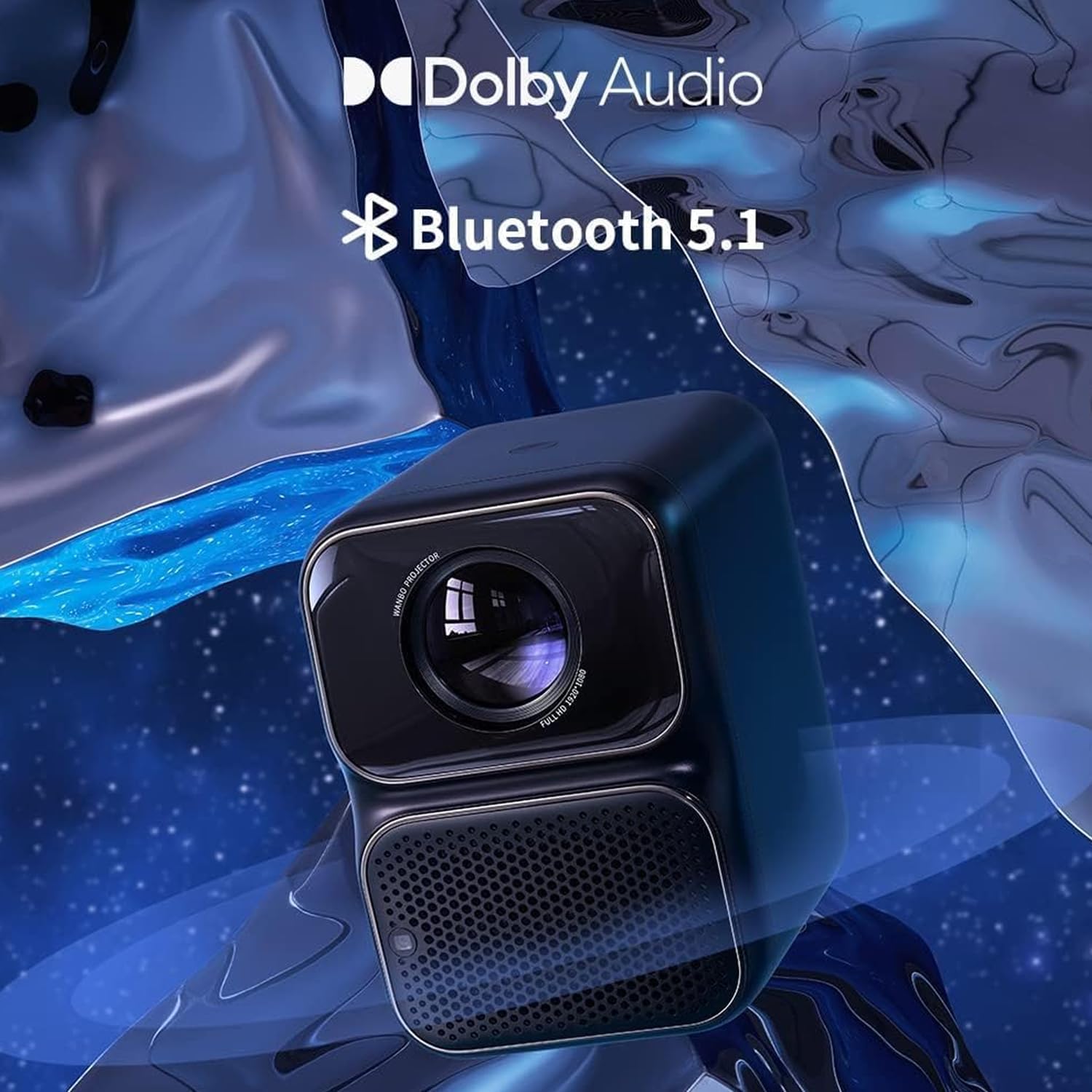
The Wanbo TT Projector supports Dolby Audio and features Bluetooth 5.1 for enhanced sound experience.
The Wanbo TT Projector is equipped with 5W x 2 stereo speakers and supports Dolby Audio, providing an immersive sound experience. You can adjust volume levels and audio modes through the system settings.
7. Maintenance
7.1. Cleaning
- Lens: Use a soft, lint-free cloth specifically designed for optical lenses. Do not use abrasive cleaners or excessive force.
- Body: Wipe the projector's exterior with a soft, dry cloth. For stubborn marks, a slightly damp cloth can be used, followed by a dry one.
- Ventilation: Regularly check and clean the ventilation openings to ensure proper airflow and prevent dust buildup.
7.2. Storage
When not in use for extended periods, store the projector in a cool, dry place, away from direct sunlight and extreme temperatures. It is recommended to use the original packaging or a protective case to prevent dust and damage.
8. Troubleshooting
| Problem | Possible Cause | Solution |
|---|---|---|
| No image projected | Power issue, incorrect input source, lens cap on | Check power connection, select correct input source, remove lens cap |
| Image is blurry | Out of focus, incorrect keystone correction | Allow auto-focus to adjust, manually adjust focus, adjust keystone settings |
| No sound | Volume too low, incorrect audio output, external device issue | Increase volume, check audio output settings, ensure external device audio is working |
| Remote control not working | Low batteries, obstruction, not paired | Replace batteries, remove obstructions, re-pair remote if necessary |
| Overheating warning | Blocked ventilation, prolonged use | Ensure clear ventilation, turn off projector and allow to cool |
9. Specifications

The Wanbo TT Projector offers Full HD 1080P physical resolution for stunning clarity.

The MT9266 chip provides high performance, making the projector more powerful, faster, and smarter.
| Feature | Specification |
|---|---|
| Brand | Wanbo |
| Model Number | WANBO TT |
| Brightness | 650 ANSI Lumens |
| Native Resolution | 1920 x 1080 (Full HD) |
| Max Supported Resolution | 1920 x 1080 |
| DRM License | L1 Licensed |
| HDR Support | HDR 10 |
| Chipset | MTK9266 |
| Connectivity Technology | HDMI, USB, Wi-Fi (5G+2.4G Dual-Band), Bluetooth 5.1 |
| Form Factor | Portable Projector |
| Color | Black |
| Product Dimensions | 16 x 10 x 17 cm |
| Product Weight | 2.84 Kilograms |
| Voltage | 220 Volt |
| Wattage | 120 watts |
| Batteries Included | No |
| Origin Country | China |
10. Warranty and Support
The Wanbo TT Projector comes with a standard manufacturer's warranty. Please refer to the warranty card included in your package for specific terms and conditions, including warranty period and coverage details.
For technical support, troubleshooting assistance, or warranty claims, please contact Wanbo customer service through their official website or the retailer from whom you purchased the product. Keep your purchase receipt as proof of purchase.
Related documentsWANBO TT


Ask a question about this manual
Ask about setup, troubleshooting, compatibility, parts, safety, or missing instructions. Manuals+ will review the question and use this page’s manual context to help answer it.