
1. Introduction
Thank you for choosing the Hocosyme Infrared Heater with Smart Touch Thermostat. This instruction manual provides essential information for the safe and efficient operation of your new heater. This device utilizes advanced infrared heating technology to provide comfortable and energy-efficient warmth for indoor spaces.
2. Safety Information
Please read all safety instructions carefully before installation and use. Retain this manual for future reference.
- Ensure the power supply voltage matches the heater's requirements (230V AC).
- Do not cover the heater while it is operating, as this can cause overheating and fire hazards.
- Keep flammable materials at a safe distance from the heater.
- Do not operate the heater with a damaged cord or plug. Contact qualified personnel for repairs.
- This appliance is not intended for use by persons (including children) with reduced physical, sensory or mental capabilities, or lack of experience and knowledge, unless they have been given supervision or instruction concerning use of the appliance by a person responsible for their safety.
- The heater is designed for indoor use only.
- The device is IP54 rated, offering protection against dust and splashing water, but it should not be submerged or exposed to direct water jets.
- The product is TUV certified, ensuring safety standards are met.
3. Package Contents
Verify that all components are present in the package:
- Hocosyme Infrared Heater unit
- Mounting screws and spacers
- 1.8m safety cable
- Full aluminum alloy circular frame
- Fireproof gypsum insulating board
- Instruction Manual (this document)
4. Setup and Installation
The Hocosyme Infrared Heater is designed for easy wall mounting. Ensure you have the necessary tools (drill, screwdriver, level) before beginning installation.
- Choose a Location: Select a suitable indoor wall location, away from curtains or other flammable materials. Ensure there is adequate space around the heater for proper heat distribution. The heater is suitable for spaces between 15 to 25 m².
- Mark Drilling Points: Use the provided drilling template to mark the positions for the mounting holes on the wall. Ensure the marks are level.
- Drill Holes: Drill holes at the marked positions. Insert the wall plugs (if provided or required for your wall type).
- Attach Mounting Screws: Securely fasten the mounting screws into the wall, leaving a small gap for the heater to hang.
- Mount the Heater: Carefully lift the heater and align the mounting holes on the back of the unit with the screws on the wall. Slide the heater down to secure it in place.
- Connect Power: Plug the two-pin Euro plug (with 1.80 m cable length) into a suitable 230V AC power outlet.
Note: Optional roller bracket supports for freestanding use must be purchased separately. Refer to the specific instructions provided with the roller bracket for installation.

Figure 1: Mounting materials, plug details, and drilling template for installation.

Figure 2: Product dimensions for planning installation space.
5. Operating Instructions
The Hocosyme Infrared Heater features a Smart Touch Thermostat for intuitive control.
5.1 Smart Touch Thermostat
The integrated touch thermostat allows for easy temperature control and mode selection. It includes a child lock feature for added safety.
- Power On/Off: Touch the power icon to turn the heater on or off.
- Temperature Adjustment: Use the '+' and '-' icons to increase or decrease the desired temperature. The heating temperature can reach a maximum of 120°C within 1-3 minutes.
- Timed Operation: Set a timer for automatic power on or off using the timer icon.
- Mode Selection: Choose from 3 available operating modes by touching the mode icon. Refer to the thermostat display for current mode indication.
- Child Lock: Activate the child lock feature to prevent accidental changes to settings. Consult the thermostat's on-screen prompts for activation/deactivation.

Figure 3: Overview of Smart Thermostat functions.
5.2 Infrared Heating Technology
This heater uses infrared technology, similar to the beneficial radiation from the sun. Key benefits include:
- Even Heat Distribution: Heat radiates directly to objects and surfaces in the room, providing a uniform warmth without air circulation.
- No Humidity Reduction: Unlike conventional heaters, infrared heating does not reduce indoor humidity, maintaining a comfortable environment.
- Silent Operation: The heater operates with 0 noise, ensuring a peaceful atmosphere.
- Energy Efficiency: Graphene technology chips contribute to reduced energy consumption, generating significant heat with minimal electricity.

Figure 4: Infrared heat distribution concept.
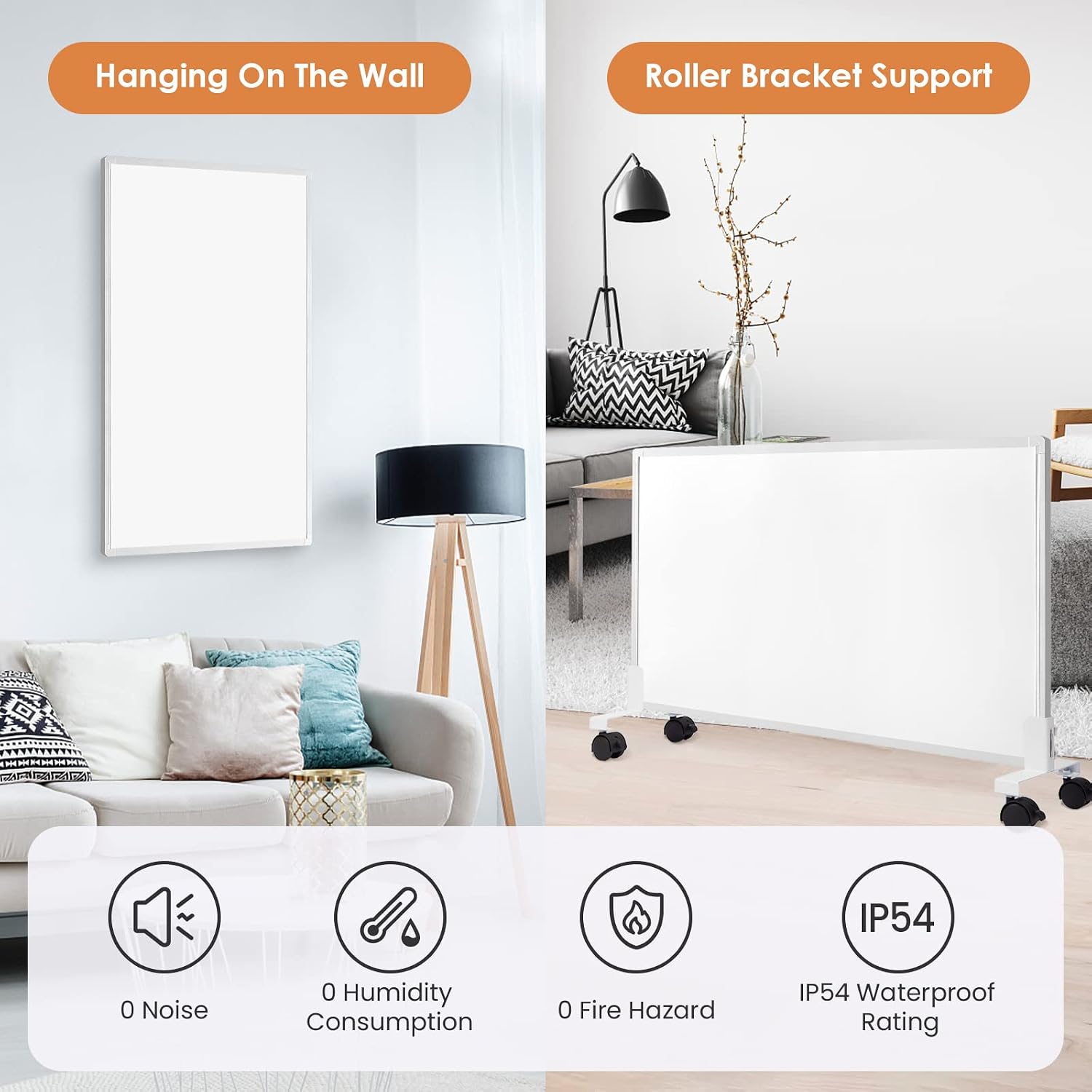
Figure 5: Installation options and key benefits of the infrared heater.
6. Maintenance
The Hocosyme Infrared Heater is designed for free maintenance. To ensure optimal performance and longevity, follow these simple guidelines:
- Cleaning: Before cleaning, always unplug the heater and allow it to cool completely. Wipe the exterior surfaces with a soft, dry cloth. Do not use abrasive cleaners, solvents, or immerse the unit in water.
- Storage: If storing the heater for an extended period, ensure it is clean and dry. Store it in a cool, dry place, preferably in its original packaging.
- Inspection: Periodically inspect the power cord and plug for any signs of damage. If damage is found, discontinue use and contact customer support.
7. Troubleshooting
If you encounter any issues with your Hocosyme Infrared Heater, please refer to the following common problems and solutions:
| Problem | Possible Cause | Solution |
|---|---|---|
| Heater does not turn on. | No power supply; power cord not securely plugged in; thermostat off. | Ensure the heater is plugged into a working 230V AC outlet. Check if the power cord is securely connected. Press the power button on the thermostat. |
| Heater causes a short circuit. | Electrical fault; overloaded circuit. | Immediately unplug the heater. Do not attempt to use it again. Contact customer support or a qualified electrician for inspection and repair. Ensure the circuit is not overloaded with other appliances. |
| Thermostat plug comes loose from the socket. | Loose socket connection; design issue with plug. | Ensure the plug is firmly inserted into the wall socket. If the issue persists, try a different socket. If the plug itself appears damaged or faulty, contact customer support. |
| Thermostat is difficult to operate or unresponsive. | Child lock activated; temporary software glitch; physical damage. | Check if the child lock is active and deactivate it if necessary. Unplug the heater for a few minutes and then plug it back in to reset the thermostat. If the issue persists, contact customer support. |
| Heater is not heating effectively. | Incorrect temperature setting; room size too large; drafts. | Increase the desired temperature setting. Ensure the room size is within the recommended 15-25 m² range. Close windows and doors to minimize heat loss. |
If the problem persists after attempting these solutions, please contact Hocosyme customer support.
8. Specifications
| Feature | Specification |
|---|---|
| Brand | Hocosyme |
| Model | CZ-C-1000W |
| Color | Touch |
| Product Dimensions (L x W x H) | 119.48 x 59.49 x 2.24 cm |
| Product Weight | 9 kg |
| Voltage | 230 Volts (AC) |
| Material | Touch-C |
| Number of Speeds | 3 |
| Special Features | Energy efficient |
| Mounting Type | Wall mount |
| Recommended Use | Home |
| Heating Method | Radiant |
| Power Source | Electric cable |
| Indoor/Outdoor Use | Indoor |
| IP Rating | IP54 |
| Certifications | TUV: N8A 093222 0014 REV.01 |
9. Warranty and Support
Hocosyme stands behind the quality of its products. Your Infrared Heater comes with the following:
- Manufacturer's Warranty: A 10-year manufacturer's warranty from the date of purchase.
- Return Policy: A 3-month no-questions-asked return policy.
- Replacement Policy: If the product breaks within one year of purchase, it will be replaced immediately with a new one.
- Refund Guarantee: Quick refund processing within 24 hours for eligible returns.
For technical support, warranty claims, or any other inquiries, please contact Hocosyme customer service through the retailer's platform or visit the official Hocosyme website for contact information.