
Introduction
This manual provides essential instructions for the safe and efficient use of your Devialet Phantom I 108dB wireless speaker. Please read this manual thoroughly before operating the device and retain it for future reference.
Safety Information
- Do not expose the device to water or moisture.
- Ensure proper ventilation around the speaker.
- Use only the power cable supplied by Devialet.
- Avoid placing the speaker near heat sources or in direct sunlight.
- Do not attempt to open or repair the device yourself. Refer all servicing to qualified personnel.
Package Contents
Verify that all items are present in the package:
- Devialet Phantom I 108dB Wireless Speaker
- Power Cable
- User Manual (this document)
Product Overview
The Devialet Phantom I 108dB is a high-fidelity wireless speaker designed for immersive audio experiences. It features advanced acoustic technologies and versatile connectivity options.
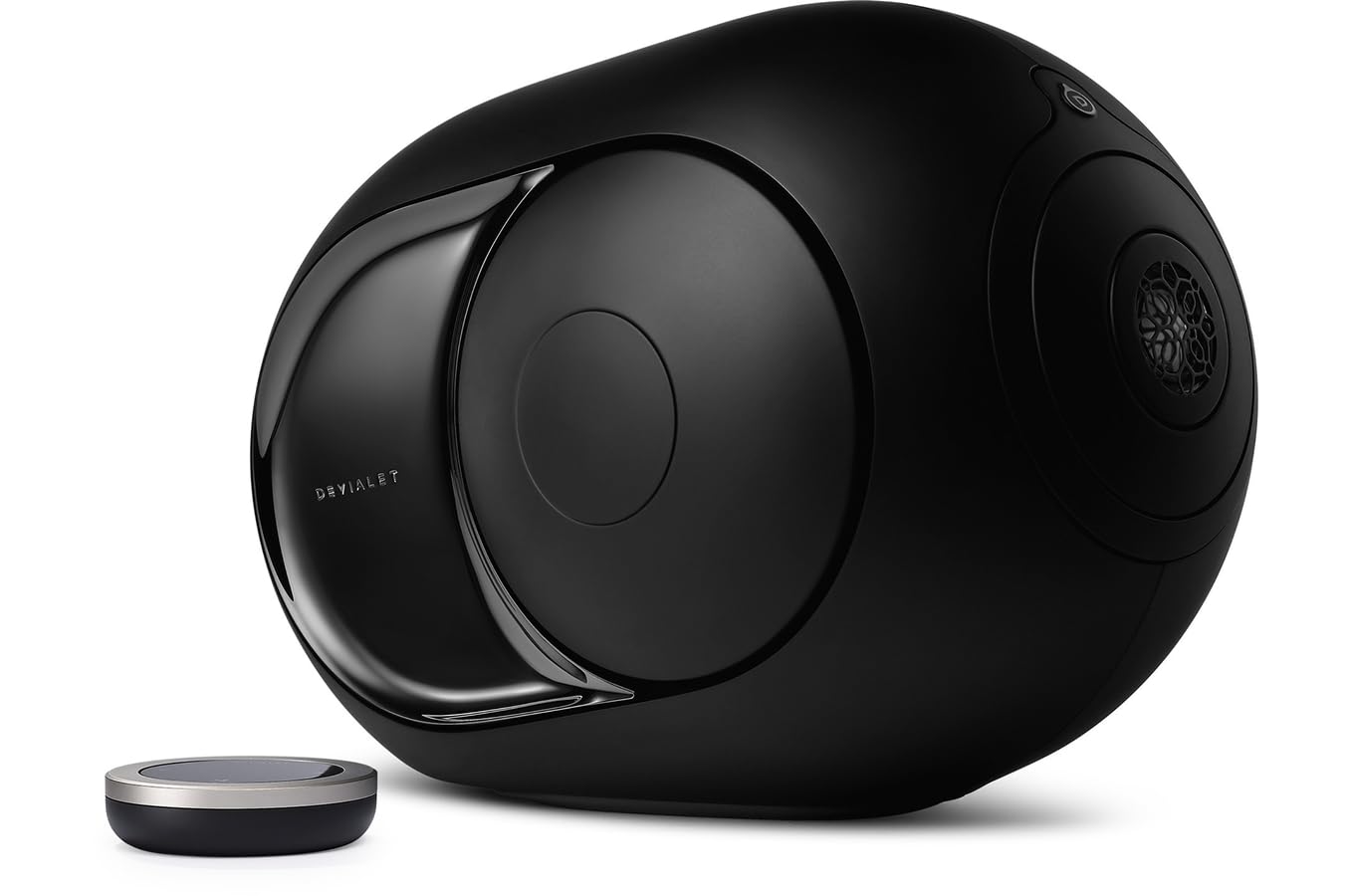
Image: Devialet Phantom I 108dB Wireless Speaker in Dark Chrome. This image displays the speaker's distinctive spherical design with side-firing woofers and a central tweeter, showcasing its compact yet powerful form factor.
The speaker integrates a powerful amplifier and custom drivers to deliver exceptional sound clarity and depth. Its compact design allows for flexible placement within your home.
Setup
1. Unpacking
Carefully remove the speaker and all accessories from the packaging. Retain the packaging for potential future transport or storage.
2. Placement
Place the Phantom I on a stable, flat surface, such as a table. Ensure there is adequate space around the speaker for optimal sound dispersion and heat dissipation. Avoid placing it in enclosed spaces or directly against walls if possible, to prevent sound distortion.

Image: Diagram illustrating recommended speaker placement. The diagram shows the speaker positioned on a flat surface, away from corners and walls, to ensure clear audio output.
3. Power Connection
- Connect the supplied power cable to the power input port on the back of the Phantom I.
- Plug the other end of the power cable into a wall outlet.
- The speaker will automatically power on.
4. App Installation & Initial Pairing
The Devialet App is required for initial setup and full control of your Phantom I.
- Download the Devialet App from your device's app store (available for iOS and Android).
- Open the app and follow the on-screen instructions to create an account or log in.
- The app will guide you through connecting your Phantom I to your Wi-Fi network and pairing it with your mobile device. Ensure your mobile device is connected to the same Wi-Fi network you intend to use for the speaker.

Image: Screenshot of the Devialet App's initial setup screen. The image shows prompts for connecting the speaker to a Wi-Fi network and pairing it with a mobile device.
Operating
1. Basic Controls
Most controls are managed via the Devialet App. The speaker itself has minimal physical controls.
- Volume Control: Adjust volume using the Devialet App or your connected device.
- Play/Pause: Control playback through the Devialet App or your streaming application.
- Source Selection: Switch between Wi-Fi, Bluetooth, or optical inputs via the Devialet App.
2. Connectivity
The Phantom I supports multiple connectivity options:
- Wi-Fi: For high-resolution audio streaming and multi-room functionality. Managed through the Devialet App.
- Bluetooth: For direct connection from smartphones or tablets. To pair, select Bluetooth as the source in the Devialet App, then find 'Phantom I' in your device's Bluetooth settings.
- Optical Input: For connecting external audio sources like TVs or CD players. Select 'Optical' as the source in the Devialet App.
3. Audio Streaming
Stream music from various services and devices:
- Via Wi-Fi: Use AirPlay 2, Spotify Connect, Roon Ready, or the Devialet App to stream from compatible services.
- Via Bluetooth: Connect any Bluetooth-enabled device and play audio directly.
Maintenance
1. Cleaning
To clean your Phantom I, use a soft, dry, lint-free cloth. Do not use abrasive cleaners, solvents, or sprays directly on the speaker. Avoid getting moisture into any openings.
2. Software Updates
Devialet regularly releases software updates to improve performance and add new features. Ensure your Phantom I is connected to Wi-Fi, and the Devialet App will notify you when an update is available. Follow the in-app instructions to perform updates.
3. Storage
If storing the speaker for an extended period, disconnect it from power and place it in its original packaging in a cool, dry environment.
Troubleshooting
| Problem | Solution |
|---|---|
| No sound |
|
| Cannot connect to Wi-Fi |
|
| Bluetooth pairing issues |
|
| Distorted sound |
|
If problems persist, please contact Devialet customer support.
Specifications
| Feature | Detail |
|---|---|
| Model Name | Phantom I |
| Model Number | MM615 |
| Dimensions (L x W x H) | 8.1 x 3.95 x 10.25 cm (approximately 3.19 x 1.56 x 4.04 inches) |
| Weight | 10 grams (approximately 0.02 lbs) - Note: This weight seems unusually low for a speaker of this type and may be a data entry error. Please refer to official product specifications for accurate weight. |
| Audio Output Mode | Stereo |
| Speaker Type | Other (Advanced Acoustic Design) |
| Mounting Type | Table Mount |
| Special Feature | Bluetooth |
| Connectivity Protocol | Wi-Fi, Bluetooth |
| Power Source | Electric Cable |
| Control Method | Application (Devialet App) |
| Compatible Devices | Tablet, Smartphone |
Warranty and Support
For detailed warranty information, please refer to the warranty card included with your product or visit the official Devialet website. Keep your proof of purchase for warranty claims.
For technical support, product registration, or further assistance, please visit the Devialet support page:
Official Product Videos
No official seller videos were provided in the product data. If available, relevant instructional videos from the seller would be embedded here to demonstrate setup, features, or troubleshooting steps.


