
Fochai H-603
Hihhy Cordless Vacuum Cleaner User Manual
Model: H-603
1. Introduction
Thank you for choosing the Hihhy H-603 Cordless Vacuum Cleaner. This 2-in-1 stick and handheld vacuum is designed for efficient and convenient cleaning of various surfaces in your home. Please read this manual thoroughly before operation to ensure safe and optimal performance.
2. Product Overview
2.1. Components
- Main Vacuum Unit (Handheld)
- Extension Tube (for Stick Vacuum configuration)
- Motorized Floor Brush Head with LED Headlights
- Crevice Tool
- Brush Tool
- Charging Adapter
- Washable Filters (1 pre-installed + 9 extra)
- User Manual

Figure 1: Included components of the Hihhy H-603 Cordless Vacuum Cleaner.
2.2. Key Features
- 2-in-1 Design: Easily converts between a lightweight stick vacuum (approx. 5 lbs) and a portable handheld vacuum (approx. 2.2 lbs) for versatile cleaning.
- Powerful Suction: Offers two power levels: 15000 Pa for hard floors and daily dust, and 25000 Pa for carpets and stubborn debris like pet hair and cat litter.
- Long-lasting Battery: Equipped with 5*2500mAh Lithium-Ion batteries providing 30-40 minutes of running time on a full charge.
- Efficient Filtration: Features an upgraded efficient motor and washable filters designed to prevent clogging and maintain strong suction. Comes with 9 extra filters for extended use.
- Flexible Maneuverability: The rotatable floor brush head allows for flexible cleaning, reaching hard-to-reach corners and under furniture with 120° left/right and 90° forth/back rotation.
- LED Headlights: Integrated LED lights on the floor brush illuminate dust and debris, ensuring thorough cleaning.
- Multi-Surface Cleaning: Ideal for hard floors, tile floors, hardwood, rugs, and low-pile carpets.
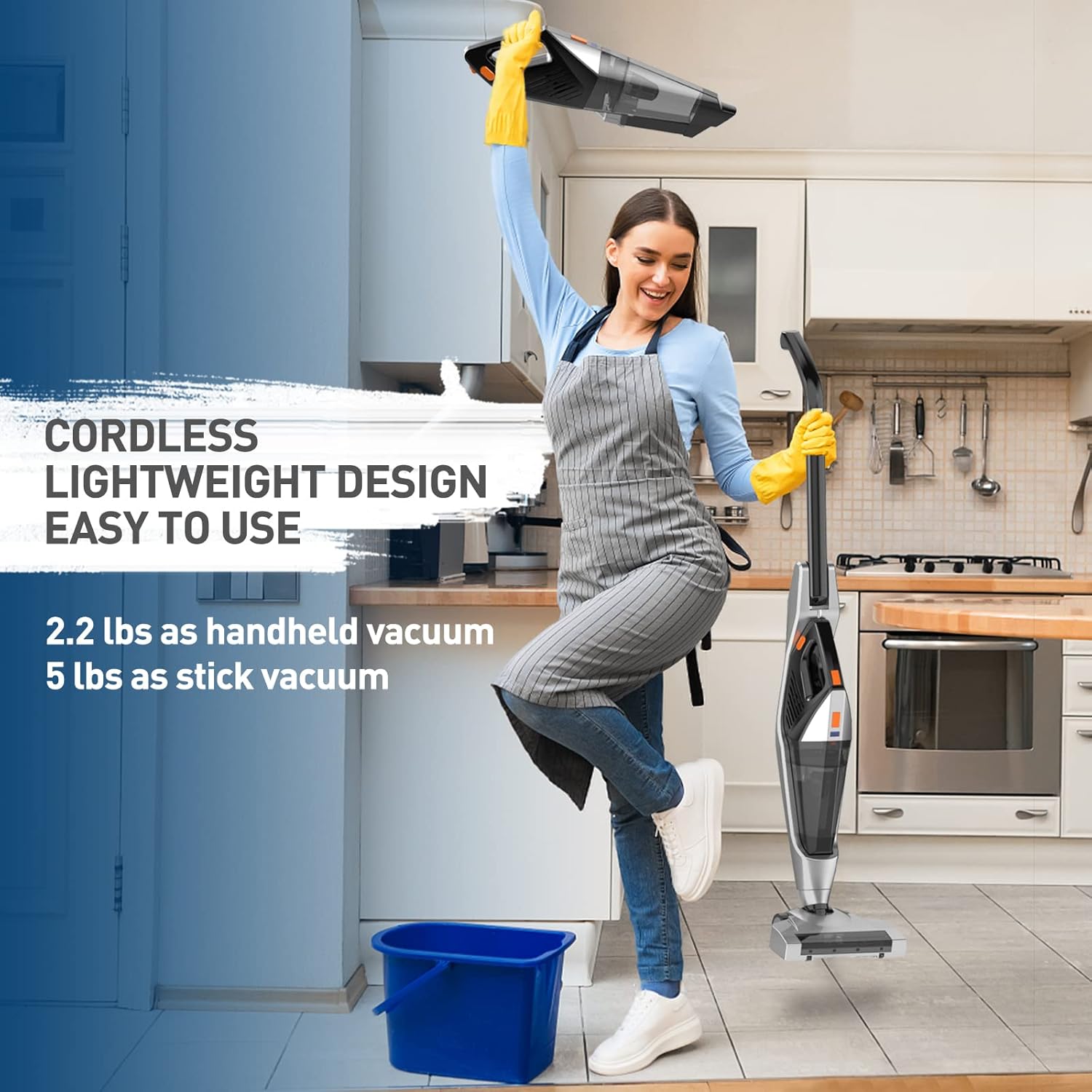
Figure 2: The Hihhy H-603's lightweight design for easy handling.

Figure 3: Demonstrating the powerful suction for various debris.

Figure 4: Versatility across different floor surfaces.
3. Setup
- Unpacking: Carefully remove all components from the packaging. Ensure all listed components in Section 2.1 are present.
- Assemble the Stick Vacuum:
- Insert the extension tube into the main vacuum unit until it clicks securely into place.
- Attach the motorized floor brush head to the bottom of the extension tube, ensuring it clicks firmly.
- Initial Charge: Before first use, fully charge the vacuum cleaner. Connect the charging adapter to the charging port on the handheld unit and plug it into a power outlet. The charging time is approximately 3-4 hours.

Figure 5: Charging the Hihhy H-603 Cordless Vacuum Cleaner.
4. Operating Instructions
- Power On/Off: Press the power button located on the handle to turn the vacuum on or off.
- Adjust Suction Power: The vacuum has two power levels. Press the power button again to switch between the standard (15000 Pa) and max (25000 Pa) suction modes.
- Using as a Stick Vacuum: Hold the handle and push the vacuum across the floor. The motorized brush and LED headlights will activate automatically. The flexible head allows for easy navigation around furniture and into tight spaces.
- Using as a Handheld Vacuum: Detach the main vacuum unit from the extension tube. Attach the crevice tool for narrow gaps or the brush tool for upholstery and delicate surfaces.

Figure 6: Demonstrating the flexible maneuverability of the vacuum.
5. Maintenance
Regular maintenance ensures the longevity and optimal performance of your Hihhy H-603 vacuum cleaner.
- Emptying the Dust Cup: After each use, or when the dust cup is full, press the release button to detach the dust cup from the main unit. Empty the contents into a trash bin.
- Cleaning the Filters: The filters are washable. Remove the filters from the dust cup. Rinse them under running water until clean. Allow them to air dry completely for at least 24 hours before re-installing. Do not use the vacuum with wet filters. Replace filters regularly; 9 extra filters are provided.
- Cleaning the Brush Head: Periodically check the motorized brush head for tangled hair or debris. Use scissors to cut away any tangled hair and remove it.

Figure 7: Washable filter system and extra filters.
6. Troubleshooting
| Problem | Possible Cause | Solution |
|---|---|---|
| Vacuum does not turn on or charge. | Battery is depleted or charging connection is loose. | Ensure the charging adapter is securely connected to the vacuum and a working power outlet. Allow sufficient time for charging (3-4 hours). |
| Low suction power. | Dust cup is full, filters are clogged, or brush head is obstructed. | Empty the dust cup. Clean or replace the filters. Remove any tangled hair or debris from the brush head. Ensure all parts are correctly assembled. |
| Filters do not stay in place. | Incorrect filter installation. | Ensure filters are correctly seated and secured within the dust cup assembly. Refer to the filter cleaning section for proper re-installation. |
| Unusual noise during operation. | Obstruction in the brush head or air ducts. | Turn off and unplug the vacuum. Check the brush head and all air ducts for any blockages and remove them. |
7. Specifications
- Brand: Fochai
- Model Number: H-603
- Special Feature: Lightweight, Portable
- Filter Type: Cartridge (Washable)
- Cordless: Yes
- Recommended Uses: Hard Floor, Tile Floor, Hardwood, Rug, Low-pile Carpet
- Battery Type: Lithium-Ion (5*2500mAh)
- Battery Life: 30-40 minutes
- Charging Time: 3-4 hours
- Control Method: Touch (Push Button)
- Power Levels: 2 (15000 Pa / 25000 Pa)
- Indoor/Outdoor Usage: Indoor
- Product Dimensions: 24 x 18 x 17.5 inches (assembled)
- Item Weight: 6.54 pounds (assembled)
8. Warranty and Support
This product comes with a manufacturer's warranty. For detailed warranty information, please refer to the official user guide provided with your purchase or contact Fochai customer support. Keep your purchase receipt for warranty claims.
For further assistance or technical support, please refer to the contact information provided in the full user guide or on the manufacturer's official website.
Related documentsH-603

Ask a question about this manual
Ask about setup, troubleshooting, compatibility, parts, safety, or missing instructions. Manuals+ will review the question and use this page’s manual context to help answer it.