
Monster MH12003
Monster N-Lite 200 AirLinks Wireless Earbuds User Manual
Model: MH12003
Introduction
Thank you for choosing the Monster N-Lite 200 AirLinks Wireless Earbuds. These earbuds are designed to provide an immersive audio experience with deep bass, clear calls, and reliable Bluetooth 5.0 connectivity. This manual will guide you through the setup, operation, maintenance, and troubleshooting of your new earbuds to ensure optimal performance.
1. Setup
1.1 Unboxing and Components
Upon opening the package, ensure all components are present:
- Monster N-Lite 200 AirLinks Wireless Earbuds
- Charging Case
- USB-C Charging Cable
- Multiple sizes of ear-tips (S, M, L)
- User Manual

Image 1.1: The Monster N-Lite 200 AirLinks Wireless Earbuds shown inside their charging case. The earbuds are black with gold Monster logos, and the case is also black.
1.2 Charging the Earbuds and Case
Before first use, fully charge the earbuds and charging case. The charging case provides additional power for on-the-go charging.
- Place both earbuds into the charging case. Ensure they are properly seated.
- Connect the provided USB-C charging cable to the charging port on the case and plug the other end into a compatible USB power source.
- The charging indicator light on the case will illuminate to show charging status. A full charge for the case and earbuds typically takes approximately 5 hours.
A single charge provides over 5 hours of playtime, with the charging case offering an additional 24 hours of use.

Image 1.2: A black Monster N-Lite 200 AirLinks charging case is shown connected to a USB-C charging cable, illustrating the charging process.
1.3 Pairing with Your Device
The Monster N-Lite 200 AirLinks earbuds utilize Bluetooth 5.0 for a stable and efficient connection.
- Open the charging case. The earbuds will automatically enter pairing mode.
- On your smartphone or Bluetooth-enabled device, go to the Bluetooth settings.
- Search for available devices and select "Monster N-Lite 200 AirLinks" from the list.
- Once connected, a voice prompt will confirm successful pairing.
The earbuds support automatic instant pairing with previously connected devices once removed from the case.
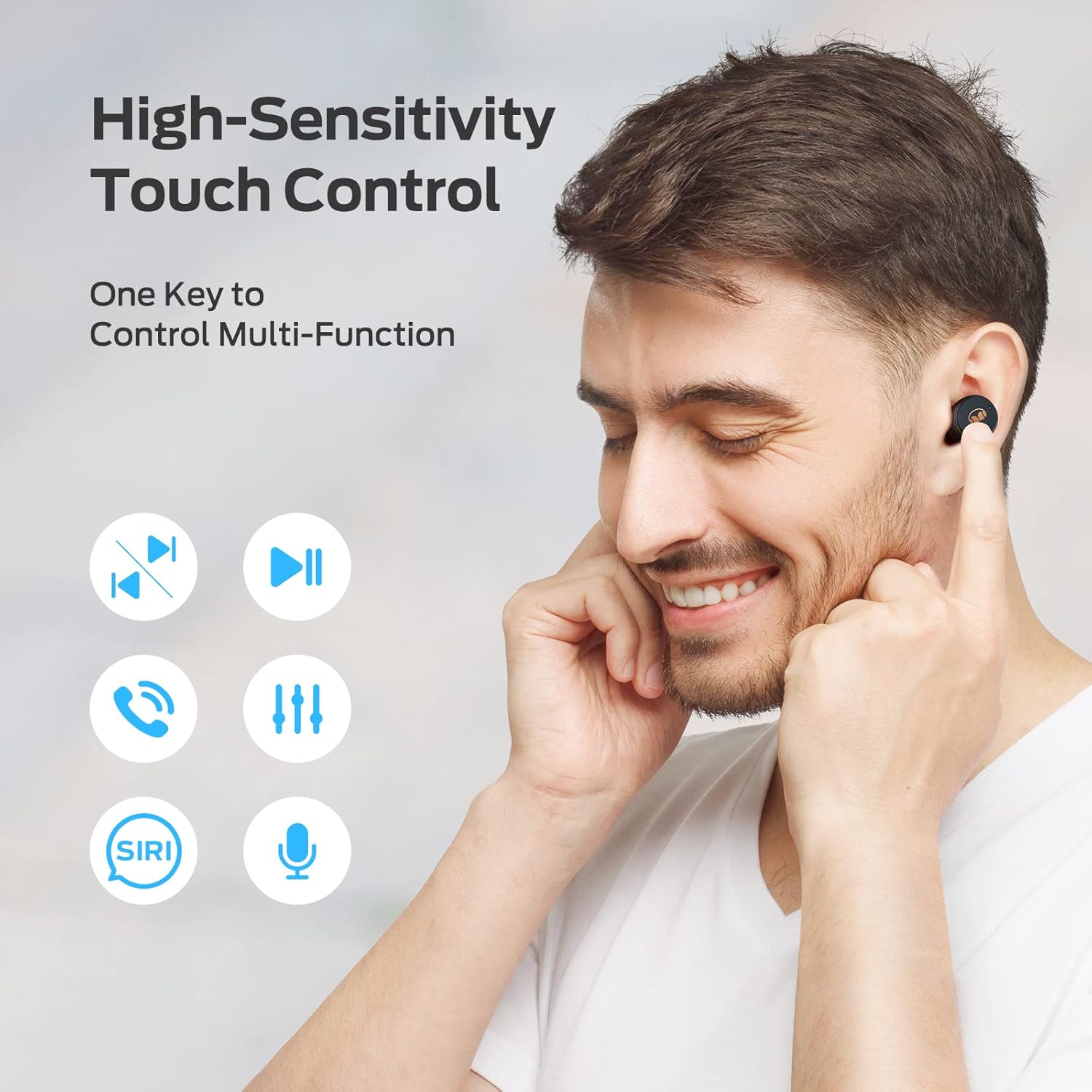
Image 1.3: A woman is shown holding a smartphone with the Bluetooth settings screen visible, indicating the Monster N-Lite 200 AirLinks earbuds are connected. The earbuds are in her ears.
1.4 Fitting the Earbuds
For optimal sound quality and comfort, choose the ear-tip size that best fits your ears. Three different sizes (S, M, L) are provided.
- Gently insert the earbud into your ear canal.
- Twist slightly to ensure a snug and secure fit.
- Test different ear-tip sizes to find the most comfortable and secure fit that also provides good sound isolation.
2. Operating the Earbuds
2.1 Touch Controls
The Monster N-Lite 200 AirLinks earbuds feature high-sensitivity touch controls for easy management of calls and music.
| Action | Control |
|---|---|
| Play/Pause Music | Single tap on either earbud |
| Next Track | Double tap on the right earbud |
| Previous Track | Double tap on the left earbud |
| Answer/End Call | Single tap on either earbud |
| Reject Call | Press and hold either earbud for 2 seconds |
| Activate Voice Assistant (Siri/Google Assistant) | Triple tap on either earbud |
| Increase Volume | Press and hold the right earbud |
| Decrease Volume | Press and hold the left earbud |

Image 2.1: A man is shown touching his earbud, with icons around him illustrating various touch control functions such as play/pause, skip track, answer call, volume control, and voice assistant activation.
2.2 Single Earbud Use
Either earbud can be used independently. Simply remove one earbud from the charging case, and it will automatically connect to your device if previously paired. The other earbud can remain in the case or be used later.
3. Maintenance
3.1 Cleaning
To maintain optimal performance and hygiene, regularly clean your earbuds and charging case.
- Use a soft, dry, lint-free cloth to wipe the earbuds and charging case.
- For ear-tips, remove them from the earbuds and clean with a mild soap solution if necessary, then rinse thoroughly and allow to dry completely before reattaching.
- Do not use abrasive cleaners, alcohol, or chemical solvents.
3.2 Water Resistance
The Monster N-Lite 200 AirLinks earbuds are IPX5 water-resistant, meaning they can withstand mild water mist and splashes. They are suitable for workouts and light rain exposure.
Important: The earbuds are not designed for partial or complete immersion in water. Do not wear them while swimming or showering. The charging case is not water-resistant.
Image 3.1: Two Monster N-Lite 200 AirLinks earbuds are shown with water splashing around them, illustrating their IPX5 water-resistant design.
3.3 Storage
When not in use, store the earbuds in their charging case to protect them and keep them charged. Store the case in a cool, dry place away from extreme temperatures.
4. Troubleshooting
If you encounter issues with your Monster N-Lite 200 AirLinks earbuds, please refer to the following common solutions:
4.1 Pairing Issues / Earbuds Not Connecting
- Ensure Earbuds are Charged: Low battery can prevent proper connection.
- Restart Bluetooth: Turn off and then turn on Bluetooth on your device.
- Forget Device: On your device's Bluetooth settings, 'forget' or 'unpair' the "Monster N-Lite 200 AirLinks" and then attempt to pair again.
- Reset Earbuds: Place both earbuds in the charging case, close the lid for a few seconds, then open it again. This often resets their connection.
- Proximity: Ensure the earbuds are within the effective range of your device (typically 10 meters/33 feet) and there are no significant obstructions.
4.2 Only One Earbud Working / Unsynced Earbuds
This is a known issue that can sometimes occur. Try the following steps:
- Place both earbuds back into the charging case.
- Close the lid of the charging case and wait for at least 10 seconds.
- Open the lid. The earbuds should automatically re-sync and connect as a pair.
- If the issue persists, try 'forgetting' the device on your phone and re-pairing from scratch.
4.3 Poor Sound Quality / Low Volume
- Adjust Volume: Ensure the volume on both your device and the earbuds is turned up.
- Check Ear-tip Fit: A poor seal can significantly impact sound quality and bass. Try different ear-tip sizes.
- Clean Earbuds: Wax or debris can block the speaker grilles. Gently clean them as described in the Maintenance section.
- Interference: Move away from other wireless devices or strong electromagnetic fields that might cause interference.
4.4 Earbuds Not Charging
- Check Cable and Power Source: Ensure the USB-C cable is not damaged and the power source is functional.
- Clean Charging Contacts: Ensure the charging contacts on both the earbuds and inside the case are clean and free of debris.
- Proper Placement: Make sure the earbuds are correctly seated in the charging case.
5. Specifications
| Feature | Detail |
|---|---|
| Model Name | MH12003 |
| Connectivity Technology | Wireless (Bluetooth) |
| Bluetooth Version | 5.0 |
| Ear Placement | In Ear |
| Form Factor | In Ear |
| Material | Plastic |
| Water Resistance Level | IPX5 (Water Resistant) |
| Battery Life (Earbuds) | Approx. 5 hours |
| Additional Playtime (with Case) | Approx. 24 hours |
| Charging Time | Approx. 5 hours (full charge) |
| Included Components | 1 x USB-C Charging Cable, Wireless Charging Case, Ear-tips |
| Control Type | Voice Control, Touch Control |
6. Warranty and Support
Monster provides a 12-month worry-free service for the N-Lite 200 AirLinks Wireless Earbuds. This warranty covers manufacturing defects and ensures peace of mind regarding your purchase.
If you have any questions, concerns, or require technical assistance, please do not hesitate to contact Monster customer service. We are committed to providing the best customer service and will respond within 24 hours.
For support, please visit the official Monster website or refer to the contact information provided in your product packaging.
Ask a question about this manual
Ask about setup, troubleshooting, compatibility, parts, safety, or missing instructions. Manuals+ will review the question and use this page’s manual context to help answer it.