
Introduction
Thank you for choosing the Nitecore NU31 Headlamp. This manual provides detailed instructions for the proper use, maintenance, and care of your device. Please read this manual thoroughly before operation to ensure optimal performance and safety.
Package Contents
- Nitecore NU31 Headlamp with Built-in Battery
- Headband
- USB-C Charging Cable
Product Overview
The Nitecore NU31 is a lightweight, high-performance headlamp designed for various outdoor activities. It features multiple light sources, including a primary white LED, an auxiliary high CRI white LED, and an auxiliary red LED, offering versatility for different scenarios. The headlamp is USB-C rechargeable and constructed for durability.
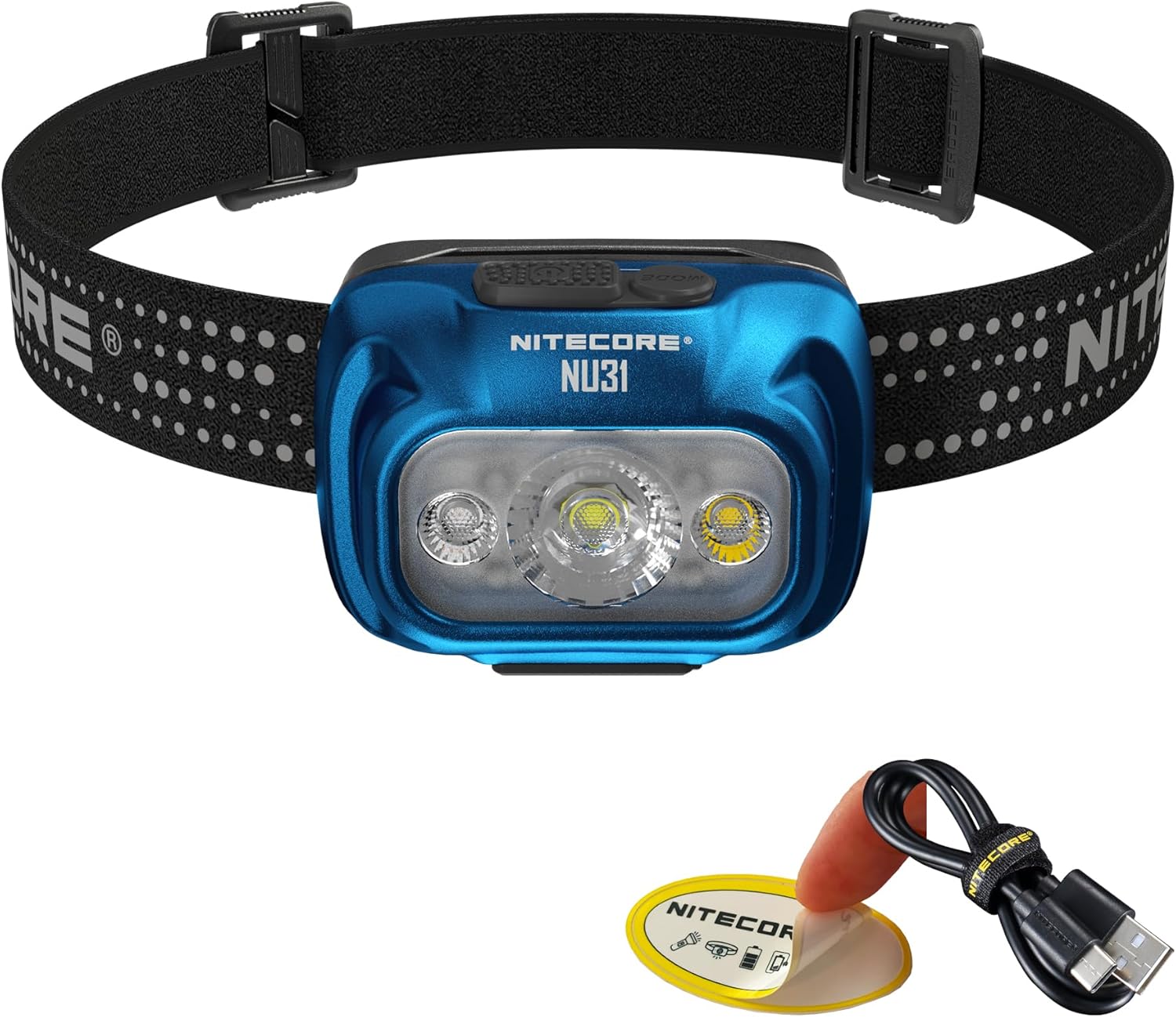
Image: Nitecore NU31 Headlamp, showing the blue headlamp with its adjustable headband and included USB-C charging cable.

Image: A person wearing the Nitecore NU31 Headlamp, illuminating a path at night with its 550 lumen output.

Image: A person running while wearing the Nitecore NU31 Headlamp, highlighting its ultra-lightweight design of 95.5 grams.
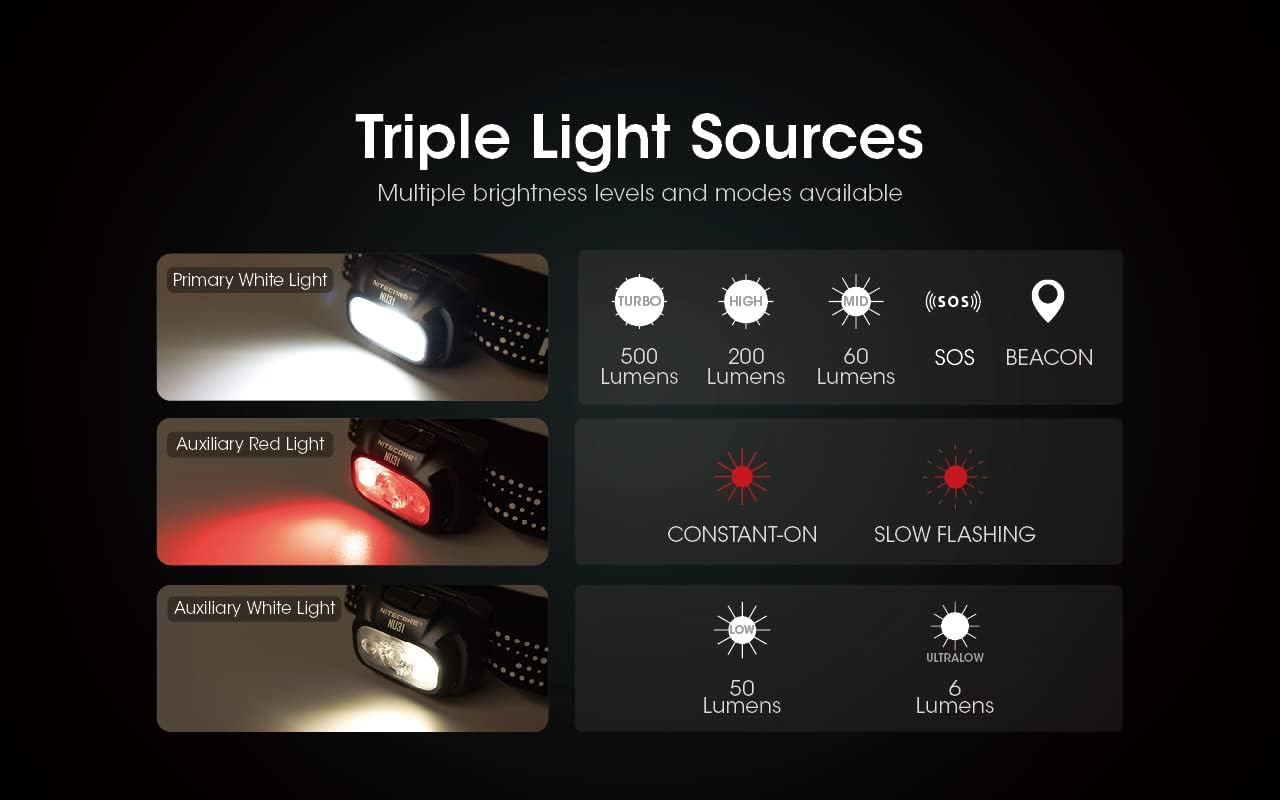
Image: Diagram illustrating the Nitecore NU31's triple light sources: Primary White Light (Turbo, High, Mid), Auxiliary Red Light (Constant-On, Slow Flashing), and Auxiliary White Light (Low, Ultralow).

Image: Close-up of the Nitecore NU31's top, showing the dual button interface with a MODE button for light source switching and a POWER button for on/off and brightness adjustment.
Video: An overview of the Nitecore NU31 Headlamp, demonstrating its features such as 550 lumen max output, instant ultra-low and red LED modes, USB-C recharging, strong tilt bracket, and available colors.
Setup
1. Attaching the Headband
- Thread the adjustable headband through the two slots on the headlamp bracket.
- Adjust the length of the headband to ensure a comfortable and secure fit on your head.
2. Initial Charging
Before first use, fully charge the NU31 headlamp. Refer to the 'Charging' section for detailed instructions.
Operating Instructions
Power On/Off
- To Turn On: Press and hold the Power Button (U) for 1 second.
- To Turn Off: When the light is on, press and hold either the Power Button (U) or the Mode Button (M) for 1 second.
Brightness Adjustment (Primary White Light)
When the primary white light is on:
- Short press the Power Button (U) to cycle through brightness levels: Ultralow → Low → Mid → High.
- Turbo Mode: When the light is off, press and hold the Power Button (U) for 2 seconds to access Turbo (550 lumens). This mode will automatically step down after 30 seconds to prevent overheating.
Mode Switching (Auxiliary Lights & Special Modes)
When the light is on:
- Short press the Mode Button (M) to cycle through light sources: Primary White Light → Auxiliary White Light → Auxiliary Red Light.
- Auxiliary Red Light Modes: When in Auxiliary Red Light mode, short press the Power Button (U) to switch between Red Constant-On and Red Slow Flashing.
- SOS/Beacon: When the light is off, press and hold the Mode Button (M) for 2 seconds to activate SOS. Short press the Mode Button (M) again to switch to Beacon. Press and hold either button for 1 second to turn off.
Lockout Function
The NU31 features a lockout function to prevent accidental activation.
- To Lock: When the light is off, press and hold both the Power Button (U) and Mode Button (M) simultaneously for 2 seconds until the light flashes once.
- To Unlock: When locked, press and hold both buttons simultaneously for 2 seconds until the light flashes once and turns on.
Charging
The Nitecore NU31 is equipped with a built-in 1800mAh Li-ion battery and a USB-C charging port.
- Open the rubber cover on the side of the headlamp to reveal the USB-C charging port.
- Connect the USB-C charging cable to the headlamp and a power source (e.g., USB adapter, power bank, computer USB port).
- During charging, the power indicator lights will show the charging status. All four indicators will be steadily lit when charging is complete.
- A full charge typically takes approximately 1.5 hours.
- Ensure the rubber cover is securely closed after charging to maintain water resistance.
Power Indication
When the light is off, short press the Power Button (U). The blue power indicators will light up to show the remaining battery power:
- 4 indicators: 75% - 100%
- 3 indicators: 50% - 75%
- 2 indicators: 25% - 50%
- 1 indicator: Below 25%
Maintenance
Cleaning
- Wipe the headlamp body with a soft, damp cloth as needed.
- Avoid using abrasive cleaners or solvents that could damage the finish or internal components.
Storage
- Store the headlamp in a cool, dry place away from direct sunlight and extreme temperatures.
- For long-term storage, charge the battery every three months to prolong its lifespan.
Troubleshooting
- Headlamp not turning on: Ensure the battery is charged. If the headlamp is in lockout mode, unlock it as described in the 'Operating Instructions' section.
- Headlamp not charging: Check the USB-C cable and power source. Ensure the cable is securely connected to both the headlamp and the power adapter. Try a different cable or power source.
- Reduced brightness or runtime: This may indicate a low battery. Recharge the headlamp. Extreme temperatures can also affect battery performance.
If you encounter persistent issues, please contact Nitecore customer support.
Specifications

Image: Technical data table for the Nitecore NU31 Headlamp, detailing brightness, runtime, beam distance, peak beam intensity, impact resistance, and water resistance for various light modes.
| Feature | Detail |
|---|---|
| Model | NU31 |
| Brightness (Primary White) | Up to 550 Lumens |
| Light Source Type | LED (Primary White, Auxiliary White, Auxiliary Red) |
| Battery | Built-in 1800mAh Li-ion |
| Charging Port | USB-C |
| Max Runtime | Up to 147 hours (Ultralow) |
| Beam Distance | Up to 145 meters |
| Water Resistance | IP66 (Dustproof and Water Resistant) |
| Impact Resistance | 1 meter |
| Material | Aluminum and Polycarbonate |
| Dimensions | 2.45"D x 1.81"W x 1.4"H |
| Weight | 3.37 Ounces (including headband) |
Warranty Information
Nitecore products are covered by a warranty against defects in materials and workmanship. For specific warranty terms and conditions, please refer to the official Nitecore website or contact your local distributor. Keep your purchase receipt as proof of purchase.
Support
For further assistance, technical support, or inquiries regarding your Nitecore NU31 Headlamp, please visit the official Nitecore website or contact their customer service department. Contact information can typically be found on the product packaging or the official website.


