
Introduction
This document provides comprehensive instructions for the PERFASCIN RC-899M replacement remote control. This remote is designed to be compatible with specific Integra AV Receiver models, including DTR-40.7, DTR-20.7, and DTR-30.7. Please read this manual carefully to ensure proper setup and operation of your remote control.
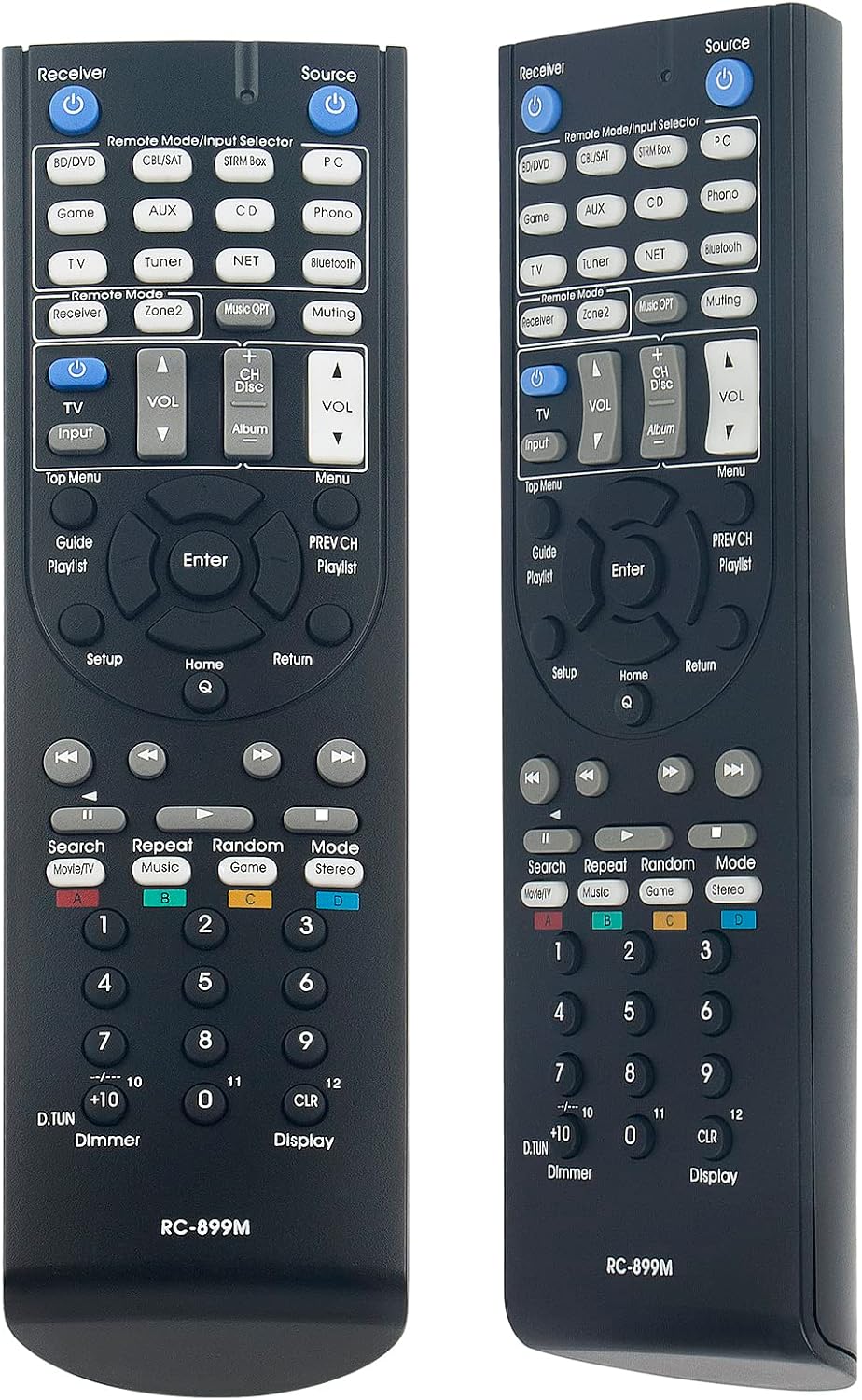
Figure 1: Front view of the PERFASCIN RC-899M Remote Control, showing all buttons and layout.
Setup: Battery Installation
The PERFASCIN RC-899M remote control requires two (2) 1.5V AA Alkaline batteries for operation. Batteries are not included with the remote control.
- Locate the battery compartment on the back of the remote control.
- Slide the battery compartment cover downwards and lift it off.
- Insert two (2) 1.5V AA Alkaline batteries, ensuring the positive (+) and negative (-) terminals align correctly with the markings inside the compartment.
- Replace the battery compartment cover by sliding it back into position until it clicks securely.
Once batteries are installed, the remote control is ready for use. No additional programming or pairing is required.

Figure 2: Rear view of the PERFASCIN RC-899M Remote Control, showing the open battery compartment for AA batteries.
Operating Instructions
The PERFASCIN RC-899M remote control is an infrared (IR) remote and operates directly with compatible Integra AV Receivers without the need for any programming or setup beyond battery installation.
Compatibility:
- Integra DTR-40.7 AV Receiver
- Integra DTR-20.7 AV Receiver
- Integra DTR-30.7 AV Receiver
Basic Operation:
Point the remote control directly towards your Integra AV Receiver. Press the desired function buttons to control your device. The remote features standard controls for power, source selection, volume adjustment, menu navigation, and playback functions, mirroring the original remote's layout.

Figure 3: Angled view of the PERFASCIN RC-899M Remote Control, highlighting its ergonomic design.
Maintenance
To ensure the longevity and proper functioning of your remote control, follow these maintenance guidelines:
- Cleaning: Wipe the remote control with a soft, dry cloth. Do not use liquid cleaners or abrasive materials, as these can damage the surface or internal components.
- Battery Replacement: Replace batteries when the remote's response becomes sluggish or stops working. Always replace both batteries at the same time with new ones.
- Storage: Store the remote control in a dry place, away from direct sunlight and extreme temperatures. If the remote will not be used for an extended period, remove the batteries to prevent leakage.
- Avoid Drops: Protect the remote from physical impact, as drops can damage internal circuitry.
Troubleshooting
If you experience issues with your PERFASCIN RC-899M remote control, please refer to the following common troubleshooting steps:
- Remote Not Responding:
- Check if the batteries are inserted correctly, observing the positive (+) and negative (-) polarity.
- Replace the batteries with new 1.5V AA Alkaline batteries.
- Ensure there are no obstructions between the remote control and the AV Receiver's infrared sensor.
- Verify that the remote is pointed directly at the AV Receiver.
- Specific Buttons Not Working:
- This remote is a direct replacement. If specific buttons are not functioning, ensure the remote is compatible with your exact Integra AV Receiver model (DTR-40.7, DTR-20.7, or DTR-30.7).
- Clean the remote control surface, especially around the non-working buttons, to ensure no debris is interfering.
If these steps do not resolve the issue, please contact customer support for further assistance.
Specifications
| Feature | Detail |
|---|---|
| Model Number | RC-899M |
| Brand | PERFASCIN |
| Compatible Devices | Integra AV Receivers (DTR-40.7, DTR-20.7, DTR-30.7) |
| Connectivity Technology | Infrared (IR) |
| Power Supply | 2 x 1.5V AA Alkaline Batteries (Not Included) |
| Product Dimensions | 7 x 2 x 0.65 inches |
| Item Weight | 2.3 ounces |
| Special Feature | Ergonomic |
Warranty and Support
For any questions, concerns, or assistance regarding your PERFASCIN RC-899M remote control, please do not hesitate to contact our customer service. We are committed to providing professional support to ensure your satisfaction.
Please refer to your purchase documentation or the retailer's website for specific warranty information and contact details.