
Introduction
This manual provides detailed instructions for the RALAN Wireless Controller, designed for an enhanced gaming experience across multiple platforms. Please read this manual thoroughly before use to ensure proper operation and to maximize your controller's potential.
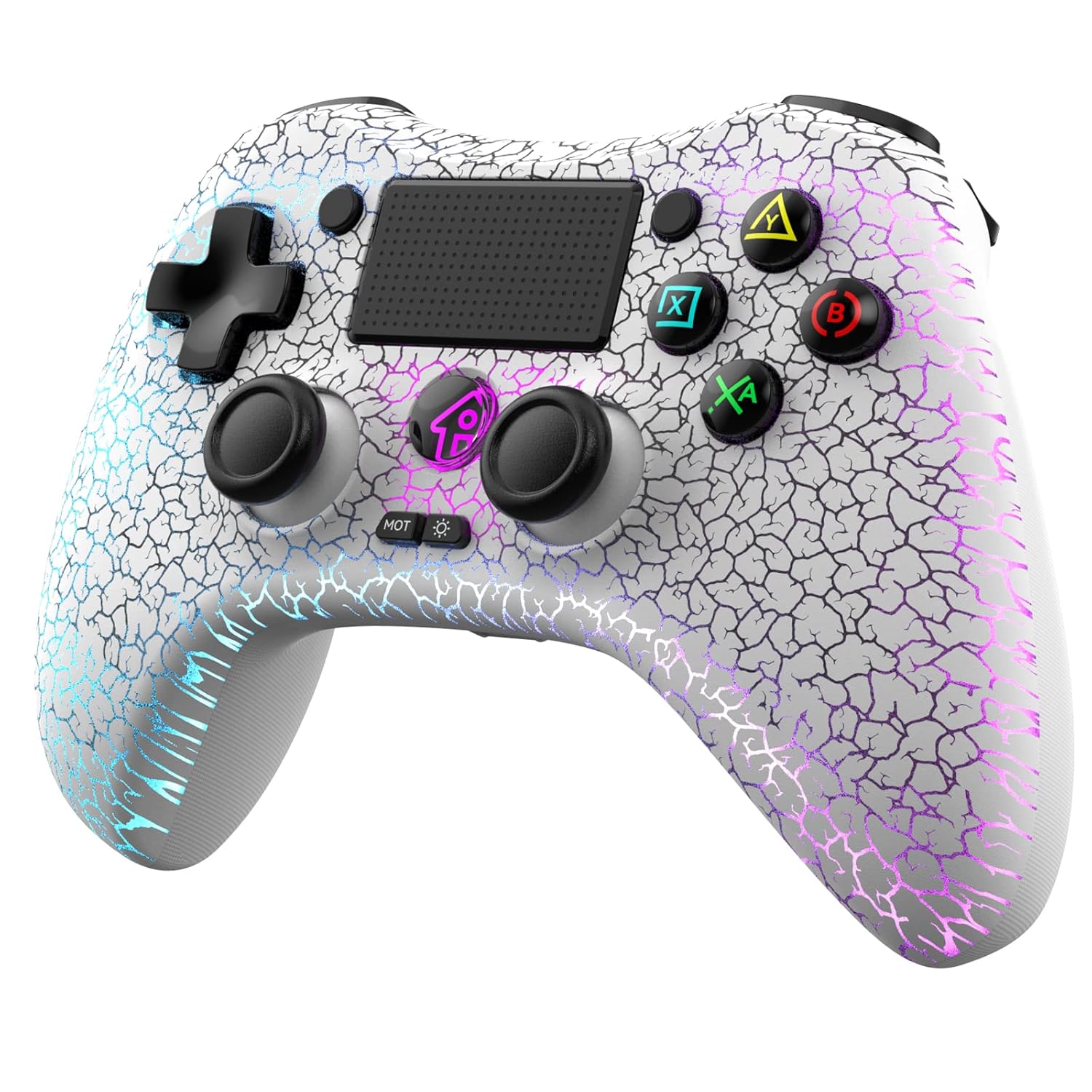
Image: The RALAN Wireless Controller, showcasing its white design with a crackle pattern and vibrant LED lighting.
Package Contents
Verify that all items are present in the package:
- 1 x RALAN Wireless Controller
- 1 x USB Data Cable
- 2 x Thumb Caps
- 1 x User Manual
Setup
1. Charging the Controller
Before first use, fully charge the controller. Connect the supplied USB data cable to the controller's charging port and the other end to a USB power source (e.g., console, PC, USB wall adapter). The LED indicator will show charging status and turn off or change color when fully charged.
2. Initial Pairing (Bluetooth)
To pair the controller with your device:
- Ensure the controller is powered off.
- Press and hold the SHARE button and the PS button simultaneously until the light bar begins to flash rapidly. This indicates pairing mode.
- On your device (PS4, PC, etc.), navigate to Bluetooth settings and select the RALAN Wireless Controller from the list of available devices.
- Once connected, the light bar will stop flashing and display a solid color, indicating successful pairing.
3. Connecting to Different Platforms
The RALAN Wireless Controller is compatible with PS4, PS4 Pro, PS4 Slim, PS3, PC, iOS, and Nintendo Switch.
- PS4/PS4 Pro/PS4 Slim: Follow the initial pairing steps. For subsequent connections, press the PS button to automatically reconnect.
- PS3/PC (Wired): Connect the controller directly to the device using the USB data cable. The controller will be recognized as a wired gamepad.
- PC (Wireless): Ensure your PC has Bluetooth capabilities. Follow the initial pairing steps. Drivers may be required for full functionality on some PC systems.
- iOS/Nintendo Switch: Follow the initial pairing steps. Specific pairing instructions for these platforms may vary slightly; refer to your device's manual for detailed Bluetooth connection procedures.
Operating Instructions
1. Basic Controls
The controller features a standard button layout, including K-Silver joysticks, a D-pad, action buttons (X, O, Square, Triangle), shoulder buttons (L1, R1), and triggers (L2, R2).

Image: An illustration highlighting the ergonomic design and key control features of the RALAN Wireless Controller, including its standard button layout, 360-degree joysticks, D-pad, and precision triggers.
2. LED Lighting Adjustment
The controller features eight adjustable LED lighting colors. To cycle through or adjust the lighting effects:
- Press the dedicated Light Adjustment button (often labeled 'MOT' or with a light icon) to change the lighting mode or color.
- Options typically include colorful breathing effects, static colors, or turning the lights off.

Image: The RALAN Wireless Controller with an overlay illustrating the three main LED lighting modes: a colorful breathing effect, a static 'dazzling' light, and the option to turn the lights off.
3. Vibration Feedback
The controller is equipped with dual motors for vibration feedback, providing immersive haptic responses during gameplay. This feature is automatically enabled when supported by the game.
4. Macro Programming Function
The controller includes a macro programming function to record and execute a series of button presses. Refer to the specific instructions provided with your controller for detailed steps on how to program and activate macros.
5. TURBO Function
The TURBO button allows for rapid, repeated input of a selected button. To activate:
- Press and hold the TURBO button.
- While holding TURBO, press the action button you wish to apply the turbo function to (e.g., X, O, Square, Triangle).
- Release both buttons. The selected action button will now rapidly repeat its input when held down.
- To deactivate, repeat the process.
6. Using the Headphone Jack
A 3.5mm headphone jack is located at the bottom of the controller. Plug in your headphones to enjoy in-game audio and communicate with teammates (if supported by the game and platform).

Image: A close-up view of the RALAN Wireless Controller's bottom, highlighting the integrated 3.5mm headphone jack for audio connectivity.
7. Touch Pad Functionality
The integrated touch pad supports various gestures, including drag and drop, sliding contact, and multi-point simultaneous input, enhancing interactive gameplay experiences.

Image: An illustration of the RALAN Wireless Controller's touch pad, showing visual cues for drag and drop, sliding contact, and multi-point input gestures.
8. Six-Axis Gyroscope
The built-in 6-axis gyro sensor provides precise motion control, allowing for fine-tuning and accurate targeting in compatible games, particularly useful in FPS and racing genres.

Image: The RALAN Wireless Controller with an abstract graphic overlay depicting the paths of motion, symbolizing the functionality of its six-axis gyroscope for precise control.
Maintenance
1. Cleaning
To clean the controller, use a soft, dry cloth. For stubborn dirt, slightly dampen the cloth with water. Avoid using harsh chemicals, solvents, or abrasive materials, as these can damage the controller's finish and internal components.
2. Storage
Store the controller in a cool, dry place away from direct sunlight and extreme temperatures. Avoid placing heavy objects on the controller to prevent damage.
Troubleshooting
1. Connectivity Issues
- Controller not connecting: Ensure the controller is charged. Re-attempt the pairing process. Check for interference from other wireless devices.
- Frequent disconnections: Ensure the controller is within range of the device. Check for low battery.
2. Controller Not Responding
- No response: Try resetting the controller. Locate the small reset button on the back of the controller (often inside a small hole). Use a thin object (like a paperclip) to press and hold the button for 3-5 seconds. Then, re-pair the controller.
- Buttons/Joysticks unresponsive: Ensure the controller is clean and free from debris.
3. Joystick Drift/Dead Zones
The RALAN Wireless Controller features K-Silver joysticks and Hall sensor buttons designed to minimize dead zones and drift. If you experience issues:
- Recalibration: Some platforms allow for controller recalibration in their settings.
- Firmware Update: Ensure your controller has the latest firmware. Refer to the manufacturer's website for update instructions.

Image: A visual representation of joystick axis performance on a screen, showing minimal average error percentages, with a note advising users to update the controller to the newest firmware for optimal performance.
4. Battery Life Concerns
- Short battery life: Ensure the controller is fully charged before use. Reduce LED brightness or turn off LED lighting to conserve battery.
Specifications
| Feature | Description |
|---|---|
| Model | B0C1S5RFMN |
| Compatibility | PS4, PS4 Pro, PS4 Slim, PS3, PC, iOS, Nintendo Switch |
| Connectivity | Wireless (Bluetooth), Wired (USB) |
| Joysticks | K-Silver Joysticks with Hall Sensor |
| Buttons | Hall Sensor Buttons |
| LED Lighting | 8 Color Adjustable LED Lighting |
| Vibration | Dual-Motor Vibration Feedback |
| Motion Sensor | 6-Axis Gyroscope |
| Audio | 3.5mm Headphone Jack |
| Battery Capacity | 800mAh (estimated from image) |
| Dimensions | 6.14 x 4.76 x 2.64 inches |
| Weight | 9.1 ounces |
Warranty and Support
1. Warranty Information
The RALAN Wireless Controller comes with a 30-day return or replacement policy. This allows for a free 30-day trial period to ensure your satisfaction.
2. Customer Support
If you encounter any issues or are not completely satisfied with your purchase, please do not hesitate to contact RALAN customer support. You can typically reach support through the 'Contact Seller' entrance on the Amazon platform where the product was purchased.
