
1. Introduction and Overview
Thank you for choosing the waitley 4 Pack 20V 6A Lithium-Ion Replacement Batteries. These high-capacity batteries are designed to provide long-lasting performance and durability for your compatible 20V MAX cordless tools. This manual provides essential information for safe and effective use, charging, maintenance, and troubleshooting.
2. Product Features
- High Capacity: Each battery offers 6.0Ah (6000mAh) for extended runtime.
- Power Display: Built-in 4 smart LED indicator lights allow real-time monitoring of battery levels.
- Broad Compatibility: Compatible with 20V DCD/DCF/DCG/DCS series tools and DCB102/DCB107/DCB115/DCB118 chargers.
- Safety Features: CE, FCC, RoHS certified, preventing incorrect voltage, over-charging, over-discharging, over-current, and short-circuit.

Figure 1: waitley 20V 6.0Ah Lithium-Ion Replacement Battery showing button, delicate buckle, and LED display.

Figure 2: Visual representation of waitley 20V 6.0Ah Lithium-Ion battery capacity, voltage, and type.
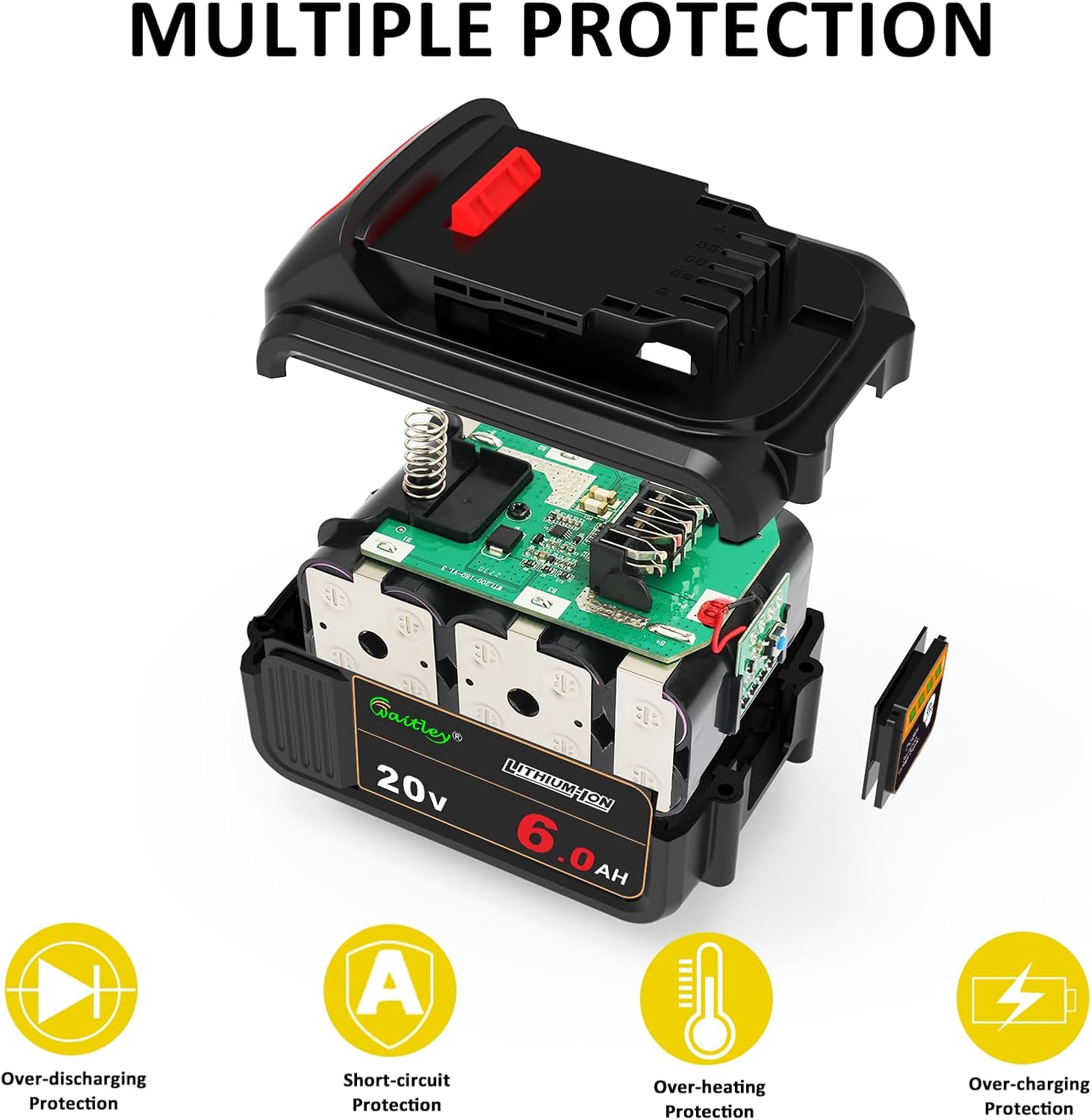
Figure 3: Diagram illustrating the multiple protection features of the waitley 20V 6.0Ah battery, including over-discharging, short-circuit, over-heating, and over-charging protection.
3. Safety Information
WARNING: Battery charging should always be done in the presence of someone. Keep batteries away from flammable materials.
- Do not incinerate batteries.
- Do not charge if damaged.
- Avoid exposure to extreme temperatures.
- Do not short-circuit the battery terminals.
- Use only compatible chargers as specified in this manual.
4. Setup and Charging
4.1 Initial Charge
Before first use, fully charge the battery using a compatible charger.
4.2 Charging Procedure
- Ensure the battery is clean and dry before placing it on the charger.
- Align the battery with the charger (compatible with DCB102, DCB107, DCB115, DCB118, etc.) and push firmly until it clicks into place.
- Monitor the charger's indicator lights for charging status.
- Once fully charged, remove the battery from the charger.
4.3 Troubleshooting Charging Issues
Q: What should I do if the battery is not charging?
A: Push the battery firmly into the charger to ensure it is fully seated for a successful charge.
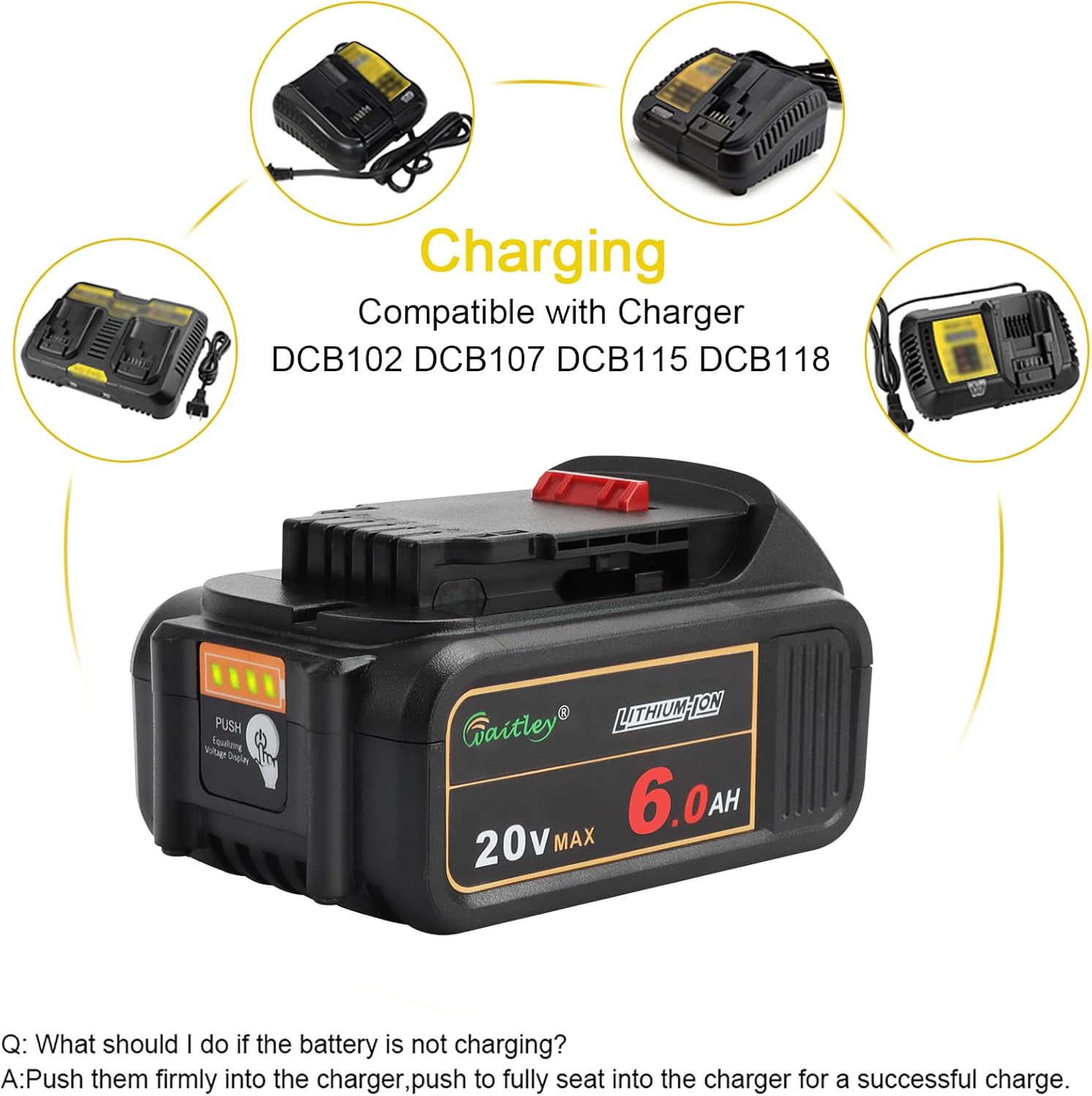
Figure 4: waitley 20V 6.0Ah battery being charged on a compatible charger, illustrating proper connection.
Video 1: Official waitley video demonstrating the features and compatibility of the 4-pack 20V 6A replacement battery, including its use with various cordless tools and charging process.
5. Operation
5.1 Installing the Battery
Slide the fully charged battery into the battery slot of your compatible 20V MAX cordless tool until it locks securely in place. Ensure a firm connection before operating the tool.
5.2 Checking Battery Level
Press the 'PUSH' button on the battery to activate the 4 smart LED indicator lights, which display the current charge level. This helps prevent unexpected power depletion during use.

Figure 5: waitley 20V 6.0Ah battery installed and in use with a cordless drill, demonstrating practical application.

Figure 6: Overview of waitley 20V 6.0Ah battery compatibility with a range of 20V MAX cordless tools, including impact wrenches, drills, circular saws, jigsaws, planers, and reciprocating saws.
6. Maintenance and Storage
- Keep batteries clean and dry.
- For long-term storage, store batteries at approximately 50% charge in a cool, dry place, away from direct sunlight and extreme temperatures.
- Avoid fully discharging batteries before recharging to prolong their lifespan.
- Do not store batteries near heat sources or in environments with high humidity.
7. Troubleshooting
- Battery not powering tool: Ensure the battery is fully charged and properly seated in the tool. Check tool contacts for debris.
- Reduced runtime: Battery capacity may decrease over time with repeated use. Ensure proper charging and storage practices.
- Overheating during use/charge: Discontinue use or charging immediately. Allow the battery to cool down. If the issue persists, contact customer service.
8. Specifications
| Specification | Detail |
|---|---|
| Model Name | WTL200 |
| Quantity | 4 Pack |
| Voltage | 20V |
| Capacity | 6.0Ah (6000mAh) |
| Battery Type | Lithium Ion |
| Compatibility (Tools) | Dewalt 20V DCD/DCF/DCG/DCS series cordless tools |
| Compatibility (Chargers) | DCB102/DCB107/DCB115/DCB118 etc. |
| Certifications | CE, FCC, RoHS |
| Protections | Incorrect voltage, over-charging, over-discharging, over-current, short-circuit |
| Battery Weight (each) | 600 Grams |
| Item Dimensions (each) | 4.53 x 3.07 x 2.44 inches |
9. Warranty and Support
waitley products come with a 12-month quality issue resolution period. If you have any concerns or questions about this item, please feel free to contact our Customer Service for assistance. We are committed to ensuring your satisfaction.