
Urageuxy Wired Indoor Outdoor Thermometer (Model WS0048)
Instruction Manual
Introduction
This manual provides instructions for the setup, operation, and maintenance of your Urageuxy Wired Indoor Outdoor Thermometer, Model WS0048. This device is designed to monitor both indoor and outdoor temperatures, displaying readings in Fahrenheit, and includes a daily minimum/maximum record function.
Please read these instructions carefully before using the thermometer to ensure proper function and longevity of the product.
Product Features
- Simultaneous display of indoor and outdoor temperatures.
- Daily Min/Max temperature records, automatically cleared every 24 hours.
- Large 2.1-inch digital display for easy readability.
- 3.3ft (approximately 1 meter) waterproof probe sensor for outdoor or specific area temperature monitoring.
- Fahrenheit temperature unit only.
- Versatile placement options: desk stand or wall mount.

Image: The thermometer display showing current outdoor temperature (82.5°F), daily high (85.6°F), daily low (74.3°F), and current indoor temperature (78.2°F). Features listed include Indoor/Outdoor Temperature, High/Low Record, and 2.1 inch Display. The text "24 Hours Automatically Clear" is also visible.
Setup
- Battery Installation:
Locate the battery compartment on the back of the main unit. Open the compartment cover and insert two AAA batteries, ensuring correct polarity (+/-). Close the battery cover securely.

Image: Step 1 of setup, showing the back of the thermometer with the battery cover removed and two AAA batteries being placed into the compartment.
- Probe Sensor Placement:
The main unit measures indoor temperature. The wired probe sensor is used for outdoor temperature or for monitoring specific areas like refrigerators, freezers, or greenhouses. Connect the probe to the designated port on the main unit.
Position the probe sensor in the desired outdoor or remote location. Ensure the probe is not exposed to direct sunlight, as this can lead to inaccurate readings. The probe is waterproof, allowing for outdoor use.
- Main Unit Placement:
Place the main unit indoors. It can be placed on a desk or table using its integrated stand, or mounted on a wall using a nail or screw (not included) through the hanging hole on the back.

Image: The thermometer displayed in two configurations: mounted on a wall and standing on a desk using its built-in kickstand.
Operating Instructions
Once batteries are installed, the thermometer will automatically power on and begin displaying temperatures.
- Temperature Display:
The display shows three main temperature readings:
- "OUT" (Outdoor Temp): Temperature measured by the wired probe sensor.
- "IN" (Indoor Temp): Temperature measured by the main unit.
- "High" / "Low": Daily maximum and minimum temperatures recorded by the outdoor probe. These records automatically reset every 24 hours.

Image: A detailed view of the thermometer's digital display, clearly indicating the positions for Outdoor Temperature, Today's High Temperature, Today's Low Temperature, and Indoor Temperature.
- Min/Max Record:
The thermometer automatically tracks and displays the highest and lowest temperatures recorded by the outdoor probe within a 24-hour period. These values are automatically cleared and reset daily.
- Temperature Unit:
The thermometer displays temperatures exclusively in Fahrenheit (°F).
Example Applications for Probe Sensor

Image: The thermometer unit placed outside a refrigerator, with its wired probe extended inside to monitor the internal temperature. This illustrates its use for testing refrigerator temperature.
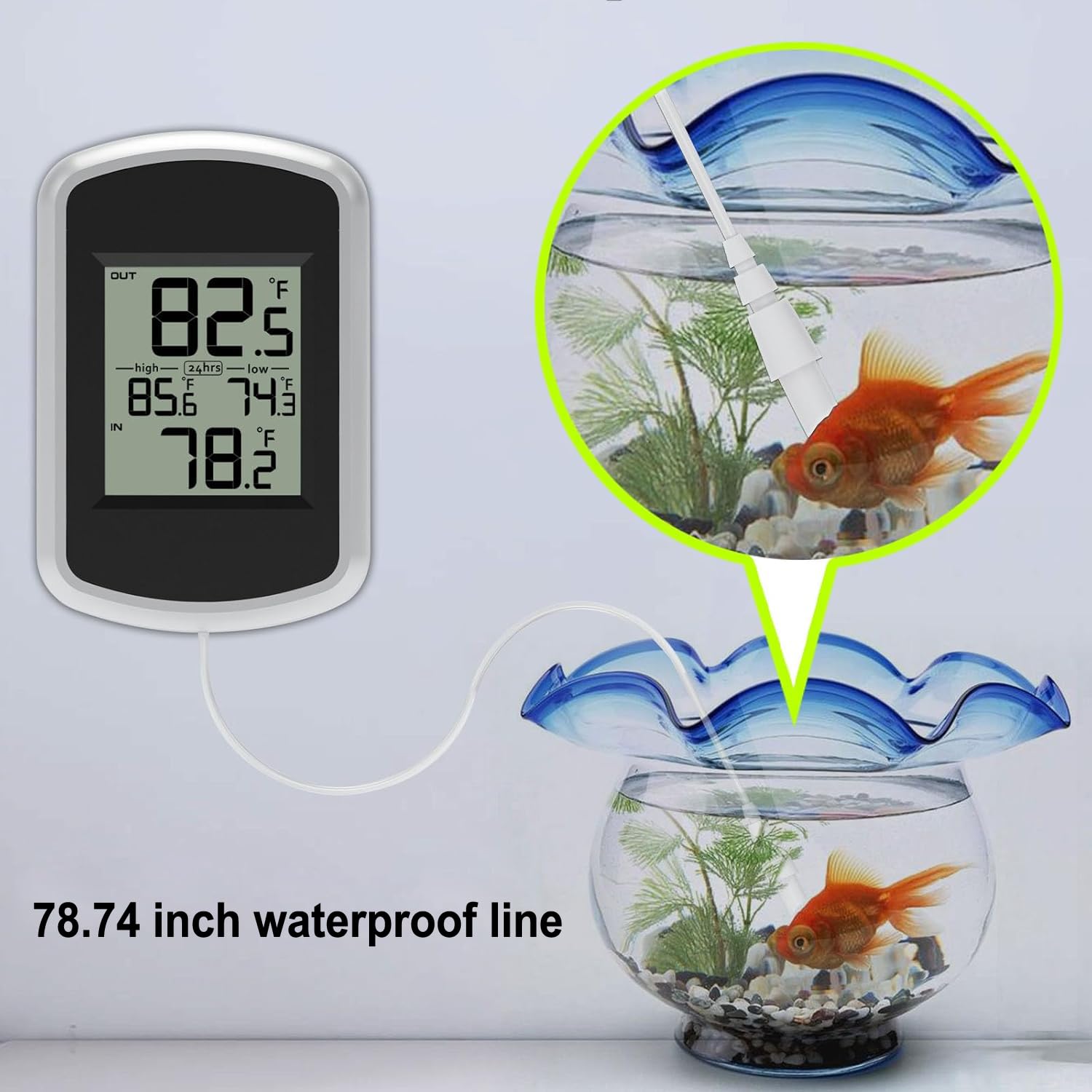
Image: The thermometer unit positioned beside a fish tank, with its 78.74-inch waterproof probe submerged in the water to monitor aquatic temperature.
Maintenance
- Cleaning:
Wipe the main unit and probe with a soft, damp cloth. Do not use abrasive cleaners or immerse the main unit in water.
- Battery Replacement:
Replace batteries when the display becomes dim or the unit stops functioning. Always use new AAA batteries.
- Storage:
If storing the thermometer for an extended period, remove the batteries to prevent leakage.
Troubleshooting
| Problem | Possible Cause | Solution |
|---|---|---|
| No display or dim display | Batteries are dead or incorrectly installed. | Replace batteries with new AAA batteries, ensuring correct polarity. |
| Inaccurate outdoor temperature reading | Probe exposed to direct sunlight or heat source. Probe not properly connected. | Relocate the probe to a shaded area. Ensure the probe is securely plugged into the main unit. |
| "---" displayed for outdoor temperature | Probe sensor is disconnected or damaged. | Check the probe connection. If still "---", the probe may be damaged and require replacement. |
Specifications
- Model: WS0048
- Display Type: Digital
- Temperature Unit: Fahrenheit (°F) only
- Connectivity: Wired (probe sensor)
- Power Source: 2 x AAA Batteries (not included)
- Probe Length: 3.3 ft (approximately 1 meter)
- Response Time: Approximately 60 seconds
- Upper Temperature Range: 140°F
- Special Features: Fast Reading System, High Accuracy, Ultra Clear Screen, Waterproof Probe
- Dimensions (Main Unit): Approximately 3.5 inches (Height) x 2.48 inches (Width) x 0.75 inches (Depth)

Image: A diagram illustrating the physical dimensions of the thermometer unit (3.5 inches height, 2.48 inches width, 0.75 inches depth) and the length of the wired probe (78.74 inches).
Warranty
Urageuxy products are designed for reliability. For specific warranty details, please refer to the warranty card included with your purchase or contact customer support. Keep your purchase receipt as proof of purchase for any warranty claims.
Customer Support
If you encounter any issues or have questions regarding your Urageuxy Wired Indoor Outdoor Thermometer, please contact our customer support team. Contact information can typically be found on the product packaging or on the official Urageuxy website.