
Introduction
Thank you for choosing the AFEXOA CH-06 Digital Alarm Clock. This device combines a clear LED mirror display with multiple features including dual alarms, RGB night lights, soothing sleep sounds, and a convenient USB charging port. This manual provides detailed instructions for setup, operation, and maintenance to ensure optimal performance and user experience.
Package Contents
- AFEXOA CH-06 Digital Alarm Clock
- USB Power Cable
- CR2032 Backup Battery (pre-installed or included separately)
- User Manual (this document)
Product Overview
The AFEXOA CH-06 features a sleek design with a large LED mirror surface display. It includes various buttons for setting time, alarms, and controlling light and sound functions. A USB charging port is located on the side for convenience.

Image: Front view of the AFEXOA CH-06 Digital Alarm Clock, showcasing its LED display and compact design.

Image: The alarm clock's mirror surface display, demonstrating its reflective quality which can be used as a mirror.
Setup
1. Power Connection
- Connect the provided USB power cable to the clock's power input port.
- Plug the other end of the USB cable into a 5V/1A USB power adapter (not included) or a compatible USB port.
- The clock will power on, and the display will illuminate.
- A built-in CR2032 battery provides backup power to retain time and alarm settings during power outages. This battery does not power the display or functions.

Image: The alarm clock connected to a power source via USB, demonstrating its power connection and the integrated USB charging port for other devices.
2. Initial Time Setting
Upon first power-up, the clock may display a default time. Refer to the "Setting Time" section under "Operating Instructions" to set the correct time.
Operating Instructions
Setting Time
- Press and hold the TIME SET button (or similar button, refer to device markings) until the hour digits flash.
- Use the UP and DOWN buttons to adjust the hour.
- Press TIME SET again to confirm the hour and move to minute adjustment.
- Use the UP and DOWN buttons to adjust the minute.
- Press TIME SET one more time to save the time and exit setting mode.
- To switch between 12-hour and 24-hour format, press the TIME SET button briefly while the time is displayed.
Setting Alarms (Dual Alarms)
The clock supports two independent alarms (Alarm 1 and Alarm 2).
- Press the ALARM 1 button (or ALARM 2) to activate or deactivate the alarm. An alarm icon will appear/disappear on the display.
- To set Alarm 1, press and hold the ALARM 1 button until the hour digits flash.
- Use the UP and DOWN buttons to adjust the hour.
- Press ALARM 1 again to confirm the hour and move to minute adjustment.
- Use the UP and DOWN buttons to adjust the minute.
- Press ALARM 1 again to select the alarm mode:
- Every Day Mode: Alarm sounds daily.
- Weekday Mode: Alarm sounds Monday to Friday.
- Weekend Mode: Alarm sounds Saturday and Sunday.
- Press ALARM 1 one more time to save the alarm settings.
- Repeat steps for Alarm 2 using the ALARM 2 button.

Image: The alarm clock displaying time with icons for Alarm 1 (weekdays) and Alarm 2 (weekends), highlighting the dual alarm and snooze capabilities.
Snooze Function
When an alarm sounds, tap the SNOOZE/Z button (often labeled with a Z or sun icon) to activate the snooze function. The alarm will pause for 9 minutes and then sound again. This can be repeated multiple times. If no button is pressed, the alarm will automatically turn off after 20 minutes.
Night Light (RGB)
The clock features 8 RGB night light modes with 10 adjustable brightness settings.
- Press the LIGHT button to cycle through the 8 light modes (5 solid colors: blue, pink, yellow, white, red; and 3 colorful ambient lights).
- To adjust brightness, press and hold the LIGHT button, then use the UP and DOWN buttons to select one of the 10 brightness levels.
- Press LIGHT again to confirm.
Image: A display of the AFEXOA CH-06 alarm clock in various colors, illustrating the 8 optional night light colors and 10 adjustable brightness levels.
Wake-up Sounds & Volume Adjustment
Choose from 7 different wake-up sounds and adjust the alarm volume.
- When setting an alarm, after setting the time and mode, you will be prompted to select a wake-up sound.
- Use the UP and DOWN buttons to cycle through the 7 sounds: Bell, Ocean, Waves, Bird, Piano, Beep, Soft Music.
- Press the ALARM button to confirm your selection.
- To adjust the alarm volume (16 levels), use the VOLUME wheel or dedicated volume buttons (refer to device markings). The maximum volume is 115 dB.

Image: The alarm clock displaying icons for 7 different wake-up sounds (Bell, Ocean, Waves, Bird, Piano, Beep, Soft Music) and indicating 16 volume levels.
Soothing Sleep Sounds & Timer Function
The clock offers 8 soothing sounds to aid sleep, along with a customizable timer.
- Press the SLEEP SOUND button (or similar icon) to activate sleep sound mode.
- Use the UP and DOWN buttons to cycle through the 8 soothing sounds: Insect, Waves, Soft Music, Raining, Ocean, Piano, Lullaby, Bird.
- Adjust the volume using the VOLUME wheel (1-16 levels).
- To set the sleep timer, press the TIMER button. Repeated presses will cycle through timer durations (e.g., 10, 30, 60, 90, 120 minutes) or allow custom setting. The sound and light will automatically turn off after the set time.

Image: The alarm clock displaying the time with icons representing 8 soothing sleep sounds (Insect, Waves, Soft Music, Raining, Ocean, Piano, Lullaby, Bird) and indicating a sleep timer duration of 10-120 minutes.
Dimmable Display
The LED display brightness can be adjusted from 0-100% to suit your preference.
- Press the DIMMER button (or similar icon, often a sun icon) to cycle through preset brightness levels (e.g., Off, Low, Medium, High).
- Alternatively, press and hold the DIMMER button, then use the UP and DOWN buttons for fine-tuned adjustment.
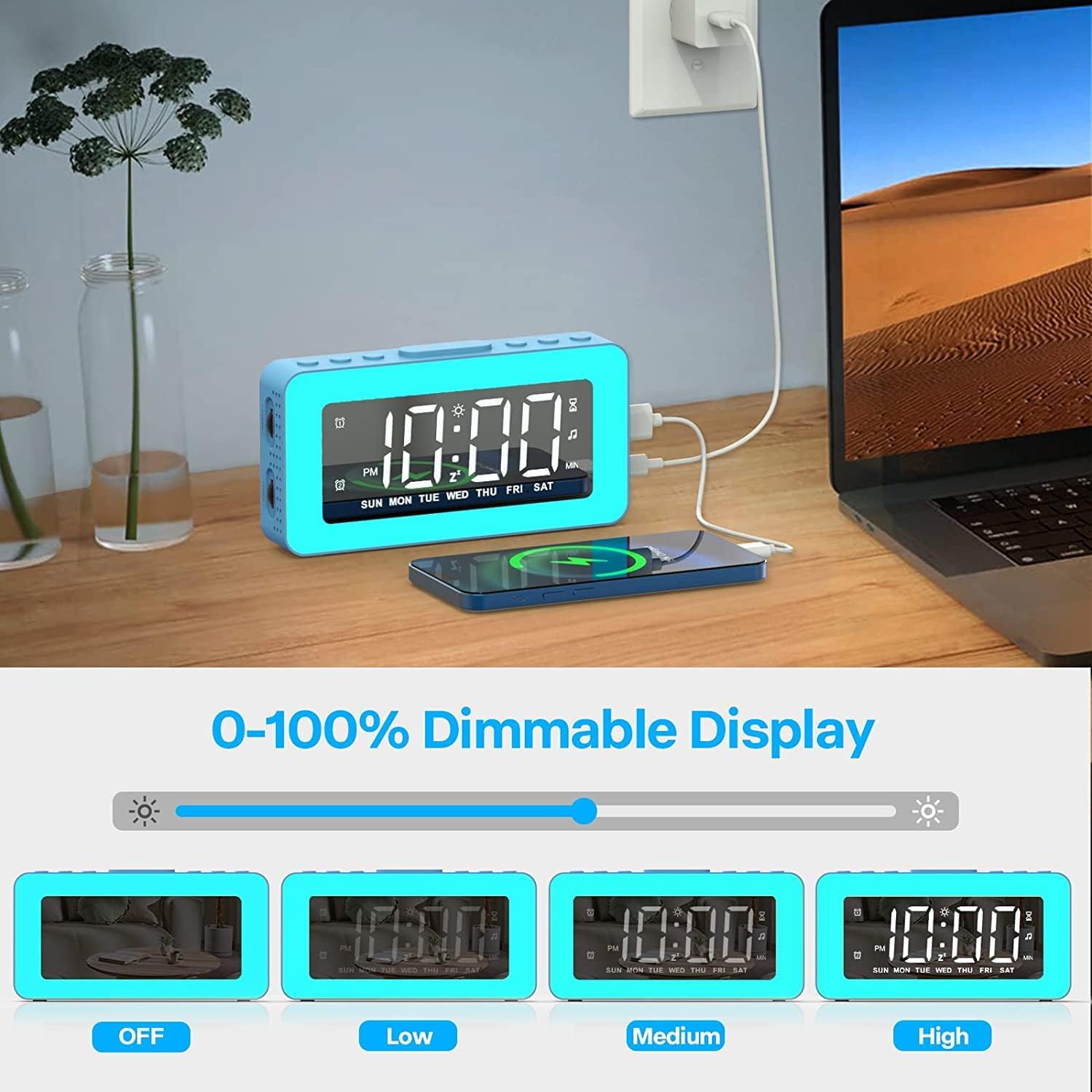
Image: The alarm clock shown with its display brightness set to Off, Low, Medium, and High, illustrating the 0-100% dimmable display feature.
USB Charging Port
A 5V/1A USB charging port is located on the right side of the clock. You can use this port to charge small electronic devices like smartphones or tablets. Ensure the alarm clock is connected to a power source for this function to work.
Maintenance
Cleaning
- Disconnect the power cable before cleaning.
- Wipe the clock's surface with a soft, dry, or slightly damp cloth.
- Do not use abrasive cleaners, solvents, or chemical sprays, as these may damage the finish or internal components.
- Avoid getting moisture into any openings.
Battery Replacement (CR2032)
The CR2032 backup battery is designed to maintain time and alarm settings during power interruptions. It does not power the main functions of the clock. If settings are lost after a power outage, the battery may need replacement.
- Locate the battery compartment on the back or bottom of the clock.
- Open the compartment cover (you may need a small screwdriver).
- Remove the old CR2032 battery.
- Insert a new CR2032 battery with the positive (+) side facing up.
- Close the battery compartment securely.
Troubleshooting
- Clock not powering on: Ensure the USB power cable is securely connected to both the clock and a working power adapter/port.
- Display is blank or dim: Check power connection. Adjust display brightness using the DIMMER button.
- Alarm not sounding: Ensure the alarm is activated (alarm icon visible on display). Verify the alarm time is set correctly. Check alarm volume.
- Settings lost after power outage: The CR2032 backup battery may be depleted. Replace it as described in the Maintenance section.
- Buttons not responding: Try disconnecting and reconnecting the power to reset the device.
- USB charging port not working: Ensure the clock is properly powered. The USB port provides 5V/1A output; some devices may require higher power.
Specifications
| Feature | Detail |
|---|---|
| Brand | AFEXOA |
| Model Number | CH-06 |
| Display Type | Digital LED Mirror |
| Power Source | Corded Electric (USB 5V/1A) |
| Backup Battery | 1 x CR2032 Lithium Metal (included) |
| Product Dimensions | 5.91"W x 3.15"H |
| Item Weight | 8.8 ounces (0.25 Kilograms) |
| Material | Plastic, Acrylonitrile Butadiene Styrene |
| Special Features | Adjustable Brightness, Adjustable Volume, Dual Alarms, Illuminated Display, Loud Alarm, RGB Night Lights, Snooze, Sleep Timer, USB Charging Port |
| Number of Wake-up Sounds | 7 |
| Number of Sleep Sounds | 8 |
| Alarm Volume Levels | 16 (up to 115 dB) |
| Night Light Modes | 8 (5 solid, 3 ambient) |
| Night Light Brightness Levels | 10 |
Warranty and Support
Specific warranty information and direct customer support contact details are not provided within this manual. Please refer to the product packaging, the retailer's website where you purchased the item, or the official AFEXOA brand store on Amazon for the most current warranty policy and customer service contact information.
For further assistance, you may visit the AFEXOA Store on Amazon.


