Introduction
The ASUS RT-AX5400 Dual Band WiFi 6 Extendable Router provides compelling speed and reliable connectivity. It features comprehensive built-in VPN network protection and advanced ASUS security technology. This router is designed to enhance your networking experience and work seamlessly with your existing WiFi devices. It is also AiMesh compatible, allowing for the creation of a flexible and scalable whole-home mesh WiFi system.
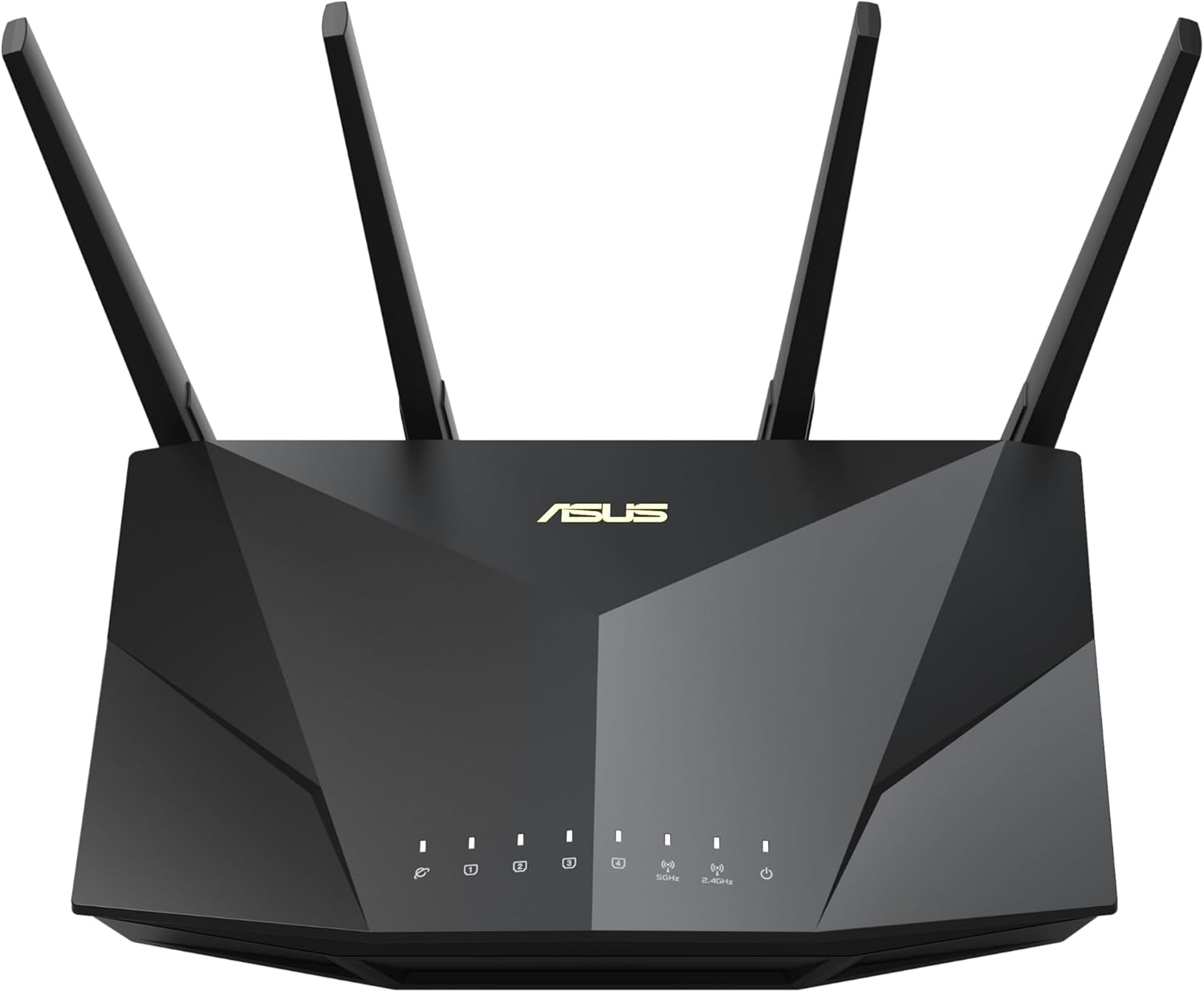
Figure 1: Front view of the ASUS RT-AX5400 router, showcasing its sleek design and four external antennas.
Setup
1. Package Contents
Before you begin, ensure all items are present in the package:
- RT-AX5400 WiFi router
- RJ-45 cable
- Power adapter
- Warranty card
- Quick start guide
2. Physical Connection
Connect your router to the internet and power source. Ensure all antennas are securely attached and oriented for optimal signal coverage.

Figure 2: Rear view of the RT-AX5400 router, detailing the power button, USB 3.2 Gen1 port, four Gigabit LAN ports, WAN port, WPS button, and reset button.
- Connect the power adapter to the router's DCIN port and plug it into a power outlet.
- Connect one end of the RJ-45 cable to your modem's LAN port and the other end to the router's WAN port.
- For wired devices, connect them to any of the router's LAN 1-4 ports using Ethernet cables.
- Press the Power Button to turn on the router.
3. Initial Configuration
Access the router's web interface or use the ASUS Router app for initial setup. Follow the on-screen instructions to configure your internet connection, Wi-Fi network name (SSID), and password.
Operating the Router
1. Wi-Fi 6 Performance
The RT-AX5400 leverages Wi-Fi 6 (802.11ax) technology to deliver enhanced speed, capacity, and range. This includes OFDMA, TWT, MU-MIMO, and 160MHz channel support, resulting in:
- Up to 4X better performance for multi-device environments.
- Up to 2.7X faster Wi-Fi speeds compared to previous generations.
- Improved battery life for connected devices.
- Up to 80% increased Wi-Fi range.

Figure 3: Diagram illustrating the performance benefits of Wi-Fi 6 (802.11ax) technology, including speed improvements and range increase.
2. AiMesh Compatibility
The RT-AX5400 is AiMesh compatible, allowing you to create a seamless whole-home mesh Wi-Fi system by adding other AiMesh-compatible ASUS routers. This eliminates Wi-Fi dead zones and provides consistent, strong signal throughout your home.
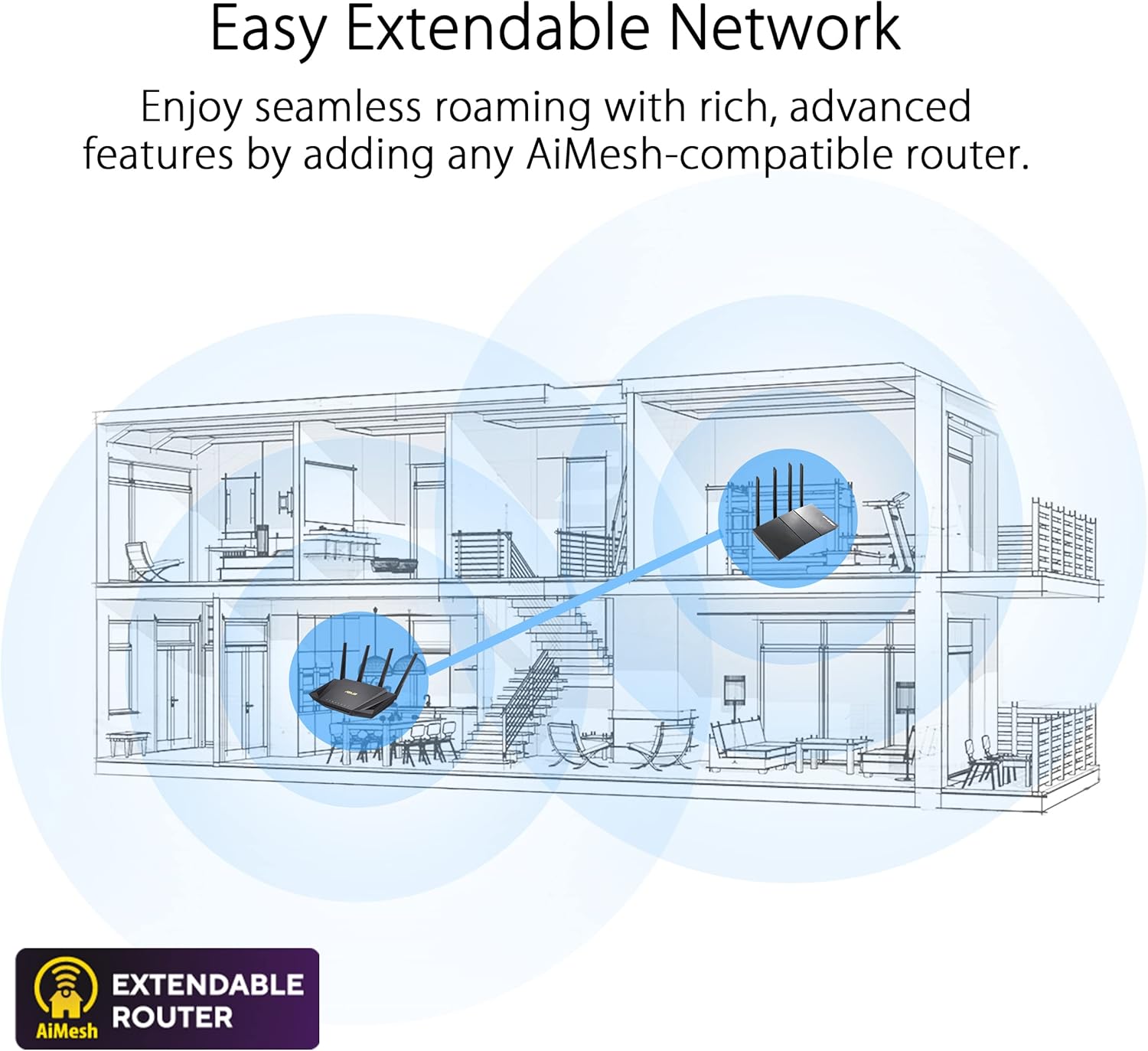
Figure 4: Illustration demonstrating how AiMesh creates an extendable network for seamless roaming throughout a multi-story home.
3. Enhanced Network Security
The router includes advanced security features to protect your network and connected devices:
- AiProtection Pro: Provides lifetime free internet security, powered by Trend Micro, offering commercial-grade network security.
- Instant Guard 2.0: Creates a secure VPN tunnel to your home network from anywhere, making public Wi-Fi secure.
- Advanced Parental Controls: Manage internet access for family members, set time limits, and filter content.
- Built-in VPN: Supports multiple VPN protocols including WireGuard, OpenVPN, PPTP, and L2TP/IPsec for secure remote access.

Figure 5: Visual representation of AiProtection Internet Security and Advanced Parental Controls.

Figure 6: Screenshot of the Instant Guard 2.0 mobile application, showing a protected network status.

Figure 7: Image showing various VPN protocols supported by the router, including WireGuard, OpenVPN, PPTP, and L2TP/IPsec.
Maintenance
To ensure optimal performance and security of your ASUS RT-AX5400 router, regular maintenance is recommended:
- Firmware Updates: Periodically check for and install the latest firmware updates via the ASUS Router app or web interface. Firmware updates often include security patches, bug fixes, and performance enhancements.
- Regular Reboots: Rebooting your router every few weeks can help clear its memory and resolve minor connectivity issues, improving overall stability.
- Physical Cleaning: Keep the router free from dust and obstructions to ensure proper ventilation and prevent overheating.
- Password Management: Regularly change your Wi-Fi and router administration passwords to strong, unique combinations.
Troubleshooting
If you encounter issues with your RT-AX5400 router, consider the following common troubleshooting steps:
- No Internet Connection:
- Check all cable connections (WAN, LAN, power) to ensure they are secure.
- Reboot your modem and router by unplugging them for 30 seconds and then plugging them back in.
- Verify your internet service provider (ISP) connection status.
- Weak Wi-Fi Signal or Dead Zones:
- Relocate the router to a central location, away from obstructions and interference sources (e.g., microwaves, cordless phones).
- Adjust antenna orientation.
- Consider adding an AiMesh node to extend coverage.
- Slow Internet Speed:
- Ensure your devices are connected to the appropriate Wi-Fi band (5GHz for faster speeds, 2.4GHz for wider range).
- Check for background applications or devices consuming high bandwidth.
- Perform a speed test to confirm your ISP's provided speed.
- Cannot Access Router Settings:
- Ensure your device is connected to the router's network (wired or wireless).
- Try accessing the web interface using the default IP address (e.g., 192.168.1.1) or router.asus.com.
- Clear your browser's cache or try a different browser.
- Factory Reset: If all else fails, you can perform a factory reset by pressing and holding the reset button on the back of the router for approximately 5-10 seconds until the power LED flashes. Warning: This will erase all your custom settings and return the router to its default configuration.
Specifications
| Feature | Detail |
|---|---|
| Brand | ASUS |
| Model Name | RT-AX5400 |
| Wireless Type | 802.11a, 802.11ac, 802.11ax, 802.11g |
| Frequency Band Class | Dual-Band (2.4 GHz, 5 GHz) |
| Connectivity Technology | Ethernet, USB, Wi-Fi |
| LAN Ports | 4x Gigabit LAN ports |
| WAN Port | 1x Gigabit WAN port |
| USB Port | 1x USB3.2 Gen1 (USB3.0) port |
| Antennas | 4x External Antennas |
| Item Weight | 1.35 pounds |
| Product Dimensions | 8.91 x 6.54 x 6.31 inches |
| Operating System Compatibility | App, Linux, Mac OS, Windows |
| Special Features | Access Point Mode, Alexa Compatible, Guest Mode, Internet Security (AiProtection), Parental Control, AiMesh Compatible, Built-in VPN (WireGuard, OpenVPN, PPTP, L2TP/IPsec) |
Warranty and Support
Your ASUS RT-AX5400 router comes with a warranty. Please refer to the included Warranty Card for detailed terms and conditions. For further assistance, you can consult the official ASUS support website or the comprehensive User Guide available in PDF format.
Official User Guide (PDF): Download Here


