
TKENPRO ZS-GX8S
TKENPRO ZS-GX8S 2K Wireless Outdoor Security Camera User Manual
Model: ZS-GX8S | Brand: TKENPRO
1. Introduction
This manual provides detailed instructions for the installation, operation, and maintenance of your TKENPRO ZS-GX8S 2K Wireless Outdoor Security Camera. This camera is designed for outdoor surveillance, featuring 2K Ultra HD resolution, solar power capabilities, advanced PIR motion detection, and color night vision.

Figure 1.1: TKENPRO ZS-GX8S Camera with Solar Panel
2. Key Features
- Rechargeable & Solar Powered: Equipped with a solar panel for continuous charging, ensuring up to 365 days of typical operation.
- 2K Ultra HD Resolution: Provides clear and sharp video footage.
- 40FT Color Night Vision: Captures detailed color video even in low-light conditions, with a night vision range of up to 40 ft.
- 120° Wide Angle & 4X Digital Zoom: Offers extensive coverage and the ability to zoom in on details.
- PIR Motion Detection & Real-time Alerts: Advanced AI algorithm for accurate motion detection, sending instant notifications and triggering siren/spotlight alarms.
- Flexible Storage Options: Supports local storage via SD card (up to 128GB, not included) and free 7-day loop cloud storage.
- 2.4GHz Wi-Fi Connectivity: Ensures a stable and strong network connection. (Does not support 5GHz Wi-Fi)
- IP65 Waterproof: Designed to withstand various outdoor weather conditions.
3. Package Contents
Please check the package for the following items:
- TKENPRO ZS-GX8S Security Camera
- Solar Panel with 7FT Cable
- Wall Mount Bracket
- Mounting Screws and Anchors
- USB Charging Cable
- User Manual
4. Setup Guide
4.1 Physical Installation
The camera is designed for wall mounting. Choose a location that provides optimal viewing coverage and receives sufficient sunlight for the solar panel. Ensure the camera is within range of your 2.4GHz Wi-Fi network.
- Mark the drilling spots on the wall using the mount bracket as a template.
- Drill holes and insert the wall anchors if necessary.
- Secure the mount bracket to the wall with screws.
- Attach the camera to the mount bracket and adjust the angle for desired coverage.
- Mount the solar panel in a location that receives direct sunlight throughout the day and connect its cable to the camera.

Figure 4.1: Solar Panel Connection and Mounting
4.2 App Installation and Network Connection
The TKENPRO ZS-GX8S camera uses the CloudEdge app for setup and operation. Ensure your smartphone is connected to a 2.4GHz Wi-Fi network before proceeding.
- Download the CloudEdge app from your smartphone's app store (iOS or Android).
- Register for a new account or log in if you already have one.
- Follow the in-app instructions to add your new camera. This typically involves scanning a QR code on the camera or manually selecting the device type.
- Connect the camera to your 2.4GHz Wi-Fi network as prompted by the app.
5. Operating Instructions
5.1 Live View
Once connected, open the CloudEdge app and select your camera to view the live feed. You can monitor your property in real-time from anywhere.
5.2 Motion Detection and Alerts
The camera features PIR motion detection with an advanced AI algorithm to minimize false alarms. When motion is detected, you will receive real-time alerts on your smartphone.
- Adjust Sensitivity: In the app settings, you can adjust the motion detection sensitivity (1-10) to suit your environment.
- Custom Detection Zones: Define specific areas within the camera's view where you want motion detection to be active.
- Siren and Spotlight: Configure the camera to automatically activate its siren and spotlight upon motion detection to deter intruders.

Figure 5.1: Motion Detection and Alert System

Figure 5.2: App Interface for Motion Detection Settings
5.3 Night Vision
The camera offers both color and infrared (IR) night vision modes. You can set the spotlight to automatically turn on when motion is detected at night for full-color video.
- Color Night Vision: Achieved by activating the built-in spotlight.
- Infrared Night Vision: Standard black and white night vision without the spotlight.

Figure 5.3: Comparison of Color and Infrared Night Vision
5.4 Recording and Storage
Recorded videos can be stored locally on a microSD card or in the cloud.
- MicroSD Card: Supports up to 128GB (card not included). Insert the card into the designated slot on the camera.
- Cloud Storage: A free 7-day loop cloud storage is provided. Paid plans with extended storage duration and features are also available.
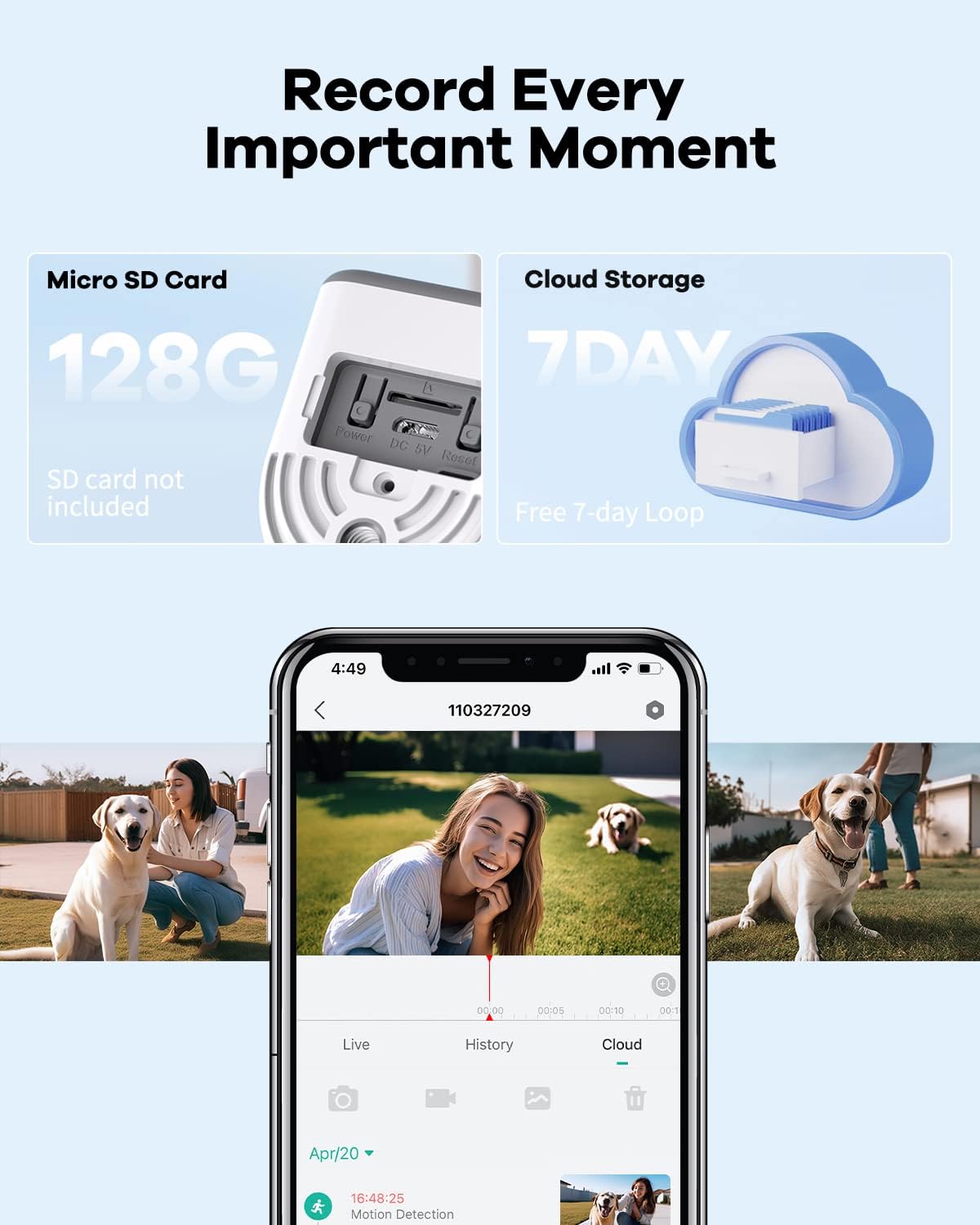
Figure 5.4: Storage Options
5.5 Digital Zoom
The camera supports 4X digital zoom, allowing you to magnify areas of interest within the live view or recorded footage via the app.
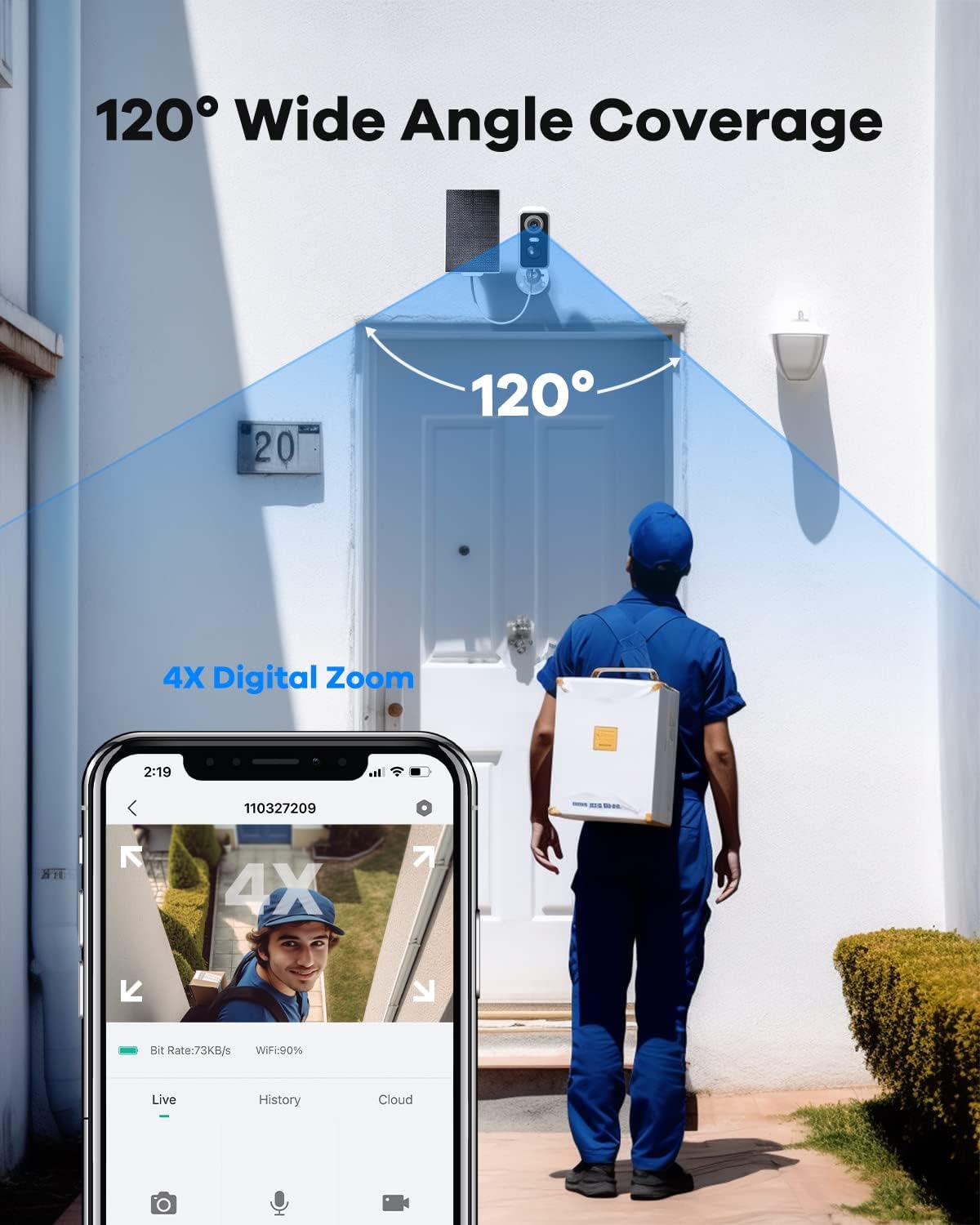
Figure 5.5: Wide Angle View and Digital Zoom Capability
5.6 Multi-user Sharing
You can share access to your camera's live feed and recordings with multiple users through the CloudEdge app, allowing family members or trusted individuals to monitor the property.

Figure 5.6: Multi-user Sharing Interface
6. Maintenance
6.1 Solar Charging
The integrated solar panel is designed to keep the camera's battery charged under normal sunlight conditions. Ensure the solar panel is clean and free from obstructions (e.g., leaves, dirt) to maximize charging efficiency.
6.2 Battery Life
With adequate sunlight, the camera can operate typically for 365 days without manual recharging. If the camera is installed in a shaded area or during prolonged periods of low sunlight, occasional manual charging via the USB port may be required.
6.3 Weather Resistance
The camera has an IP65 waterproof rating, meaning it is protected against dust ingress and low-pressure water jets from any direction. It is suitable for outdoor use in various weather conditions, from -4°F to 122°F.

Figure 6.1: IP65 Weather Resistance
7. Troubleshooting
- Camera Offline: Check Wi-Fi signal strength at the camera's location. Ensure the camera is powered on and fully charged. Restart the camera and your Wi-Fi router.
- Poor Image Quality: Ensure the camera lens is clean. Check your internet connection speed. Adjust video resolution settings in the app if available.
- Motion Detection Not Working/Too Many False Alarms: Adjust motion detection sensitivity in the app. Define custom detection zones to exclude irrelevant areas (e.g., busy roads, swaying trees). Ensure the PIR sensor is not obstructed.
- Battery Not Charging: Ensure the solar panel is clean and receives direct sunlight for several hours daily. Check the connection between the solar panel and the camera.
- Cannot Connect to 5GHz Wi-Fi: The camera only supports 2.4GHz Wi-Fi networks. Ensure your router is broadcasting a 2.4GHz signal and your phone is connected to it during setup.
8. Specifications
| Feature | Specification |
|---|---|
| Model Number | ZS-GX8S |
| Video Capture Resolution | 2K |
| Connectivity Technology | Wireless (2.4GHz Wi-Fi) |
| Power Source | Battery Powered, Solar |
| International Protection Rating | IP65 |
| Night Vision | Color Night Vision, Infrared Night Vision |
| Digital Zoom | 4X |
| Motion Detection | PIR Motion Detection, AI Detection (optional features) |
| Storage Options | MicroSD Card (up to 128GB), Cloud Storage |
| Mounting Type | Wall Mount |
| Product Dimensions | 6.81 x 4.45 x 3.27 inches |
| Item Weight | 1.06 pounds |
9. Warranty and Support
TKENPRO offers comprehensive support for your product:
- Product Warranty: Enjoy a 24-month product warranty from the date of purchase.
- Customer Support: Access 24-hour customer support for any inquiries or assistance you may need.

Figure 9.1: TKENPRO Support Information
Ask a question about this manual
Ask about setup, troubleshooting, compatibility, parts, safety, or missing instructions. Manuals+ will review the question and use this page’s manual context to help answer it.