
1. Important Safety Instructions
When using electrical appliances, basic safety precautions should always be followed to reduce the risk of fire, electric shock, and injury to persons. Read all instructions carefully before operating the appliance.
- Do not immerse the appliance, cord, or plug in water or other liquids.
- Ensure the voltage indicated on the appliance corresponds to your local mains voltage before connecting.
- Always unplug the appliance from the power outlet when not in use and before cleaning. Allow it to cool down before handling.
- Do not operate any appliance with a damaged cord or plug, or after the appliance malfunctions or has been damaged in any manner.
- Keep the appliance and its cord out of reach of children.
- Do not let the cord hang over the edge of a table or counter, or touch hot surfaces.
- Do not place the appliance on or near a hot gas or electric burner, or in a heated oven.
- Always ensure the basket is properly inserted before operating.
- Hot air is released through the air outlet opening during operation. Keep your hands and face at a safe distance from the steam and the air outlet openings.
- Do not cover the air inlet or air outlet openings while the appliance is operating.
- This appliance is intended for household use only.
2. Product Overview
2.1 Components
The Vpcok Direct 3.5L Air Fryer consists of the main unit, a removable frying basket, and a non-stick cooking plate.

Image: The Vpcok Direct 3.5L Air Fryer, a sleek black appliance with a digital LED display, shown with a basket full of golden fries.
2.2 Control Panel
The air fryer features an intuitive LED touch panel for easy operation.

Image: A close-up of the air fryer's digital touch panel, highlighting indicators for MENU, FAN, Temperature/Time, ON/OFF, Timer Button, Temperature Button, and MENU Button.
- MENU Indicator: Displays selected preset cooking mode.
- FAN Indicator: Illuminates when the fan is active.
- Temperature/Time Indicator: Shows current temperature or remaining cooking time.
- ON/OFF Button: Powers the unit on or off.
- Timer Buttons (+/-): Adjusts cooking time.
- Temperature Buttons (+/-): Adjusts cooking temperature.
- MENU Button: Cycles through preset cooking programs.
3. Before First Use
- Remove all packaging materials, stickers, and labels from the appliance.
- Clean the basket and cooking plate thoroughly with hot water, dish soap, and a non-abrasive sponge.
- Wipe the inside and outside of the appliance with a damp cloth.
- Ensure all parts are completely dry before use.
4. Setup
- Place the air fryer on a stable, horizontal, and heat-resistant surface. Ensure there is at least 10 cm of free space on the back and sides, and 10 cm above the appliance.
- Insert the cooking plate into the frying basket.
- Slide the frying basket back into the air fryer until it clicks into place.
- Plug the main power cord into a grounded wall outlet.
5. Operating Instructions
5.1 General Operation
- Press the ON/OFF button to power on the appliance. The display will light up.
- Adjust the desired temperature using the Temperature Buttons (80-200°C).
- Set the cooking time using the Timer Buttons (0-30 minutes).
- Press the ON/OFF button again to start the cooking process.
- The appliance will automatically shut off when the timer reaches zero.
5.2 Using Preset Modes
The air fryer comes with 6 smart preset programs for common dishes.

Image: A visual representation of the 6 one-touch cooking presets available on the air fryer's control panel, including recommended times and temperatures for each.
- Press the ON/OFF button to power on.
- Press the MENU button repeatedly to cycle through the 6 preset programs (Fries, Chicken, Steak, Chops, Fish, Cake).
- Once a preset is selected, the corresponding icon will light up, and the default time and temperature will be displayed.
- You can adjust the time and temperature manually even after selecting a preset if needed.
- Press the ON/OFF button to start cooking.
5.3 Cooking Tips
- For best results, shake the basket halfway through the cooking time for items like fries or chicken nuggets.
- Some foods may require a small amount of oil (1 tablespoon) for crispier results.
- Do not overfill the basket to ensure even cooking.
- The air fryer automatically pauses when the basket is removed and resumes when reinserted.

Image: A visual comparison illustrating the health benefits of air frying (healthy and low fat) versus traditional deep frying (oily and high calories).
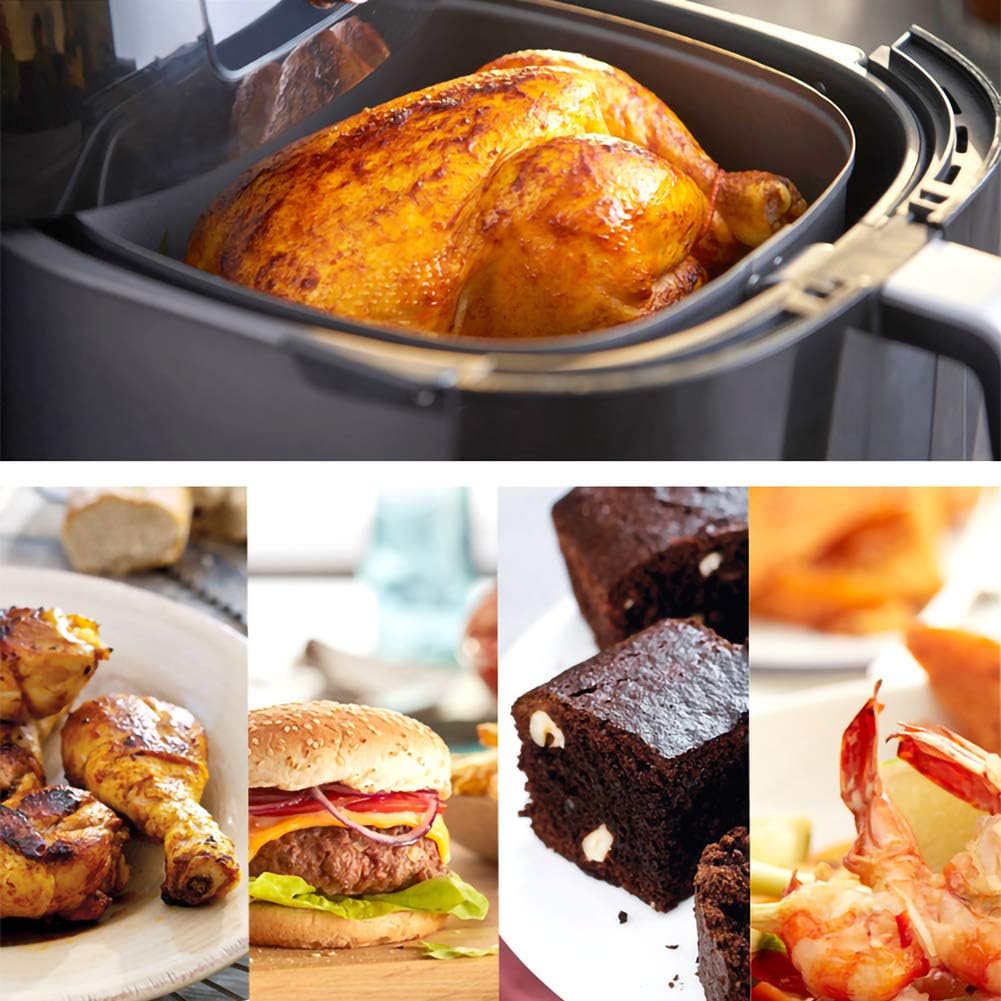
Image: A collage showcasing diverse culinary creations possible with the air fryer, such as roasted chicken, a hamburger, brownies, and shrimp.
6. Maintenance and Cleaning
Regular cleaning ensures optimal performance and extends the lifespan of your air fryer.

Image: Three key features of the air fryer: its non-stick coating, detachable and easy-to-clean components, and high-speed ventilation system.
- Before Cleaning: Always unplug the appliance and allow it to cool down completely.
- Basket and Cooking Plate: These parts are dishwasher safe. Alternatively, clean them with hot water, dish soap, and a non-abrasive sponge. For stubborn food residue, soak them in hot water for about 10 minutes.
- Interior: Wipe the inside of the appliance with a damp cloth. Do not use abrasive cleaners.
- Exterior: Clean the exterior with a damp cloth. Never immerse the main unit in water or any other liquid.
- Heating Element: Use a cleaning brush to remove any food residue from the heating element.
7. Troubleshooting
- Appliance does not work: Check if the power plug is properly connected. Ensure the basket is correctly inserted.
- Food not cooked evenly: Do not overfill the basket. Shake the basket halfway through cooking. Adjust temperature and time as needed.
- White smoke coming from the appliance: This is usually caused by grease from previous use or excess oil on the food. Clean the basket and cooking plate thoroughly.
- Fresh fries are not crispy: Ensure potatoes are properly dried before adding oil. Cut fries into smaller pieces for better crispiness.
8. Specifications

Image: Technical drawing showing the dimensions of the Vpcok Direct 3.5L Air Fryer (324mm height, 260mm width, 330mm depth) and its internal basket (122mm height).
| Brand | Vpcok Direct |
| Model Name | 6974775071982 |
| Capacity | 3.5 Liters |
| Color | Black |
| Material | Metal |
| Product Dimensions | 33 x 26 x 33 cm (L x W x H) |
| Item Weight | 4.43 kg |
| Control Method | Touch |
| Temperature Range | 80-200°C |
| Timer Range | 0-30 minutes |
| Non-stick Coating | Yes |
9. Warranty and Support
Your Vpcok Direct Air Fryer is covered by a manufacturer's warranty. Please refer to the warranty card included in your product packaging for specific terms and conditions, including the warranty period and coverage details.
For technical support, troubleshooting assistance, or warranty claims, please contact Vpcok Direct customer service. Contact information can typically be found on the product packaging, the official Vpcok Direct website, or your purchase receipt.
Please have your model number (6974775071982) and proof of purchase ready when contacting support.