Introduction
This manual provides essential information for the proper installation, operation, and maintenance of your wet sounds REV 10 B-SXM V2 Revolution Series 10" Black Tower Speaker. Please read this manual thoroughly before using the product to ensure optimal performance and longevity.

Figure 1: wet sounds REV 10 B-SXM V2 Revolution Series Tower Speaker. This image displays the speaker's sleek black finish and the distinctive grille design, highlighting its robust construction.
Safety Information
Always observe the following safety precautions to prevent injury or damage to the product:
- Ensure all power connections are secure and correctly polarized before applying power.
- Do not expose the speaker to extreme temperatures or direct sunlight for prolonged periods.
- Avoid disassembling the speaker. Refer all servicing to qualified personnel.
- Use appropriate mounting hardware and techniques to secure the speaker, especially in marine or vehicle environments, to prevent detachment during operation.
- Protect wiring from sharp edges and moving parts to prevent shorts or damage.
Product Features
The wet sounds REV 10 B-SXM V2 speaker is engineered for high-performance audio in demanding environments. Key features include:
- RMS Power: 300 Watts
- Peak Power: 600 Watts
- Impedance: 4 Ohms
- Frequency Response: 20Hz - 20kHz
- Sensitivity: 92dB @ 1W/m
- Speaker Type: Tower Speaker
- Subwoofer Diameter: 10 Inches
- Mounting Type: Clamp Mount (TC3 Swivel X Mount)
- Connectivity: Wired
- Audio Output Mode: Stereo
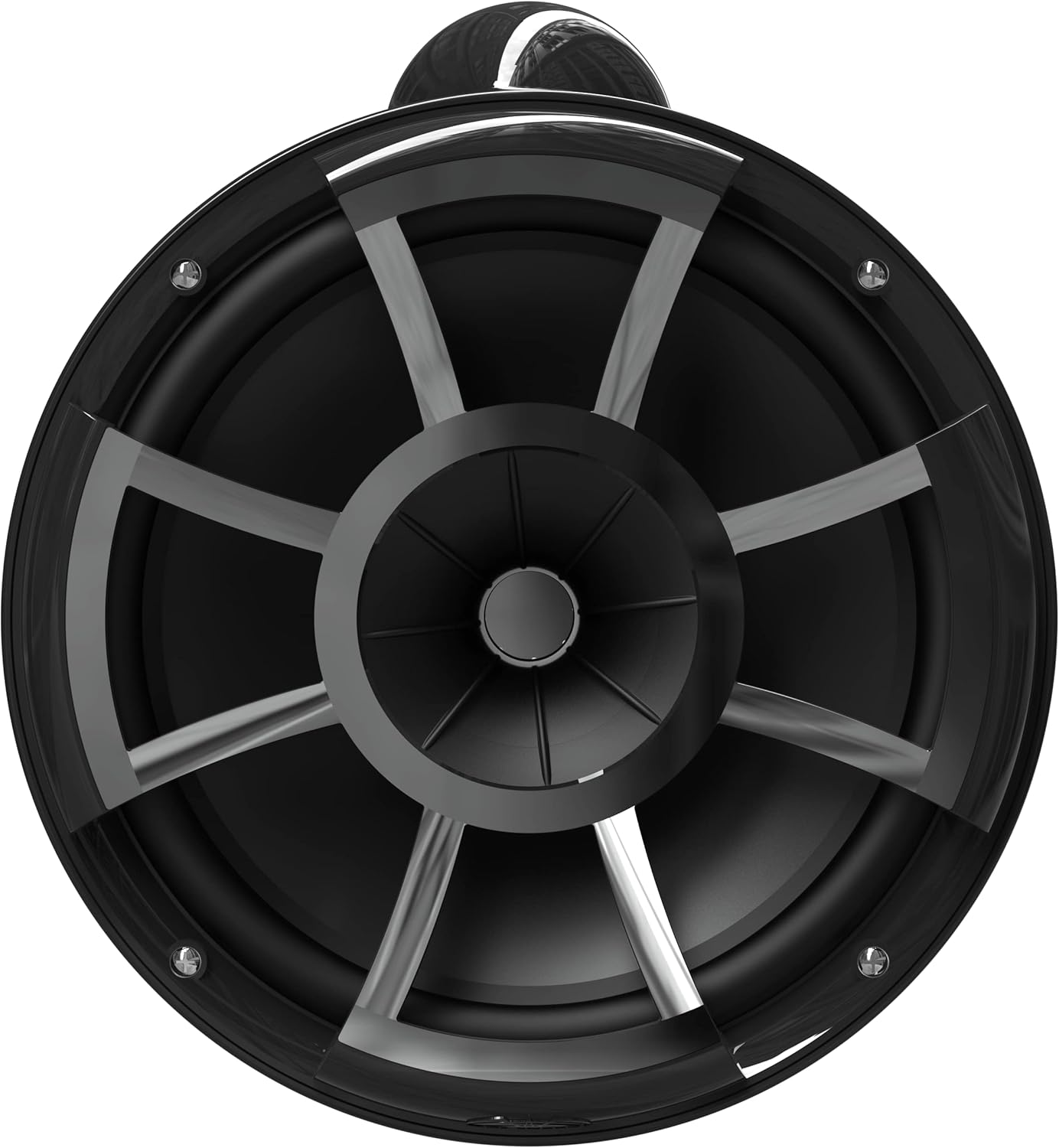
Figure 2: Front view of the REV 10 B-SXM V2 speaker. This image provides a clear view of the speaker's cone and grille, showcasing its design and construction.
Components Included
The package for your REV 10 B-SXM V2 Tower Speaker includes:
- One (1) wet sounds REV 10 B-SXM V2 Revolution Series 10" Black Tower Speaker
- TC3 Swivel X Mount
- Necessary mounting hardware (screws, washers, etc.)
- Wiring harness (if applicable, for power and audio connections)
- User Manual (this document)
Setup and Installation
Proper installation is crucial for the performance and safety of your speaker. It is recommended that installation be performed by a qualified professional.
1. Mounting the Speaker
- Select Mounting Location: Choose a secure location on your boat, UTV, or other vehicle that can support the speaker's weight (approximately 30 lbs) and provide optimal sound dispersion. Ensure the location allows for the TC3 Swivel X Mount's rotation.
- Attach Mount: Securely attach the TC3 Swivel X Mount to the chosen surface using the provided hardware. Ensure the mount is firmly tightened to prevent vibration or movement.
- Attach Speaker to Mount: Carefully align the speaker with the TC3 Swivel X Mount and secure it according to the mount's instructions. Double-check all connections to ensure the speaker is stable and will not detach during vehicle operation.
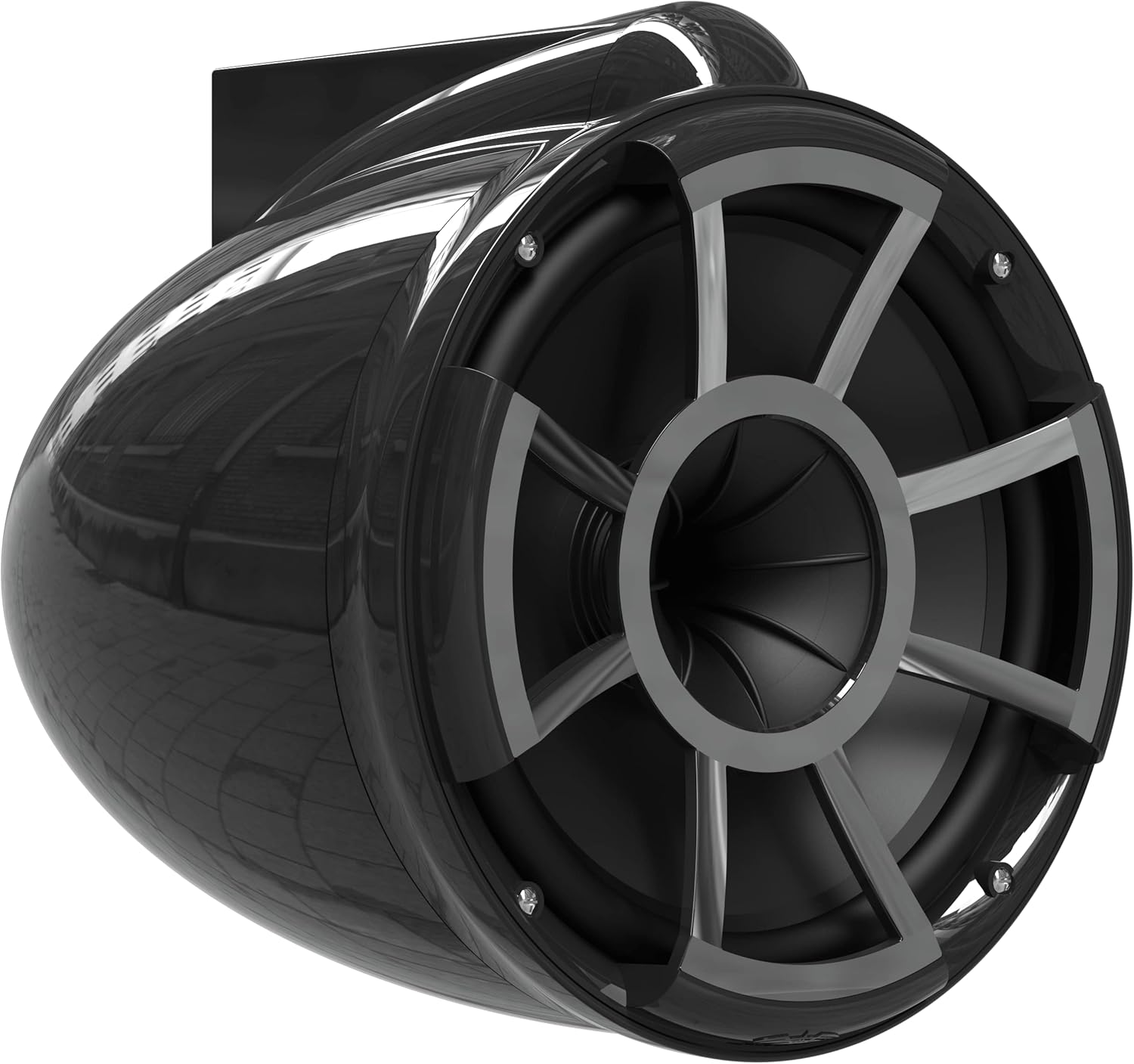
Figure 3: Angled view of the REV 10 B-SXM V2 speaker, showing the integrated mounting bracket. This perspective helps visualize how the speaker attaches to its mount.
2. Wiring Connections
Connect the speaker to your audio system (amplifier, head unit) following these guidelines:
- Power Wiring: Connect the speaker's power wires to an appropriate amplifier output. Ensure the amplifier can handle a 4-ohm load and provides sufficient RMS power (300W per speaker).
- Audio Signal: Connect the audio input wires from your head unit or audio source to the amplifier's input.
- Grounding: Ensure a proper ground connection for both the speaker and the amplifier to prevent noise and ensure stable operation.
- Cable Management: Route all cables away from heat sources, sharp objects, and moving parts. Use cable ties to secure wiring.
Operating Instructions
Once installed and wired, operate your wet sounds REV 10 B-SXM V2 speaker as follows:
- Power On: Turn on your audio system's head unit and amplifier.
- Volume Control: Adjust the volume using your head unit's or amplifier's controls. Start at a low volume and gradually increase it to a comfortable listening level.
- Audio Source Selection: Select your desired audio source (e.g., radio, Bluetooth, auxiliary input) from your head unit.
- Sound Adjustment: Utilize your audio system's equalizer or tone controls to fine-tune the bass, treble, and midrange to your preference.
- Swivel Adjustment: The TC3 Swivel X Mount allows you to adjust the speaker's direction for optimal sound projection. Loosen the swivel mechanism, adjust the speaker, and then re-tighten securely.
Maintenance
Regular maintenance will help preserve the appearance and performance of your speaker:
- Cleaning: Use a soft, damp cloth to wipe down the speaker enclosure. For stubborn dirt, a mild soap solution can be used. Avoid abrasive cleaners or solvents.
- Grille Care: Periodically inspect the speaker grille for debris. Clean gently with a soft brush if necessary.
- Connection Check: Annually, inspect all wiring connections for corrosion or looseness. Re-tighten or clean as needed.
- Mounting Hardware: Check mounting bolts and screws periodically to ensure they remain tight, especially after prolonged use in vibrating environments.
Troubleshooting
If you encounter issues with your speaker, refer to the following common problems and solutions:
| Problem | Possible Cause | Solution |
|---|---|---|
| No Sound | No power to amplifier; loose wiring; incorrect audio source selected; amplifier in protect mode. | Check amplifier power and fuses. Verify all wiring connections. Select correct audio source. Reset amplifier if in protect mode. |
| Distorted Sound | Volume too high; improper gain settings on amplifier; damaged speaker wire; impedance mismatch. | Reduce volume. Adjust amplifier gain settings. Inspect speaker wires for damage. Ensure amplifier impedance matches speaker. |
| Intermittent Sound | Loose wiring connections; faulty audio cable; amplifier overheating. | Check and secure all wiring. Replace audio cables if damaged. Ensure adequate ventilation for amplifier. |
| Speaker Detachment/Vibration | Loose mounting hardware. | Re-tighten all mounting bolts and screws on the TC3 Swivel X Mount. |
If the problem persists after attempting these solutions, please contact wet sounds customer support.
Specifications
| Attribute | Value |
|---|---|
| Model Name | REV-10-B-SXM-V2 |
| RMS Power | 300 Watts |
| Peak Power | 600 Watts |
| Impedance | 4 Ohms |
| Frequency Response | 20Hz - 20kHz |
| Sensitivity | 92dB @ 1W/m |
| Speaker Type | Tower |
| Subwoofer Diameter | 10 Inches |
| Product Dimensions (D x W x H) | 28"D x 14"W x 18"H |
| Item Weight | 30 Pounds |
| Mounting Type | Clamp Mount |
| Connectivity Technology | Wired |
| Color | MULTICOLOR (Black) |
| UPC | 814820028188 |
Warranty Information
The wet sounds REV 10 B-SXM V2 Revolution Series Tower Speaker comes with a Limited Warranty. This warranty covers defects in materials and workmanship under normal use. For specific terms, conditions, and duration of your warranty, please refer to the warranty card included with your product or visit the official wet sounds website. Keep your proof of purchase for warranty claims.
Support
For technical assistance, troubleshooting beyond this manual, or warranty inquiries, please contact wet sounds customer support:
- Website: www.wetsounds.com (Please check the official website for the most current contact information and support resources.)
- Phone: Refer to the wet sounds website for regional contact numbers.
- Email: Refer to the wet sounds website for support email addresses.
When contacting support, please have your product model number (WETREV10B-SXMV2) and purchase date available.


