
Introduction
This manual provides detailed instructions for the assembly, operation, maintenance, and troubleshooting of your ODK 40 Inch Computer Desk. Please read this manual thoroughly before assembly and use to ensure proper function and safety.
The ODK 40 Inch Computer Desk is designed for home office and study environments, featuring a monitor stand and reversible 2-tier storage shelves to optimize your workspace.
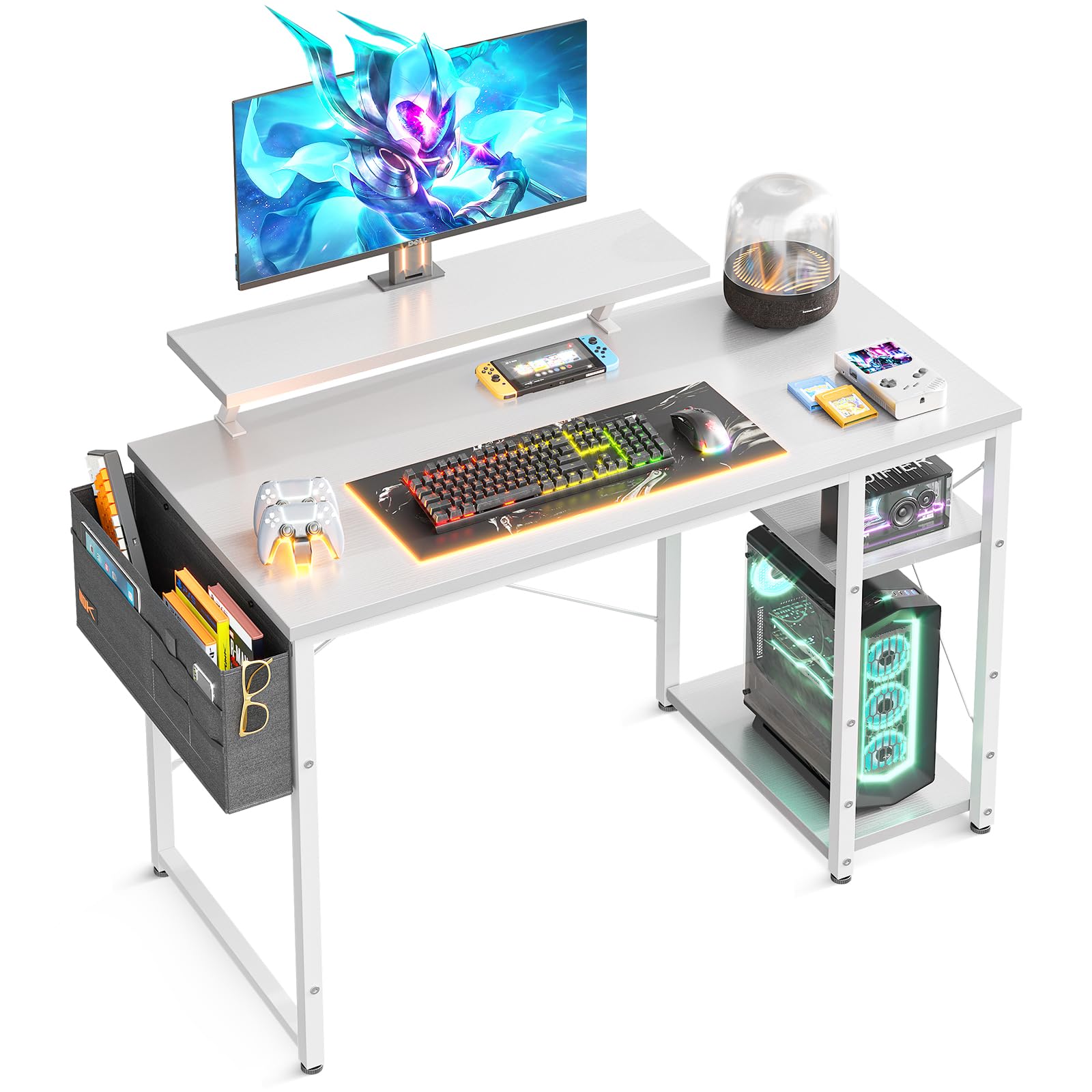
Image: The ODK 40 Inch Computer Desk, showcasing its monitor stand and storage shelves in a modern home office setup.
Important Safety Information
WARNING:
- Always assemble the desk according to the provided instructions. Incorrect assembly can lead to instability and potential injury.
- Do not exceed the maximum weight recommendation of 50 pounds (22.68 kg) on the desktop or shelves. Overloading can cause structural failure.
- Ensure all screws and fasteners are securely tightened before use. Periodically check and re-tighten as necessary.
- Keep small parts and packaging materials away from children to prevent choking hazards.
- Place the desk on a level surface to prevent tipping.
Setup and Assembly
Follow these steps for assembling your ODK 40 Inch Computer Desk. It is recommended to have a second person assist with assembly for easier handling of larger components.
1. Unpack and Identify Components
Carefully unpack all components and lay them out on a clean, soft surface to prevent scratches. Verify that all parts listed in the included hardware pack are present. Refer to the diagram below for overall dimensions.

Image: Detailed size specifications and dimensions of the ODK 40 Inch Computer Desk, including the monitor stand and side shelves.
2. Assemble the Frame
Begin by assembling the metal frame components. Ensure all connections are firm but do not fully tighten screws until the entire frame is assembled to allow for minor adjustments.
3. Attach the Desktop and Monitor Stand
Secure the desktop to the assembled frame. Then, attach the monitor stand to the designated points on the desktop. The monitor stand is designed to elevate your screen to a comfortable eye level, reducing neck and eye strain.
4. Install Reversible Storage Shelves
The 2-tier open shelves can be fixed on either the left or right side of the desk, depending on your preference and room layout. This allows for flexible placement of your computer tower or other items. When installing the shelves on the left side, ensure the desktop side's 5 holes are positioned outwards for proper alignment.
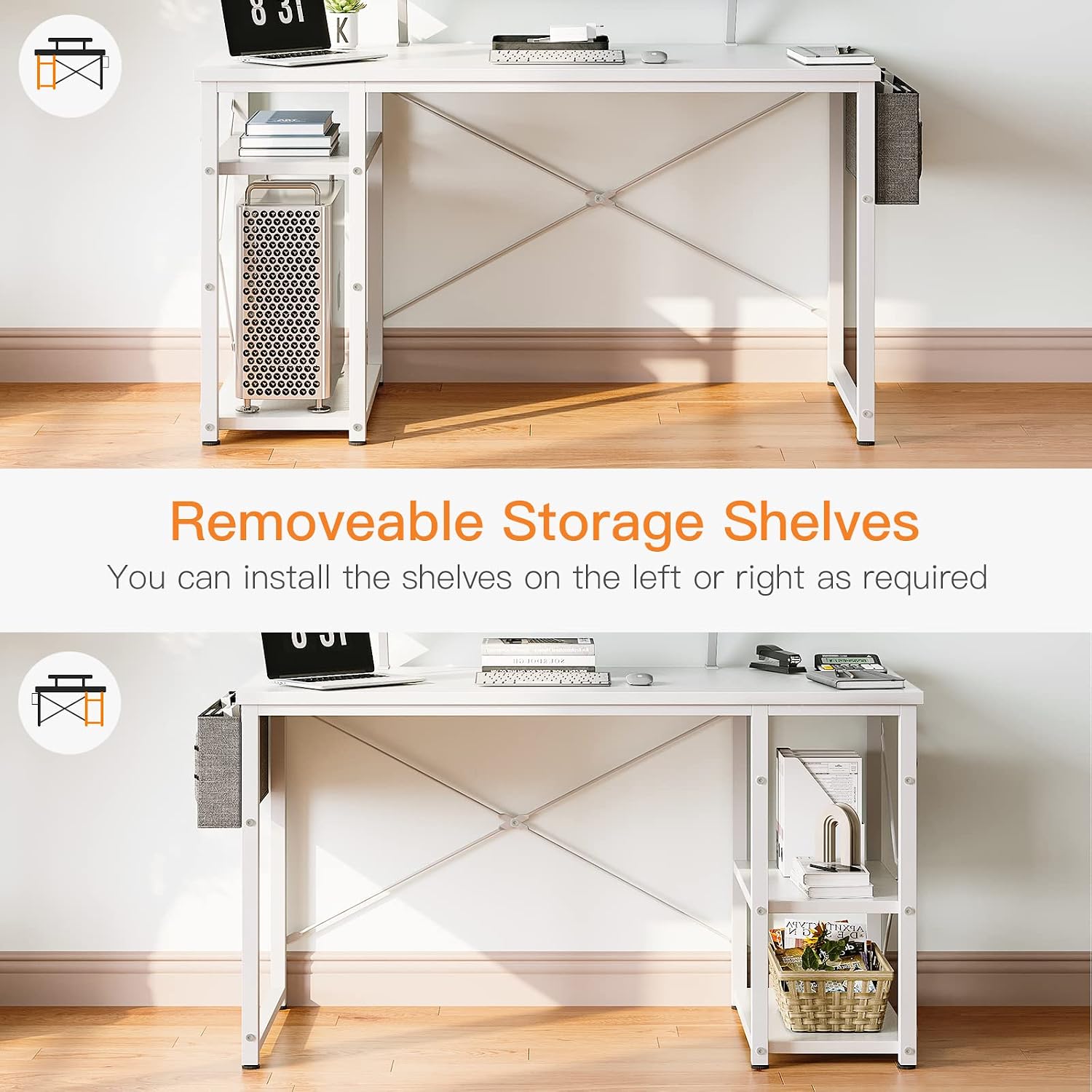
Image: Illustration showing the flexibility of installing the storage shelves on either the left or right side of the desk.

Image: The ODK desk with its 2-tier storage shelves, demonstrating how the middle board can be adjusted or removed to accommodate a large computer chassis.
5. Final Tightening
Once all components are in place and aligned, fully tighten all screws and fasteners. Do not overtighten.
Operating Instructions
Your ODK Computer Desk is designed for versatile use in various settings. Here's how to maximize its features:
Monitor Stand Usage
The integrated monitor stand elevates your display, promoting a healthier sitting posture and reducing strain on your neck and eyes. It also provides additional surface area underneath for storing small items like notebooks or a keyboard when not in use.
Storage Shelves
Utilize the 2-tier open shelves for organizing books, documents, office supplies, or a computer tower. The middle board of the shelves can be adjusted or removed to create more space for larger items, such as a large computer chassis.

Image: An ODK desk configured with dual monitors on the stand, showcasing an organized workspace with items on the shelves and desktop.
Cable Management
While not explicitly included, consider using cable ties or adhesive clips (not provided) to manage power cords and peripheral cables, keeping your workspace tidy and safe.
Maintenance
To ensure the longevity and appearance of your ODK Computer Desk, follow these maintenance guidelines:
- Cleaning: Wipe the desk surfaces with a soft, damp cloth. Avoid using harsh chemicals or abrasive cleaners, which can damage the finish.
- Spills: Clean up spills immediately to prevent staining or damage to the engineered wood surface.
- Fasteners: Periodically check all screws and bolts to ensure they remain tight. Re-tighten as needed to maintain stability.
- Weight Distribution: Distribute weight evenly across the desktop and shelves. Avoid placing heavy items on edges or corners.
- Environmental Conditions: Avoid exposing the desk to extreme temperatures or humidity, which can affect the material integrity.
Troubleshooting
If you encounter issues with your ODK Computer Desk, refer to the following common problems and solutions:
Desk Wobbles or is Unstable
- Check Fasteners: Ensure all screws and bolts are fully tightened. Loose connections are a common cause of instability.
- Level Surface: Verify that the desk is placed on a flat, level surface. Adjust the desk's feet if necessary to compensate for uneven flooring.
- Cross Braces: Confirm that the metal cross braces at the back of the desk are correctly installed and tightened, as they provide significant stability.
Missing or Damaged Parts
- If you find any parts missing or damaged upon unpacking, do not proceed with assembly.
- Contact ODK customer service immediately with details of the missing or damaged components. Refer to the "Warranty & Support" section for contact information.
Difficulty Assembling
- Review the assembly instructions carefully, paying close attention to diagrams and part numbers.
- Ensure you are using the correct screws for each step. Using incorrect screws can cause damage (e.g., screws too long penetrating the desktop).
- Do not force parts together. If a part does not fit, re-check the orientation and ensure you have the correct components for that step.
Product Specifications
| Feature | Detail |
|---|---|
| Brand | ODK |
| Model Name | 40 Inch Computer Desk with Monitor Stand and Reversible 2-Tier Storage Shelves |
| ASIN | B0C1C364W7 |
| Product Dimensions (D x W x H) | 19.7"D x 39.4"W x 35.4"H (50 cm D x 100 cm W x 90 cm H) |
| Color | White |
| Style | Minimalist |
| Top Material Type | Engineered Wood |
| Base Material | Metal |
| Finish Type | Powder Coated |
| Special Feature | Reversible Storage Shelves, Monitor Stand |
| Number of Shelves | 2 (open shelves) |
| Item Weight | 14.02 Kilograms (approx. 30.9 lbs) |
| Maximum Weight Recommendation | 50 Pounds (22.68 kg) |
| Assembly Required | Yes |
Warranty and Customer Support
ODK is committed to providing high-quality products and customer satisfaction.
- Warranty: ODK provides a one-year warranty from the date of purchase. This warranty covers manufacturing defects and quality problems.
- Customer Service: For any quality problems, missing parts, or assistance with assembly, please contact ODK customer service. They offer lifetime customer service and 24-hour online professional pre-sale and after-sale support.
- Contact Information: Please refer to the contact details provided with your product packaging or visit the official ODK website for support.