
BAOFENG
BAOFENG UV-17R Two-Way Radio Instruction Manual
Your comprehensive guide to operating and maintaining your BAOFENG UV-17R radio.
1. Product Overview
The BAOFENG UV-17R is a versatile dual-band two-way radio designed for reliable communication. It features an upgraded design with a 1.77-inch color display, increased channel capacity, and convenient charging options.

Overview of the BAOFENG UV-17R's key features, including its color screen, channel capacity, and various functionalities.

The BAOFENG UV-17R package contents, showing two radios and their accompanying accessories.
2. Setup Guide
2.1 Package Contents
Before beginning, please verify that all items are present in your package:
- Walkie Talkie (x2)
- Battery (x2)
- Type-C USB Cable (x2)
- Base Charger (x2)
- Antenna (x2)
- Screwdriver (x1)
- Belt Clip (x2)
- Hand Strap (x2)
- Headset (x2)
- User Manual (x2)
2.2 Battery Installation
- Align the battery pack with the back of the radio.
- Gently slide the battery pack upwards until it clicks into place.
- Use the provided screwdriver to secure the battery pack by tightening the screw at the bottom.
2.3 Charging the Radio
The UV-17R supports two charging methods:
- Type-C USB Charging: Connect the Type-C USB cable directly to the radio's Type-C port. This method is convenient for charging in a vehicle or with a power bank.
- Base Charger: Place the radio into the charging cradle. Ensure the charging contacts align. The base charger can improve charging efficiency and extend battery life.

The two available charging methods for the UV-17R: Type-C USB and the traditional base charger.
2.4 Antenna Installation
Screw the antenna clockwise onto the antenna connector at the top of the radio until it is finger-tight. Do not overtighten.
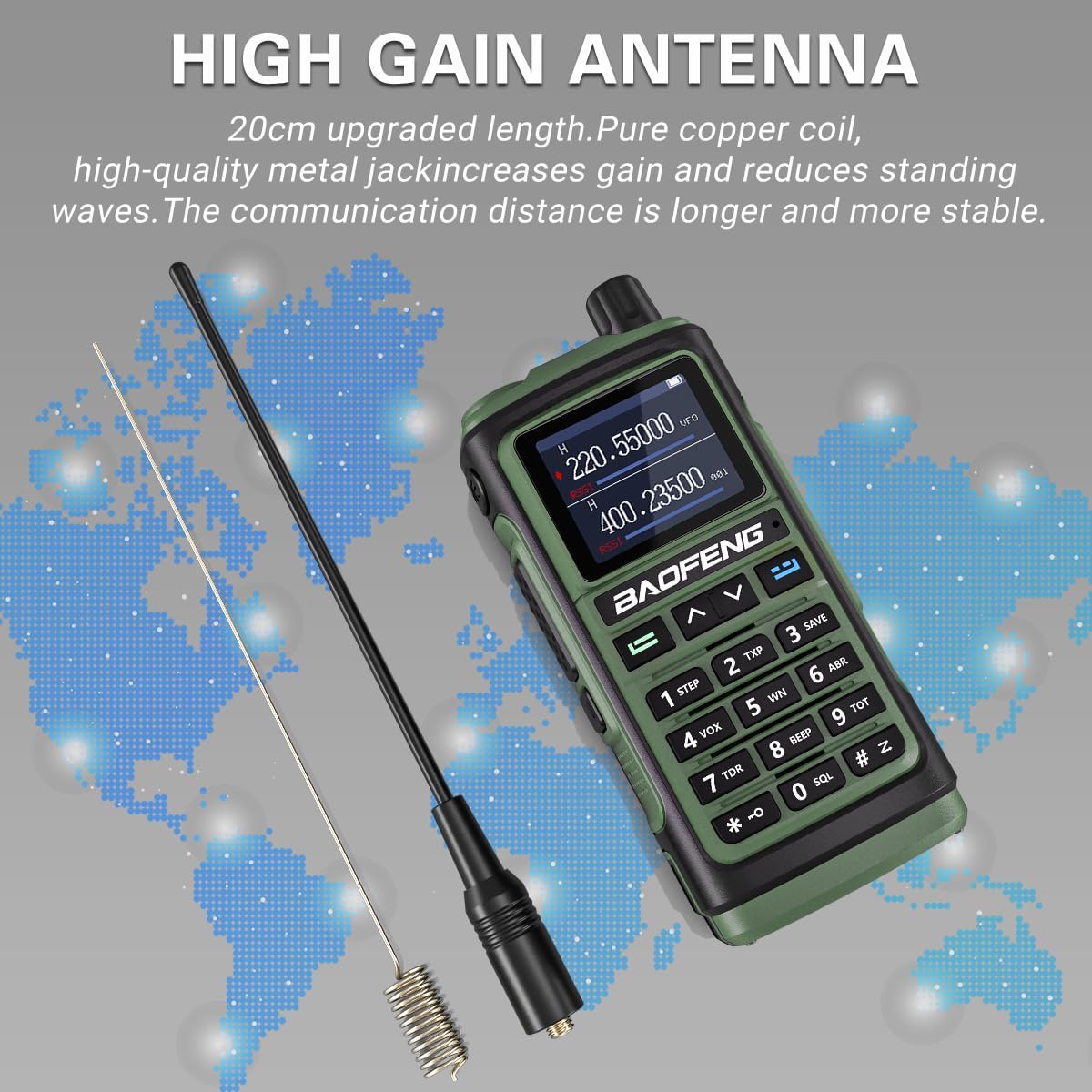
The high-gain antenna, designed for improved signal reception and transmission.

The flexible long antenna, offering durability and enhanced range for dual-band VHF/UHF communication.
3. Operating Instructions
3.1 Parts Identification
Familiarize yourself with the various parts of your UV-17R radio:

Detailed diagram identifying the components of the BAOFENG UV-17R radio.
| No. | Component | Description |
|---|---|---|
| 1 | Antenna | Transmits and receives radio signals. |
| 2 | Flashlight/Emergency Alert key | Activates the LED flashlight or emergency alert. |
| 3 | PTT key | Push-to-Talk button for transmitting. |
| 4 | FM Broadcast/Monitor key | Switches to FM radio or monitors channels. |
| 5 | Menu key | Accesses the radio's menu options. |
| 6 | Numeric keypad | For entering frequencies, channel numbers, and menu selections. |
| 7 | Power/Volume knob | Turns the radio on/off and adjusts volume. |
| 8 | Color LCD | Displays frequency, channel, and status information. |
| 9 | Speaker/Mic Jacks | Ports for external speaker-microphone or earpiece. |
| 10 | MIC Input | Internal microphone for voice input. |
| 11 | Exit Key | Exits menu or current function. |
| 12 | Up/Down navigation keys | Navigates through menus and adjusts frequencies/channels. |
| 13 | Battery pack | Provides power to the radio. |
| 14 | Type-C charging port | Port for direct USB-C charging. |
| 15 | Battery tightening screw | Secures the battery pack to the radio. |
| 16 | Type-C charging indicator | Indicates charging status via Type-C. |
| 17 | LED flashlight | Provides illumination. |
| 18 | LED Status Indicator | Indicates radio status (e.g., transmitting, receiving). |
3.2 Basic Operation
- Power On/Off: Rotate the Power/Volume knob (7) clockwise to turn on the radio. Rotate counter-clockwise until it clicks to turn off.
- Adjust Volume: Rotate the Power/Volume knob (7) to adjust the audio output level.
- Select Frequency/Channel: Use the Up/Down navigation keys (12) or the Numeric keypad (6) to enter or select desired frequencies or channels.
- Transmit: Press and hold the PTT key (3) to transmit. Release to receive.
3.3 Wireless Frequency Copy
The UV-17R features a wireless frequency replication function, allowing you to clone frequencies from another radio without computer programming.
- Long press the Menu key (5) to enter the "FQSCAN" interface.
- Press the Menu key (5) again. The UV-17R will begin searching for another radio's transmission frequency and privacy code.
- Once found, press the Menu key (5) to store the frequency. The two radios can now communicate.

Demonstration of the wireless frequency copy feature, enabling quick and easy cloning of frequencies between radios.
3.4 NOAA Weather Alert
The radio supports NOAA weather service, allowing it to scan 10 NOAA Weather channels. When the weather alarm function is activated, the radio will issue an alarm if there is a risk of severe weather, providing early warning for safety.

The radio's capability to receive NOAA weather alerts and function as an FM radio, useful for outdoor activities.
3.5 LED Flashlight
The integrated LED flashlight (17) provides strong illumination, useful in low-light conditions or emergencies. Activate it using the dedicated Flashlight/Emergency Alert key (2).

The powerful LED flashlight feature, providing bright illumination for various situations.
3.6 VOX Mode
The VOX (Voice Operated Exchange) mode allows for hands-free operation. When enabled, the radio will automatically transmit when it detects your voice, eliminating the need to press the PTT button.
3.7 FM Radio
The UV-17R includes an FM radio function for entertainment or receiving broadcast information. Use the FM Broadcast/Monitor key (4) to switch to FM radio mode.
3.8 Programming Guide
For advanced programming of your BAOFENG UV-17R radio, including setting up channels and other parameters via computer, please refer to the official programming guide video below. This video demonstrates the steps for downloading and installing the necessary software (Chirp) and connecting your radio for programming.
Official video guide for programming the BAOFENG UV-17R radio using computer software.
4. Maintenance
4.1 General Care
- Keep the radio dry. Avoid exposure to rain, moisture, or liquids.
- Do not expose the radio to extreme temperatures.
- Avoid strong shocks or vibrations.
4.2 Cleaning
Clean the radio's surface with a soft, damp cloth. Do not use harsh chemicals or abrasive cleaners.
4.3 Battery Care
- Charge the battery fully before first use.
- Do not overcharge or deep discharge the battery.
- Store the battery in a cool, dry place when not in use for extended periods.
5. Troubleshooting
| Problem | Possible Cause | Solution |
|---|---|---|
| Radio does not power on | Low or dead battery; Incorrect battery installation | Charge the battery; Reinstall the battery correctly |
| Cannot transmit or receive | Incorrect frequency/channel; Antenna not properly installed; Out of range | Verify frequency/channel settings; Check antenna connection; Move closer to other radios |
| Poor audio quality | Low volume; Obstructions; Interference | Adjust volume; Move to an open area; Check for sources of interference |
| Wireless frequency copy fails | Source radio not transmitting; Too far from source radio | Ensure source radio is transmitting; Reduce distance between radios |
6. Specifications
| Feature | Detail |
|---|---|
| Item Weight | 2.81 pounds |
| Package Dimensions | 9.88 x 8.86 x 4.41 inches |
| Model Number | UV-17R |
| Batteries | 2 Lithium Ion batteries required (included) |
| Number of Channels | 999 |
| Special Features | Portable, UHF, Waterproof (Water Resistant) |
| Frequency Range | 400 feet (Note: This is likely a typo in source data, typically refers to MHz range for radios) |
| Tuner Technology | UHF, VHF |
| Voltage | 7.4 Volts |
| Manufacturer | BAOFENG |
| First Available Date | April 3, 2023 |
7. Warranty and Support
7.1 Warranty Information
Based on available information, there is no explicit warranty provided for this product.
7.2 Technical Support
For technical assistance, programming queries, or any issues not covered in this manual, please contact the manufacturer, BAOFENG, or your authorized dealer. Refer to the contact information provided with your purchase documentation.
Ask a question about this manual
Ask about setup, troubleshooting, compatibility, parts, safety, or missing instructions. Manuals+ will review the question and use this page’s manual context to help answer it.