
ZOUKAI BT-X
ZOUKAI BT-X Earhooks Sports Headphones User Manual
Model: BT-X | Brand: ZOUKAI
1. Introduction
Thank you for choosing the ZOUKAI BT-X Earhooks Sports Headphones. These open-ear Bluetooth headphones are designed for comfort, stability, and high-quality audio, making them ideal for sports and daily use. Featuring Bluetooth 5.3 for stable connectivity, a long-lasting battery, and a unique night running mode, the BT-X provides an immersive listening experience while keeping you aware of your surroundings. Please read this manual carefully to ensure proper use and maintenance of your new headphones.
2. What's in the Box
Your ZOUKAI BT-X Earhooks Sports Headphones package includes the following items:
- USB-C Charging Cable
- User Manual (this document)
- Wireless Charging Case
3. Product Overview
The ZOUKAI BT-X headphones combine innovative design with advanced technology to deliver a superior audio experience. Key features include:
- Comfortable Open-Ear Design: Soft ear pads and an ear-hanging wearing method ensure a painless fit, allowing you to enjoy music without discomfort while maintaining situational awareness.
- Night Running Mode: Unique transparent earhooks with bright lights enhance your visibility and safety during nighttime outdoor activities.
- Extended Battery Life: Enjoy up to 15 hours of continuous music playback on a single charge. The charging case provides multiple additional charges, extending total usage time significantly.
- Bluetooth 5.3 Connectivity: Advanced Bluetooth 5.3 chip ensures smooth transmission and a stable connection within a 10-meter range, compatible with a wide range of Bluetooth-enabled smartphones and devices.
- Sports-Ready Durability: The ear-hook style provides a stable fit, preventing accidental falls during intense workouts. IPX5 sweat-proof and waterproof functionality protects the earphones from sweat damage.
- Clear Calls and Immersive Sound: Built-in 4 noise-cancelling microphones ensure crisp, clear calls. The 28mm dynamic speakers deliver HiFi sound quality with powerful bass for an immersive audio experience.

Figure 3.1: ZOUKAI BT-X Earhooks Sports Headphones and Charging Case. The image shows the white charging case open, revealing one earhook headphone placed inside and the other removed, showcasing its design.
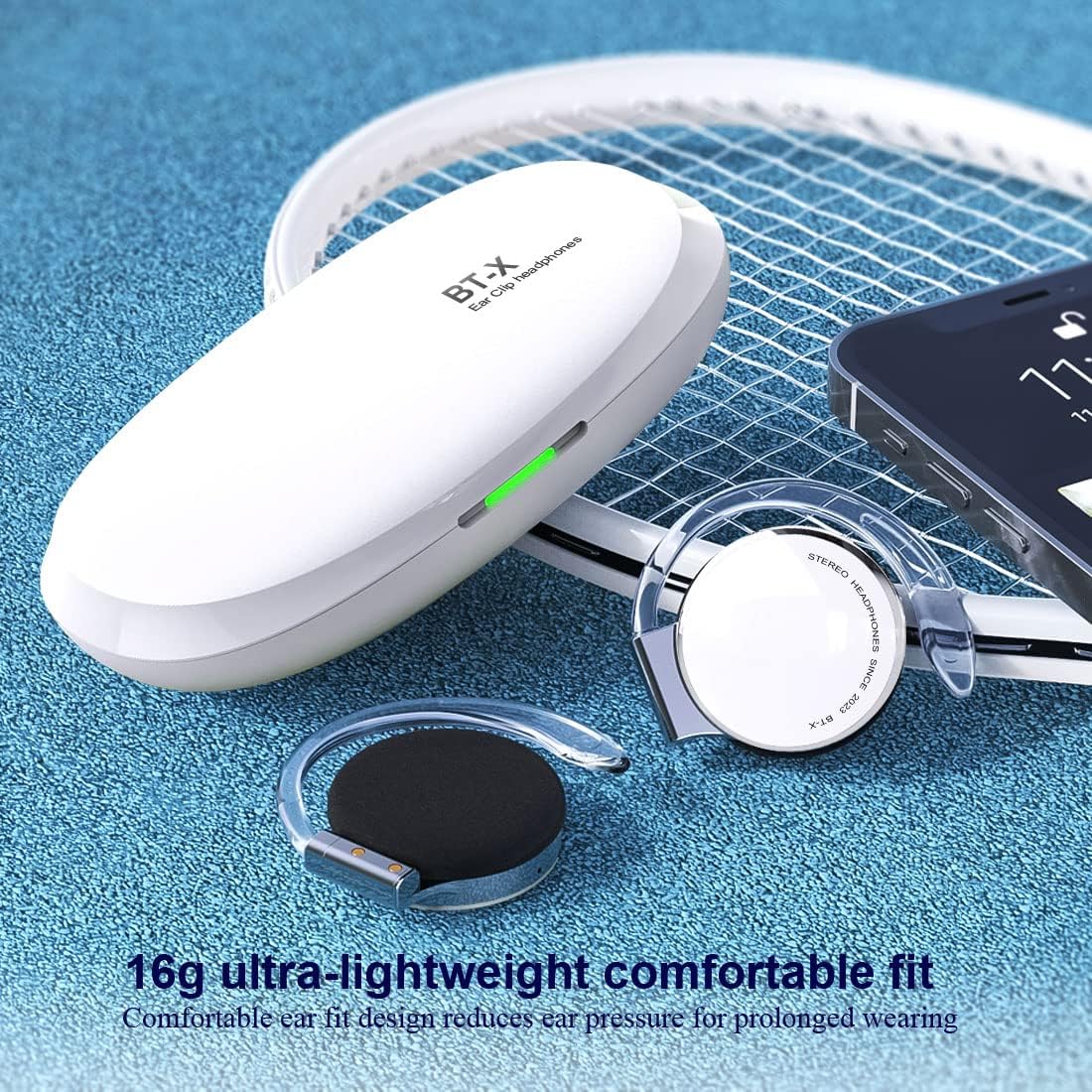
Figure 3.2: ZOUKAI BT-X Earhooks Sports Headphones with charging case and phone, highlighting lightweight fit. The image emphasizes the 16g ultra-lightweight design for comfortable prolonged wearing.

Figure 3.3: ZOUKAI BT-X Earhooks Sports Headphones in charging case next to a laptop and smartphone, illustrating broad compatibility. This image highlights the Bluetooth 5.3 for instant connection with various devices.

Figure 3.4: Person wearing ZOUKAI BT-X Earhooks Sports Headphones with glowing earhooks for night running mode. The image demonstrates the LED sports warning light for enhanced safety during nighttime exercise.

Figure 3.5: ZOUKAI BT-X Earhooks Sports Headphones on a surface, emphasizing 4 noise-cancelling microphones and HD calling. This image highlights the features for business, office, sports, and music use.

Figure 3.6: Person wearing ZOUKAI BT-X Earhooks Sports Headphones, with a graphic illustrating ENC + CVC noise reduction technology. The image shows the effect of noise reduction on sound waves, indicating clearer audio.

Figure 3.7: ZOUKAI BT-X Earhooks Sports Headphones and charging case on a laptop keyboard, highlighting USB-C charging and 28mm speakers. This image emphasizes the audio quality and charging convenience.

Figure 3.8: Person wearing ZOUKAI BT-X Earhooks Sports Headphones during a workout, demonstrating secure fit and clear calls. The image highlights the durability and stable fit even during intense physical activity.
4. Setup
4.1 Initial Charging
- Place both headphones into the charging case.
- Connect the USB-C charging cable to the charging port on the case and a power source.
- The indicator lights on the case will show charging status. A full charge takes approximately 2 hours.
4.2 Pairing with Your Device
- Ensure the headphones are charged.
- Open the charging case. The headphones will automatically enter pairing mode, indicated by a flashing light on the headphones.
- On your device (smartphone, tablet, laptop), go to Bluetooth settings and turn Bluetooth on.
- Search for available devices and select "BT-X" from the list.
- Once connected, the headphone indicator light will stop flashing. You are now ready to use your headphones.
4.3 Attaching/Detaching Earhooks
The earhooks are designed to be detachable for convenience. Refer to the video below for a visual guide on how to properly attach and detach the earhooks from your ZOUKAI BT-X headphones.
Video 4.1: Demonstration of attaching and detaching the earhooks from the ZOUKAI BT-X headphones. This video provides a clear visual instruction for assembling and disassembling the earhook components.
5. Operating Instructions
5.1 Power On/Off
- Power On: Open the charging case, and the headphones will automatically power on.
- Power Off: Place the headphones back into the charging case and close the lid. They will automatically power off and begin charging.
5.2 Music Playback
- Play/Pause: Tap the touch control area on either headphone once.
- Next Track: Double-tap the right headphone.
- Previous Track: Double-tap the left headphone.
- Volume Up: Triple-tap the right headphone.
- Volume Down: Triple-tap the left headphone.
5.3 Call Management
- Answer/End Call: Tap the touch control area on either headphone once.
- Reject Call: Press and hold the touch control area on either headphone for 2 seconds.
- Activate Voice Assistant: Press and hold the touch control area on either headphone for 3 seconds (when not on a call).
5.4 Night Running Mode
- To activate the LED lights on the earhooks for night running, refer to the specific instructions in the quick start guide included with your product, as activation methods may vary.
6. Maintenance
To ensure the longevity and optimal performance of your ZOUKAI BT-X headphones, follow these maintenance guidelines:
- Cleaning: Use a soft, dry, lint-free cloth to clean the headphones and charging case. Do not use abrasive cleaners, alcohol, or chemical solvents.
- Water Resistance: The headphones are IPX5 sweat-proof and waterproof. While they can withstand sweat and light splashes, do not submerge them in water or expose them to heavy rain. Dry them thoroughly after exposure to moisture.
- Storage: When not in use, store the headphones in their charging case to protect them from dust and damage. Store in a cool, dry place away from extreme temperatures.
- Battery Care: To preserve battery life, charge the headphones regularly, even if not used frequently. Avoid fully discharging the battery for extended periods.
7. Troubleshooting
If you encounter any issues with your ZOUKAI BT-X headphones, please refer to the following common solutions:
| Problem | Possible Solution |
|---|---|
| Headphones won't power on | Ensure the headphones are fully charged. Place them in the charging case and connect the case to a power source. |
| Cannot pair with device | Make sure Bluetooth is enabled on your device. Ensure headphones are in pairing mode (flashing light). Try forgetting the device in your Bluetooth settings and re-pairing. Ensure headphones are within 10 meters of the device. |
| No sound or low volume | Check the volume level on both the headphones and your connected device. Ensure headphones are properly connected. Try playing different audio sources. |
| Call quality issues (muffled sound, cannot be heard) | Ensure the microphones are not obstructed. Check network signal strength on your phone. Try disconnecting and reconnecting the headphones. |
| Headphones frequently disconnect | Ensure no obstacles are between the headphones and your device. Move closer to your device. Check for interference from other wireless devices. |
If the problem persists after trying these solutions, please contact customer support.
8. Specifications
| Feature | Detail |
|---|---|
| Model Name | BT-X |
| Connectivity Technology | Wireless (Bluetooth) |
| Bluetooth Version | 5.3 |
| Bluetooth Range | 10 Meters (without obstacles) |
| Battery Life | Up to 15 Hours (continuous playback) |
| Charging Time | Approx. 2 Hours |
| Earpiece Shape | Earhook |
| Ear Placement | Open Ear |
| Water Resistance Level | IPX5 (Sweat-proof, Waterproof) |
| Microphones | 4 Noise-Cancelling Microphones |
| Speaker Size | Ø28mm Dynamic Speaker |
| Control Type | Touch, Volume Control |
| Item Weight | 0.56 Ounces (approx. 16g) |
| Material | Plastic |
| UPC | 768399354974 |
9. Warranty and Support
ZOUKAI products are designed and manufactured to the highest quality standards. This product is covered by a limited warranty from the date of purchase. For detailed warranty information, including terms and conditions, please refer to the warranty card included in your product packaging or visit the official ZOUKAI website.
If you require technical support, have questions about product functionality, or need assistance with troubleshooting, please contact ZOUKAI customer service through the contact information provided on our website or in your product documentation. Please have your model number (BT-X) and proof of purchase ready when contacting support.
Ask a question about this manual
Ask about setup, troubleshooting, compatibility, parts, safety, or missing instructions. Manuals+ will review the question and use this page’s manual context to help answer it.