
1. Product Overview
The ODK White Desk is a modern and functional computer and office table, designed to provide a stable and organized workspace for various environments, including home offices, studies, bedrooms, and reading rooms. Its robust construction ensures durability and ease of maintenance.
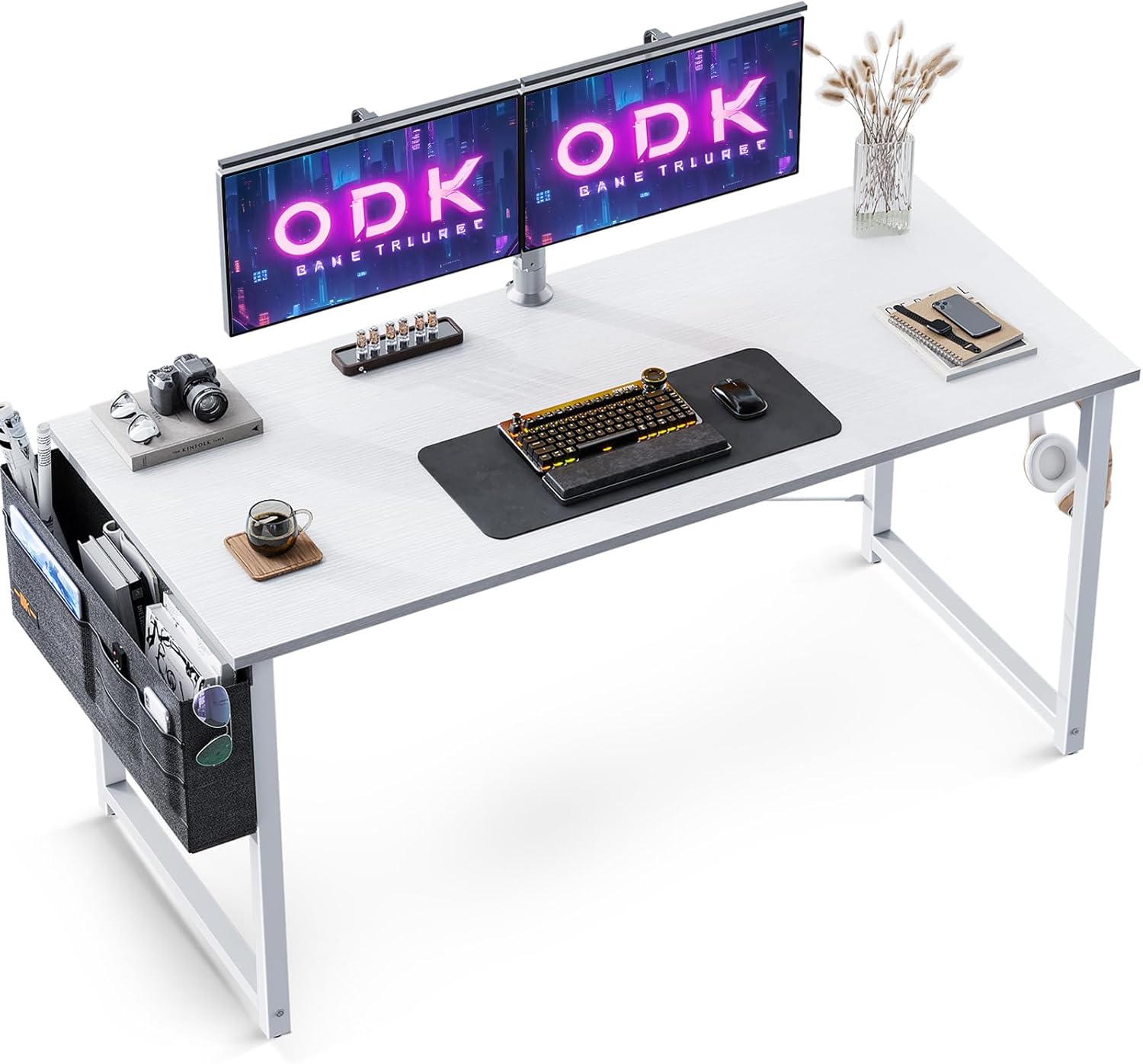
Image: The ODK White Desk, showcasing its spacious surface suitable for multiple monitors and accessories, along with the side storage bag and headphone hook.
Key features include a spacious tabletop suitable for multiple monitors, a convenient side storage bag for documents and personal items, and an iron headphone hook for secure storage. The desk is crafted from high-quality particle board, making it scratch-resistant and waterproof, complemented by thick, powder-coated steel frames for enhanced stability.
2. Specifications
| Feature | Detail |
|---|---|
| Brand | ODK |
| Model Number | XSD-B010116 |
| Color | White |
| Product Dimensions | 120 x 48 x 73.5 cm (Length x Width x Height) |
| Material | Engineered Wood (Particle Board), Alloy Steel (Frame) |
| Item Weight | 9.87 Kilograms |
| Special Feature | Ergonomic, Adjustable Feet, Headphone Hook, Storage Bag |
| Room Type | Office, Study, Bedroom, Reading Room |
| Mounting Type | Freestanding |
3. What's in the Box
The package includes all necessary components and hardware for assembly:
- Melamine Tabletop
- Assembly Instructions
- Assembly Tools (Allen keys)
- Metal Frame Components
- Side Storage Bag
- Headphone Hook
- Adjustable Feet
- All necessary screws and fasteners (with spares)
4. Setup and Assembly Instructions
Assembly of the ODK White Desk is designed to be straightforward and typically takes 20-30 minutes. Please follow these steps carefully:
- Unpack and Verify Components: Carefully unpack all items from the box. Refer to the included parts list in the assembly instructions to ensure all components and hardware are present.
- Assemble the Frame: Begin by connecting the metal frame components according to the diagrams in the assembly manual. Ensure all connections are secure but do not fully tighten screws until the entire frame is assembled.
- Attach the Tabletop: Once the frame is stable, carefully place the melamine tabletop onto the assembled frame. Align the pre-drilled holes on the tabletop with the frame. Secure the tabletop using the provided screws.
- Install Accessories: Attach the side storage bag to the designated hooks on the side of the desk. Install the iron headphone hook on either side of the desk as preferred.
- Adjust and Tighten: Once all parts are in place, fully tighten all screws to ensure maximum stability. Adjust the leveling feet at the bottom of the desk legs to compensate for uneven floors, ensuring the desk is stable and does not wobble.

Image: Dimensional diagram of the ODK White Desk, illustrating its overall size and the placement of the side storage bag.

Image: Detail of the adjustable foot, which helps stabilize the desk on uneven surfaces.

Image: The iron headphone hook, designed for securely hanging headphones or bags.
5. Operating Instructions
The ODK White Desk is designed for versatile use in various settings:
- Home Office & Study: The spacious tabletop (120x48cm) comfortably accommodates two monitors, a laptop, keyboard, mouse, and other office essentials, making it ideal for productive work or study sessions.
- Gaming Setup: Its sturdy construction and ample surface area provide a reliable foundation for gaming PCs, consoles, and peripherals.
- Storage Management: Utilize the side storage bag to keep magazines, files, books, and other items organized and within easy reach, reducing desktop clutter. The headphone hook provides a dedicated spot for your headphones or bag.
- Space Optimization: The compact yet functional design makes it suitable for smaller rooms, corners, or dedicated study areas.

Image: The ODK White Desk configured for a gaming setup, demonstrating its suitability for various digital activities.

Image: Two ODK White Desks arranged together, illustrating their adaptability for collaborative or multi-user workspaces.
6. Maintenance
To ensure the longevity and appearance of your ODK White Desk, follow these simple maintenance guidelines:
- Cleaning: The tabletop is waterproof and easy to clean. Use a soft, damp cloth to wipe down the surface. For stubborn marks, a mild soap solution can be used, followed by wiping with a clean, dry cloth. Avoid abrasive cleaners or harsh chemicals that could damage the finish.
- Spills: Wipe up spills immediately to prevent any potential staining or damage to the particle board.
- Stability Check: Periodically check all screws and fasteners to ensure they remain tight. Re-tighten if necessary to maintain the desk's stability.
- Avoid Excessive Weight: While the desk is stable, avoid placing excessively heavy items on it that exceed its design capacity.
7. Troubleshooting
If you encounter any issues with your ODK White Desk, consider the following common solutions:
- Desk Wobbles:
- Ensure all assembly screws are fully tightened.
- Adjust the leveling feet at the bottom of each leg to compensate for uneven floor surfaces.
- Missing Parts:
- Double-check the packaging thoroughly, as small components can sometimes be overlooked.
- Refer to the parts list in the assembly manual. If parts are genuinely missing, contact ODK customer service.
- Difficulty Assembling:
- Carefully re-read the assembly instructions, paying close attention to diagrams and step-by-step guidance.
- Ensure components are oriented correctly before attempting to connect them.
8. Warranty and Customer Support
ODK is committed to providing high-quality products and excellent customer service. Your ODK White Desk comes with a commitment to customer satisfaction.
- Customer Service: ODK offers 24-hour customer service to assist with any questions, concerns, or issues you may have regarding your product.
- Contact Information: For support, please refer to the contact details provided on the product packaging or the official ODK website.
- Returns and Replacements: Information regarding returns and replacements can be found through your purchase platform or by contacting customer service.
Do not hesitate to reach out if you require any assistance.


