
Introduction
This manual provides essential instructions for the safe and efficient operation of your Deeyaple 3-in-1 Wireless Bluetooth Speaker with Alarm Clock and Cell Phone Stand, Model S207. Please read this manual thoroughly before use and retain it for future reference.
Safety Information
- Do not expose the device to extreme temperatures, direct sunlight, or high humidity.
- Keep away from water and other liquids.
- Do not disassemble or attempt to repair the device yourself. Contact qualified service personnel.
- Use only the provided charging cable.
- Avoid dropping or subjecting the device to strong impacts.
Package Contents
Verify that all items are present:
- Deeyaple 3-in-1 Wireless Bluetooth Speaker (Model S207)
- USB Type-C Charging Cable
- Instruction Manual
Product Overview
Components
The Deeyaple S207 integrates a Bluetooth speaker, digital alarm clock, and a foldable cell phone stand. It features a 12-hour time display, HD surround sound, a loud alarm, TF card reader, and a built-in microphone.

Image: Front view of the Deeyaple S207, highlighting the screen display, charging port, and control buttons.
Controls
| Button | Function |
|---|---|
| Play/Pause/Call | Play/pause audio; Answer/End calls. |
| Volume UP / Next Track | Short press for next track; Long press for volume up. |
| Volume Down / Previous Track | Short press for previous track; Long press for volume down. |
| Light Button | Controls LED light modes. |
| SET | Enter time/alarm setting mode; Confirm settings. |
Setup
Initial Power On
- Connect the provided USB Type-C cable to the charging port on the device and a suitable USB power adapter (not included).
- The device will power on automatically.
Adjusting the Phone Stand
The phone stand is foldable and adjustable. Gently extend the stand and adjust the angle to your preferred viewing position. The non-slip pads will secure your device.
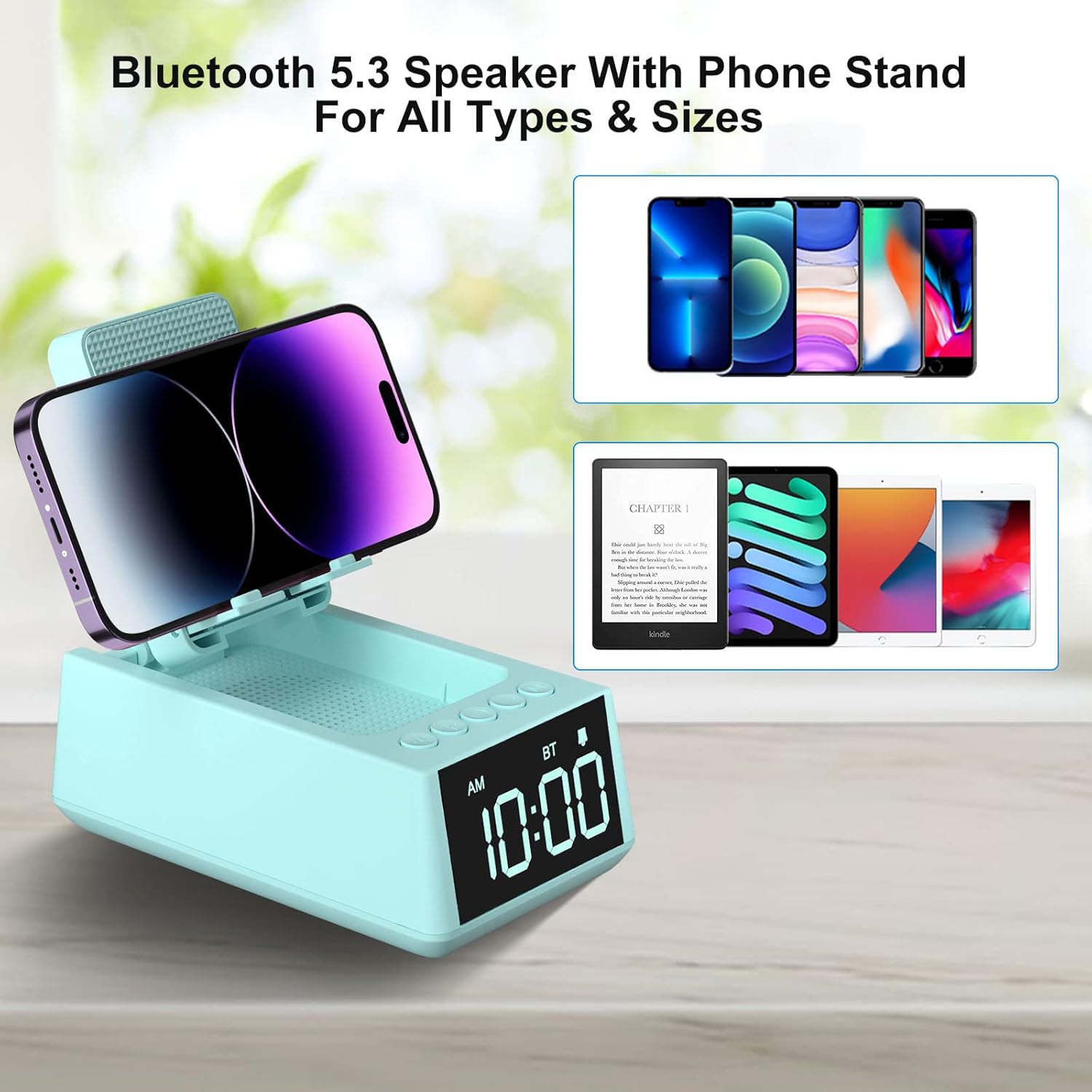
Image: The phone stand of the Deeyaple S207 shown in various adjustable positions, demonstrating its flexibility.
Operating Instructions
Bluetooth Connection
- Press the "Play/Pause/Call" button once to enter Bluetooth pairing mode. The device will announce "Bluetooth mode".
- On your smartphone or tablet, enable Bluetooth and search for "Magic Arm" (or similar device name).
- Select the device to pair. The speaker will announce "Bluetooth connected" upon successful pairing.
- To disconnect, short press the "Play/Pause/Call" button twice.
Note: After connecting, the audio time will automatically synchronize with the mobile phone time (iPhone only).
Video: This video demonstrates the detailed steps for setting up the Bluetooth connection on the Deeyaple S207 speaker.
Setting the Time
- Short press the "SET" button to enter the time setting mode. The hour display will blink.
- Use the "+" and "-" buttons to adjust the hour (AM/PM 12-hour display).
- Short press "SET" again to move to minute setting. The minute display will blink.
- Use the "+" and "-" buttons to adjust the minutes.
- Short press "SET" again to confirm and exit time setting.
- To switch between 12-hour and 24-hour format, long press the "SET" button.
Setting the Alarm
- Long press the "SET" button to enter the alarm setting mode. The alarm hour display will blink.
- Use the "+" and "-" buttons to adjust the alarm hour.
- Short press "SET" again to move to alarm minute setting. The alarm minute display will blink.
- Use the "+" and "-" buttons to adjust the alarm minutes.
- Short press "SET" again to confirm and exit alarm setting. A small clock icon will appear on the display, indicating the alarm is set.
- To snooze the alarm, press any button except "SET". The alarm will sound again after 5 minutes.
- To turn off the alarm completely, short press "SET" when the alarm is sounding or when the clock icon is displayed. The clock icon will disappear.
Using the Phone Stand
The foldable stand supports smartphones and e-readers from 4 to 13 inches. Adjust the stand to hold your device vertically or horizontally for optimal viewing.

Image: The Deeyaple S207 with a smartphone placed horizontally on its adjustable stand, ideal for media consumption.
Charging Your Device
The device supports wireless charging. Place your compatible smartphone on the charging pad located on the phone stand. Ensure the phone is centered for efficient charging.

Image: A smartphone being wirelessly charged on the Deeyaple S207, with musical notes indicating audio playback.
LED Light Function
Press the "Light button" to cycle through different LED light modes.
Video: This video showcases the various display and light features of the Deeyaple S207 speaker stand.
Video: This video provides an overview of the Deeyaple S207, highlighting its features as a cell phone stand with Bluetooth speaker and LED light.
Maintenance
- Clean the device with a soft, dry cloth. Do not use abrasive cleaners or solvents.
- Keep the charging port free from dust and debris.
- Store in a cool, dry place when not in use.
Troubleshooting
No Power
- Ensure the USB Type-C cable is securely connected to both the device and a working power source.
- Check if the power adapter is functioning correctly.
Bluetooth Pairing Issues
- Make sure the device is in pairing mode (indicated by "Bluetooth mode" announcement).
- Ensure your smartphone/tablet's Bluetooth is enabled and within range.
- Try forgetting the device on your phone's Bluetooth settings and re-pairing.
Wireless Charging Not Working
- Ensure your phone is wirelessly charging compatible.
- Remove any thick phone cases that might interfere with charging.
- Re-position your phone on the charging pad to ensure proper alignment.
Specifications
- Brand: Deeyaple
- Model: S207
- Product Dimensions: 5.68 x 3.52 x 2.16 inches
- Item Weight: 1 pounds (16 ounces)
- Hardware Interface: USB Type C
- Batteries: 1 Lithium Ion batteries required (included)
- Compatible Devices: Cell Phone, Smartphone, iPad, Kindle, Mobile Phone, Smart Phone, Tablet, Desktop, Small laptop, Small Palmtop iPhone 14, 14Plus, 14 Pro Max, 14 Pro, iPhone 13 Mini, iPhone 13, iPhone 13 Pro, iPhone 13 Pro Max, iPhone 12 Mini, 12, 12 Pro, 12 Pro Max, iPhone 11/11 Pro/11 Pro Max/X/Xs/Xs Max/8/8Plus, Samsung Galaxy S23/S22/S21 Plus/S10/S10e/S9/S8/Note 10, Pixel 3/2/XL, LG, One Plus, Motorola; iPad Pro 9.7, iPad Pro 10.5/9.7, iPad Air 2/9.7, iPad mini 4/3/2/9.7, Kindle, Kindle Oasis, New Kindle, Kindle Paperwhite3/2/1, Kindle Voyage, Kindle Touch, Kindle dx/dxg, Kindle fire 1/2, Kindle hd/hdx.
- UPC: 728990656334
Warranty and Support
For warranty information or technical support, please refer to the contact details provided with your purchase or visit the official Deeyaple website.


