
OLEVS 5535
OLEVS Model 5535 Quartz Watch User Manual
Your guide to setting up, operating, and maintaining your OLEVS timepiece.
Introduction
Thank you for choosing an OLEVS timepiece. This manual provides detailed instructions for the proper use and care of your OLEVS Model 5535 quartz watch. Please read this manual carefully to ensure optimal performance and longevity of your watch.
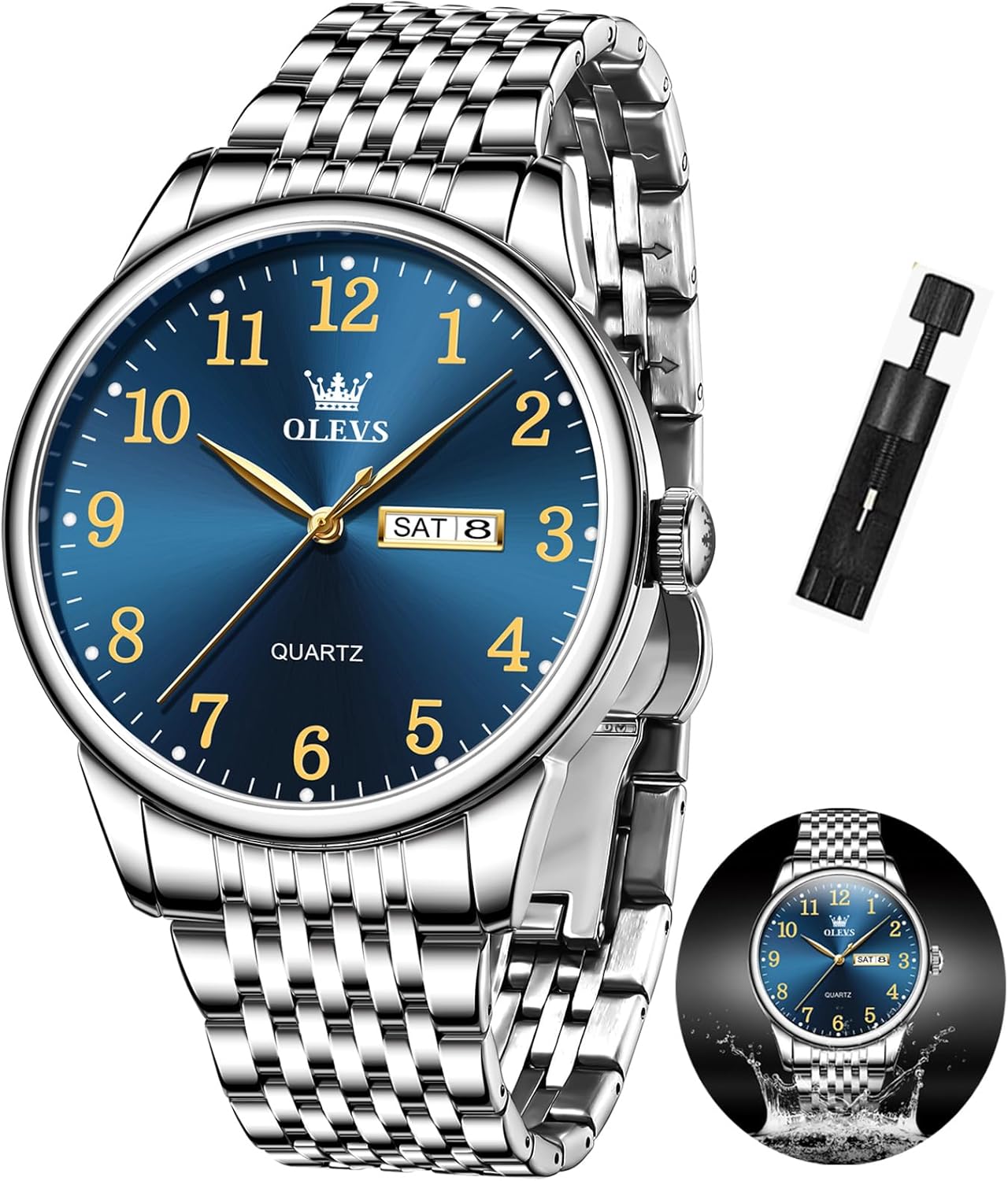
Image: Front view of the OLEVS Model 5535 watch, showcasing its blue dial, silver stainless steel strap, and classic design.
Setup and Initial Adjustment
Before wearing your watch, please follow these steps to set the time and date.
Setting the Day of the Week and Date
- Pull the crown out to position 1 (first click).
- Turn the crown counter-clockwise to set the day of the week.
- Turn the crown clockwise to set the date.
Tip: To avoid damaging the watch mechanism, it is recommended to set the date and day of the week when the watch hands are not between 9 PM and 3 AM. Adjust the time to 6:00 or 18:00 before setting the date/day.
Setting the Time
- Pull the crown out to position 2 (second click).
- Turn the crown to set the correct time. Ensure AM/PM is correctly set if your watch has a 24-hour indicator or if setting the date/day.
- Once the time is set, push the crown back into position 0 (normal position) to start the watch.
Setting the Language (if applicable)
The default language for the day display is English. If adjustment is needed:
- Pull the crown out to position 1 (first click).
- Turn the crown counter-clockwise to cycle through available languages until English is displayed.
- Push the crown back into position 0.
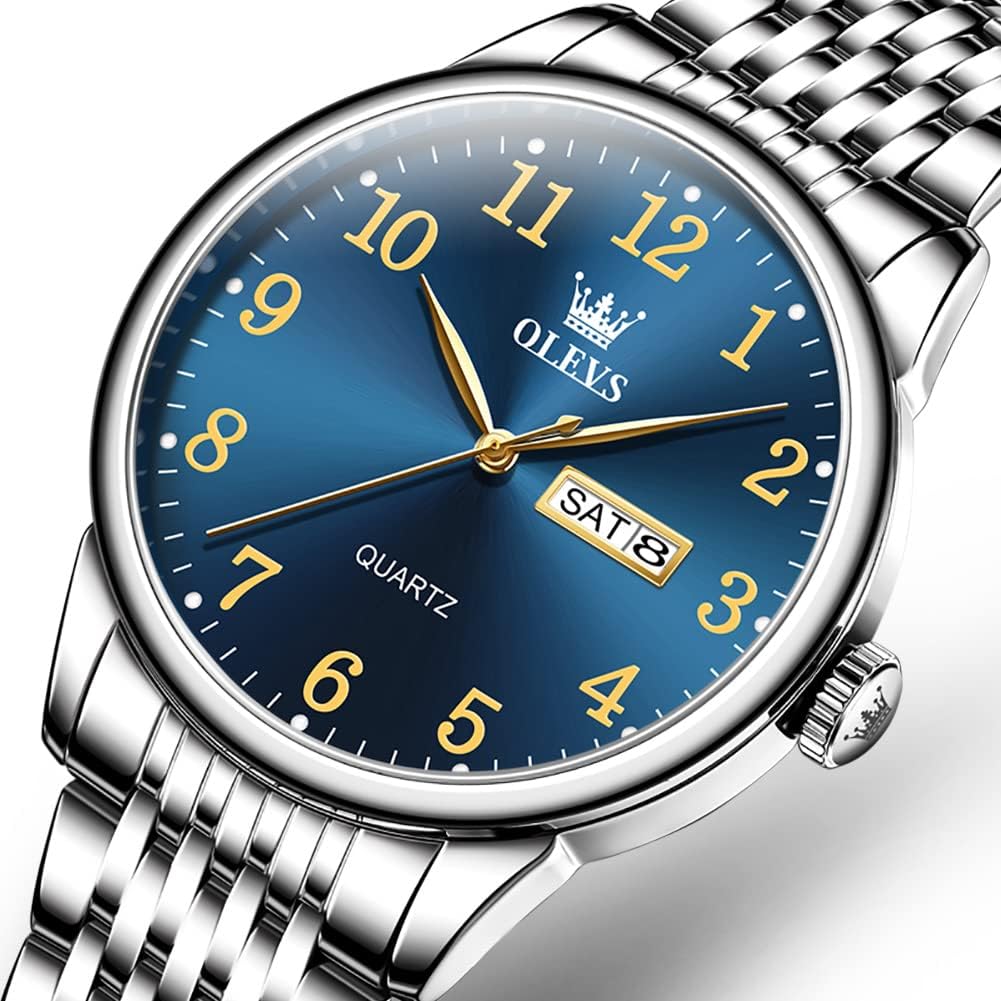
Image: Visual guide illustrating the crown positions (0, 1, 2) and rotation directions for setting the day, date, and time on the OLEVS watch.
Operating Your Watch
Water Resistance
Your OLEVS Model 5535 watch is rated for 3ATM (30 meters) water resistance. This means it is suitable for daily use, such as splashes, rain, and hand washing. It is not suitable for swimming, showering, bathing, or any water sports where it would be submerged for extended periods or exposed to high-pressure water.
Always ensure the crown is fully pushed in to position 0 before any contact with water.
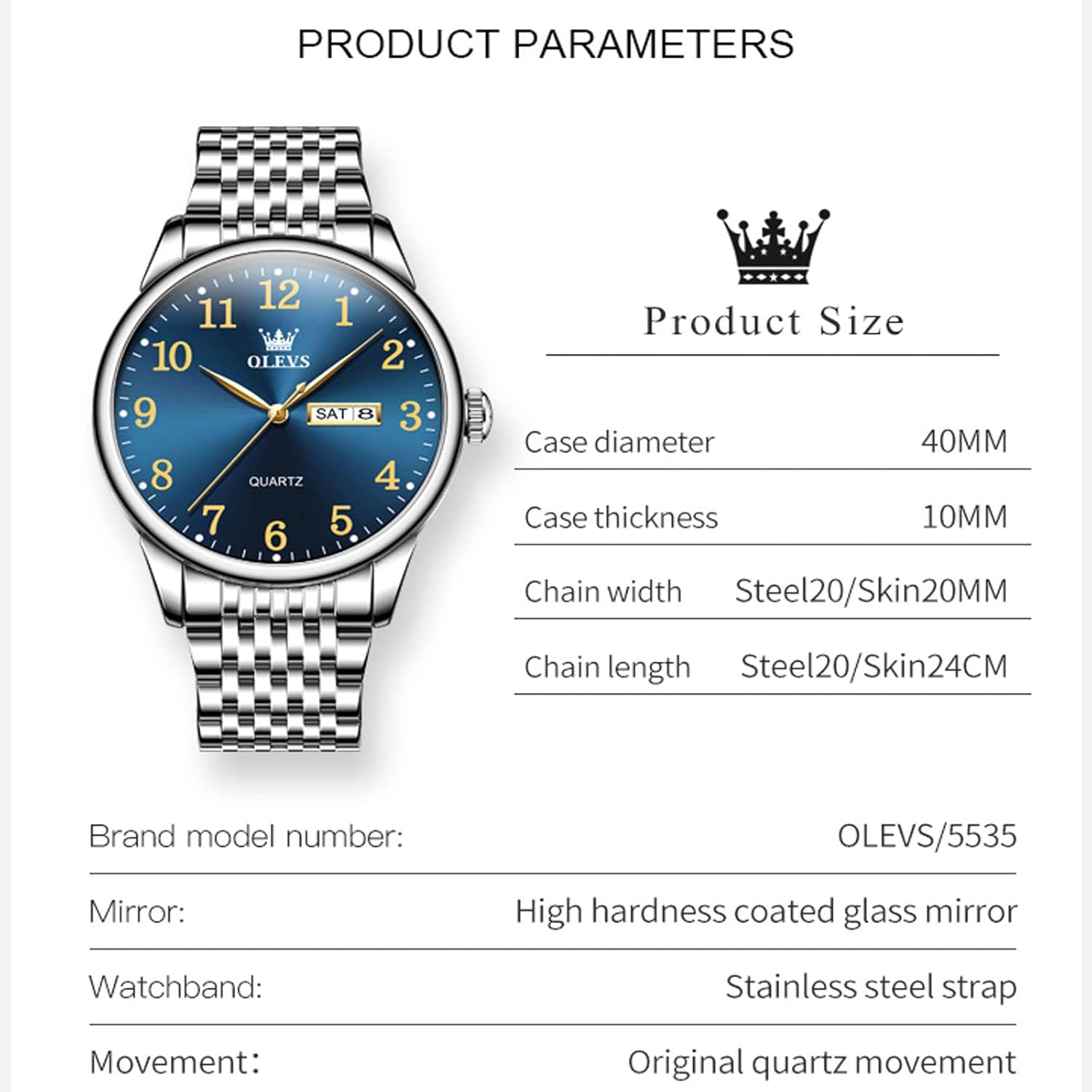
Image: The OLEVS watch with a water splash effect, indicating its 30-meter water resistance rating.
Luminous Function
The watch features an illuminator light on the hands and hour markers, allowing for easy readability in low-light conditions. This luminous material charges by absorbing light and will glow in the dark.

Image: A split image showing the OLEVS watch in normal light and then in darkness, highlighting its luminous hands and hour markers.
Care and Maintenance
- Cleaning: Wipe the watch case and strap regularly with a soft, dry cloth to remove dust and dirt. For the stainless steel strap, a slightly damp cloth can be used, followed by a dry cloth.
- Avoid Chemicals: Do not expose your watch to solvents, detergents, perfumes, or cosmetic sprays, as these can damage the case, strap, or seals.
- Temperature Extremes: Avoid exposing the watch to extreme temperatures (hot or cold) or sudden temperature changes, which can affect the accuracy and water resistance.
- Magnetic Fields: Keep the watch away from strong magnetic fields, as they can interfere with the quartz movement's accuracy.
- Battery Replacement: The watch is powered by a quartz movement and requires a battery. When the watch stops or the second hand skips, it's time to replace the battery. This should be done by a qualified watch technician to maintain water resistance.
Troubleshooting
| Problem | Possible Cause | Solution |
|---|---|---|
| Watch stops or runs intermittently. | Low battery. | Replace the battery. Consult a professional watch technician. |
| Time is inaccurate. | Incorrect setting; exposure to strong magnetic fields. | Reset the time. Keep the watch away from magnets. If problem persists, battery may be low. |
| Date/Day does not change at midnight. | AM/PM setting is incorrect. | Advance the time by 12 hours. |
| Condensation inside the watch. | Exposure to extreme temperature changes or compromised water resistance. | Seek professional service immediately to prevent damage to the movement. |
Specifications
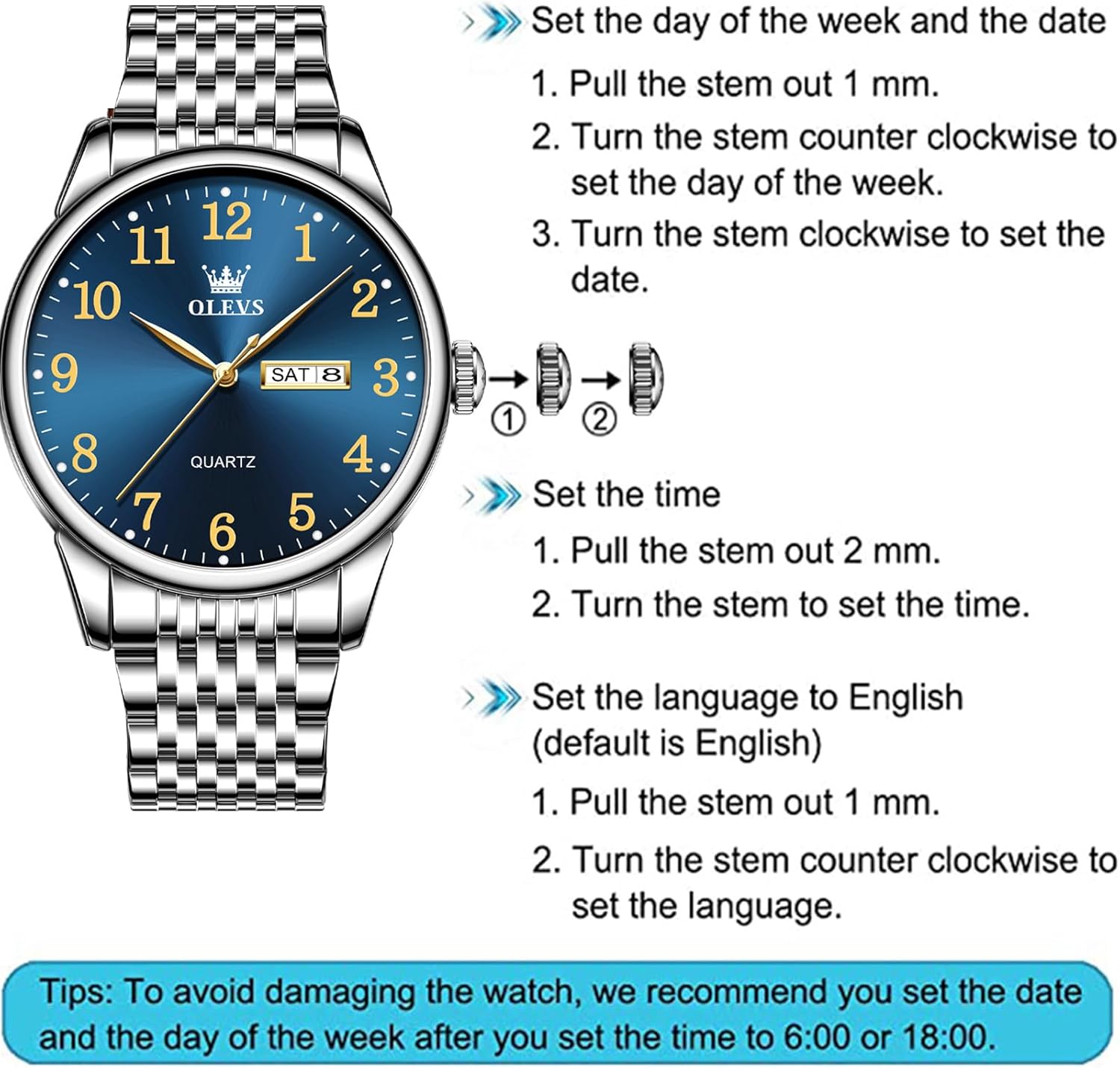
Image: A diagram detailing the product parameters of the OLEVS watch, including dimensions and material information.
- Brand: OLEVS
- Model Number: KYS-S-G5535GB-BL (OLEVS/5535)
- Movement: Original Quartz Movement
- Case Diameter: 40mm
- Case Thickness: 10mm
- Band Material: Stainless Steel
- Band Width: 20mm
- Band Length: 24cm (adjustable)
- Mirror Material: High Hardness Coated Glass Mirror
- Water Resistance: 3ATM (30 meters)
- Luminous Function: Yes
- Product Dimensions: 24 x 4 x 1 cm
- Item Weight: 159 g
Warranty and Support
Your OLEVS Model 5535 watch comes with a 30-day free return policy and a 24-month warranty from the date of purchase.
This warranty covers manufacturing defects under normal use. It does not cover damage resulting from improper handling, accidents, unauthorized repairs, or normal wear and tear.
For any questions, warranty claims, or support needs, please contact the seller directly. Provide your purchase details and a clear description of the issue for prompt assistance.
Please refer to the "Directions" in the product's important information: "Please contact the seller directly for any problems for this product."
Ask a question about this manual
Ask about setup, troubleshooting, compatibility, parts, safety, or missing instructions. Manuals+ will review the question and use this page’s manual context to help answer it.