
MEDca V9-White
MEDca V9 Hearing Amplifier Earbuds User Manual
Model: V9-White
Introduction
Thank you for choosing the MEDca V9 Hearing Amplifier Earbuds. These earbuds are designed to enhance your listening experience with advanced noise-cancelling technology, Bluetooth connectivity, and customizable sound preferences. This manual provides essential information for setting up, operating, and maintaining your device to ensure optimal performance and longevity.
Product Overview
The MEDca V9 Hearing Amplifier Earbuds are a sophisticated solution for individuals seeking improved hearing clarity. They feature a discreet earbud design, advanced noise-cancelling capabilities, and Bluetooth 5.0 for seamless wireless connectivity. The included rechargeable case provides convenient charging and a digital power display to monitor battery levels.
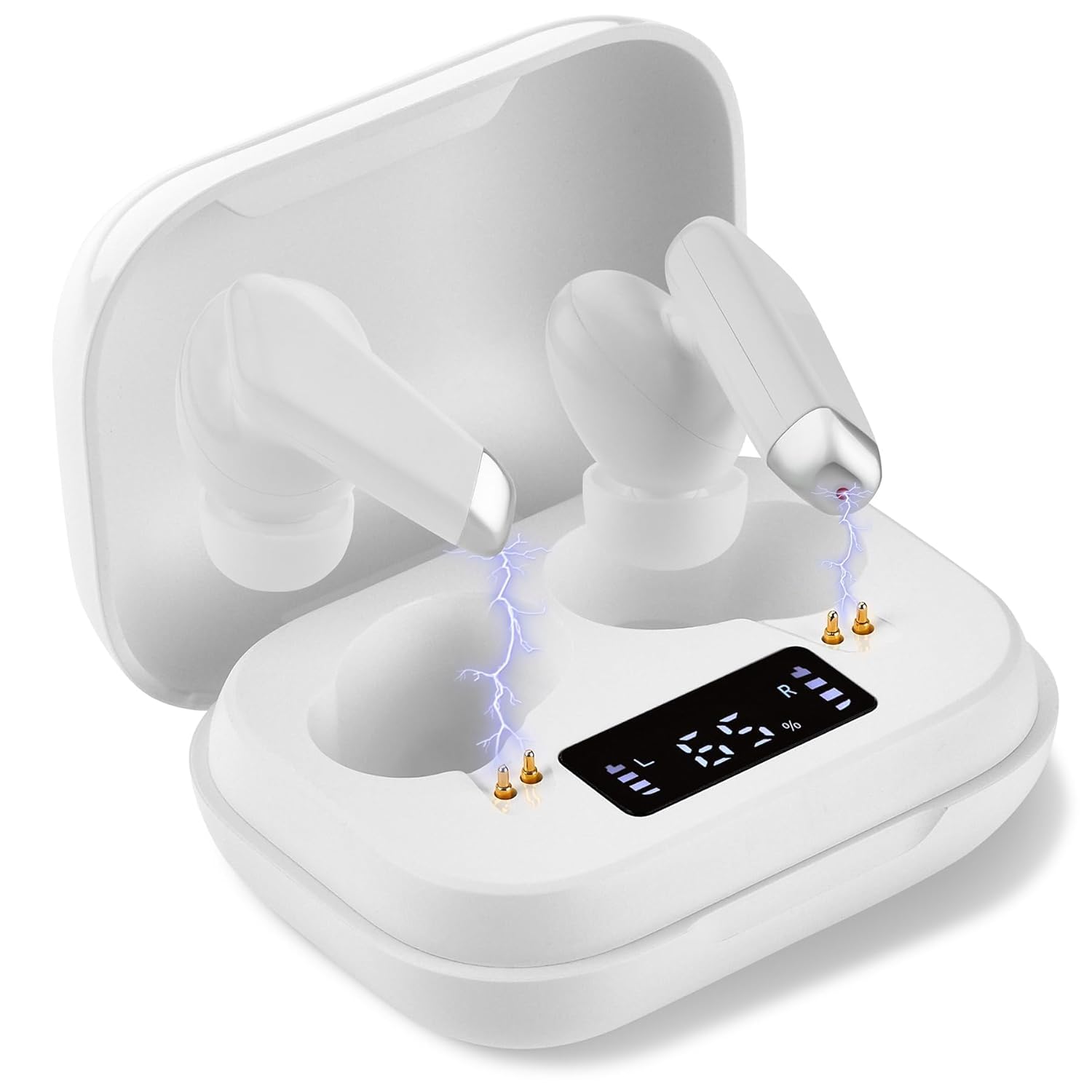
Figure 1: MEDca V9 Hearing Amplifier Earbuds and Rechargeable Case.

Figure 2: Close-up of the earbuds, emphasizing crystal-clear sound quality and noise-cancelling technology.
What's in the Box
Upon unboxing your MEDca V9 Hearing Amplifier Earbuds, please ensure all the following components are present:
- 1 Pair of MEDca V9 Earbuds
- 1 Rechargeable Charging Case
- 3 Pairs of Ear Domes (S/M/L)
- 1 Micro USB Cable
- 1 Cleaning Brush
- 1 Storage Bag
- 1 Charging Adaptor
- 1 Instruction Manual (this document)

Figure 3: Contents of the MEDca V9 package.
Setup
1. Charging the Earbuds and Case
Before first use, fully charge the earbuds and the charging case. Place the earbuds into the charging case. Connect the Micro USB cable to the charging case and plug the other end into the provided charging adaptor or a compatible USB power source. The digital display on the case will indicate the charging status and battery percentage. A full charge provides hours of continuous use.
2. Selecting Ear Domes for Comfort
The MEDca V9 comes with three different ear tip sizes (Small, Medium, Large). Choose the size that provides the most secure and comfortable fit for your ears. A proper fit is crucial for optimal sound quality and noise cancellation.
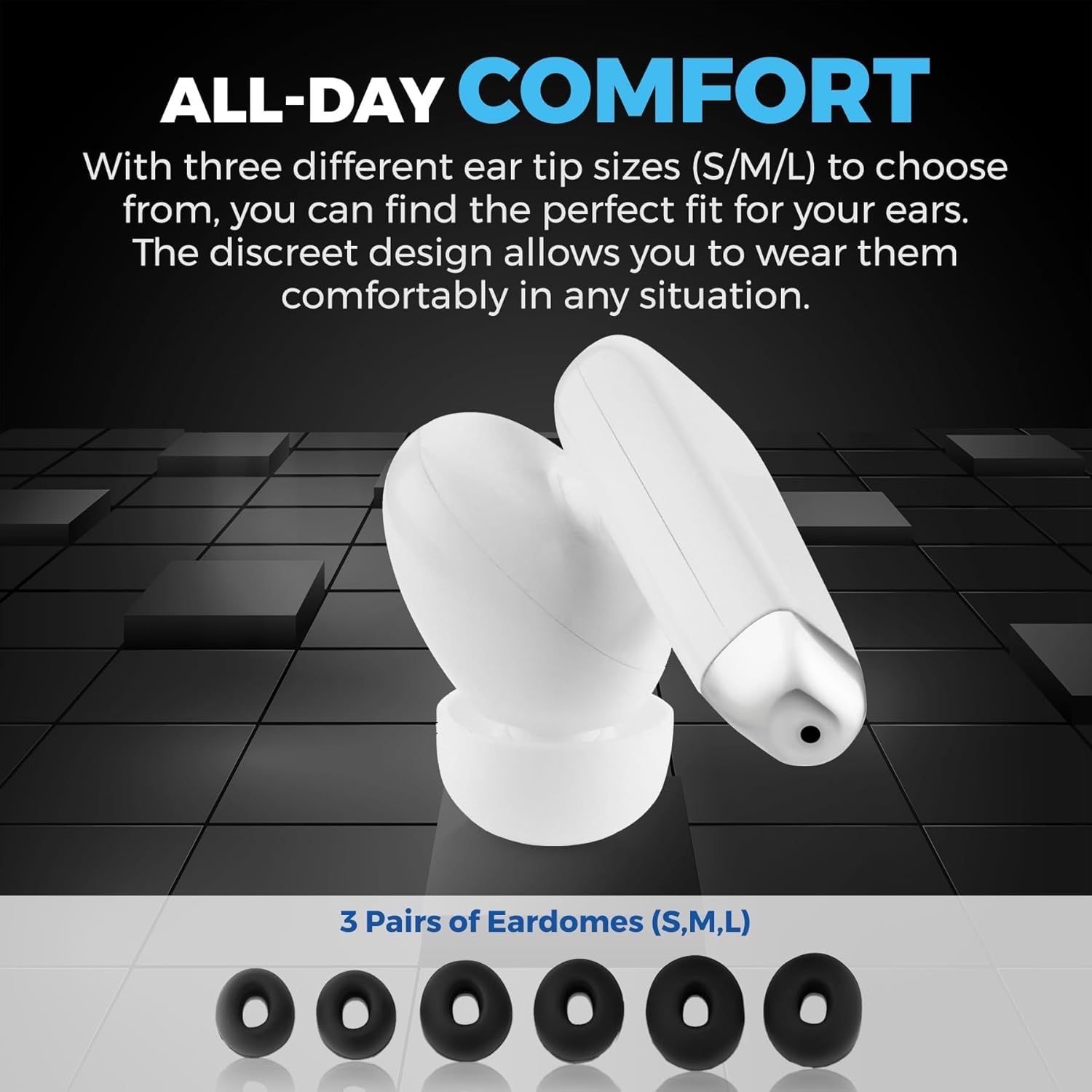
Figure 4: Selecting the appropriate ear dome size for comfort and fit.
3. Bluetooth Pairing
To connect your MEDca V9 earbuds to a Bluetooth-enabled device (e.g., smartphone, tablet, computer):
- Ensure the earbuds are charged and removed from the charging case. They should automatically enter pairing mode.
- On your device, go to the Bluetooth settings.
- Search for available devices. The earbuds should appear as "MEDca V9" or similar.
- Select the earbuds to pair. Once connected, you will hear an audible confirmation.
If Bluetooth does not connect automatically, ensure your device's Bluetooth is enabled and the earbuds are in pairing mode. You may need to manually select them from your device's Bluetooth list.

Figure 5: Bluetooth pairing process with a smartphone.
Operating Instructions
1. Power On/Off
The earbuds typically power on automatically when removed from the charging case and power off when placed back into the case.
2. Volume Adjustment
The MEDca V9 offers five levels of volume adjustment. Refer to the specific controls on the earbuds (e.g., touch controls, buttons) or your connected device to adjust the amplification to your specific hearing needs.
3. Listening Modes
The earbuds support both an auxiliary listening mode for general sound amplification and a Bluetooth mode for streaming audio and calls. The frequency response ranges differ between these modes, optimizing performance for each use case.
4. Calls and Music Playback
When connected via Bluetooth, you can use the earbuds for phone calls and music playback. Use your connected device to manage calls (answer/end) and control music (play/pause, skip tracks).

Figure 6: Using the earbuds for calls and music via Bluetooth.

Figure 7: Versatile usage of the earbuds for various activities.
Maintenance
1. Cleaning
Regular cleaning of your earbuds and ear domes is essential for hygiene and optimal performance. Use the provided cleaning brush to gently remove any earwax or debris from the ear domes and the sound outlets of the earbuds. Wipe the earbuds and charging case with a soft, dry cloth. Do not use liquids or abrasive cleaners.
2. Storage
When not in use, store the earbuds in their charging case. For extended storage, ensure the case and earbuds are charged to prevent battery degradation. Use the provided storage bag for convenient and safe transport, protecting the device from dust and damage.

Figure 8: Travel-friendly design and maintenance accessories.
Troubleshooting
If you encounter issues with your MEDca V9 Hearing Amplifier Earbuds, please refer to the following common problems and solutions:
- No Sound or Low Volume:
- Ensure earbuds are properly seated in your ears and ear domes are correctly attached.
- Check the volume level on both the earbuds and your connected device.
- Ensure earbuds are charged.
- Clean any earwax or debris from the ear domes and sound outlets.
- Bluetooth Connectivity Issues:
- Ensure Bluetooth is enabled on your device and the earbuds are in pairing mode.
- Try unpairing and re-pairing the earbuds with your device.
- Move closer to your device to ensure you are within Bluetooth range.
- Restart both the earbuds (by placing them in the case and taking them out) and your connected device.
- Interference or Poor Sound Quality (especially outdoors):
- While the earbuds feature noise-cancelling technology, extreme environmental noise (e.g., strong wind, heavy traffic) can still impact sound clarity.
- Ensure ear domes provide a good seal to minimize external noise leakage.
- Adjust volume levels to find the optimal balance for your environment.
- Short Battery Life:
- Ensure earbuds and charging case are fully charged before use.
- Battery life can vary based on volume levels and usage (e.g., continuous streaming vs. occasional use).
- Ensure the charging contacts on both the earbuds and case are clean.
Specifications
Detailed technical specifications for the MEDca V9 Hearing Amplifier Earbuds:
| Feature | Specification |
|---|---|
| Model Name | V9-White |
| Output Max | ≤125dB±5dB |
| High Frequency Average | 120dB±3dB |
| Full-range Sound Gain | 30dB±5dB |
| Equivalent Input Noise Level | ≤32dB |
| Total Harmonic Distortion | ≤10% |
| Frequency Response (Auxiliary Listening Mode) | 300Hz-5000Hz±5 |
| Frequency Response (Bluetooth Mode) | 50Hz-20000Hz |
| Rated Power Supply Current Consumption | ≤10mA |
| Working Voltage DC | 3.7V |
| Product Dimensions | 1 x 0.39 x 0.39 inches |
| Product Weight | 4.94 ounces |
| Batteries | 2 Lithium Polymer batteries (included) |
| Material | Silicone (ear domes) |

Figure 9: Technical specifications and battery life overview.
Warranty and Support
For information regarding product warranty, returns, or additional support, please refer to the purchase platform or contact MEDca customer service directly. You can often find support contact details on the official MEDca brand store page or through your order history.
Visit the official MEDca Store for more information: MEDca Store on Amazon
Ask a question about this manual
Ask about setup, troubleshooting, compatibility, parts, safety, or missing instructions. Manuals+ will review the question and use this page’s manual context to help answer it.