Introduction
The BENFEI USB C HUB 7-in-1 Multiport Adapter is designed to expand the connectivity of your USB-C enabled devices. This compact and versatile hub provides essential ports for enhanced productivity and multimedia experience, making it an ideal companion for laptops, tablets, and smartphones with a USB-C port.
It instantly adds an HDMI port, three USB 3.0 ports, a micro SD card slot, an SD card slot, and a 60W Power Delivery (PD) port, all from a single USB-C connection. Its lightweight design allows for easy portability, perfect for business presentations or extending your desktop screen on the go.
Product Features
- HDMI (4K @ 60Hz Certified): Supports crystal-clear video output with resolutions up to 3840x2160@30Hz and 1920x1080@60Hz (1080p Full HD), including 720p, 1600x1200, and 1280x1024 for high-definition monitors or projectors. Ideal for mirroring or extending your display.
- 100W Power Delivery (PD) Port: Allows pass-through charging for your connected device with up to 60W output, ensuring your laptop or tablet remains powered while using the hub's other functions.
- 3x USB 3.0 Ports: Transfer and back up files at high speeds, up to 5Gbps. These ports are compatible with USB flash drives, external hard drives, and other USB peripherals.
- SD/TF Card Reader: Provides quick and easy access to photos and other media from SD and TF (Micro SD) cards, supporting speeds up to 160MB/s. Both card slots can be used simultaneously.
- Superior Stability: Built with an advanced and integrated IC chip for reliable performance. The premium aluminum alloy casing ensures better heat insulation and durability.
- Compact and Portable Design: Its sleek and lightweight form factor makes it easy to carry in your bag or pocket, perfect for travel and daily use.
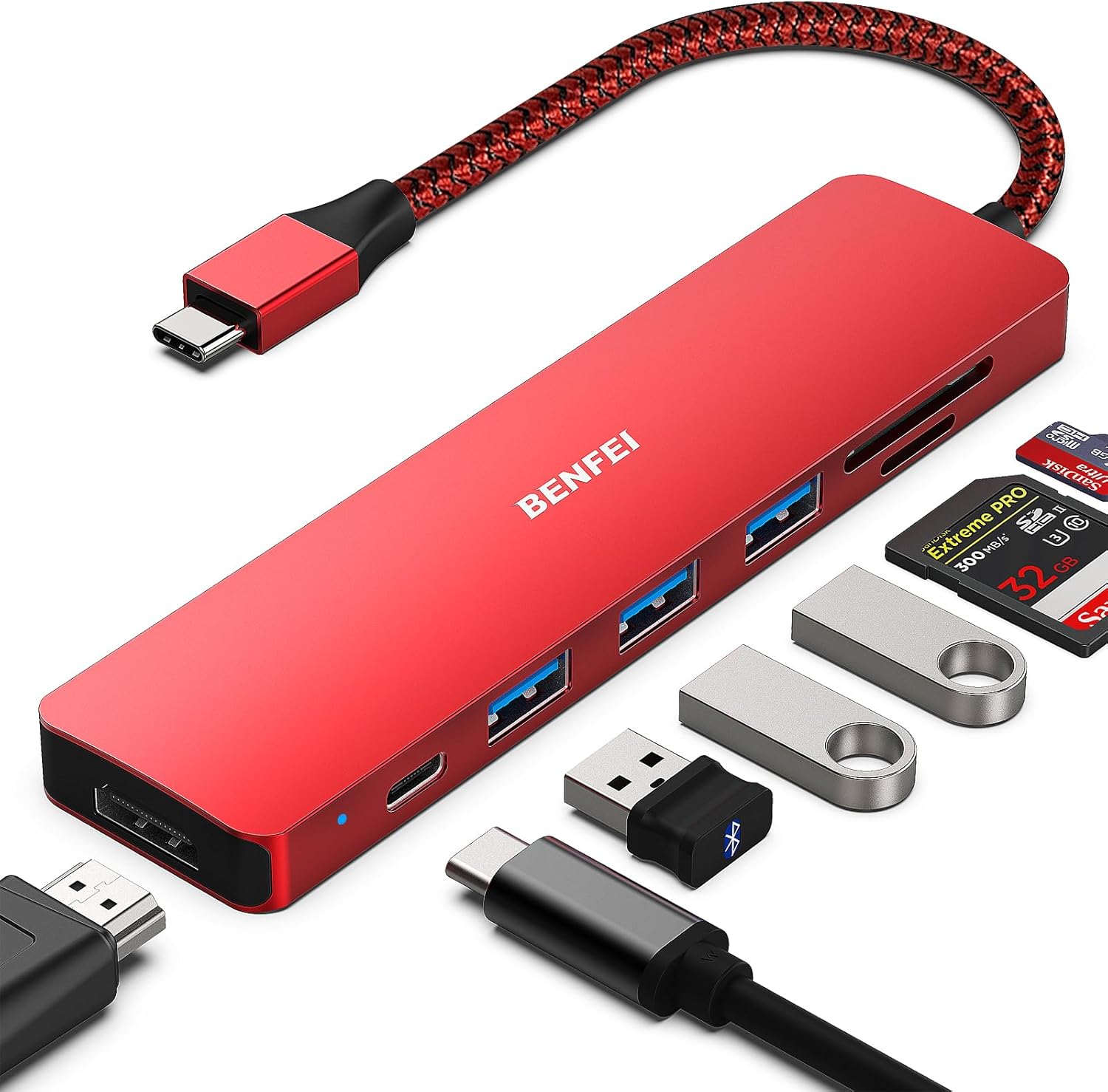
The BENFEI USB C HUB 7-in-1 Multiport Adapter, showcasing its various ports including HDMI, USB 3.0, and card readers.

A view of the BENFEI 7-in-1 USB-C Hub, emphasizing its compact design and the range of ports it offers for expanded connectivity.

Illustration of the BENFEI USB-C Hub providing crystal-clear 4K video output to an external monitor from a laptop.

Detail of the BENFEI USB-C Hub's USB 3.0 ports, highlighting their capability for fast data transfer at 5Gbps, significantly faster than USB 2.0.
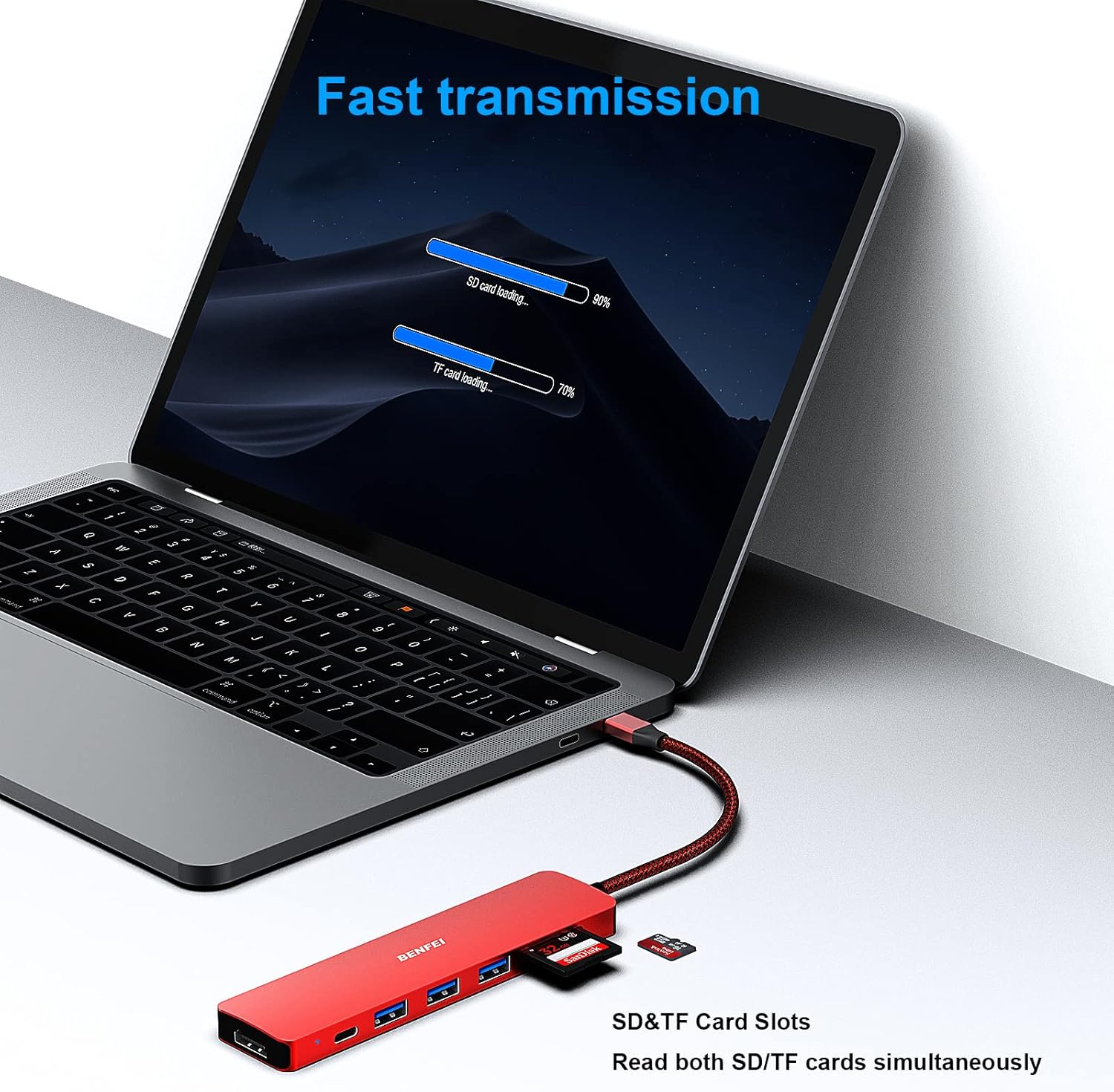
The BENFEI USB-C Hub with an SD card and a TF card inserted, demonstrating its fast transmission capabilities for memory card data.
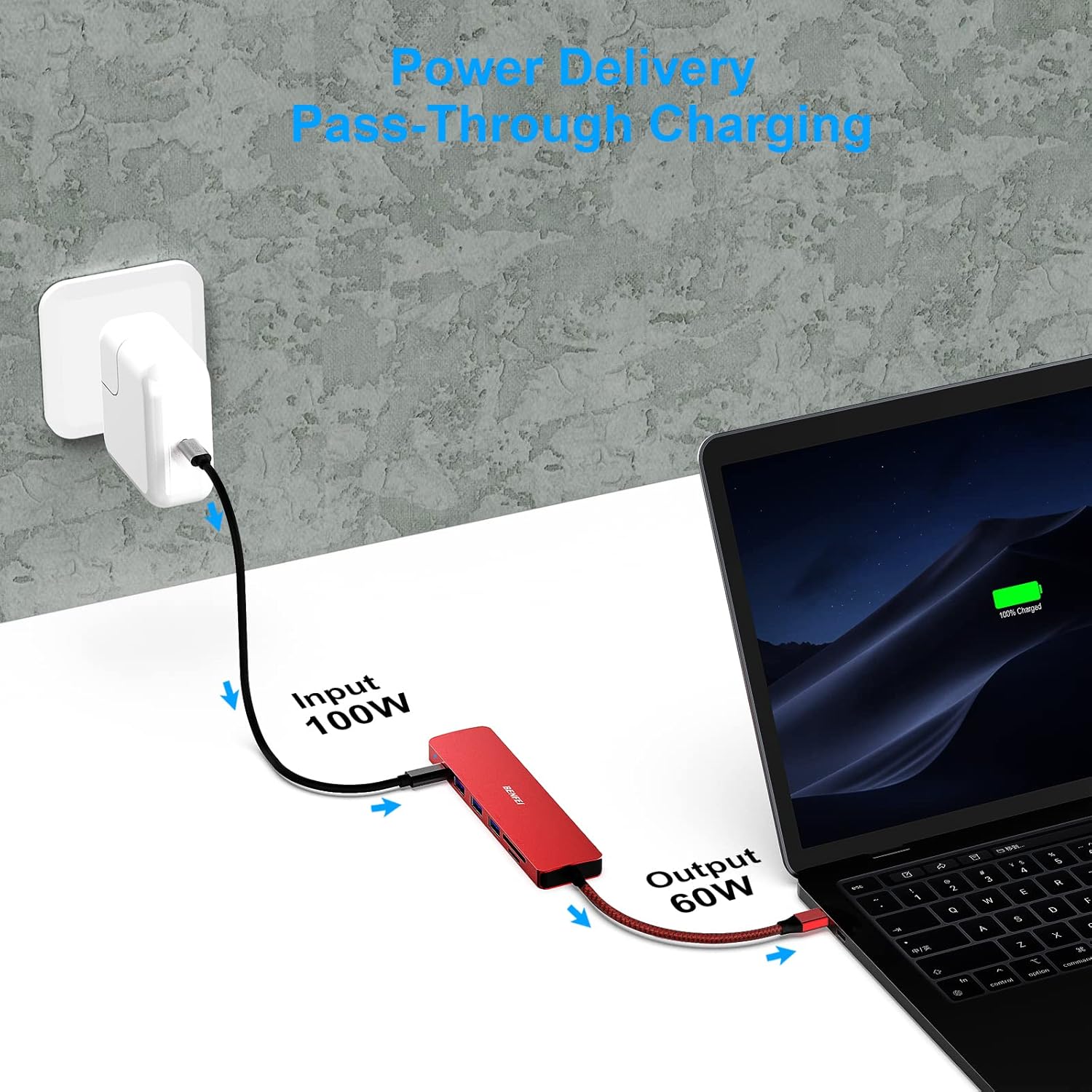
Visual representation of the BENFEI USB-C Hub providing 60W Power Delivery pass-through charging to a laptop while connected to a power source.
Setup Instructions
- Connect the Hub: Insert the USB-C connector of the BENFEI hub into an available USB-C port on your laptop, tablet, or smartphone.
- Power Connection (Optional but Recommended for Video Output): If you are using a smartphone or iPad with the hub, or if your laptop requires charging, connect your device's original power adapter to the hub's USB-C PD (Power Delivery) port. This ensures stable power for all functions, especially video output.
- Connect Peripherals:
- For external displays, connect an HDMI cable from your monitor to the hub's HDMI port.
- For data transfer, insert USB devices (e.g., flash drives, external hard drives) into the USB 3.0 ports.
- For memory cards, insert SD or TF cards into their respective slots.
- Driver Installation: The BENFEI USB C HUB is plug-and-play and typically does not require additional drivers for most operating systems. Your device should automatically recognize the connected peripherals.
Operating Instructions
Using the HDMI Port:
Connect an HDMI cable from your display to the hub's HDMI port. Ensure your host device's USB-C port supports video output (DisplayPort Alternate Mode). You can then configure your display settings (mirror or extend) through your device's operating system settings.
Using USB 3.0 Ports:
Plug your USB devices (e.g., external hard drives, keyboards, mice, USB flash drives) into any of the three USB 3.0 ports. Data transfer will occur at speeds up to 5Gbps. For optimal performance, use USB 3.0 compatible devices.
Using SD/TF Card Readers:
Insert your SD or TF (Micro SD) card into the corresponding slot. Your device will recognize the card as a removable storage device. You can then access, transfer, or manage files on the card. Both slots can be used simultaneously.
Using Power Delivery (PD) Port:
Connect your device's original USB-C power adapter to the hub's PD port. This allows your device to charge while the hub is in use, providing up to 60W of power to the host device.
Compatibility
The BENFEI USB C HUB is widely compatible with a variety of USB-C and Thunderbolt 3 enabled devices and operating systems. Ensure your device's USB-C port supports video output (USB Type-C DisplayPort Alt Mode) for HDMI functionality.
Compatible Devices Include (but are not limited to):
- iPhone 15 Series (Pro/Max)
- MacBook Pro (2016-2023), MacBook Air (2018-2023), iMac (2017-2023)
- iPad Pro, iPad Air (USB-C models)
- Surface Book 2, Surface Go, Surface Pro X
- Dell XPS 13/15, HP Envy 13, Pixelbook, Galaxy Book
- Samsung Galaxy S8/S9/S10/S20/S21/S22/S23/S24 series, Note 8/9/10/20 series
- Chromebook, Chromebook Pixel
- Intel NUC
- Other devices with a full-featured USB-C port.
Note: For devices with USB 3.1 Gen 1, and Samsung Galaxy S9/S8, it may take longer to sync. Please allow sufficient time for connection establishment.

A detailed compatibility list for the BENFEI USB-C Hub, outlining supported devices and brands.
Maintenance
- Cleaning: Use a soft, dry cloth to clean the hub. Avoid liquid cleaners or aerosols.
- Storage: Store the hub in a cool, dry place away from direct sunlight and extreme temperatures.
- Handling: Avoid dropping the device or subjecting it to strong impacts. Do not attempt to disassemble or modify the hub.
- Cable Care: Do not bend the cable excessively or pull it forcefully from the hub or your device. The braided cable is designed for durability but proper handling extends its lifespan.
Troubleshooting
- No Video Output:
- Ensure your host device's USB-C port supports DisplayPort Alternate Mode (DP Alt Mode). Not all USB-C ports support video output.
- If using a smartphone or iPad, ensure the hub's PD port is connected to a power source to provide sufficient power for video output.
- Try a different HDMI cable or monitor to rule out external issues.
- Slow Data Transfer:
- Verify that the connected USB devices and cables are USB 3.0 compatible. USB 2.0 devices will operate at lower speeds.
- For Samsung Galaxy S9/S8 and devices with USB 3.1 Gen 1, syncing may take longer. Allow additional time for the connection to stabilize.
- Intermittent Connection:
- Ensure all connections (USB-C to device, peripherals to hub) are secure and fully inserted.
- Avoid excessive bending or strain on the hub's integrated cable.
- Disconnect and reconnect the hub.
- Hub Overheating: The premium aluminum alloy casing is designed for better heat insulation. Minor warmth during operation is normal, especially under heavy load (e.g., 4K video output, multiple USB devices, and PD charging simultaneously). If the hub becomes excessively hot, disconnect it and allow it to cool down.
Specifications
| Feature | Detail |
|---|---|
| Brand | BENFEI |
| Model Number | 000307red |
| Color | Red |
| Item Weight | 3.17 ounces |
| Package Dimensions | 7.32 x 3.5 x 0.75 inches |
| Hardware Interface | USB, USB Type C, HDMI, Thunderbolt |
| Special Feature | 7-in-1 multifunctionality, HDMI 4K output, 60W power delivery |
| Compatible Devices | USB Flash Drives, Card Readers, Desktops, Laptops, Tablets, Smartphones |
| Operating System Compatibility | Windows, macOS, Chrome OS, iPad OS |
Warranty and Support
The BENFEI USB C HUB 7-in-1 Multiport Adapter comes with an exclusive BENFEI Unconditional 18-month Warranty. This warranty ensures long-term satisfaction with your purchase.
For any questions, concerns, or support needs, please contact BENFEI customer service. Friendly and easy-to-reach customer service is available to solve your problems timely.
You can find more information and contact details on the official BENFEI website or through their Amazon store: BENFEI Amazon Store.


