
Introduction
Thank you for choosing the ODK Reversible L-Shaped Desk. This desk is designed for versatility, offering a spacious work or gaming area with integrated power solutions and customizable LED lighting. Its reversible design allows for flexible placement to suit various room layouts. This manual provides essential information for assembly, operation, maintenance, and troubleshooting to ensure optimal use of your new desk.
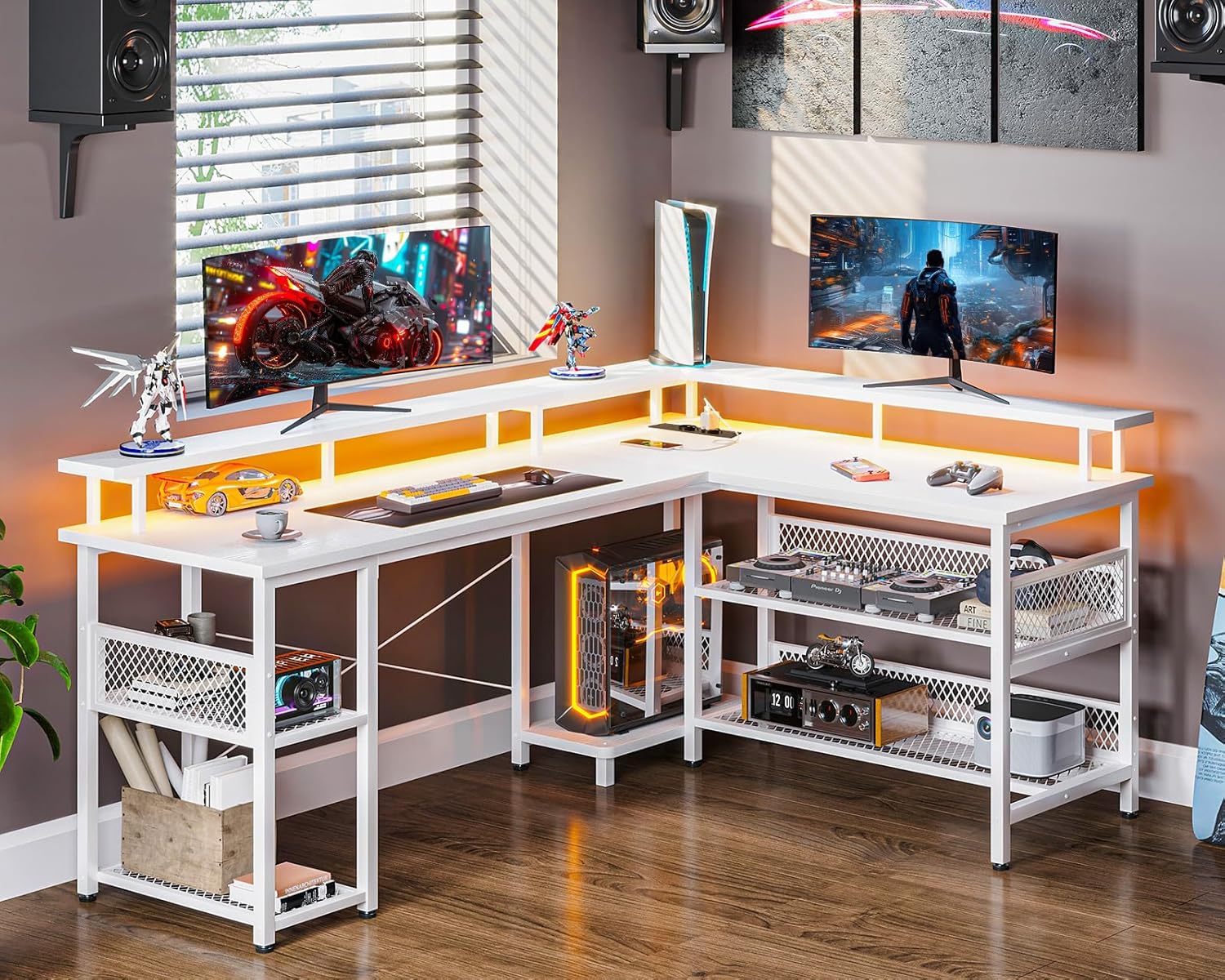
Image: The ODK L-Shaped Desk featuring a monitor stand, integrated LED lighting, and ample space for multiple screens and accessories.
Safety Information
- Read all instructions carefully before assembly and use.
- Keep children and pets away during assembly. Small parts can be a choking hazard.
- Assemble the desk on a soft, clean surface to prevent scratches.
- Ensure all screws and fasteners are securely tightened before use. Periodically check and retighten as necessary.
- Do not overload the desk or shelves beyond their weight capacity.
- Use only the provided power cord and ensure it is properly connected to a grounded outlet.
- Avoid spilling liquids near the integrated power outlets and USB ports.
Package Contents
Please refer to the packing list included with your product to ensure all components and hardware are present before beginning assembly. If any parts are missing or damaged, please contact customer support.
Setup and Assembly
The ODK L-Shaped Desk features a reversible design, allowing you to configure the longer section to either the left or right side to best fit your space. Follow the detailed assembly instructions provided in your product packaging. Pay close attention to the orientation of parts for your desired left or right configuration.
Key Assembly Steps:
- Identify all components and hardware using the provided packing list.
- Assemble the main frame structure, ensuring correct orientation for the reversible design.
- Attach the desktop panels.
- Install the monitor stand and the two-tier storage shelves. The height of the storage shelves is adjustable.
- Integrate the power strip with outlets and USB ports into the designated slot.
- Connect the LED strip according to the instructions.
- Ensure all connections are secure and the desk is stable before placing items on it.

Image: This diagram illustrates the dimensions of the ODK L-Shaped Desk (168 x 120 x 88.7 cm) and highlights its reversible configuration capability, allowing the longer section to be installed on either side. It also shows the integrated power strip.
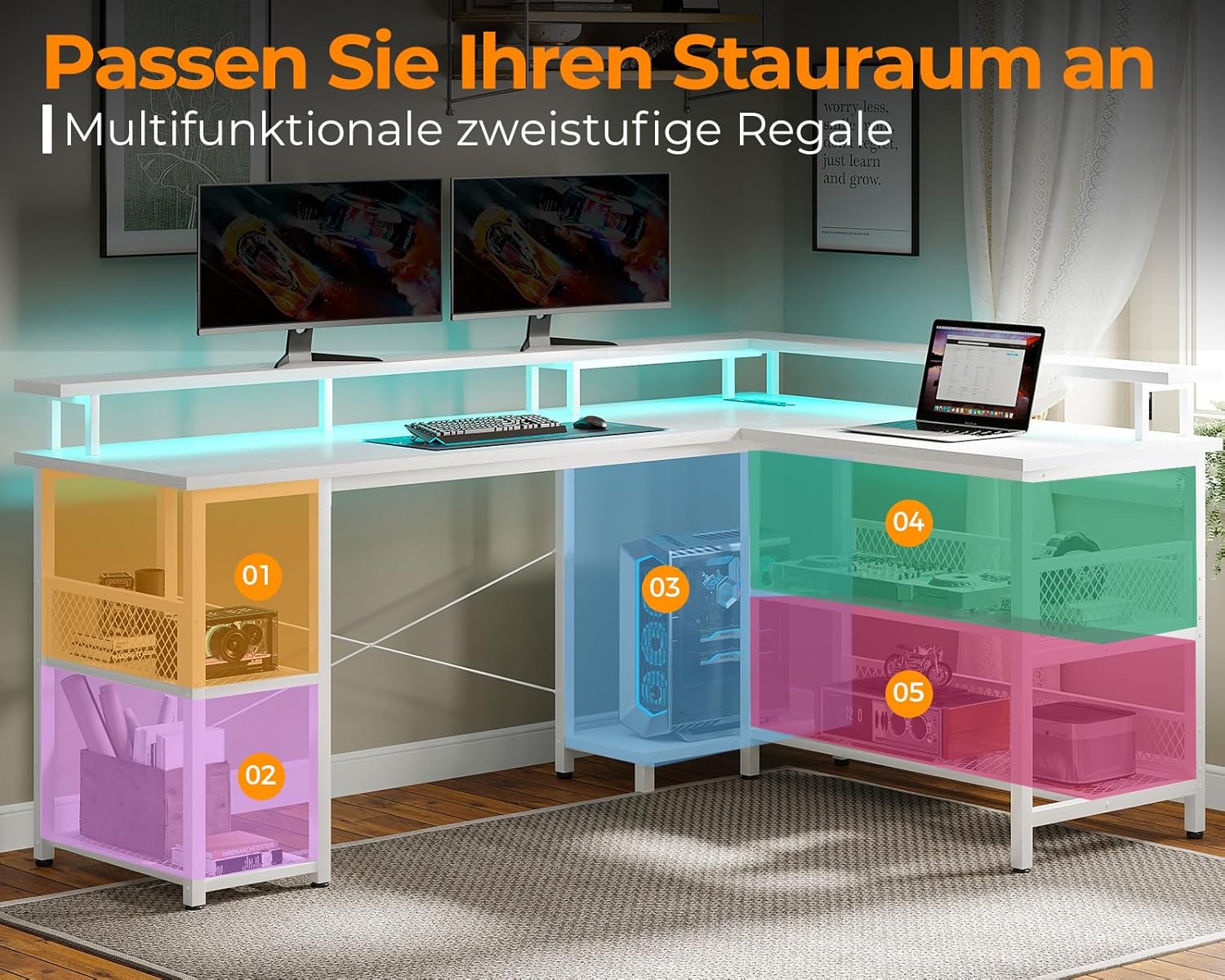
Image: This image demonstrates the customizable storage options with two-tier shelves, indicating areas for various items like books, computer towers, and accessories.
Operating Instructions
LED Lighting System:
The desk is equipped with an integrated LED strip offering customizable lighting. Use the control button or remote (if included) to cycle through 13 different lighting modes and 7 color variations. Experiment with different settings to create your desired ambiance.
Integrated Power Outlets and USB Ports:
The desk includes 2 standard electrical outlets (220-250V/15A) and 2 USB charging ports (5V/2.1A) for convenient power access. Simply plug your devices into the integrated power strip. Ensure the desk's main power cord is connected to a wall outlet.

Image: A detailed view of the built-in power strip, showing two electrical outlets and two USB ports, along with the desk's LED lighting in action.

Image: The ODK L-shaped desk illuminated with dynamic LED lighting, showcasing its aesthetic appeal in a gaming environment.
Maintenance
- Cleaning: Wipe the desk surfaces with a soft, damp cloth. Avoid harsh chemicals or abrasive cleaners that could damage the melamine finish.
- Dusting: Regularly dust the LED strip and power outlets to ensure proper function and appearance.
- Fasteners: Periodically check all screws and bolts to ensure they remain tight. Retighten if necessary to maintain stability.
- Cable Management: Organize cables to prevent tangles and reduce strain on power connections.
Troubleshooting
| Problem | Possible Cause | Solution |
|---|---|---|
| LED lights not working | Power cable disconnected; LED strip faulty; control button malfunction. | Check if the LED power cable is securely plugged in. Ensure the desk's main power cord is connected. If issues persist, contact customer support. |
| Power outlets/USB ports not functioning | Desk's main power cord unplugged; circuit breaker tripped; internal wiring issue. | Verify the desk's main power cord is fully inserted into a working wall outlet. Check your home's circuit breaker. Avoid overloading the outlets. If the problem continues, discontinue use and contact support. |
| Desk feels unstable/wobbly | Loose fasteners; uneven floor. | Check and tighten all assembly screws and bolts. Adjust the leveling feet at the bottom of the desk legs to compensate for uneven flooring. |
Specifications
| Feature | Detail |
|---|---|
| Brand | ODK |
| Model Number | ZJZ-SBWJDDD |
| Color | White |
| Dimensions (L x W x H) | 168 x 120 x 88.7 cm |
| Item Weight | 24.8 Kilograms |
| Frame Material | Engineered Wood |
| Top Material Type | Melamine |
| Power Outlets | 2 (220-250V/15A) |
| USB Charging Ports | 2 (5V/2.1A) |
| LED Lighting | 13 modes, 7 color variations |
| Form Factor | L-Shape |
| Special Features | Reversible design, monitor stand, adjustable storage shelves |
Warranty and Support
For warranty information or technical support, please refer to the documentation included with your purchase or visit the official ODK website. If you have any questions or require assistance, please contact ODK customer service directly.


