
Introduction
Thank you for choosing the VIHELM TX960 professional underground metal detector. This device is suitable for a wide range of detecting environments, whether you are an experienced user or a beginner. With its one-touch operation, the TX960 allows for easy adjustment and quick readiness for searching. It is designed to detect various metal objects buried underground.
Application
The TX960 metal detector is ideal for detecting metal objects in various scenarios, including:
- General security checks
- Archaeological exploration
- Outdoor treasure hunting
- Material checks
Product Components
Before assembly, ensure all components are present in the package:
- 1 x Controller Unit
- 1 x Upper Stem
- 1 x Search Coil & Stem
- 1 x Wing Nut & Threaded Bolt
- 1 x English Manual
- 1 x Headphone
- 1 x Carry Bag
- 1 x Pinpoint (optional)
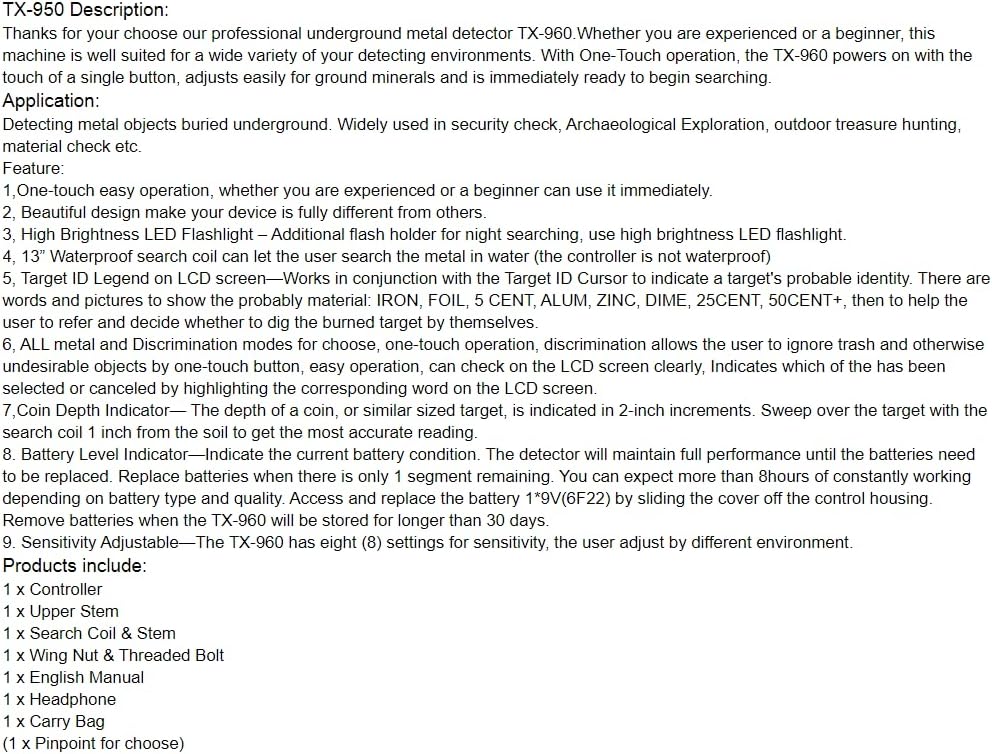
Image: All components included with the VIHELM TX960 metal detector.
Setup and Assembly
Follow these steps to assemble your TX960 metal detector:
- Attach the Search Coil: Connect the search coil to the lower stem using the provided wing nut and threaded bolt. Ensure it is securely fastened but allows for slight angle adjustment.
- Connect Stems: Join the lower stem (with the search coil) to the upper stem. The adjustable stem allows you to customize the detector's length for comfortable use.
- Mount the Control Unit: Slide the control unit onto the upper stem. Secure it in place.
- Connect Cables: Route the cable from the search coil up the stem and plug it into the designated port on the control unit. Ensure the cable is not tangled and is secured along the stem.
- Install Batteries: Open the battery compartment on the control housing. Insert the required 9V(6F22) batteries, ensuring correct polarity. Close the cover securely.

Image: Labeled diagram of the TX960 metal detector components.
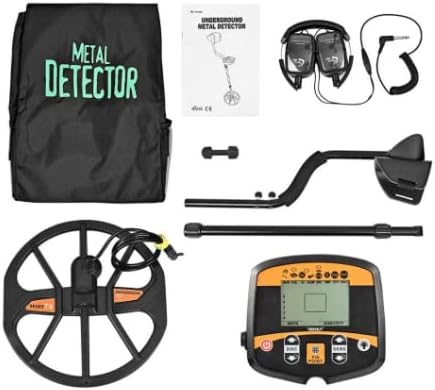
Image: Assembled VIHELM TX960 metal detector.
Key Features
- One-Touch Operation: Simple interface for ease of use, suitable for all skill levels.
- High Brightness LED Flashlight: Integrated flashlight for improved visibility during night searches or in low-light conditions.
- 13" Waterproof Search Coil: The large search coil is waterproof, allowing for detection in shallow water. Note: The control unit is not waterproof.
- Target ID LCD Screen: Displays probable target identity (e.g., IRON, FOIL, 5 CENT, ALUM, ZINC, DIME, 25CENT, 50CENT+), helping users decide whether to dig.
- All Metal and Discrimination Modes: Offers both 'All Metal' mode for detecting all types of metal and 'Discrimination' mode to filter out unwanted metals.
- Coin Depth Indicator: Indicates the approximate depth of a coin-sized target in 2-inch increments.
- Battery Level Indicator: Displays current battery status to ensure optimal performance.
- Adjustable Sensitivity: Eight (8) sensitivity settings to adapt to different environments and ground conditions.
Operating Instructions
Control Panel Overview

Image: VIHELM TX960 Control Panel.
Image: Labeled controls and display elements of the TX960.
Basic Operation
- Power On/Off: Press the power button (U) to turn the detector on or off.
- DISC Mode (Discrimination): Press the DISC button. Use the arrow buttons (▲/▼) to select or reject specific metal categories displayed on the LCD screen. This allows you to ignore unwanted metals like iron.
- SENS Mode (Sensitivity): Press the SENS button. Use the arrow buttons (▲/▼) to increase or decrease sensitivity. Higher sensitivity can detect smaller or deeper objects but may also pick up more ground noise.
- PinPoint Function: Press the PIN POINT button to activate the pinpoint mode. This helps to precisely locate the target's position after a general detection.
- Backlight: Press the light bulb button (💡) to turn the LCD backlight on or off for better visibility in different lighting conditions.
Searching Techniques
Hold the detector comfortably, keeping the search coil parallel to the ground and about 1-2 inches above it. Sweep the search coil slowly from side to side in overlapping motions. When a target is detected, the detector will emit an audio tone, and the LCD screen will display information about the probable target and its depth.
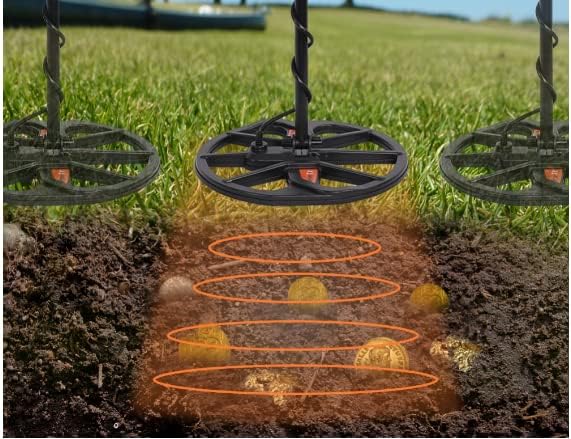
Image: Illustration of metal detection in progress.
Maintenance
- Battery Replacement: The battery level indicator on the LCD screen will show when batteries are low. Replace batteries when only 1 segment remains. The detector can operate for more than 8 hours on a fresh set of quality 9V(6F22) batteries.
- Storage: If the detector will not be used for more than 30 days, remove the batteries to prevent leakage and damage. Store the detector in a dry, cool place.
- Cleaning: Wipe the detector clean with a damp cloth after each use. Do not use abrasive cleaners or solvents. The search coil can be rinsed with water, but ensure the control unit remains dry.
- Cable Care: Avoid sharp bends or kinks in the search coil cable.
Troubleshooting
- No Power: Ensure batteries are correctly installed and fully charged. Check for any loose connections.
- Erratic Signals/False Alarms: Reduce sensitivity. Ensure you are not near strong electromagnetic interference (power lines, other electronics). Check if the search coil cable is securely connected.
- No Detection: Increase sensitivity. Ensure the search coil is sweeping correctly over the ground. Check if the detector is in 'All Metal' mode if you suspect discrimination is too high.
- Display Issues: If the LCD screen is not functioning correctly, try turning the unit off and on again. If the problem persists, replace batteries.
Specifications
| Specification | Detail |
|---|---|
| Brand | VIHELM |
| Model Number | TX960 |
| Color | BLACK |
| Power Source | Battery Powered (9V(6F22) batteries) |
| Item Weight | 4 Pounds |
| Search Coil | 13-inch, Waterproof |
| Max Detection Depth | Up to 2.5 meters (depending on target size and ground conditions) |
| Sensitivity Settings | 8 levels |
| Modes | All Metal, Discrimination, PinPoint |
Warranty and Support
For warranty information or technical support, please refer to the contact details provided with your purchase or visit the official VIHELM website. Keep your purchase receipt as proof of purchase.