
1. Introduction
Thank you for choosing the SLuB Noise Cancelling Wireless Headphones. These over-ear headphones are designed to provide an immersive audio experience with advanced Active Noise Cancellation (ANC) technology, high-fidelity sound, and comfortable wear for extended periods. This manual will guide you through the setup, operation, and maintenance of your new headphones.
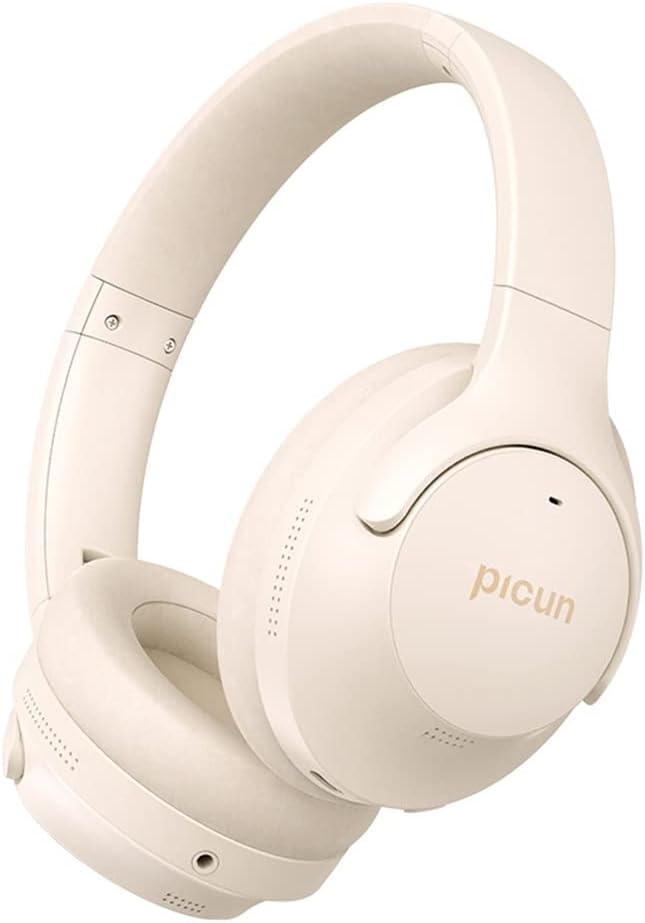
Image 1.1: SLuB Noise Cancelling Wireless Headphones, showcasing their sleek design and khaki color.
2. What's in the Box
Please check the contents of your package to ensure all items are present:
- SLuB ANC-05L Noise Cancelling Wireless Headphones
- USB-C Charging Cable
- 3.5mm Audio Cable
- User Manual

Image 2.1: Overview of the package contents, including the headphones, charging cable, audio cable, and user manual.
3. Product Features
3.1 ANC Noise Cancellation Technology
Experience unparalleled quiet with advanced Active Noise Cancellation (ANC). This technology significantly reduces ambient and human noise, allowing you to focus on your music or calls. Simply press the dedicated ANC button to activate, eliminating up to 90% of surrounding noise, ideal for commutes, flights, or noisy environments.

Image 3.1.1: Visual representation of how Active Noise Cancellation works to eliminate ambient noise.
3.2 High Fidelity Sound Quality
Equipped with 40mm drivers, these headphones deliver high-definition stereo sound and deep, rich bass. Enjoy a truly immersive audio experience with Hi-Res Audio certification, ensuring precise sound reproduction across a wide frequency range.

Image 3.2.1: Demonstrating the Hi-Res Audio capability with 40mm silk-diaphragm drivers for precise sound.

Image 3.2.2: The Hi-Res Audio certification, indicating superior sound quality in wireless mode.
3.3 CVC8.0 Noise-Cancelling Microphone
The integrated CVC8.0 noise-cancelling microphone ensures crystal-clear calls. This technology provides faster processing with less distortion, allowing for clear communication even in windy or noisy environments.
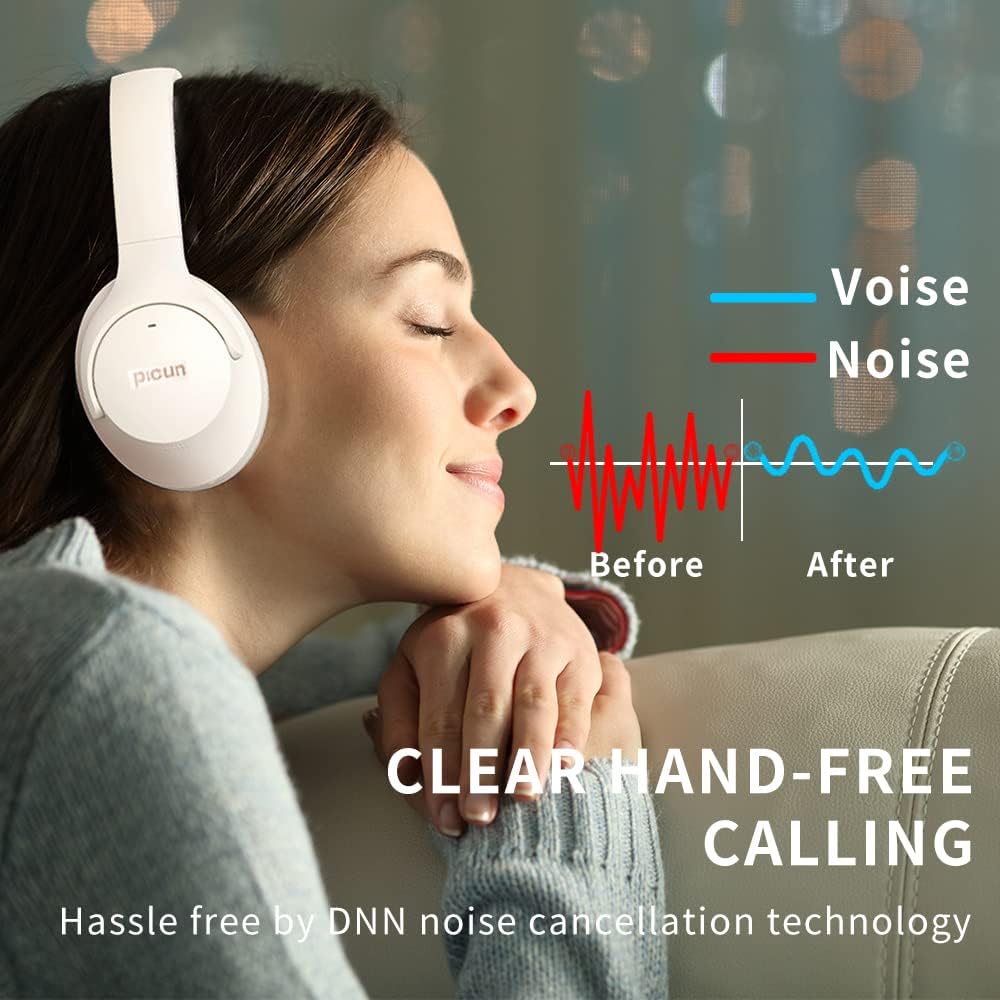
Image 3.3.1: Illustration of improved call clarity with DNN noise cancellation technology.
3.4 Ergonomic Design & Comfort
Designed for extended wear, the over-ear headphones feature swivel ear cushions that conform snugly to your head. Soft memory foam ear cups comfortably and completely wrap around your ears, greatly improving wearing comfort over time. The lightweight design (0.52 kg / 1.15 pounds) and adjustable headband further enhance comfort.

Image 3.4.1: Highlighting the lightweight and comfortable design, including foldable design, ergonomic headband, and memory foam earcups.

Image 3.4.2: The adjustable headband allows for a customized and secure fit.

Image 3.4.3: The ear cups can rotate 90 degrees for flat storage and improved fit.

Image 3.4.4: The ear cups also swivel 45 degrees for a more adaptive fit to different head shapes.
3.5 Long Playtime & Fast Charging
The SLuB headphones are equipped with a high-capacity 1000mAh battery, providing an impressive 50 hours of playback time on a single charge. A full recharge takes approximately 3 hours.

Image 3.5.1: Highlighting the impressive 50-hour battery life for extended listening.
3.6 Bluetooth 5.3 & Dual Connectivity
Featuring Bluetooth 5.3, these headphones offer stable and efficient wireless connectivity. They also support wired connection via the included 3.5mm audio cable, providing versatility for various devices and scenarios.

Image 3.6.1: The advanced Bluetooth 5.3 chip ensures stable and efficient wireless performance.

Image 3.6.2: The headphones offer both wireless (Bluetooth) and wired connectivity options.
4. Setup
4.1 Charging the Headphones
- Connect the USB-C charging cable to the charging port on the headphones.
- Connect the other end of the cable to a USB power adapter (not included) or a computer's USB port.
- The LED indicator will show charging status (e.g., red for charging, blue for fully charged).
- A full charge takes approximately 3 hours.
4.2 Bluetooth Pairing
- Ensure the headphones are powered off.
- Press and hold the Power button until the LED indicator flashes blue and red alternately, indicating pairing mode.
- On your device (smartphone, PC, tablet), enable Bluetooth and search for available devices.
- Select "SLuB ANC-05L" from the list of devices.
- Once connected, the LED indicator will turn solid blue or flash blue slowly.
4.3 Wired Connection
- Insert one end of the 3.5mm audio cable into the audio jack on the headphones.
- Insert the other end into the 3.5mm audio output port of your device.
- The headphones will automatically switch to wired mode. Bluetooth functionality will be disabled in wired mode.
5. Operating Instructions

Image 5.1: Overview of the headphone control buttons.
5.1 Power On/Off
- Power On: Press and hold the Power button for 3 seconds.
- Power Off: Press and hold the Power button for 3 seconds.
5.2 Active Noise Cancellation (ANC) Control
- ANC On/Off: Press the dedicated ANC button once to toggle ANC on or off.

Image 5.2.1: Location and operation of the ANC button.
5.3 Volume and Track Control
- Volume Up: Short press the 'Volume+' button.
- Volume Down: Short press the 'Volume-' button.
- Next Track: Long press the 'Volume+' button.
- Previous Track: Long press the 'Volume-' button.
5.4 Call Management
- Answer/End Call: Short press the Multi-function button (often the Power button or a dedicated call button).
- Reject Call: Long press the Multi-function button.
- Redial Last Number: Double press the Multi-function button.
5.5 Low Latency Mode
- Toggle Low Latency Mode: Press the 'Low Latency button' (often combined with ANC or a separate button) to activate or deactivate for gaming or video watching.
6. Maintenance
6.1 Cleaning
- Wipe the headphones with a soft, dry, lint-free cloth.
- Do not use abrasive cleaners, alcohol, or chemical solvents.
- Gently clean ear cushions with a slightly damp cloth if necessary, and allow to air dry completely before use.
6.2 Storage
- Store the headphones in a cool, dry place, away from direct sunlight and extreme temperatures.
- Utilize the foldable design for compact storage when traveling or not in use.

Image 6.2.1: The headphones feature a foldable design for easy portability and storage.
6.3 Battery Care
- Avoid fully discharging the battery frequently.
- Charge the headphones regularly, even if not in use, to maintain battery health.
- Do not expose the battery to high temperatures.
7. Troubleshooting
| Problem | Possible Cause | Solution |
|---|---|---|
| Headphones do not power on. | Low battery. | Charge the headphones fully. |
| Cannot pair via Bluetooth. | Headphones not in pairing mode; device Bluetooth off; too far from device. | Ensure headphones are in pairing mode (flashing red/blue). Turn on Bluetooth on your device. Move headphones closer to your device. |
| No sound. | Volume too low; incorrect audio source; wired connection issues. | Increase volume on headphones and device. Check if headphones are connected to the correct audio source. Ensure 3.5mm cable is fully inserted if using wired mode. |
| ANC not working effectively. | ANC not activated; very high-frequency or irregular noise. | Press the ANC button to activate. ANC is most effective against low-frequency, constant noise. |
| Poor call quality. | Microphone obstructed; noisy environment. | Ensure microphone is clear. CVC8.0 reduces noise, but extreme noise may still affect quality. |
8. Specifications
| Feature | Detail |
|---|---|
| Model Name | ANC-05L |
| Connectivity Technology | Wired, Wireless (Bluetooth) |
| Wireless Communication Technology | Bluetooth 5.3 |
| Headphones Jack | 3.5 mm Jack |
| Audio Driver Type | Dynamic Driver (40mm) |
| Noise Control | Active Noise Cancellation (ANC) |
| Microphone | CVC8.0 Noise-Cancelling |
| Battery Life | Up to 50 Hours |
| Charging Time | Approx. 3 Hours |
| Battery Capacity | 1000mAh |
| Item Weight | 0.52 Kilograms (1.15 pounds) |
| Package Dimensions | 8.58 x 8.03 x 2.56 inches |
| Color | Khaki |
| Special Features | Adjustable Headband, Detachable Cable, Foldable, Noise Cancellation |
| Compatible Devices | Smartphone, PC, Tablets |
9. Warranty and Support
SLuB products are designed for reliability and performance. For specific warranty details, please refer to the warranty card included with your product or visit the official SLuB website. If you encounter any issues or require technical assistance, please contact SLuB customer support through the contact information provided on the product packaging or the brand's official channels.
Please retain your proof of purchase for warranty claims.