
Introduction
The KAYSUDA BT5 is a versatile Bluetooth 5.0 audio adapter designed to function as both a receiver and a transmitter. It allows you to wirelessly stream audio between your devices, enhancing your listening experience with low latency and broad compatibility. This device supports A2DP and AVRCP Bluetooth protocols for high-quality audio transmission.
It is compatible with Android and iOS mobile phones, tablets, and various Bluetooth audio equipment. In transmitter mode, it can connect to two Bluetooth devices simultaneously.
Product Overview
Package Contents
- KAYSUDA BT5 Receiver and Transmitter device x1
- Micro-USB Charging cable x1
- 3.5MM audio connecting cable x1
- 3.5mm to RCA (Red, White) cable x1
- User manual x1

The KAYSUDA BT5 device and its accompanying cables for charging and audio connection.
Key Features
- Bluetooth 5.0 Technology: Ensures stable connection and high-quality audio.
- 2-in-1 Functionality: Operates as both a Bluetooth receiver (RX) and transmitter (TX).
- Low Latency: Minimizes audio delay, suitable for watching videos and gaming.
- Dual-Linking (TX Mode): Connects to two Bluetooth headphones or speakers simultaneously.
- Noise Cancellation: Built-in AEC echo cancellation and ANC noise cancellation circuits for clearer sound.
- Plug and Play: Easy connection without the need for apps or drivers.
- Portable Design: Lightweight and compact for easy transport.

The compact size and light weight of the KAYSUDA BT5 adapter.
Setup
Charging the Device
- Connect the Micro-USB charging cable to the device's charging port.
- Plug the other end of the USB cable into a DC 5V power source (e.g., USB wall adapter, computer USB port).
- The device will indicate charging status (e.g., LED light).
- A full charge takes approximately 1.5 hours. The built-in battery provides about 8-10 hours of playing time.
Important: To avoid potential audio interference or noise, it is recommended to use the device after it is fully charged and disconnected from the charging cable.
Initial Pairing
Before using, ensure the device is charged. The pairing process will vary slightly depending on whether you are using Receiver (RX) or Transmitter (TX) mode.
Operating Modes
1. Receiver Mode (RX)
In RX mode, the KAYSUDA BT5 transforms traditional audio devices (like car stereos, home stereo systems, or speakers) into Bluetooth-enabled ones. This allows you to stream audio wirelessly from your smartphone, tablet, or laptop to these devices.
- Ensure the BT5 is in RX mode (check the mode switch if available, or refer to the device's LED indicator).
- Connect the BT5 to your non-Bluetooth audio device (e.g., speakers, car stereo) using the 3.5mm audio cable or the 3.5mm to RCA cable.
- Power on the BT5. It will automatically enter pairing mode.
- On your Bluetooth-enabled audio source (smartphone, tablet), search for Bluetooth devices and select "KAYSUDA BT5" (or similar name) to pair.
- Once paired, audio from your source device will play through the connected speakers.
Note: The product provides stereo output when operating in Receiver (RX) mode.
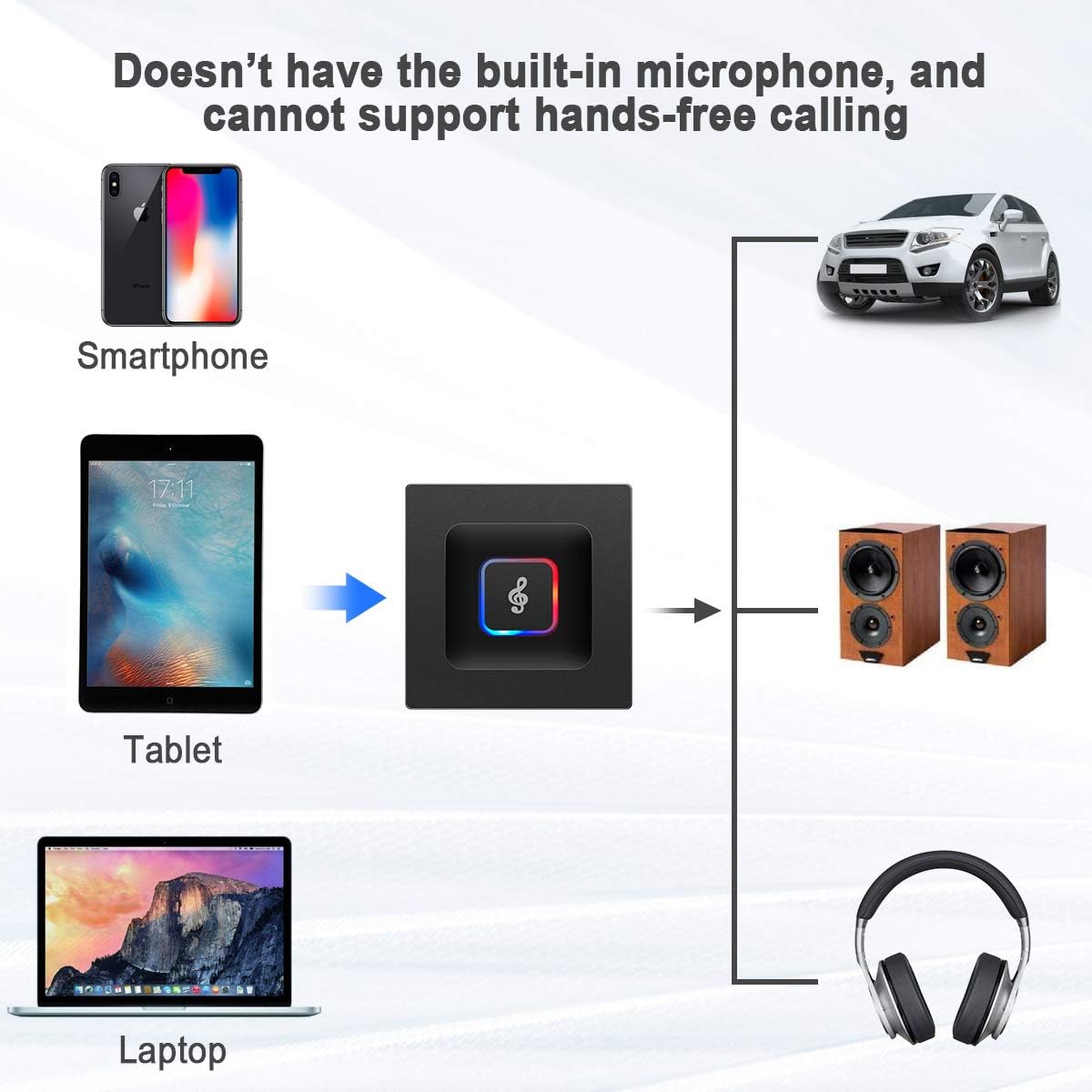
Illustration of the BT5 in Receiver Mode, connecting mobile devices to traditional audio systems.
2. Transmitter Mode (TX)
In TX mode, the KAYSUDA BT5 enables non-Bluetooth audio devices (like TVs, MP3/MP4 players, or PCs) to transmit audio wirelessly to Bluetooth headphones or speakers.
- Ensure the BT5 is in TX mode (check the mode switch if available, or refer to the device's LED indicator).
- Connect the BT5 to your non-Bluetooth audio source (e.g., TV, PC) using the 3.5mm audio cable or RCA cable. Ensure the audio cable is plugged into the product's red earphone jack for transmit mode.
- Power on the BT5. It will automatically enter pairing mode.
- Put your Bluetooth headphones or speakers into pairing mode.
- The BT5 will automatically search for and connect to nearby Bluetooth audio devices.
- Once paired, audio from your source device will stream wirelessly to your Bluetooth headphones or speakers.
Dual-Linking: In TX mode, the BT5 can pair with two Bluetooth headphones or speakers simultaneously, allowing two people to listen to the same audio source wirelessly.
Note: When using the transmitter function, the audio output may not reach full stereo quality due to the performance characteristics of the BT5 chip.

Illustration of the BT5 in Transmitter Mode, connecting traditional audio sources to Bluetooth headphones/speakers.

The dual-linking feature allows two Bluetooth headphones or speakers to connect simultaneously.
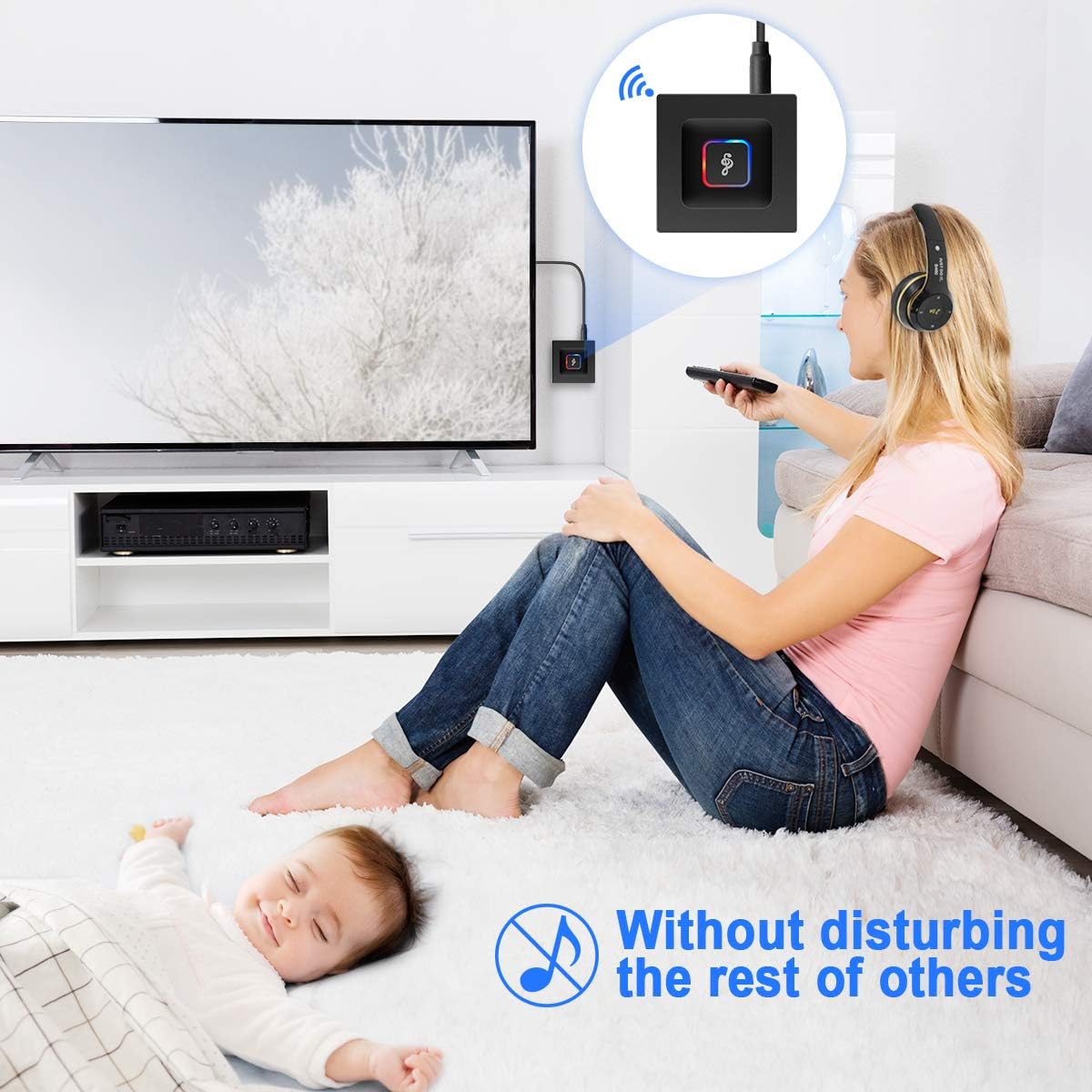
Enjoy TV audio privately with headphones using the BT5, without disturbing others.
Maintenance
- Charging: Always ensure the device is fully charged before use. Avoid using the device while it is charging, as this may introduce static noise into the audio.
- Cable Placement: When using the Bluetooth transmitter, keep the input audio cable away from power cords (e.g., TV power cord) or other cables to prevent interference with the audio input signal.
- Cleaning: Use a soft, dry cloth to clean the device. Do not use liquid cleaners or aerosols.
- Storage: Store the device in a cool, dry place away from direct sunlight and extreme temperatures.
Troubleshooting
- No Sound/Poor Audio Quality:
- Ensure the device is fully charged and not charging during operation.
- Check all cable connections are secure and correctly inserted into the appropriate ports.
- Verify the BT5 is in the correct mode (RX or TX) for your setup.
- Ensure the volume on both the BT5 and the connected audio device/source is adjusted appropriately.
- Move the audio input cable away from power cords or other potential sources of interference.
- Cannot Pair Bluetooth Devices:
- Ensure both the BT5 and the target Bluetooth device are in pairing mode.
- Make sure the devices are within the effective Bluetooth range (up to 10 meters or 32.8 feet).
- Turn off and restart both devices, then attempt pairing again.
- Clear previous Bluetooth connections on your source device if you are experiencing issues.
- Audio Delay/Latency:
- If your connected Bluetooth device has a version lower than Bluetooth 2.1 or 3.0, it may cause signal transmission delay.
- Ensure the BT5 is the only active Bluetooth connection if possible, to minimize interference.
Specifications
| Brand | KAYSUDA |
| Model Number | BT5 |
| Bluetooth Version | 5.0 |
| Supported Protocols | A2DP, AVRCP |
| Bluetooth Distance | Up to 10M (32.8 ft) |
| Built-in Battery | 300MA |
| Playing Time | About 8-10 hours |
| Charging Time | About 1.5 hours |
| Charging Input Voltage | DC 5V |
| Receive Working Current | ≤ 43MA |
| Send Working Current | ≤ 60MA |
| Standby Current | <18MA |
| Input/Output Mode | 3.5MM stereo audio port, RCA audio cable |
| Dimensions | 2 x 5 x 5 cm (approx. 0.8 x 2 x 2 inches) |
| Weight | 35g |
Warranty and Support
The KAYSUDA BT5 comes with a 30-day refund policy and a 90-day return period. A lifetime warranty is also provided for the product.
If you encounter any issues or have questions regarding your device, please contact KAYSUDA customer support for assistance, solutions, replacement, or refund.