
Introduction
Thank you for choosing the Kewig M28 Motorcycle Phone Mount. This manual provides essential information for the safe and effective use of your new phone mount. Please read it thoroughly before installation and operation, and keep it for future reference.
The Kewig M28 is designed to securely hold your smartphone on various vehicles, including motorcycles, bikes, scooters, and ATVs. It features a robust construction with a vibration dampener and a secure locking mechanism to protect your device during rides.
Safety Information
- Always ensure the phone mount is securely attached to your vehicle's handlebar or rearview mirror before placing your phone.
- Verify that your phone is firmly locked into the cradle before starting your ride.
- Do not attempt to adjust the mount or operate your phone while driving. Pull over to a safe location if adjustments are needed.
- Regularly check all screws and mounting points for tightness, especially after riding on rough terrain.
- Ensure the phone mount does not obstruct your view, vehicle controls, or mirrors.
Package Contents
Please check the package to ensure all components are present:
- Kewig M28 Phone Mount Cradle
- Handlebar Mounting Base
- Rear-view Mirror Mounting Base
- Double Socket Arm
- Special Wrench Keys (for security knob)
- Rubber Gaskets (for various handlebar diameters: 0.5''/12mm, 0.87''/22mm, 1.0''/25.4mm, 1.26''/32mm)
- User Manual
Setup Instructions
The Kewig M28 phone mount offers flexible installation options for handlebars and rearview mirrors. Follow these steps for quick and secure setup:
- Choose Mounting Location: Decide whether to install on your handlebar or rearview mirror.
- Attach Mounting Base:
- For handlebars: Select the appropriate rubber gasket to match your handlebar diameter (0.5''/12mm, 0.87''/22mm, 1.0''/25.4mm, 1.26''/32mm). Place the gasket around the handlebar, then secure the handlebar mounting base using the provided special wrench keys.
- For rearview mirror: Attach the rearview mirror mounting base to your mirror stem.
- Connect Double Socket Arm: Insert the ball socket of the mounting base into one end of the double socket arm. Tighten the safety knob on the arm using the special wrench key to secure it.
- Attach Phone Cradle: Insert the ball head on the back of the phone cradle into the other end of the double socket arm. Adjust the angle to your preferred viewing position (720-degree free rotation is supported). Tighten the safety knob on the arm to lock the angle.
- Final Security Check: Ensure all connections are tight and the mount is stable before use.
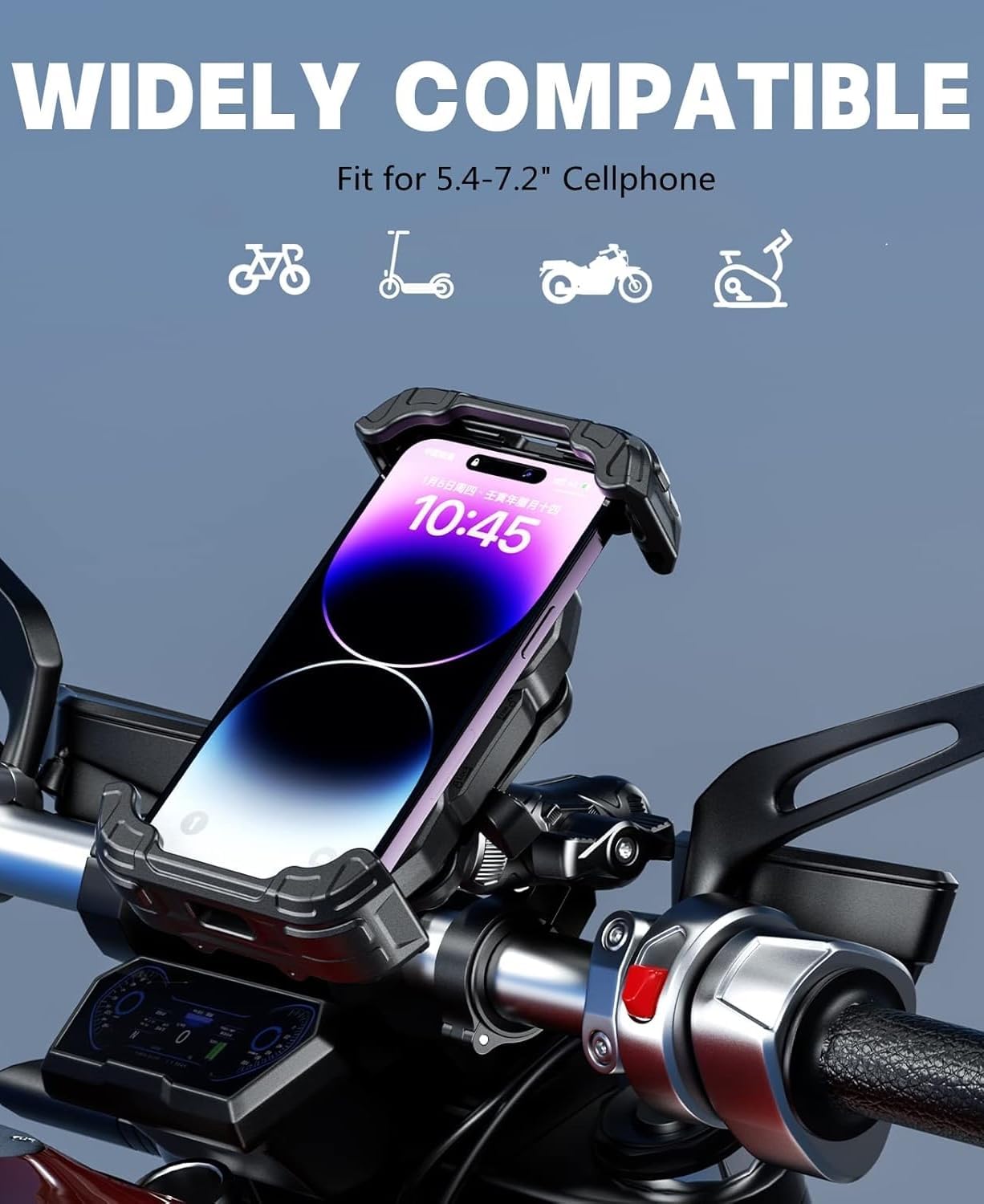
Image: The Kewig M28 Motorcycle Phone Mount securely installed on a handlebar, holding a smartphone in portrait orientation. This image demonstrates the mount's robust design and placement on a vehicle.

Image: A visual guide illustrating the three simple steps for installing the Kewig M28 phone mount. Step 1 shows choosing a location and locking the base, Step 2 shows inserting the ball head, and Step 3 shows adjusting the angle and tightening.
Video: A seller-provided video demonstrating the installation process and features of the Kewig motorcycle phone mount, highlighting its ease of use and secure attachment.
Operating Instructions
The Kewig M28 is designed for convenient one-handed operation and maximum phone protection.
- Inserting Your Phone: Tilt your phone slightly and push it against the top arm of the cradle. The cradle will automatically expand and then firmly lock your phone into place.
- Securing Your Phone: After inserting your phone, press the right lock switch on the side of the cradle. This engages the safety lock arm, providing double security against vibrations and high-speed movement.
- Removing Your Phone: To release your phone, pull the left lock switch on the side of the cradle. The arms will expand, allowing you to easily remove your phone with one hand.
- Adjusting Viewing Angle: The mount features a 720-degree free rotation design. Loosen the safety knob on the double socket arm, adjust your phone to horizontal or vertical screen orientation, and then re-tighten the knob to secure the position.
- Vibration Dampening: The built-in vibration dampener effectively mitigates vibrations from bumpy roads, protecting your phone's internal components.
- Charging Access: The design ensures no obstruction to your phone's charging port, allowing you to charge your device freely while mounted.

Image: The Kewig M28 Phone Mount with a phone inserted, highlighting the locking switch on the side that secures the device firmly in place. This ensures stability even on rough rides.

Image: The Kewig M28 Phone Mount showcasing its 360-degree rotation capability, allowing users to easily switch between landscape and portrait viewing modes for navigation or other uses.

Image: A smartphone mounted in the Kewig M28, connected to a charging cable. This image illustrates that the mount's design allows full access to the charging port, enabling continuous power during use.
Maintenance
To ensure the longevity and optimal performance of your Kewig M28 Phone Mount, follow these simple maintenance guidelines:
- Cleaning: Wipe the mount regularly with a soft, damp cloth to remove dust and grime. Avoid using harsh chemicals or abrasive cleaners.
- Tightness Check: Periodically inspect all screws and the safety knob for tightness. Re-tighten with the special wrench keys if any looseness is detected.
- Rubber Components: Check the rubber pads and gaskets for wear or damage. Replace if necessary to maintain optimal grip and vibration dampening.
- Storage: If not in use for an extended period, store the mount in a cool, dry place away from direct sunlight.
Troubleshooting
If you encounter any issues with your Kewig M28 Phone Mount, refer to the following common problems and solutions:
- Phone feels loose in the cradle: Ensure the phone is properly inserted and the right lock switch is engaged. Check if the phone's dimensions (with case) are within the compatible range (Length 5.11''-7.28'', Width 2.55''-3.46'', Thickness 0.669'' Max).
- Mount is unstable on the handlebar: Verify that the correct rubber gasket is used for your handlebar diameter and that the mounting base screws are securely tightened with the special wrench keys.
- Difficulty adjusting viewing angle: Loosen the safety knob on the double socket arm sufficiently before attempting to rotate the phone cradle. Re-tighten firmly after adjustment.
- Excessive vibration: Ensure the phone is seated correctly and the locking mechanism is fully engaged. The mount includes a vibration dampener, but extreme road conditions may still cause some movement.
Specifications
| Feature | Detail |
|---|---|
| Model Number | M28 |
| Compatible Phone Size | 5.4''-7.2'' cellphones (Max thickness 17mm) |
| Phone Dimensions (Case Included) | Length: 5.11'' (130mm) ~ 7.28'' (185mm) Width: 2.55'' (65mm) ~ 3.46'' (80mm) Thickness: 0.669'' (17mm) Max |
| Mounting Type | Handlebar, Rear-view Mirror |
| Handlebar Diameter Compatibility | 0.5'' (12 mm), 0.87'' (22 mm), 1.0'' (25.4 mm), 1.26'' (32 mm) |
| Special Features | Vibration dampener, High-speed secure lock arm switch, Special anti-theft screw |
| Material | PA66+GF high-strength material, 304 stainless steel telescopic rods, Aluminum alloy base |
| Item Weight | 1.32 pounds |
| Package Dimensions | 6.85 x 5.04 x 3.9 inches |

Image: An internal view of the Kewig M28 phone mount, revealing the robust metal pins and gear slides that contribute to its stable and sturdy construction.

Image: A close-up of the Kewig M28 phone mount highlighting its all-round silicone protection, designed to cushion and protect the smartphone from friction and impact.
Warranty & Support
The Kewig M28 Motorcycle Phone Mount is covered by a manufacturer's warranty against defects in materials and workmanship. For specific warranty details, please refer to the warranty card included in your package or contact Kewig customer support.
For technical assistance, troubleshooting, or any inquiries regarding your product, please contact Kewig customer support through the retailer's platform or the official Kewig website.