1. Introduction
The Saramonic WiTalk-WT7S is a professional full-duplex wireless intercom headset system designed for clear and reliable communication in demanding environments such as film and TV productions, stage events, and sports broadcasting. This 7-person single-ear system operates on a 1.9GHz frequency, providing a remarkable line-of-sight range of up to 1312 feet (400m). Its lightweight and comfortable design, combined with intuitive controls and long-lasting batteries, ensures seamless coordination among team members.
2. What's in the Box
The Saramonic WiTalk-WT7S system includes the following components:
- 1 x WiTalk-LBH Single-Ear Master Headset
- 6 x WiTalk-SRH Single-Ear Remote Headsets
- 1 x WiTalk-HUB Base Station
- 7 x Rechargeable Li-polymer Batteries (3.7V 1200mAh)
- 1 x 10-Bay Battery Charger
- 1 x Power Adapter for Charger
- 1 x USB-C Charging Cable
- 1 x Protective Hard Case

Image: All components included in the Saramonic WiTalk-WT7S system.
3. Setup Guide
3.1 Battery Installation
- Locate the battery compartment on the headset (under the earcup) or the WiTalk-HUB base station.
- Insert the provided rechargeable Li-polymer battery, ensuring correct polarity.
- Close the battery compartment securely.

Image: Saramonic rechargeable Li-polymer battery.
3.2 Charging the Batteries
- Connect the 10-bay charger to a power source using the provided power adapter.
- Insert the batteries into the charging slots. The LED indicators on the charger will show the charging status.
- Alternatively, the WiTalk-HUB can be powered via USB-C.
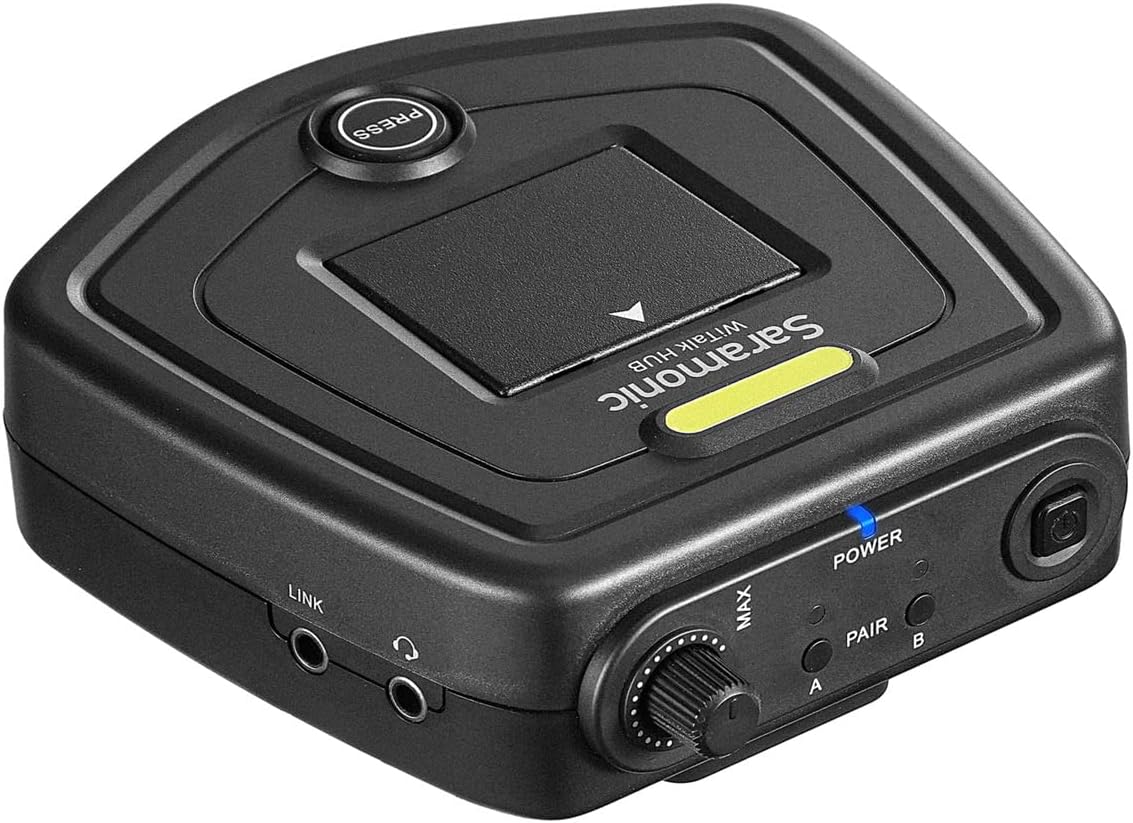
Image: Saramonic 10-bay battery charger.
3.3 Pairing Headsets
The headsets and hub are typically pre-paired from the factory. If re-pairing is needed, refer to the detailed pairing instructions in the full user manual available on the Saramonic website.
4. Operating Instructions
4.1 Power On/Off
- To power on, press and hold the power button on each headset and the WiTalk-HUB until the indicator light illuminates.
- To power off, press and hold the power button until the indicator light turns off.
4.2 Volume Control
- Use the tactile volume control buttons located on the earcup of each headset to adjust listening volume.
- The WiTalk-HUB also features a tactile volume control for overall system adjustment.
4.3 Microphone Muting
- The gooseneck microphone can be muted by raising the mic lever upwards. A distinct audible cue confirms the mute status.
- Lower the mic lever to unmute and resume communication.
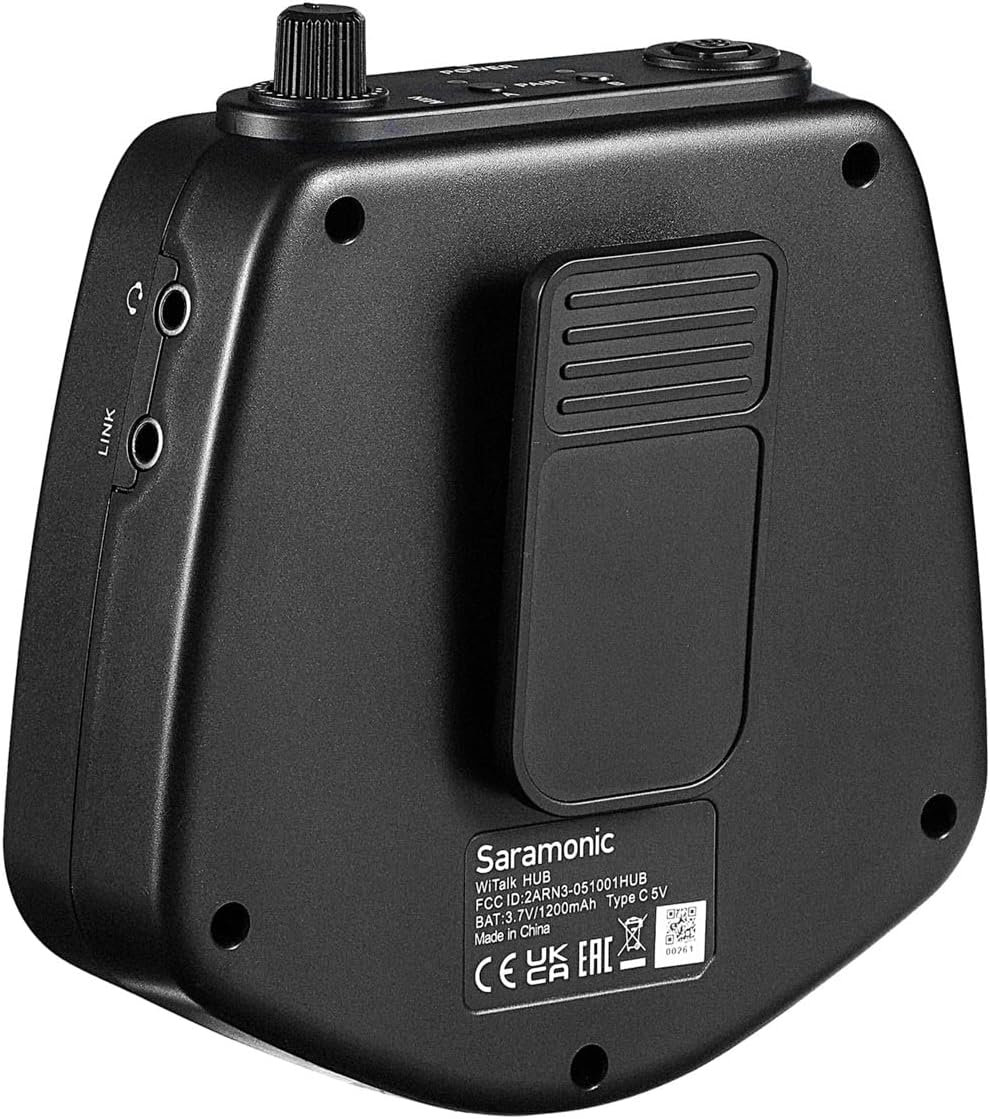
Image: Lever-type switch design for microphone muting.
4.4 Full-Duplex Communication
The system supports true full-duplex communication, allowing all 7 users to speak and listen simultaneously without interruption, similar to a phone conversation.

Image: Users demonstrating full-duplex communication.
5. Features
- 7-Person Full-Duplex Communication: Allows up to seven individuals to communicate simultaneously.
- 1.9GHz Frequency: Operates on a stable 1.9GHz frequency for clear audio transmission.
- Extended Range: Provides up to 1312 feet (400m) line-of-sight range.
- Single-Ear Headsets: Lightweight and comfortable design with rotating earcups and leatherette earpads for extended wear.
- Hands-Free Operation: Gooseneck microphone with lever-type muting and volume controls on the earcup.
- WiTalk-HUB Base Station: Can be used as a belt pack or stationary transceiver, featuring a belt clip and tactile volume control.
- Long Battery Life: Up to 18 hours for remote headsets, 3.2 hours for the Hub base station.
- Quick-Change Batteries: Allows for rapid battery replacement to minimize downtime.
- USB-C Powering: Offers flexible charging and powering options.
- Expandable System: Easily expandable to up to a 9-person system with additional WiTalk-SRH Single-Ear or WiTalk-DRH Dual-Ear Wireless Remote Headsets.
- High-Resolution Sound: GFSK modulation technology delivers high-resolution sound with only a frequency error of 10ppm and a signal-to-noise ratio of 65dB.

Image: Extended range capability of the system.

Image: Internal view of headset highlighting sound quality.
6. Specifications
| Specification | Detail |
|---|---|
| Model Name | WITALK-WT7S |
| Connectivity Technology | Wireless (RF) |
| Frequency | 1.9GHz |
| Range | Up to 1312 feet (400m) line-of-sight |
| Headset Type | Single-Ear, Over-ear cup |
| Microphone | Gooseneck, Mute Function |
| Master Headset Runtime | Up to 12 hours |
| Remote Headset Runtime | Up to 18 hours |
| Hub Base Station Runtime | 3.2 hours |
| Charging | USB-C, Quick-Change Batteries, 10-Bay Charger |
| Material | Faux Leather (earpads) |
| Color | Black |
| Item Weight (System) | 18 pounds |
| Product Dimensions | 22.44 x 18.9 x 15.75 inches |
| Water Resistance Level | Water Resistant |

Image: System specifications.
7. Maintenance
- Cleaning: Use a soft, dry cloth to clean the headsets and hub. Avoid using harsh chemicals or abrasive materials.
- Storage: Store the system in its protective hard case when not in use to prevent damage from dust, moisture, and impacts.
- Battery Care: Fully charge batteries before extended storage. Avoid exposing batteries to extreme temperatures.
8. Troubleshooting
- No Power: Ensure batteries are correctly installed and charged. Check power connections for the charger and hub.
- No Audio/Intermittent Audio: Verify all units are powered on and within range. Check headset volume levels. Re-pair units if necessary.
- Microphone Not Working: Ensure the microphone lever is in the 'communication' position (unmuted). Check for any physical obstructions or damage to the microphone.
- Interference: Operating on 1.9GHz, the system is designed to minimize interference. If issues occur, try moving to a different location or checking for other 1.9GHz devices nearby.
9. Safety Information
- Do not attempt to disassemble or modify the device.
- Keep the device away from water and extreme temperatures.
- Use only Saramonic-approved accessories and replacement parts.
- Dispose of batteries responsibly according to local regulations.
10. Warranty and Support
For warranty information, technical support, and further assistance, please visit the official Saramonic website or contact their customer service. Retain your proof of purchase for warranty claims.
11. Product Video
Video: Overview of the Saramonic WiTalk-WT7S Wireless Intercom System, demonstrating its features and use cases.


