1. Product Overview
This manual provides detailed instructions for the Casio Edifice ECB-950DB-2ADF watch. This timepiece combines analog and digital displays, features Tough Solar power, and offers Smartphone Link functionality via Bluetooth for enhanced accuracy and convenience.

Figure 1: Front view of the Casio Edifice ECB-950DB-2ADF watch.
2. Initial Setup
2.1 Charging the Watch (Tough Solar)
The ECB-950DB-2ADF is equipped with Tough Solar technology, which converts light into electrical power. To ensure optimal performance, expose the watch face to light regularly. An initial full charge is recommended before first use.
- Place the watch where its face is exposed to bright light, such as near a window.
- Avoid placing the watch in direct sunlight for extended periods in extremely hot environments, as this may cause damage.
- The watch features a power indicator to show the current charge level.
2.2 Smartphone Link Connection
This watch can connect to a smartphone via Bluetooth for automatic time adjustment and other functions.
- Download the App: Install the 'CASIO WATCHES' app on your smartphone from the respective app store.
- Enable Bluetooth: Ensure Bluetooth is enabled on your smartphone.
- Pairing:
- On the watch, enter the Timekeeping Mode.
- Press and hold the 'CONNECT' button (usually located at the 4 o'clock position) for approximately two seconds until the 'CONNECT' indicator flashes.
- Open the CASIO WATCHES app on your smartphone and follow the on-screen instructions to pair the watch.
- Once paired, the watch will automatically adjust its time based on your smartphone's time.
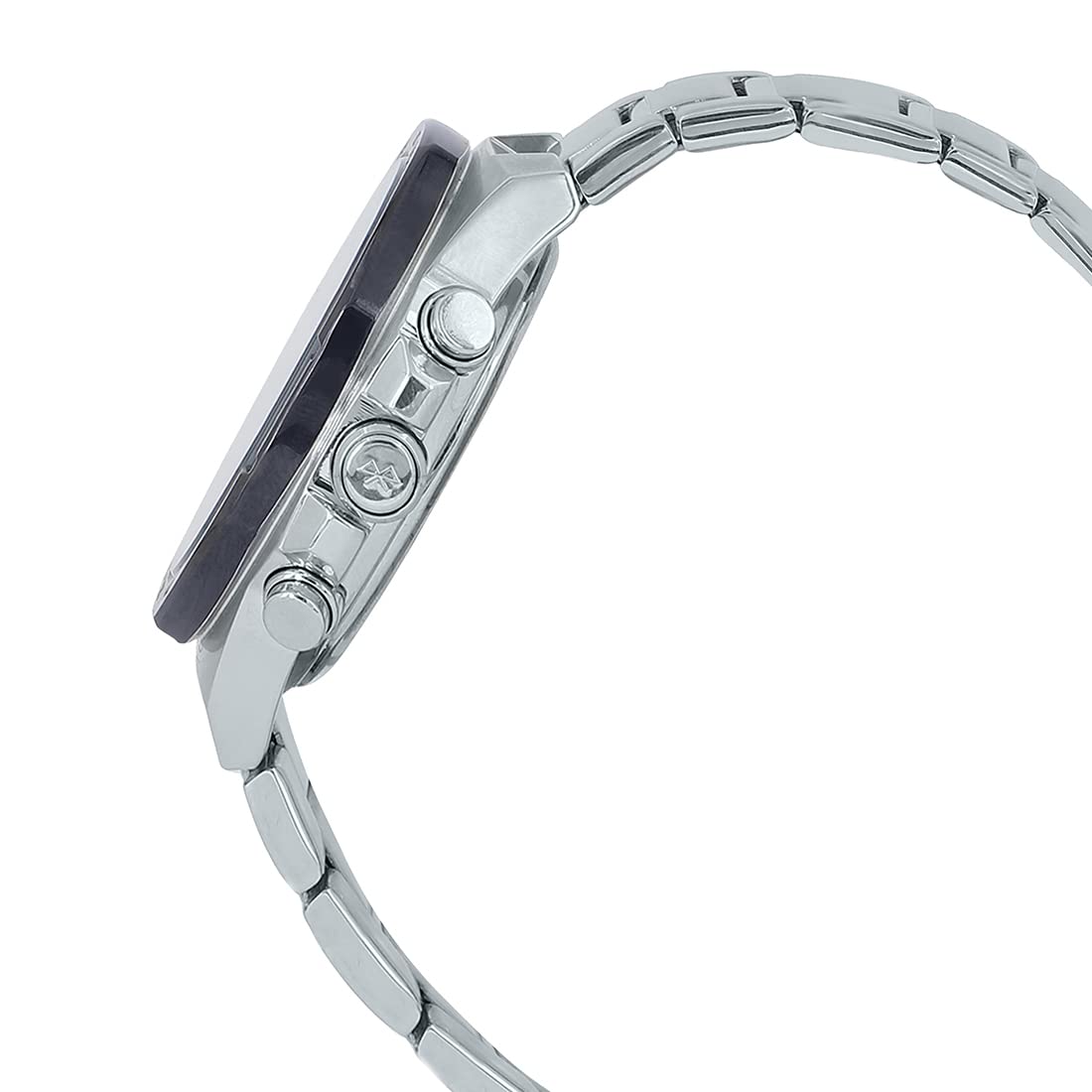
Figure 2: Side view of the watch, highlighting the control buttons.
3. Operating the Watch
3.1 Mode Navigation
Use the 'MODE' button (typically at the 8 o'clock position) to cycle through the different watch modes:
- Timekeeping Mode: Displays current time and date.
- World Time Mode: Displays the current time in various cities around the world.
- Stopwatch Mode: For measuring elapsed time.
- Timer Mode: For countdown timing.
- Alarm Mode: To set and activate alarms.
3.2 Timekeeping
The watch displays time both analogically (hands) and digitally (LCD). When connected to a smartphone, time is automatically synchronized. Manual time adjustment is also possible via the 'ADJUST' button (typically at the 2 o'clock position) in Timekeeping Mode, following the instructions in the CASIO WATCHES app or the full user manual.
3.3 World Time
In World Time Mode, you can view the current time in a pre-selected city. Use the CASIO WATCHES app to easily select and switch between different world cities.
3.4 Stopwatch Function
The stopwatch measures elapsed time up to 23 hours, 59 minutes, 59.99 seconds. It also features a speed indicator on the inset dial at the 4 o'clock position, which displays average speeds when timing laps for set distances.
- Enter Stopwatch Mode.
- Press the 'START/LAP' button (typically at the 4 o'clock position) to start and stop the stopwatch.
- Press the 'RESET' button (typically at the 2 o'clock position) to reset.
3.5 Alarm
The watch includes multiple daily alarms. Set and activate alarms through the CASIO WATCHES app or directly on the watch in Alarm Mode using the 'ADJUST' and 'MODE' buttons.
3.6 Automatic LED Light
The watch features a fully automatic LED light that illuminates the dial and LCD with a tilt of the wrist in low-light conditions. This feature can be enabled or disabled via the watch settings or the smartphone app.
4. Maintenance
4.1 Cleaning
Regular cleaning helps maintain the appearance and longevity of your watch.
- Wipe the watch case and band with a soft, dry cloth.
- For stainless steel bands, a mild soap solution and a soft brush can be used, followed by thorough rinsing and drying.
- Avoid using harsh chemicals or abrasive materials.
4.2 Water Resistance
The watch is water resistant. Refer to the case back for the specific water resistance rating (e.g., WR 10BAR). To maintain water resistance:
- Do not operate buttons or the crown while the watch is wet or submerged in water.
- Avoid exposing the watch to hot water or steam, as this can compromise seals.
- Have the gaskets checked periodically by an authorized service center.
4.3 Charging
Ensure the watch is regularly exposed to light to keep it charged. If the watch is stored in darkness for extended periods, the power reserve may deplete, and some functions might be disabled to conserve power.

Figure 3: Rear view of the watch, displaying case back details.
5. Troubleshooting
5.1 Watch Not Connecting to Smartphone
- Ensure Bluetooth is enabled on your smartphone.
- Confirm the CASIO WATCHES app is running and updated.
- Check if the watch is in 'CONNECT' mode (flashing indicator).
- Try restarting both your smartphone and the watch (by holding down all buttons for a few seconds, if applicable, or letting the power reserve deplete and recharge).
5.2 Incorrect Time Display
- Verify that the watch is successfully connected to your smartphone for automatic time adjustment.
- If not connected, manually adjust the time as described in Section 3.2.
- Ensure your smartphone's time zone settings are correct.
5.3 Watch Not Charging / Low Power
- Expose the watch face to bright light for several hours.
- Avoid covering the watch face with clothing for extended periods.
- If the issue persists, contact an authorized Casio service center.
6. Specifications
| Feature | Specification |
|---|---|
| Model Number | ECB-950DB-2ADF |
| Brand | Casio Edifice |
| Movement Type | Quartz (Tough Solar) |
| Case Material | Stainless Steel |
| Band Material | Stainless Steel |
| Dial Color | Blue |
| Band Color | Silver |
| Water Resistance | WR 10BAR (100 meters) |
| Dimensions (LxWxH) | 15 x 1.4 x 4.8 cm |
| Case Diameter | 48 Millimetres |
| Item Weight | 171 g |

Figure 4: Watch dimensions for reference.
7. Warranty and Support
This Casio Edifice watch comes with a Limited Warranty. For specific terms and conditions, please refer to the warranty card included with your purchase or visit the official Casio website.
For technical support, repairs, or further assistance, please contact an authorized Casio service center. You can find contact information and service locations on the official Casio website or through your retailer.


