
1. Introduction
The Caiord Professional Wireless Mini Microphone (Model K1) is designed for high-quality audio recording with smartphones and other compatible devices. This plug-and-play lavalier microphone offers convenience and clear sound for various applications, including vlogging, interviews, live streaming, and online education. It features smart noise cancellation, a long wireless range, and broad compatibility with both Lightning and USB-C devices.
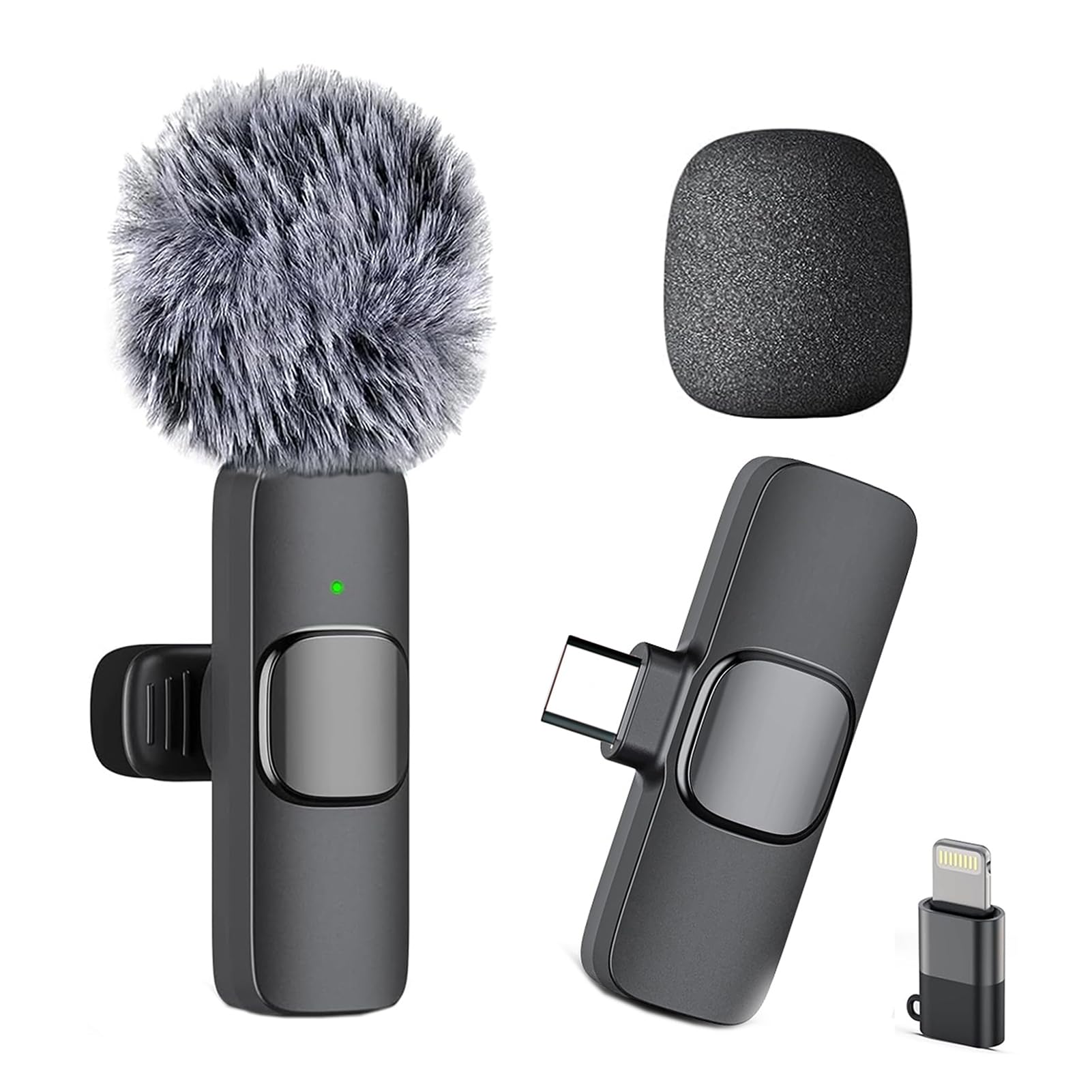
Image 1.1: Caiord Professional Wireless Mini Microphone, featuring the transmitter with a furry windscreen and the receiver unit.
2. Product Overview
2.1 Package Contents
The package includes the following components:
- 1 x Transmitter (TX)
- 1 x Receiver (RX)
- 1 x USB-C Charging Cable
- 1 x Windscreen (furry)
- 1 x Foam Cover
- 1 x Lightning Adapter
- 1 x Instruction Manual

Image 2.1: All components included in the Caiord Professional Wireless Mini Microphone package.
3. Setup Instructions
The Caiord Wireless Mini Microphone is designed for easy plug-and-play operation without the need for Bluetooth pairing or additional applications.
3.1 Initial Charging
Before first use, ensure both the transmitter and receiver are fully charged using the provided USB-C charging cable. Connect the cable to a standard USB power source (e.g., phone charger, computer USB port).
3.2 Connecting to Your Device
- Identify the correct adapter: Use the Lightning adapter for iPhones (14 and below) and iPads, or the built-in USB-C connector for iPhone 15/16/17 and Android phones.
- Plug in the receiver: Insert the receiver (with the appropriate adapter if needed) into your smartphone's charging port. A green indicator light on the receiver will illuminate.
- Power on the transmitter: Press the power button on the microphone transmitter. The indicator light on the transmitter will flash, then turn solid green, indicating successful pairing with the receiver.
- Start recording: Open your preferred audio or video recording application on your smartphone. The microphone is now ready for use.

Image 3.1: Visual guide for the simple plug-and-play setup process.
4. Operating Instructions
4.1 Wearing the Microphone
Clip the microphone transmitter to your collar or clothing, ensuring it is positioned approximately 6-8 inches (15-20 cm) from your mouth for optimal sound capture. The omnidirectional pickup pattern captures sound equally from all directions.
4.2 Noise Cancellation
The microphone features smart noise cancellation technology with an upgraded DSP chip. This automatically filters out background noise, providing clear audio in various environments. No manual adjustment is typically required for this feature.
4.3 Mute Function
To temporarily mute the microphone during recording or live streaming, press the power button on the transmitter once. Press it again to unmute.
4.4 Battery Indicator
The indicator light on the transmitter shows the battery status. A solid green light indicates sufficient charge, while a flashing light may indicate low battery or pairing mode. Refer to the specifications for detailed light patterns.

Image 4.1: The microphone's 360-degree omnidirectional pickup capability.
5. Features
- Plug & Play, Auto Pairing: No Bluetooth, apps, or complex setup required. Instant 1-second pairing.
- Smart Noise Cancellation: Equipped with an upgraded DSP chip and ANC technology for crystal-clear audio by filtering background noise.
- Extended Range & Battery Life: Offers up to 65 feet (20 meters) of stable wireless transmission and up to 6 hours of continuous recording on a single charge.
- Universal Compatibility: Includes both Lightning and USB-C adapters, making it compatible with iPhone 15/14/13/12 series, iPads, and all Type-C Android smartphones.
- Portable Clip-on Design: Ultra-lightweight and wire-free, easily clips to clothing for hands-free operation.
- Omnidirectional Polar Pattern: Captures sound from all directions, suitable for various recording scenarios.

Image 5.1: Illustrates the 65ft (20m) long-range transmission capability.

Image 5.2: Details on charging time, working time, and battery capacity.

Image 5.3: Multiple application scenarios for the wireless microphone.
6. Maintenance
- Cleaning: Use a soft, dry cloth to clean the microphone and receiver. Do not use liquid cleaners or solvents.
- Storage: Store the device in a cool, dry place away from direct sunlight and extreme temperatures.
- Protection: Use the included windscreen and foam cover to protect the microphone from wind noise and dust.
- Charging: Charge the device regularly, even if not in frequent use, to maintain battery health.
7. Troubleshooting
| Problem | Possible Cause | Solution |
|---|---|---|
| Microphone not pairing/connecting. | Receiver not fully inserted; transmitter not powered on; low battery. | Ensure receiver is fully plugged into the device. Press and hold the power button on the transmitter until the light is solid green. Charge both units. |
| Poor audio quality / muffled sound. | Microphone too far from the sound source; environmental noise; incorrect placement. | Ensure the microphone is clipped 6-8 inches from your mouth. Use the windscreen in windy conditions. The smart noise cancellation should handle most background noise. |
| Microphone stops working or charging. | Battery depletion; faulty charging cable/port; internal issue. | Try charging with a different USB-C cable and power adapter. Ensure the charging port is clean. If the issue persists, contact customer support. |
| Limited wireless range. | Obstructions between transmitter and receiver; interference. | Ensure a clear line of sight between the microphone and your device. Avoid using in areas with strong electromagnetic interference. |
8. Specifications
| Feature | Detail |
|---|---|
| Model Number | K1 |
| Brand | Caiord |
| Connectivity Technology | Wireless (Lightning, USB-C) |
| Polar Pattern | Omnidirectional |
| Audio Sensitivity | 30 Decibels |
| Signal-to-Noise Ratio | 78 dB |
| Frequency Range | 20 Hz to 20 kHz |
| Battery Life | Up to 6 hours (continuous recording) |
| Charging Time | Approx. 1.5 hours |
| Wireless Range | Up to 65 feet (20 meters) |
| Compatible Devices | iPhone (6-17 series), iPads, Android Smartphones (USB-C) |
| Special Features | Battery Indicator Light, Clip, Mute Function, Noise Reduction |
| Item Weight | 2.08 Ounces |
| Manufacturer | Shenzhen Maiwang Technology Co.,Ltd. |
9. Warranty and Support
9.1 Return Policy
This product is eligible for a 30-day refund or replacement policy from the date of purchase. Please refer to your retailer's specific return guidelines for detailed information.
9.2 Customer Support
For technical assistance, troubleshooting, or warranty inquiries, please contact Caiord customer support through the retailer's platform or visit the official Caiord website for contact information.