
1. Introduction and Overview
This manual provides essential information for setting up, operating, maintaining, and troubleshooting your KXD A07 Unlocked Smartphone. Designed for ease of use, the KXD A07 combines a large display with robust features for daily communication and entertainment.

Figure 1: KXD A07 Unlocked Smartphone
Key Features:
- 6.52-inch Waterdrop HD+ Display: Offers an expansive view and comfortable handling.
- Android 12 Operating System: Provides an intuitive and feature-rich user experience.
- Expandable Storage: 128GB internal memory, expandable up to 256GB via microSD card.
- Dual Camera System: Features a 13MP main rear camera and an 8MP front camera for clear photos and selfies.
- 4500mAh Long-Lasting Battery: Ensures extended usage for calls, videos, and navigation.
- Advanced Security: Includes Fingerprint and Face Recognition for secure unlocking.
- Dual Nano-SIM & Triple Slot: Supports two Nano-SIM cards simultaneously or one SIM and one microSD card.
- 4G Network Compatibility: Compatible with most GSM carriers (e.g., T-Mobile, Speedtalk, Mint Mobile). Note: Not compatible with CDMA carriers such as AT&T, Cricket Wireless, Verizon, Straight Talk, or U.S. Cellular.
Video 1: KXD A07 Product Overview. This video highlights the design, display, camera, and battery features of the KXD A07 smartphone.
2. Setup Guide
2.1 Package Contents
Before you begin, ensure all items are present in the package:
- KXD A07 Smartphone
- Charging Cable
- Power Adapter
- SIM Ejector Tool
- User Manual (this document)
2.2 Physical Overview

Figure 2: Physical Features of KXD A07. Shows the 8MP front camera, earphone jack, Type-C port, speaker, TF/SIM slot, volume buttons, fingerprint power key, and the 13MP, 5MP, and 2MP rear cameras with flash.
2.3 SIM Card and MicroSD Card Installation
The KXD A07 supports dual Nano-SIM cards or one Nano-SIM and one MicroSD card for expanded storage.
- Locate the SIM card tray on the side of the phone.
- Insert the SIM ejector tool into the small hole next to the tray and press gently until the tray pops out.
- Place your Nano-SIM card(s) and/or MicroSD card into the designated slots on the tray, ensuring correct orientation.
- Carefully push the tray back into the phone until it clicks into place.

Figure 3: 3-Card Slot. Illustrates the placement of TF (MicroSD) card and two Nano SIM cards in the tray.
2.4 Initial Power On and Basic Setup
- Press and hold the Power button (located on the side) until the KXD logo appears.
- Follow the on-screen prompts to select your language, connect to a Wi-Fi network, and set up your Google account.
- You will be guided through setting up screen lock options, including PIN, pattern, or password.
2.5 Setting Up Face ID and Fingerprint Recognition
For enhanced security and convenience, set up Face ID and Fingerprint recognition:
- Navigate to Settings > Security > Face Unlock or Fingerprint Unlock.
- Follow the on-screen instructions to register your face or fingerprint. Ensure good lighting for Face ID and clean, dry fingers for fingerprint registration.
3. Operating Your Smartphone
3.1 Display Features
The KXD A07 features a 6.52-inch HD+ Waterdrop display with a resolution of 1600 x 720 pixels, providing a clear and immersive visual experience for media consumption and browsing.

Figure 4: 6.52-inch HD+ Screen. Highlights the large display size and waterdrop notch design.
3.2 Camera Usage
Capture moments with the KXD A07's dual camera system. The rear features a 13MP main camera, while the front has an 8MP camera for high-quality selfies and video calls.

Figure 5: Camera Specifications. Shows the 13MP AI Rear Camera and 8.0MP Front Camera.

Figure 6: 13MP Rear Camera Examples. Demonstrates the clarity and detail of images captured by the main camera.
3.3 Battery Management
The 4500mAh battery provides ample power for daily tasks. To optimize battery life:
- Adjust screen brightness.
- Close unused apps running in the background.
- Enable battery saver mode when needed.
- Use the provided charger for optimal charging speed.

Figure 7: 4500 mAh Long-Lasting Battery. Shows estimated usage times: 26h play music, 10.5h play video, 18h call time, 220h standby time.
3.4 Memory and Performance
The KXD A07 comes with 128GB of internal storage and 4GB of RAM, which can be expanded to 8GB using advanced RAM expansion technology. This allows for smooth multitasking and ample space for apps, photos, and videos.
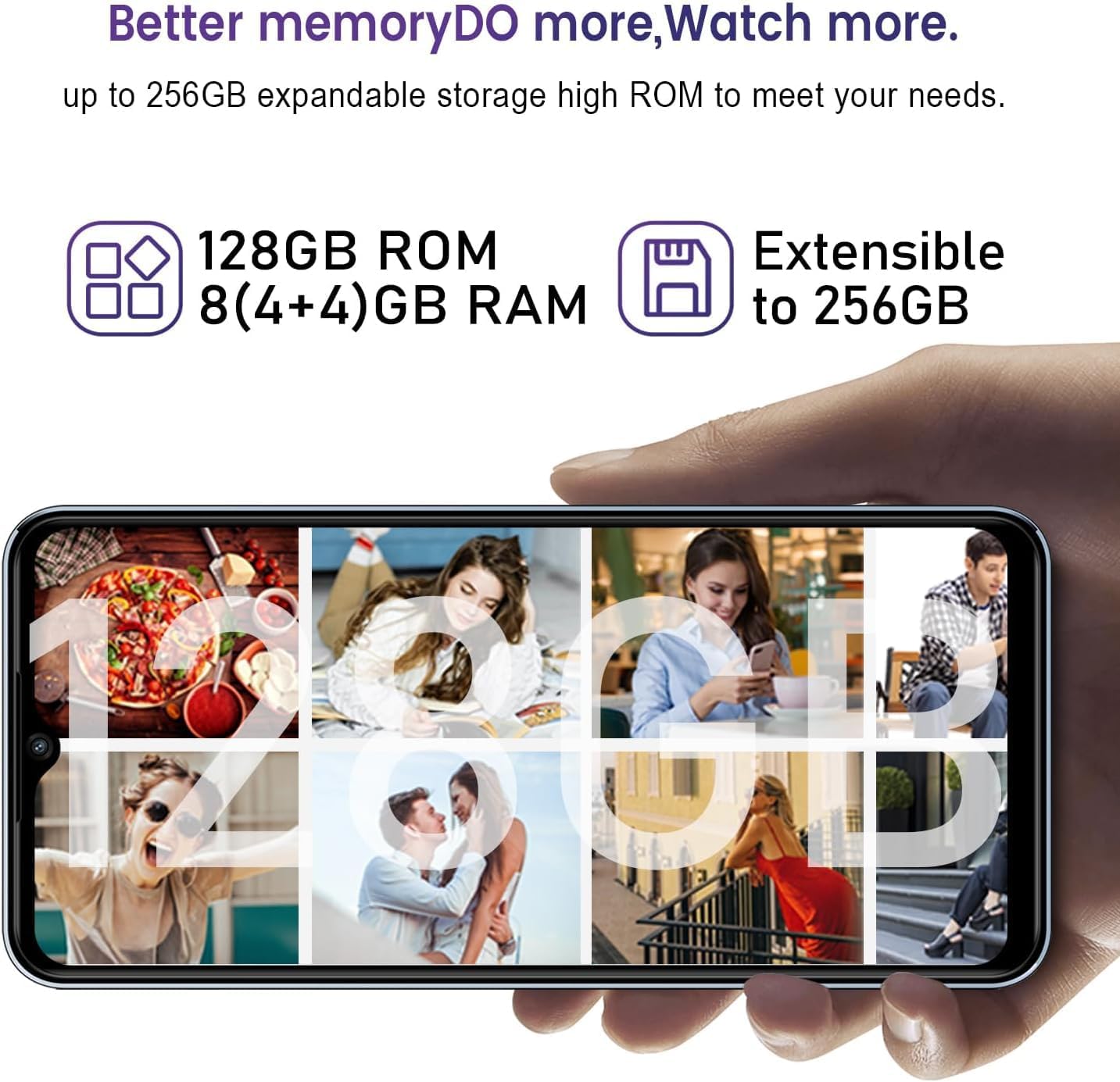
Figure 8: Better Memory. Illustrates 128GB ROM and 8(4+4)GB RAM, extensible to 256GB.
3.5 Android 12 Features
Experience the latest features and improvements with Android 12, designed for enhanced intelligence, convenience, and efficiency. Customize your Control Center for quick access to frequently used features.

Figure 9: Android 12 Interface. Displays various app icons and the Control Center, showcasing the smooth user experience.
4. Maintenance
Proper maintenance ensures the longevity and optimal performance of your KXD A07 smartphone.
- Keep it Clean: Regularly wipe the screen and body with a soft, lint-free cloth. Avoid harsh chemicals.
- Protect from Damage: Use a protective case and screen protector to guard against drops and scratches.
- Software Updates: Install system updates as they become available to ensure security and performance improvements.
- Battery Care: Avoid extreme temperatures. Do not let the battery completely drain frequently.
- Storage Management: Periodically clear cache, delete unnecessary files, and uninstall unused apps to free up storage space.
5. Troubleshooting
This section addresses common issues you might encounter with your KXD A07 smartphone.
| Problem | Possible Solution |
|---|---|
| Phone not turning on | Ensure the battery is charged. Connect the charger and wait a few minutes before attempting to power on again. If unresponsive, try a forced restart (refer to device-specific instructions, usually holding power button for 10-15 seconds). |
| Network Connectivity Issues | Verify that your carrier is GSM compatible (T-Mobile, Speedtalk, Mint Mobile). This phone is not compatible with CDMA carriers like AT&T, Cricket Wireless, Verizon, Straight Talk, or U.S. Cellular. Check SIM card insertion. Restart the phone. Check network settings (Settings > Network & internet > Mobile network). |
| Battery Draining Quickly | Reduce screen brightness. Close background apps. Disable Wi-Fi, Bluetooth, and GPS when not in use. Check battery usage in Settings to identify power-hungry apps. |
| Slow Performance / Freezing | Clear cache of frequently used apps. Uninstall unnecessary applications. Restart the phone regularly. Ensure sufficient free storage space. |
| Camera not working | Restart the camera app. Restart the phone. Check app permissions for the camera. Ensure no physical obstruction on the camera lens. |
6. Specifications
Detailed technical specifications for the KXD A07 Smartphone:
| Feature | Detail |
|---|---|
| Model Name | KXD A07 |
| Operating System | Android 12 |
| Screen Size | 6.52 Inches |
| Resolution | 1600 x 720 |
| Refresh Rate | 60 Hz |
| CPU Model | Octa Core Processor |
| CPU Speed | 1.6 GHz |
| RAM | 4 GB (expandable to 8GB) |
| Memory Storage Capacity | 128 GB (expandable up to 256 GB) |
| Battery Capacity | 4500 Milliamp Hours (mAh) |
| Rear Camera | 13MP |
| Front Camera | 8MP |
| Audio Jack | 3.5 mm |
| Connectivity Technologies | Bluetooth, Cellular |
| Special Features | Bluetooth Enabled, Built-In GPS, Dual SIM, Fingerprint Sensor, Octa Core Processor |
| Product Dimensions | 6.5 x 2.95 x 0.34 inches |
| Item Weight | 13.7 ounces |
| Color | White |
| Manufacturer | KXD |
| Date First Available | February 21, 2024 |
7. Warranty and Support
For information regarding product warranty, please refer to the warranty card included in your product packaging or contact the seller directly. KXD is committed to providing quality products and customer satisfaction.
For technical support, troubleshooting assistance beyond this manual, or inquiries about your device, please contact the seller, KXDYW, through the platform where you purchased the product. Provide your model number (KXD A07) and a detailed description of the issue for efficient support.
