
1. Introduction
The BESTEK 300W Pure Sine Wave Power Inverter converts 12V DC power from your vehicle's battery into 110V AC power, suitable for operating various electronic devices. This inverter provides a pure sine wave output, which is identical to the AC power waveform from a standard electrical grid, making it ideal for sensitive electronics. It features dual AC outlets and dual USB charging ports for versatile power solutions on the go.
2. Safety Information
Please read all safety instructions carefully before using the inverter.
- Ensure the inverter is connected to a 12V DC power source only. Do not connect to 24V or other voltage systems.
- Do not expose the inverter to water, rain, or excessive moisture.
- Avoid operating the inverter near flammable materials or in environments with explosive fumes.
- Ensure adequate ventilation around the inverter to prevent overheating. Do not block ventilation openings.
- Do not open the inverter casing. There are no user-serviceable parts inside.
- Keep children away from the inverter during operation.
- Always disconnect the inverter from the power source when not in use or before cleaning.
- The inverter is designed for continuous power output of 300W. Do not exceed this limit to prevent damage to the inverter or connected devices.
3. Package Contents
Verify that all items are present in the package:
- 1x BESTEK 300W Pure Sine Wave Power Inverter
- 1x User Manual
- 2x Battery Clamps Cable (Red and Black)
- 1x 12V Cigarette Lighter Plug Cable
- 2x Spare Fuses
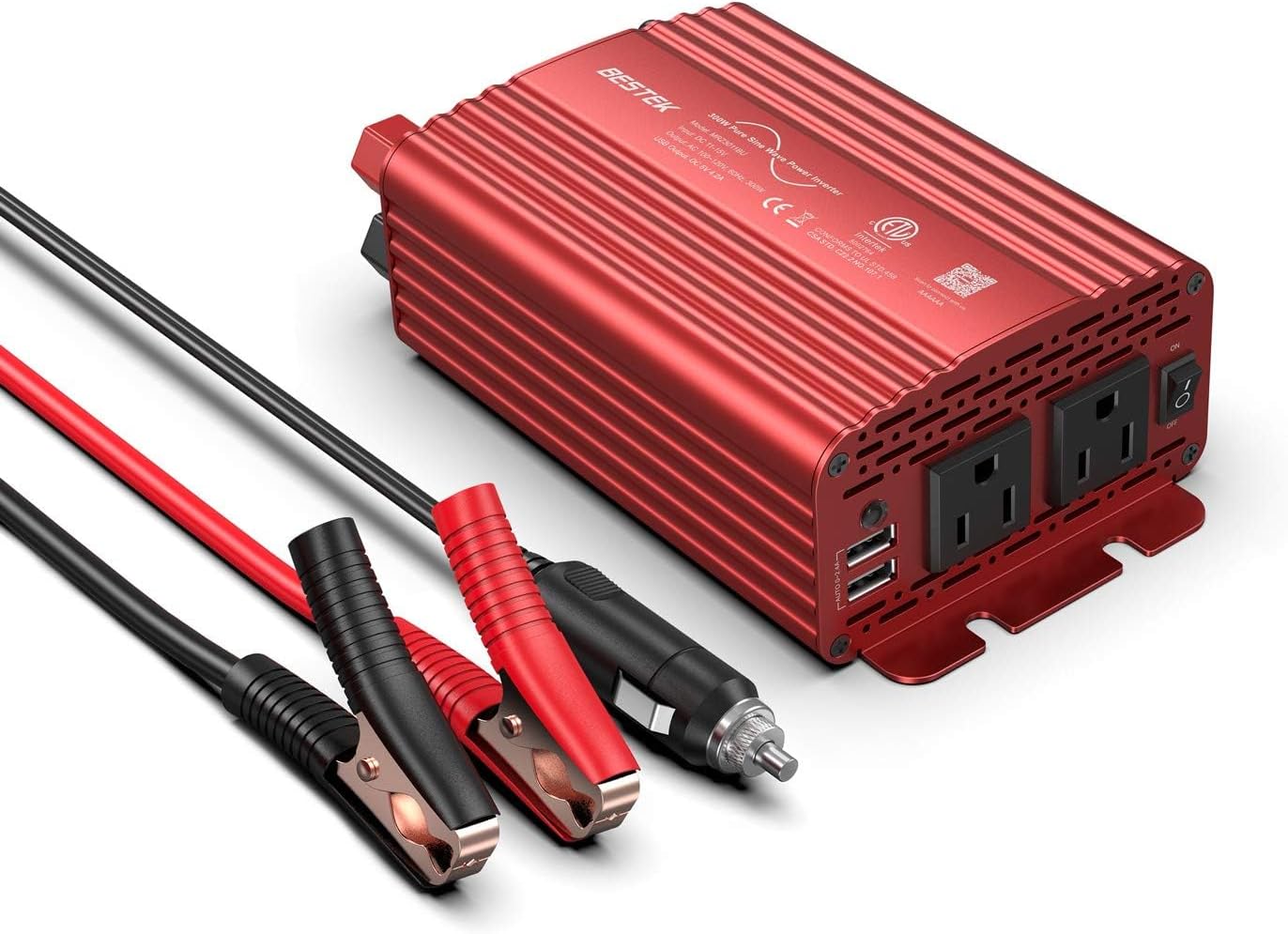
Image: The BESTEK 300W Pure Sine Wave Power Inverter shown with its accompanying battery clamp cables and cigarette lighter adapter.
4. Product Features
- Pure Sine Wave Output: Delivers stable and clean power, suitable for sensitive electronics, reducing interference with radios and communication equipment.
- Wide Compatibility: Provides 300W continuous power (700W peak) with 2 AC outlets and 2 USB ports (up to 4.2A total) for charging various devices like laptops, smartphones, cameras, and small appliances.
- Dual Connection Options: Can be powered via a 12V cigarette lighter plug (up to 150W) or directly from a car battery using alligator clips (up to 300W).
- Intelligent Protection System: Features safeguards against over-voltage, under-voltage, overheat, overload, reverse polarity, and short circuits.
- Intelligent Cooling Fan: A built-in fan with 4 adjustable speeds automatically dissipates heat based on temperature and load, ensuring optimal performance and longevity.
- Compact Design: Durable metal housing for portability and protection during travel.

Image: The inverter's universal compatibility with various electronic devices, including notebooks, smartphones, and cameras.

Image: A visual comparison illustrating the smooth, consistent waveform of pure sine wave output versus the stepped waveform of modified sine wave output.
5. Setup
The inverter offers two methods for connecting to your vehicle's 12V DC power source:
5.1. Connecting via Cigarette Lighter Plug (Up to 150W)
- Ensure the inverter's power switch is in the 'OFF' position.
- Insert the 12V cigarette lighter plug cable into the inverter's DC input port.
- Plug the other end of the cigarette lighter cable into your vehicle's 12V cigarette lighter socket.
- Turn on your vehicle's engine to ensure stable power supply.
- Flip the inverter's power switch to 'ON'. The indicator light should illuminate.
Note: Most vehicle cigarette lighter circuits are fused for 150W. Exceeding this limit may blow your vehicle's fuse.
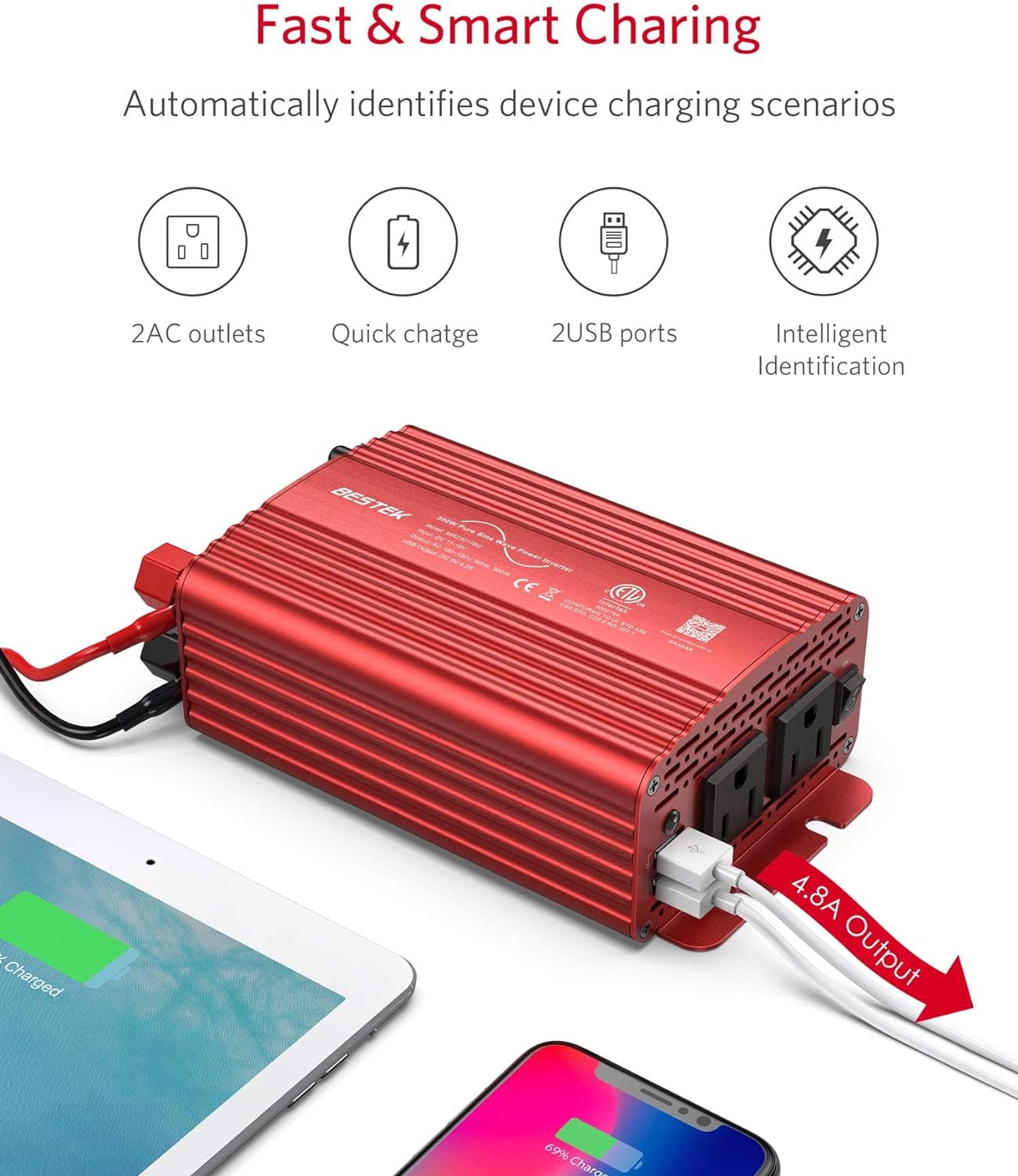
Image: The inverter connected to a vehicle's cigarette lighter socket, ready for use.
5.2. Connecting via Battery Clamps (Up to 300W)
- Ensure the inverter's power switch is in the 'OFF' position.
- Connect the red battery clamp cable to the positive (+) terminal of the inverter and the black battery clamp cable to the negative (-) terminal.
- Connect the red battery clamp to the positive (+) terminal of your vehicle's 12V battery.
- Connect the black battery clamp to the negative (-) terminal of your vehicle's 12V battery.
- Ensure all connections are secure and free from corrosion.
- Flip the inverter's power switch to 'ON'. The indicator light should illuminate.
Warning: Always connect the positive (+) clamp first, then the negative (-) clamp. When disconnecting, remove the negative (-) clamp first, then the positive (+) clamp.

Image: The inverter connected directly to a car battery using the provided alligator clips for full 300W power output.
6. Operating Instructions
- After connecting the inverter to a 12V DC power source as described in the Setup section, ensure the inverter's power switch is 'ON'.
- Plug your AC-powered devices into the 110V AC outlets on the inverter.
- For USB charging, connect your USB devices to the dual USB ports. The inverter will automatically detect your device and provide the fastest charging speed up to 2.4 amps per port (4.2 amps total).
- Monitor the total power consumption of your devices to ensure it does not exceed the inverter's continuous power rating (300W for battery clamp connection, 150W for cigarette lighter connection).
- When finished, turn off the inverter by flipping the power switch to 'OFF' before disconnecting devices or the inverter from the power source.

Image: The inverter positioned in a car's center console, actively charging a smartphone via its USB port.

Image: A diagram highlighting the inverter's features: two AC outlets, quick charge capability, two USB ports, and intelligent device identification for optimized charging.
7. Maintenance
- Cleaning: Use a dry, soft cloth to clean the exterior of the inverter. Do not use harsh chemicals or abrasive cleaners.
- Ventilation: Regularly check that the ventilation openings are clear of dust and debris to ensure proper airflow for the cooling fan.
- Storage: Store the inverter in a cool, dry place away from direct sunlight and extreme temperatures when not in use.
- Fuses: The inverter comes with spare fuses. If the inverter stops working, check the fuses. Refer to the troubleshooting section for guidance on fuse replacement.

Image: An internal view of the inverter, highlighting the high-speed cooling fan designed to dissipate heat and prevent overheating.
8. Troubleshooting
| Problem | Possible Cause | Solution |
|---|---|---|
| Inverter not turning on / No power output |
|
|
| Flashing Red Indicator Light |
|
|
| Fan not running or very quiet | Normal operation at low load/temperature | The fan's speed adjusts based on temperature and load. Slow or no fan movement at low loads is normal and indicates efficient operation. |

Image: An illustration of the inverter's internal intelligent protection circuit, demonstrating its isolation voltage and overload protection features.
9. Specifications
| Feature | Specification |
|---|---|
| Model Number | MRZ3011BU |
| Continuous Power | 300 Watts |
| Peak Power | 700 Watts |
| Input Voltage | DC 12 Volts |
| Output Voltage | AC 110 Volts |
| USB Output | 4.8A (Dual Ports, 2.4A Max per port) |
| Output Waveform | Pure Sine Wave |
| Product Dimensions | 7.2 x 4.3 x 2.4 inches |
| Item Weight | 2.2 pounds |
10. Warranty and Support
BESTEK provides an 18-Month Product Replacement Warranty for this inverter. For any questions, technical assistance, or dissatisfaction with your purchase, please contact BESTEK customer service. They offer 24/7 technical and friendly customer support.
For support, please refer to the contact information provided with your product packaging or visit the official BESTEK website.