
Product Overview
The Vente-unique MURARI TV Cabinet is a contemporary furniture piece designed to accommodate your television and media devices. It features a high-gloss white finish with natural light oak accents, two storage doors equipped with a "Push to Open" mechanism, and two open niches, one of which includes integrated white LED lighting. This manual provides detailed instructions for the safe and correct assembly, operation, and maintenance of your new TV cabinet.
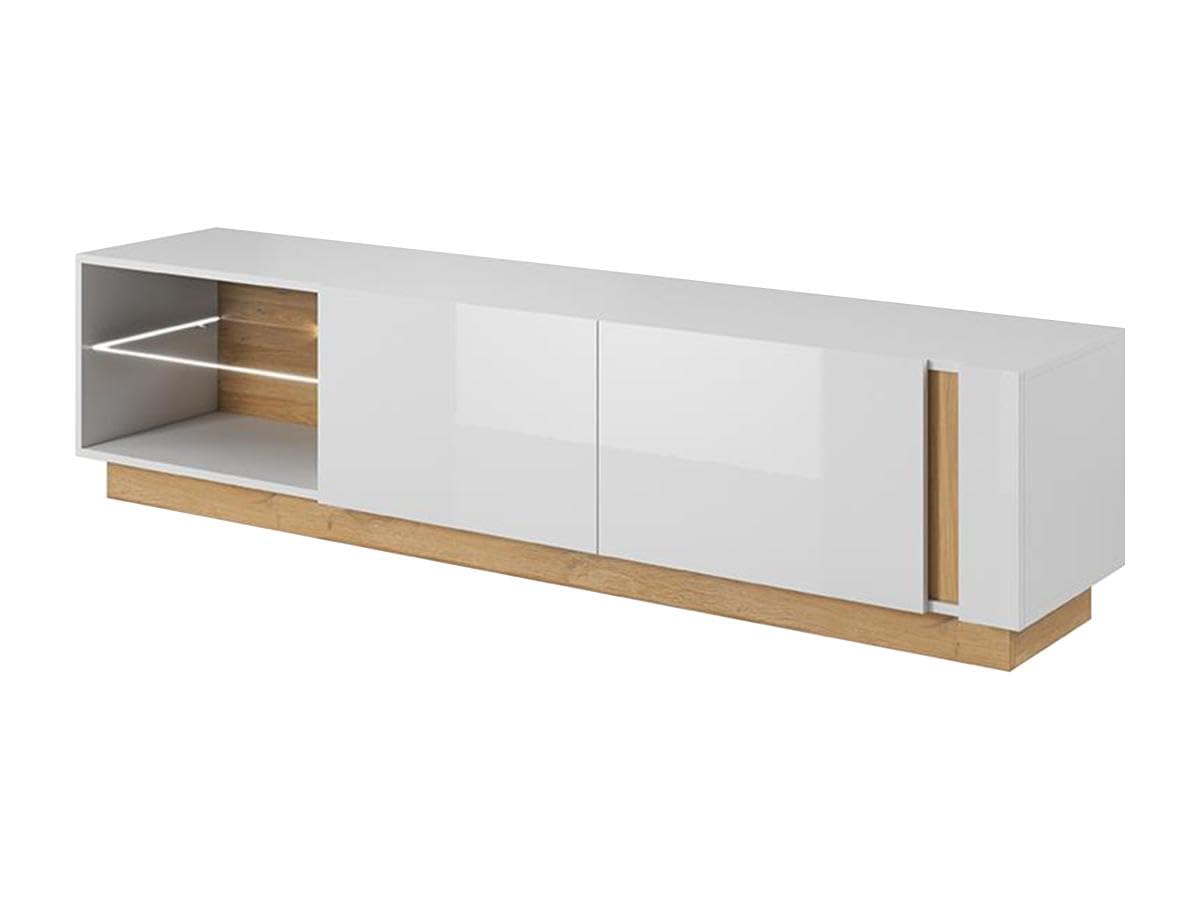
Image: The Vente-unique MURARI TV Cabinet, showcasing its high-gloss white finish, oak accents, and integrated LED lighting in the open niche.
Safety Information
Please read all safety warnings and instructions carefully before assembly and use. Keep this manual for future reference.
- Assembly: Assemble the unit on a soft, clean surface to prevent scratches. Ensure all hardware is securely tightened before use. Do not overtighten screws.
- Stability: This TV cabinet is designed to be placed on a flat, stable surface. Do not place excessively heavy items on the cabinet.
- Electrical Safety (LEDs): The LED lighting operates on 12V and connects to a standard power outlet. Ensure the power cord is not pinched or damaged. Do not attempt to modify the electrical components. Disconnect from power before cleaning or maintenance.
- Weight Capacity: The glass shelf has a maximum supported load of 3 kg. Do not exceed this limit.
- Children and Pets: Keep small parts and packaging materials away from children and pets during assembly.
- Ventilation: Ensure adequate ventilation around electronic devices placed in the niches to prevent overheating.
Parts List
Before beginning assembly, verify that all parts listed below are present and undamaged. If any parts are missing or damaged, please contact Vente-unique customer support.
| Component | Description | Quantity |
|---|---|---|
| Main Panels | Top, bottom, side, and back panels (particle board, melamine finish) | Various |
| Door Panels | High-gloss white door panels | 2 |
| Glass Shelf | Adjustable glass shelf for niche | 1 |
| LED Lighting Kit | 12V LED strip, power adapter, switch | 1 set |
| Hardware Pack | Screws, dowels, cam locks, hinges, Push-to-Open mechanisms, shelf pins | 1 set |
Assembly Instructions
Tools Required: Phillips head screwdriver, Hammer (optional, for dowels), Soft cloth or blanket.
- Unpack and Identify: Carefully unpack all components and lay them out on a soft, clean surface. Identify each part using the provided parts list and diagrams (if included in physical manual).
- Assemble Base Frame: Connect the bottom panel to the side panels using dowels and cam locks. Ensure the grooves for the back panel are correctly aligned.
- Install Internal Dividers and Shelves: Insert the internal vertical dividers and secure them. Install the adjustable shelf pins in the desired positions for the glass shelf in the open niche.
- Attach Back Panel: Slide the back panel into the grooves and secure it with small nails or screws provided.
- Mount Hinges and Doors: Attach the hinges to the door panels and then to the main cabinet frame. Install the "Push to Open" mechanisms on the inside of the cabinet frame, aligning them with the doors. Adjust hinges for proper door alignment.
- Install LED Lighting: Carefully place the LED strip into the designated channel within the open niche. Connect the LED strip to the power adapter and then to the switch. Route the cable neatly.
- Final Placement: Carefully lift and place the assembled TV cabinet in its desired location. Ensure it is level and stable.
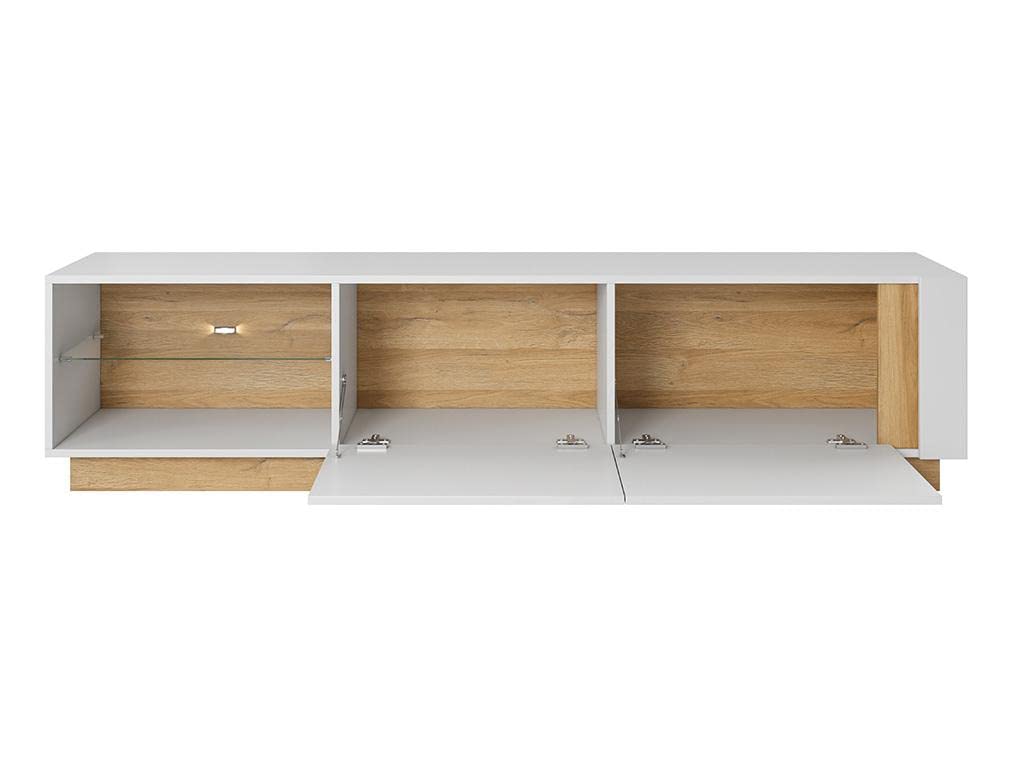
Image: Interior view of the MURARI TV Cabinet with doors open, showing the storage compartments, adjustable shelf, and the LED light fixture within the niche. This image illustrates the internal structure relevant for assembly.
Operating Instructions
LED Lighting
The integrated LED lighting is designed to illuminate the open niche. To operate:
- Plug the power adapter into a standard electrical outlet.
- Locate the inline switch on the LED power cable.
- Toggle the switch to turn the LED lights ON or OFF.
Push-to-Open Mechanism
The cabinet doors feature a "Push to Open" mechanism for a sleek, handle-less design. To open a door:
- Gently press on the center of the door panel. The door will spring open slightly.
- Pull the door fully open.
- To close, simply push the door firmly until it clicks and latches into place.
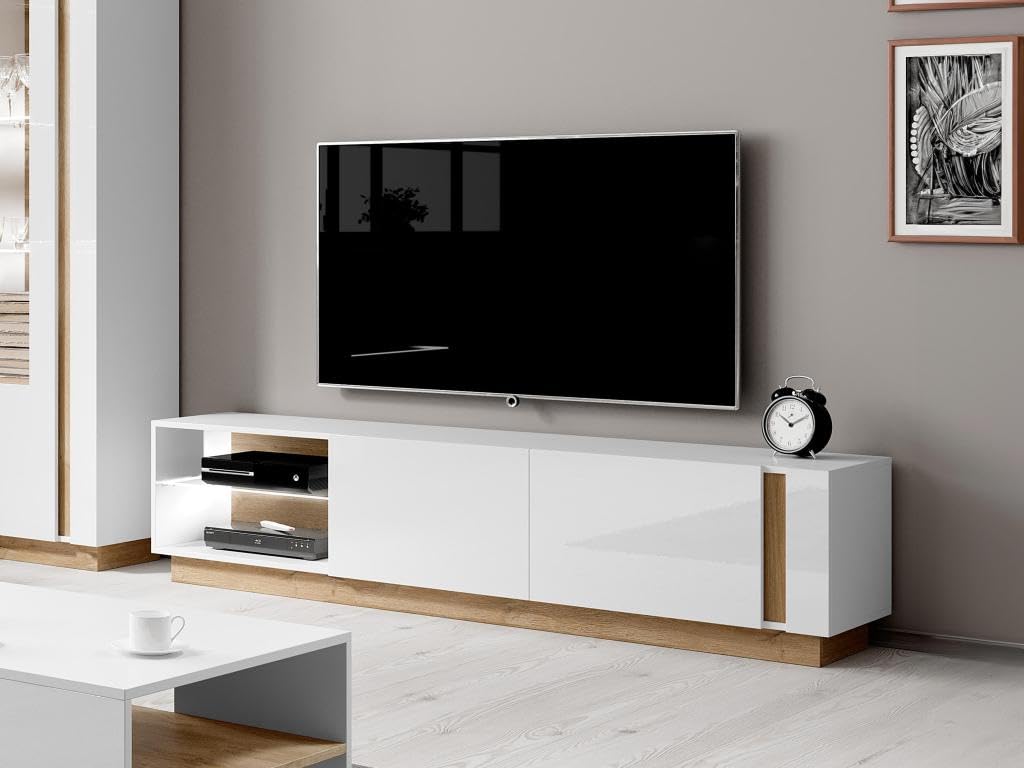
Image: The Vente-unique MURARI TV Cabinet positioned in a living room, demonstrating its function as a media console with a television placed on top and media devices in the open niche. This image shows the product in its operational environment.
Maintenance and Care
Proper care will ensure the longevity and appearance of your MURARI TV Cabinet.
- Cleaning: Wipe surfaces with a soft, damp cloth. Avoid abrasive cleaners, solvents, or harsh chemicals, as these can damage the finish. For high-gloss surfaces, use a microfiber cloth to prevent streaks.
- Spills: Immediately wipe up any spills to prevent staining or damage to the material.
- Sunlight: Avoid prolonged exposure to direct sunlight, which can cause fading or discoloration over time.
- Heat and Moisture: Keep the cabinet away from direct heat sources and excessive moisture.
- Hardware: Periodically check all screws and fittings to ensure they remain tight. Retighten if necessary.
Troubleshooting
If you encounter any issues with your TV cabinet, refer to the table below for common problems and solutions.
| Problem | Possible Cause | Solution |
|---|---|---|
| LED lights not working | Not plugged in, switch off, faulty connection, damaged LED strip/adapter. | Ensure power adapter is securely plugged into a working outlet. Check the inline switch is ON. Verify all connections are secure. If problem persists, contact customer support. |
| Door not closing properly / Push-to-Open not engaging | Hinges misaligned, Push-to-Open mechanism not installed correctly or faulty, obstruction. | Adjust hinge screws to align the door. Ensure the Push-to-Open mechanism is securely mounted and aligned with the door. Check for any obstructions preventing the door from closing fully. |
| Cabinet wobbles / unstable | Uneven floor, loose hardware. | Ensure the cabinet is placed on a level surface. If necessary, use furniture pads or shims to level it. Retighten all assembly screws and fittings. |
Specifications
| Feature | Detail |
|---|---|
| Model Name | MURARI |
| Brand | Vente-unique |
| Dimensions (L x D x H) | 187.5 cm x 40 cm x 45.5 cm |
| Weight | 32 kg |
| Color | High-gloss White, Natural Light Oak |
| Material | Particle board, Melamine finish |
| Doors | 2 (with Push-to-Open mechanism) |
| Niches | 2 |
| LED Lighting | White, 12V, switch controlled |
| Assembly Required | Yes |
| Glass Shelf Max Load | 3 kg |
| Origin | Made in Europe |
Warranty and Support
For information regarding warranty coverage, returns, or technical support, please refer to the purchase documentation or contact Vente-unique customer service directly. Ensure you have your proof of purchase and product model number (MURARI) available when contacting support.
Vente-unique is committed to customer satisfaction. For further assistance, please visit the official Vente-unique website or contact their support channels.
Official Product Videos
No official product videos from the seller are available for this model at this time.
