
1. Introduction
This manual provides detailed instructions for the safe and effective use of your Ziitty Fabric Shaver M1P. Please read this manual thoroughly before operating the device and retain it for future reference. The Ziitty Fabric Shaver is designed to remove lint, fuzz, and pilling from various fabrics, restoring their appearance.
2. Safety Instructions
- Power Source: Use only the provided Type-C charging cable. Ensure the power adapter meets local safety standards.
- Water Exposure: Do not immerse the device in water or use it in wet conditions. Clean with a dry cloth.
- Blade Safety: The device is equipped with a safety lock. It will not operate if the blade cover or lint collection bin is not securely attached. Always ensure these parts are correctly in place before use.
- Children and Pets: Keep the device out of reach of children and pets.
- Damaged Device: Do not operate the device if it is damaged, especially the blade cover or power cord. Contact customer support for assistance.
- Disassembly: Do not attempt to disassemble or repair the device yourself, except for routine cleaning and blade replacement as instructed.
- Fabric Care: Always test the shaver on an inconspicuous area of the fabric first, especially delicate materials, to ensure no damage occurs.
3. Package Contents
Verify that all items are present in your package:
- 1 x Ziitty Fabric Shaver M1P
- 3 x Replacement Blades (one pre-installed)
- 1 x Type-C Charging Cable
- 1 x Cleaning Brush
- 1 x Instruction Manual (this document)

Image 3.1: The Ziitty Fabric Shaver M1P shown with its packaging, two spare blades, a Type-C charging cable, and a cleaning brush.
4. Product Overview
Familiarize yourself with the components of your Ziitty Fabric Shaver M1P:
- LCD Display: Shows battery level and current speed setting.
- Power Button: Press and hold to turn on/off. Press briefly to cycle through speed settings.
- Blade Cover (Protective Mesh): Metal mesh with three hole sizes to capture various lint sizes while protecting fabric.
- 6-Blade System: High-speed rotating blades for efficient lint removal.
- Lint Collection Bin: Transparent, removable container for collected lint.
- Type-C Charging Port: Located at the bottom for convenient charging.
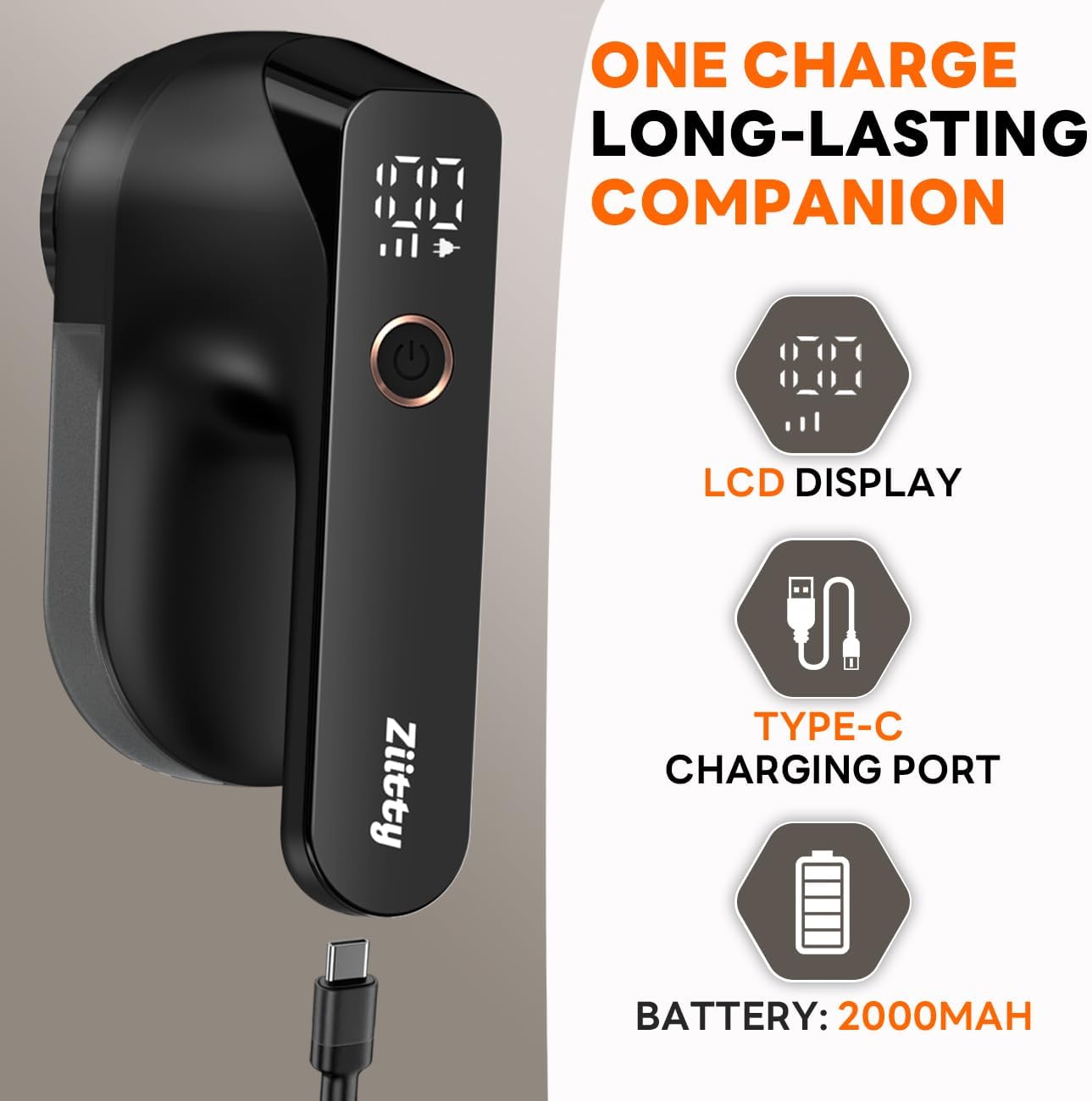
Image 4.1: Close-up of the Ziitty Fabric Shaver M1P highlighting the LCD display, Type-C charging port, and battery indicator.

Image 4.2: Detailed view of the shaver's internal 6-blade system and the reinforced honeycomb mesh cover.
5. Setup
5.1 Charging the Device
- Before first use, fully charge the fabric shaver.
- Connect the provided Type-C charging cable to the charging port at the bottom of the device.
- Plug the other end of the cable into a USB power adapter (not included) or a computer USB port.
- The LCD display will show the charging status. A full charge typically takes a few hours.
- Once fully charged, disconnect the cable.
5.2 Checking Blades and Lint Bin
Ensure the 6-blade system is correctly installed and the lint collection bin is securely attached before operation. The safety system prevents operation if these components are not properly in place.
6. Operation
6.1 Power On/Off and Speed Adjustment
- To Power On: Press and hold the power button for approximately 2 seconds. The LCD display will illuminate, showing the battery level and current speed.
- To Adjust Speed: Briefly press the power button to cycle through the 3 available speed settings. The LCD display will indicate the selected speed (e.g., '01', '02', '03').
- To Power Off: Press and hold the power button for approximately 2 seconds.

Image 6.1: Illustration of the 3-speed settings and their recommended uses for various fabric types, from gentle to professional.
6.2 Using the Fabric Shaver
- Lay the garment or fabric flat on a hard, smooth surface. Ensure the fabric is taut and wrinkle-free to prevent snagging.
- Select an appropriate speed setting for the fabric type. Start with a lower speed for delicate materials and increase for tougher fabrics or stubborn pilling.
- Gently glide the shaver over the pilled area in small, circular motions or straight strokes. Avoid pressing too hard, as this can damage the fabric.
- Regularly check the lint collection bin and empty it when it becomes full to maintain optimal performance.
- For best results, work on small sections at a time.

Image 6.2: A hand demonstrating the easy and convenient removal of pilling from a fabric surface using the shaver.

Image 6.3: A user holding the Ziitty Fabric Shaver M1P, highlighting its ergonomically designed handle for comfortable use.
7. Maintenance
7.1 Emptying the Lint Collection Bin
- Ensure the device is turned off before emptying the bin.
- Gently detach the transparent lint collection bin from the main body of the shaver.
- Discard the collected lint.
- Reattach the lint collection bin securely until it clicks into place.
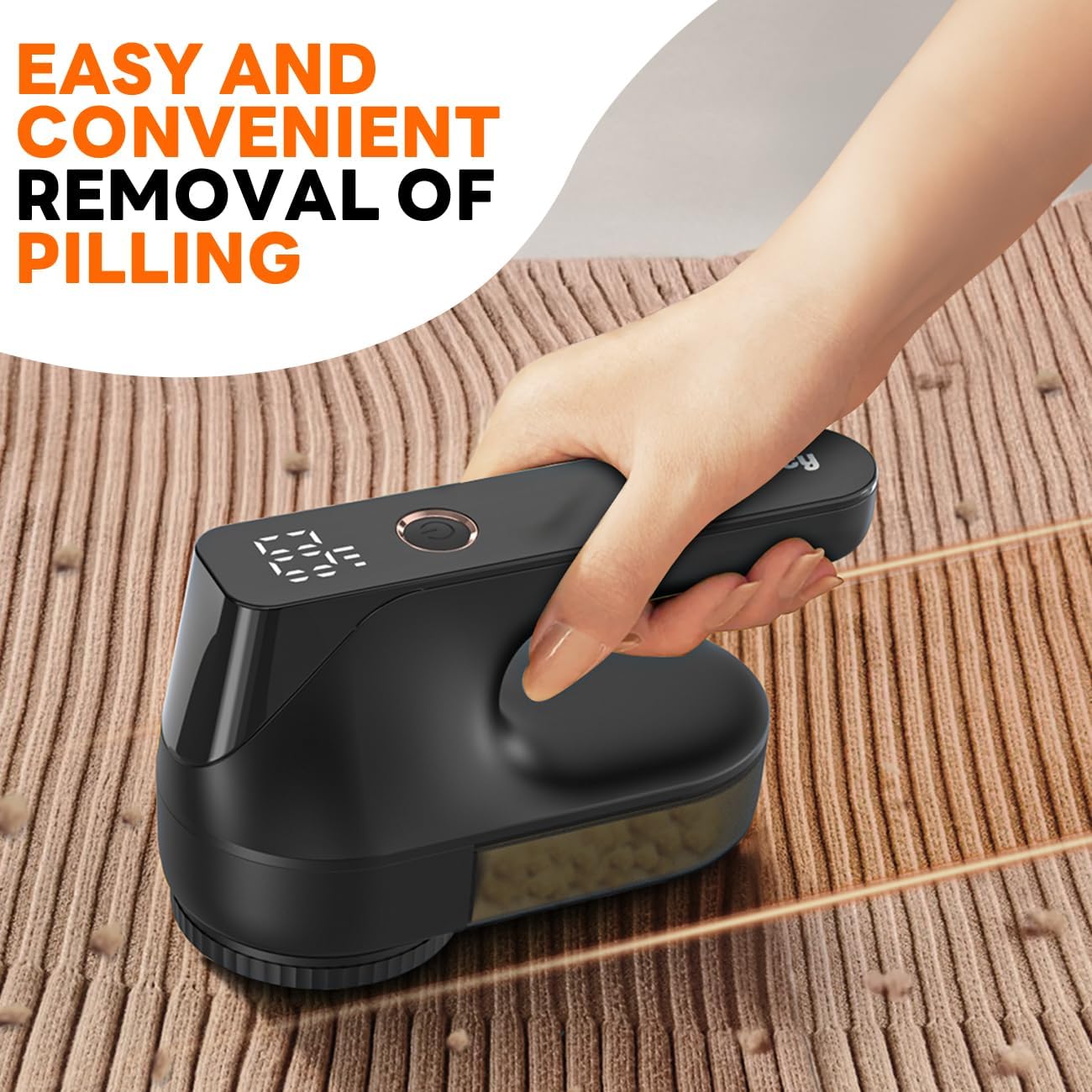
Image 7.1: The 200ml large waste container of the Ziitty Fabric Shaver M1P, shown being detached and emptied, with a cleaning brush nearby.
7.2 Cleaning the Blades and Mesh
- Turn off the device and remove the lint collection bin.
- Carefully twist and remove the blade cover (protective mesh).
- Gently remove the blades. Use the provided cleaning brush to remove any trapped lint or debris from the blades and inside the shaver head.
- Clean the protective mesh with the brush.
- Reassemble the blades, blade cover, and lint collection bin, ensuring all parts are securely fastened.
7.3 Replacing Blades
- Ensure the device is off and unplugged.
- Remove the lint collection bin and blade cover.
- Carefully unclip the old blades from their housing.
- Install new blades by aligning them with the housing and pressing gently until they click into place.
- Reattach the blade cover and lint collection bin securely.
8. Troubleshooting
| Problem | Possible Cause | Solution |
|---|---|---|
| Device does not turn on. | Low battery; Lint bin or blade cover not securely attached. | Charge the device; Ensure lint bin and blade cover are properly secured. |
| Ineffective lint removal. | Blades are dull or clogged; Lint bin is full; Incorrect speed setting. | Clean or replace blades; Empty lint bin; Adjust to a higher speed setting. |
| Device stops during operation. | Safety lock activated (lint bin or blade cover loose); Low battery. | Check and secure all parts; Recharge the device. |
| Unusual noise during operation. | Debris caught in blades; Blades not properly installed. | Turn off and clean blades; Reinstall blades correctly. |
9. Specifications
- Model: M1P
- Brand: Ziitty
- Material: Alloy Steel
- Color: Black
- Operation Mode: Automatic
- Item Weight: 13 ounces (approx. 368 grams)
- Product Dimensions: 7.68 x 4.72 x 3.54 inches (approx. 19.5 x 12 x 9 cm)
- Battery Type: Lithium Ion (1 D battery included)
- Charging Port: Type-C
- Blades: 6-blade system
- Speed Settings: 3 (7000 r/min, 8000 r/min, 9000 r/min)
- UPC: 710946302457
10. Warranty and Support
Your Ziitty Fabric Shaver M1P is covered by a standard manufacturer's warranty against defects in materials and workmanship. Please refer to the warranty card included in your package for specific terms and conditions. For technical support, troubleshooting assistance, or to inquire about replacement parts, please contact Ziitty customer service through the retailer where the product was purchased or visit the official Ziitty brand store online.
Keep your purchase receipt as proof of purchase for warranty claims.