
1. Introduction
Thank you for choosing the PARAMITA DG06 Bone Conduction Earphones. These open-ear wireless headphones are designed to provide a comfortable listening experience while keeping you aware of your surroundings. Featuring bone conduction technology, Bluetooth 5.0 connectivity, and a waterproof design, they are ideal for sports, workouts, driving, and daily use. Please read this manual carefully before using the product to ensure proper operation and longevity.
2. Package Contents
Please check the package contents upon unboxing. If any items are missing or damaged, contact customer support.
- PARAMITA DG06 Bone Conduction Earphones
- USB Type-C Charging Cable
- User Manual
3. Product Overview
Familiarize yourself with the components of your PARAMITA DG06 earphones.
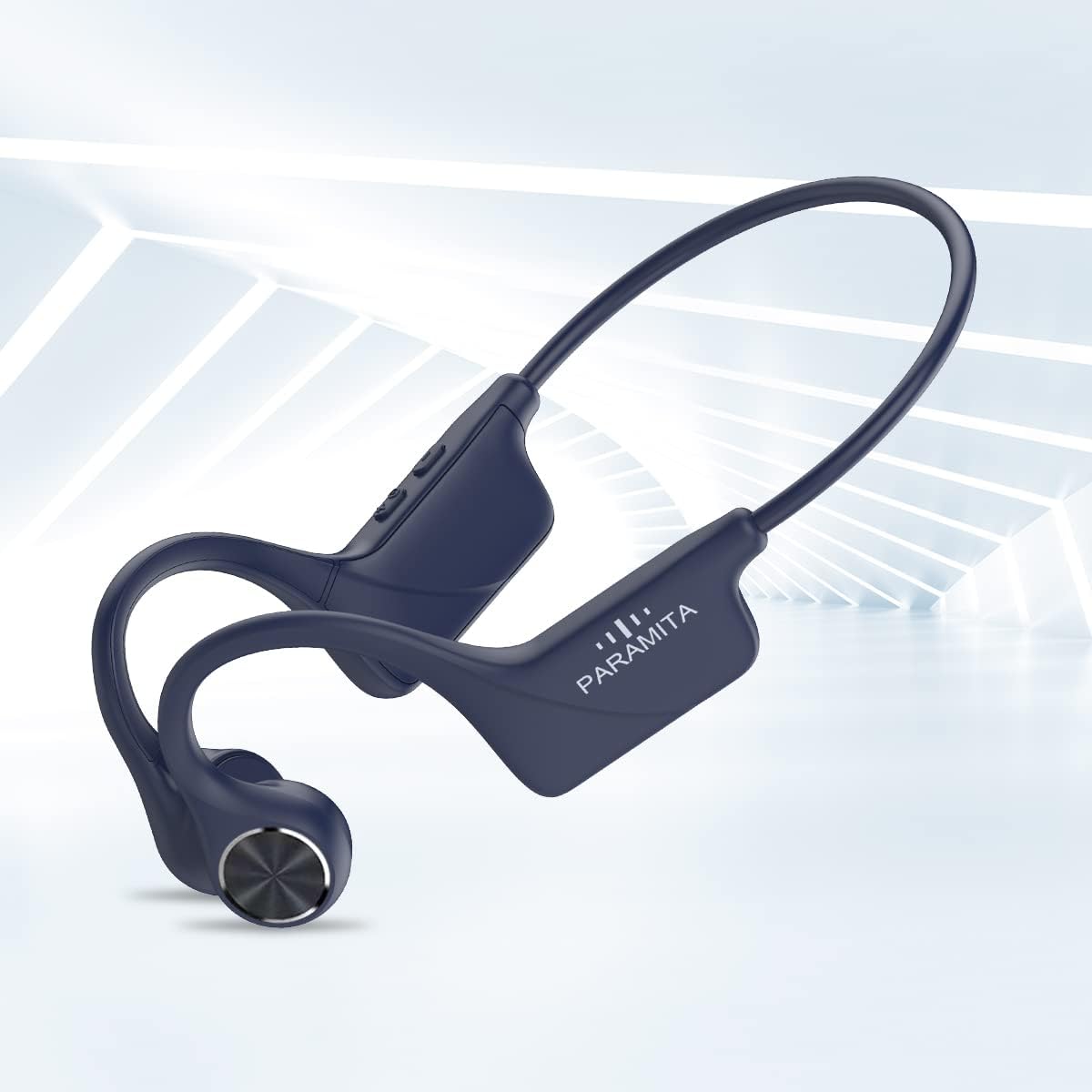
Image: The PARAMITA DG06 Bone Conduction Earphones, showcasing their ergonomic design and overall structure. The flexible band connects the two ear pieces, which rest near the temples.
The earphones feature a lightweight, flexible design with controls integrated into one of the ear pieces. The bone conduction transducers rest comfortably near your cheekbones, delivering sound without covering your ears.
4. Setup
4.1 Charging the Earphones
Before first use, fully charge the earphones. A full charge takes approximately 1 to 1.5 hours.
- Locate the Type-C charging port on the earphone unit.
- Connect the provided USB Type-C cable to the charging port.
- Connect the other end of the USB cable to a standard USB power adapter (5V/1A recommended) or a computer's USB port.
- The LED indicator will show the charging status (e.g., red for charging, blue for fully charged).

Image: A close-up view of the Type-C charging port on the PARAMITA DG06 earphones, with a charging cable connected.
4.2 Bluetooth Pairing
Pair your earphones with your Bluetooth-enabled device (smartphone, tablet, computer) to begin listening.
- Power On: Press and hold the Power/Multi-function button for approximately 3-5 seconds until the LED indicator flashes blue and red alternately, indicating pairing mode.
- Activate Bluetooth: On your device, go to Bluetooth settings and ensure Bluetooth is enabled.
- Select Device: Look for "DG06" (or similar name) in the list of available devices and select it to connect.
- Confirmation: Once successfully paired, the LED indicator on the earphones will flash blue slowly, and you will hear an audible confirmation.
- Reconnect: The earphones will automatically attempt to reconnect to the last paired device when powered on.
5. Operating Instructions
The PARAMITA DG06 earphones feature intuitive controls for music playback and call management.
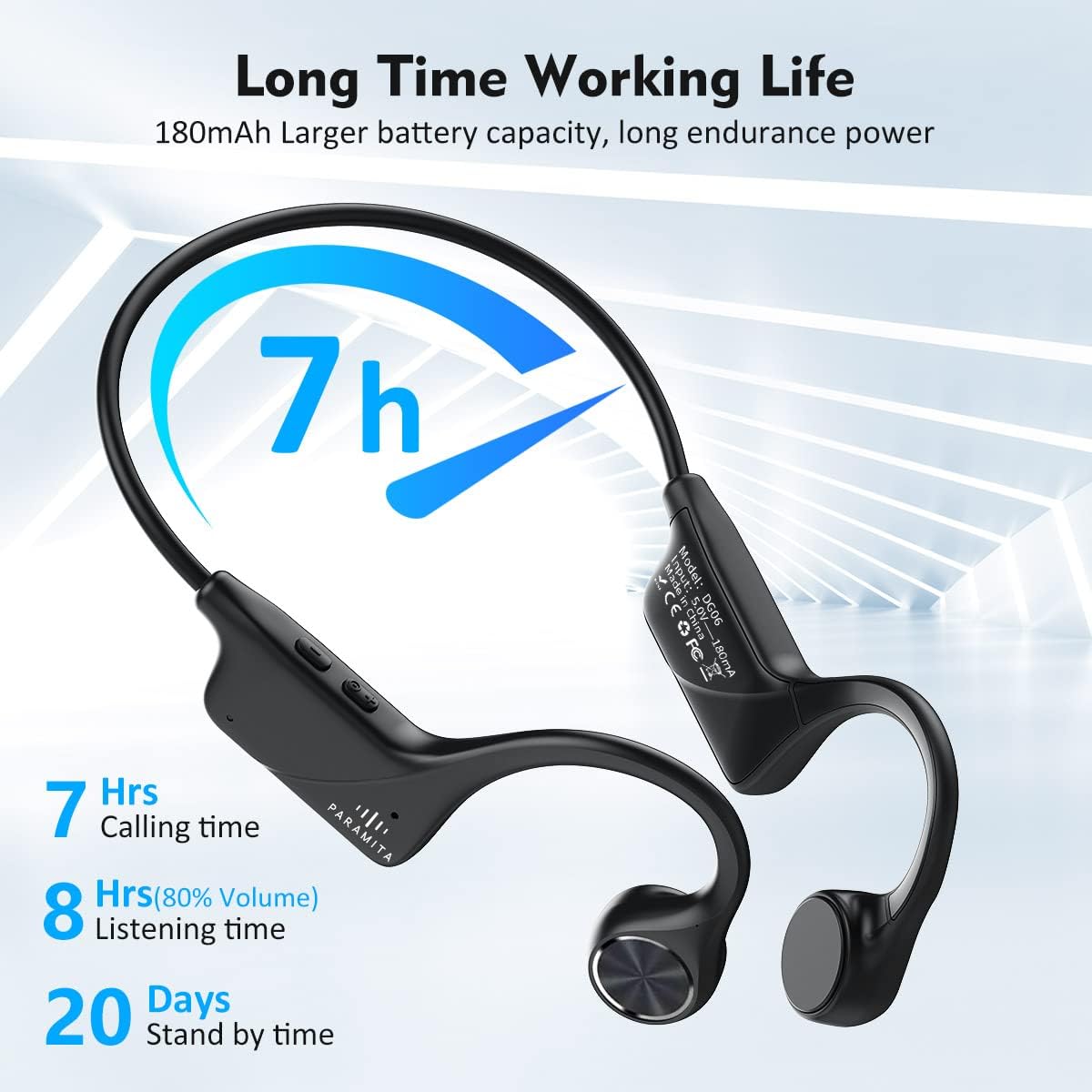
Image: A detailed view of the multi-function buttons on the side of the earphone unit, showing controls for power, volume, and track selection.
5.1 Power On/Off
- Power On: Press and hold the Power/Multi-function button for 3-5 seconds.
- Power Off: Press and hold the Power/Multi-function button for 3-5 seconds.
5.2 Music Playback
- Play/Pause: Single click the Power/Multi-function button.
- Next Song: Double click the Power/Multi-function button.
- Previous Song: Triple click the Power/Multi-function button.
- Volume Up: Single click the Volume + button.
- Volume Down: Single click the Volume - button.
5.3 Call Management
- Answer/End Call: Single click the Power/Multi-function button during an incoming call.
- Reject Call: Press and hold the Power/Multi-function button for 2 seconds during an incoming call.
- Voice Assistant: Long press the Power/Multi-function button to activate your device's voice assistant (e.g., Siri, Google Assistant).
5.4 Wearing the Earphones
For optimal sound and comfort, position the earphones correctly.
- Place the flexible band behind your head.
- Position the bone conduction transducers on your cheekbones, just in front of your ears.
- Adjust the fit to ensure the transducers are making good contact with your skin for clear sound transmission.

Image: A man wearing the PARAMITA DG06 earphones during a run, demonstrating the secure and comfortable open-ear fit.
The open-ear design allows you to hear ambient sounds, enhancing safety during outdoor activities or when you need to remain aware of your surroundings at home.
6. Maintenance
6.1 Cleaning
Regular cleaning helps maintain the earphones' performance and hygiene.
- Wipe the earphones with a soft, damp cloth.
- Do not use harsh chemicals or abrasive cleaners.
- Ensure the charging port is dry before charging.
6.2 Water Resistance (IPX6)
The DG06 earphones are rated IPX6 waterproof, meaning they are protected against powerful water jets. This makes them suitable for use during intense workouts and in light rain.
- Do not submerge the earphones in water.
- Avoid exposing them to saltwater or other corrosive liquids.
- If the earphones get wet, wipe them dry thoroughly before storing or charging.

Image: A man being splashed with water while wearing the PARAMITA DG06 earphones, illustrating their IPX6 waterproof and sweatproof capabilities.
6.3 Storage
- Store the earphones in a cool, dry place away from direct sunlight and extreme temperatures.
- Avoid placing heavy objects on top of the earphones.
7. Troubleshooting
If you encounter issues with your earphones, refer to the following common problems and solutions.
| Problem | Solution |
|---|---|
| Earphones do not power on. | Ensure the earphones are fully charged. Connect to a power source and check the charging indicator. |
| Cannot pair with device. | 1. Ensure earphones are in pairing mode (LED flashing blue/red). 2. Turn off and on Bluetooth on your device. 3. Move earphones closer to your device. 4. Clear previous Bluetooth connections on your device and try again. |
| No sound or low volume. | 1. Increase volume on both earphones and your connected device. 2. Ensure earphones are properly connected to your device. 3. Check if the transducers are correctly positioned on your cheekbones. |
| Intermittent connection. | 1. Ensure no obstacles are between the earphones and your device. 2. Move closer to your device (within 10 meters). 3. Avoid areas with strong Wi-Fi or other wireless interference. |
| Microphone not working. | 1. Ensure the earphones are properly connected for calls. 2. Check microphone settings on your connected device. 3. Ensure the microphone is not obstructed. |
8. Specifications
Detailed technical specifications for the PARAMITA DG06 Bone Conduction Earphones.
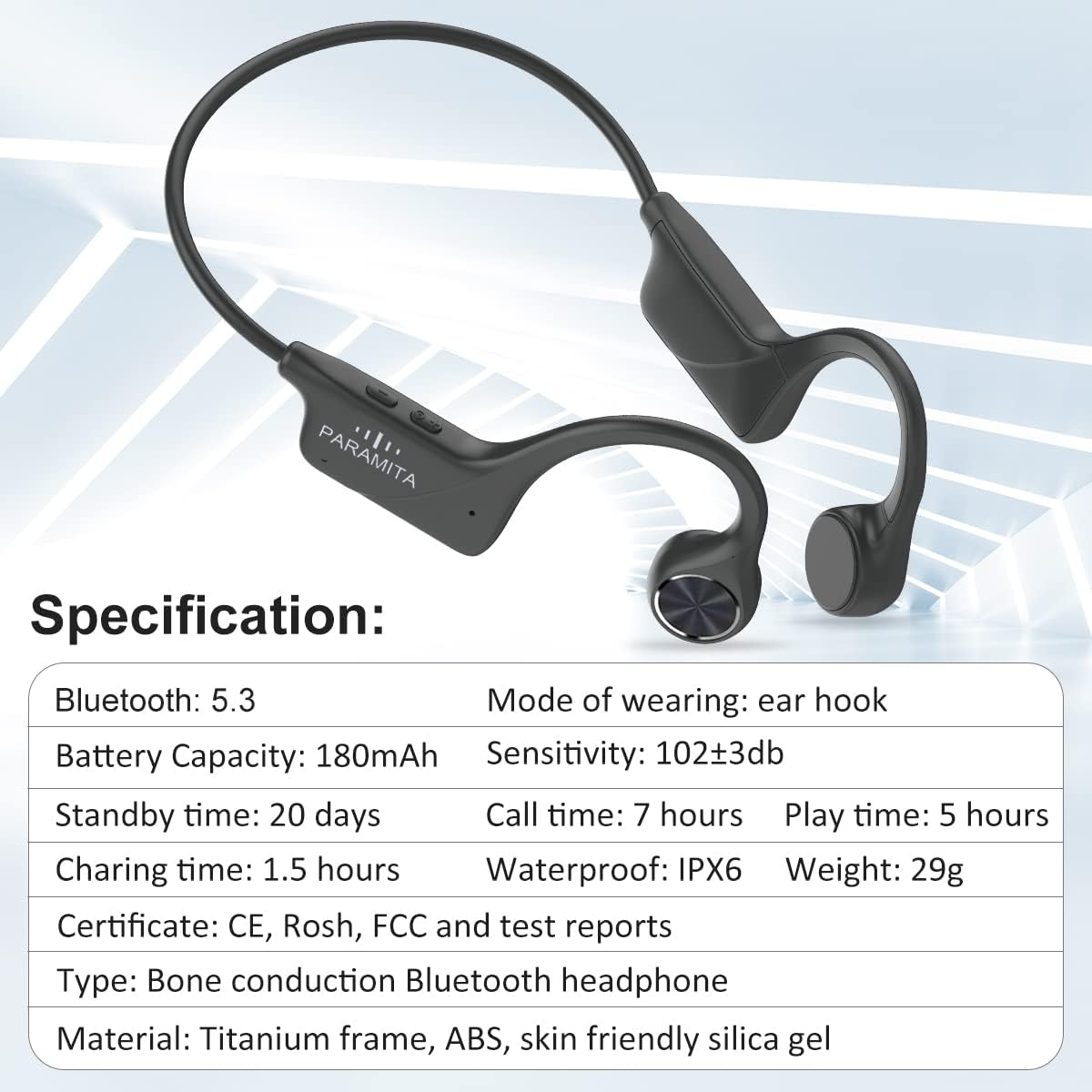
Image: The PARAMITA DG06 earphones alongside a graphic displaying key specifications such as Bluetooth version, battery capacity, and waterproof rating.
| Feature | Detail |
|---|---|
| Model Name | DG06 |
| Connectivity Technology | Wireless (Bluetooth) |
| Wireless Communication Technology | Bluetooth 5.0 |
| Bluetooth Range | Up to 10 meters (33 feet) |
| Audio Driver Type | Bone Conduction Driver |
| Battery Capacity | 180mAh Lithium Battery |
| Battery Life (Music Playback) | Up to 5 hours (at 80% volume) |
| Battery Life (Calling Time) | Up to 7 hours |
| Standby Time | Up to 20 days |
| Charging Time | Approximately 1 - 1.5 hours |
| Charging Port | USB Type-C |
| Water Resistance Level | IPX6 (Waterproof & Sweatproof) |
| Microphone | Built-in HD MEMS Microphones |
| Item Weight | 27 grams (0.952 ounces) |
| Product Dimensions | 5.9 x 1.97 x 1.97 inches |
| Control Method | Touch / Physical Buttons |
| Ear Placement | Open Ear |
| Impedance | 16 Ohms |

Image: An illustration highlighting the battery performance of the PARAMITA DG06 earphones, showing 7 hours of calling time, 8 hours of listening time (at 80% volume), and 20 days of standby time.
9. Warranty and Support
PARAMITA products are designed and manufactured to the highest quality standards. For information regarding warranty coverage, technical support, or customer service, please refer to the warranty card included in your package or contact your retailer. You may also visit the official PARAMITA website for further assistance.