
Introduction
This manual provides detailed instructions for the safe and efficient operation, maintenance, and troubleshooting of your Mcilpoog Super Automatic Espresso Coffee Machine, Model WS-202. Please read this manual thoroughly before first use and retain it for future reference.
1. Setup
Follow these steps for initial setup of your espresso machine.
1.1 Unboxing and Placement
- Carefully remove all packaging materials and ensure all components are present.
- Place the machine on a stable, level surface away from heat sources and direct sunlight. Ensure adequate ventilation around the unit.
- Connect the power cord to a grounded electrical outlet.
1.2 Filling the Water Tank
- Open the water tank lid located on top of the machine.
- Pour fresh, cold water into the tank, ensuring it does not exceed the 'MAX' fill line. The water tank capacity is 1.7 liters.
- Close the water tank lid securely.

Figure 1: Overview of the Mcilpoog WS-202 Super Automatic Espresso Coffee Machine.
1.3 Adding Coffee Beans
- Open the coffee bean hopper lid on top of the machine.
- Pour fresh, whole coffee beans into the hopper. The coffee bean box capacity is 250 grams.
- Close the hopper lid to maintain bean freshness.

Figure 2: The integrated precision conical burr grinder for fresh coffee.
1.4 Initial Rinse Cycle
Upon first use or after extended periods of inactivity, the machine will perform an automatic rinse cycle to clean the internal components. Ensure a cup is placed under the dispenser during this process.
2. Operating Instructions
Your Mcilpoog WS-202 features an intuitive touch screen for easy beverage preparation.
2.1 Touch Screen Overview
The touch screen display provides access to various coffee selections and customization options. Icons represent different coffee types and functions.

Figure 3: The HD touch screen interface for beverage selection.
2.2 Selecting and Customizing Beverages
The machine offers a variety of coffee options, including Espresso, Americano, Long Coffee, Cappuccino, Caffee Latte, and Milk. Each selection can be customized.
- Place your cup under the coffee dispenser.
- On the touch screen, select your desired beverage (e.g., Espresso, Americano, Cappuccino).
- For customizable drinks, you can adjust parameters such as water content, milk content, and coffee concentration via the touch screen.
- Press the 'Start' or 'OK' button to begin brewing.

Figure 4: Examples of eight specialty drinks available from the machine.
2.3 Automatic Microfoam Milk Texturing
The integrated milk frother allows for automatic microfoam milk texturing, ideal for lattes and cappuccinos.
- Ensure the milk jug is filled with cold milk (between MIN and MAX lines).
- Attach the milk jug to the machine.
- Select a milk-based beverage (e.g., Cappuccino, Caffee Latte) from the touch screen.
- The machine will automatically froth and dispense milk into your cup before brewing the coffee.
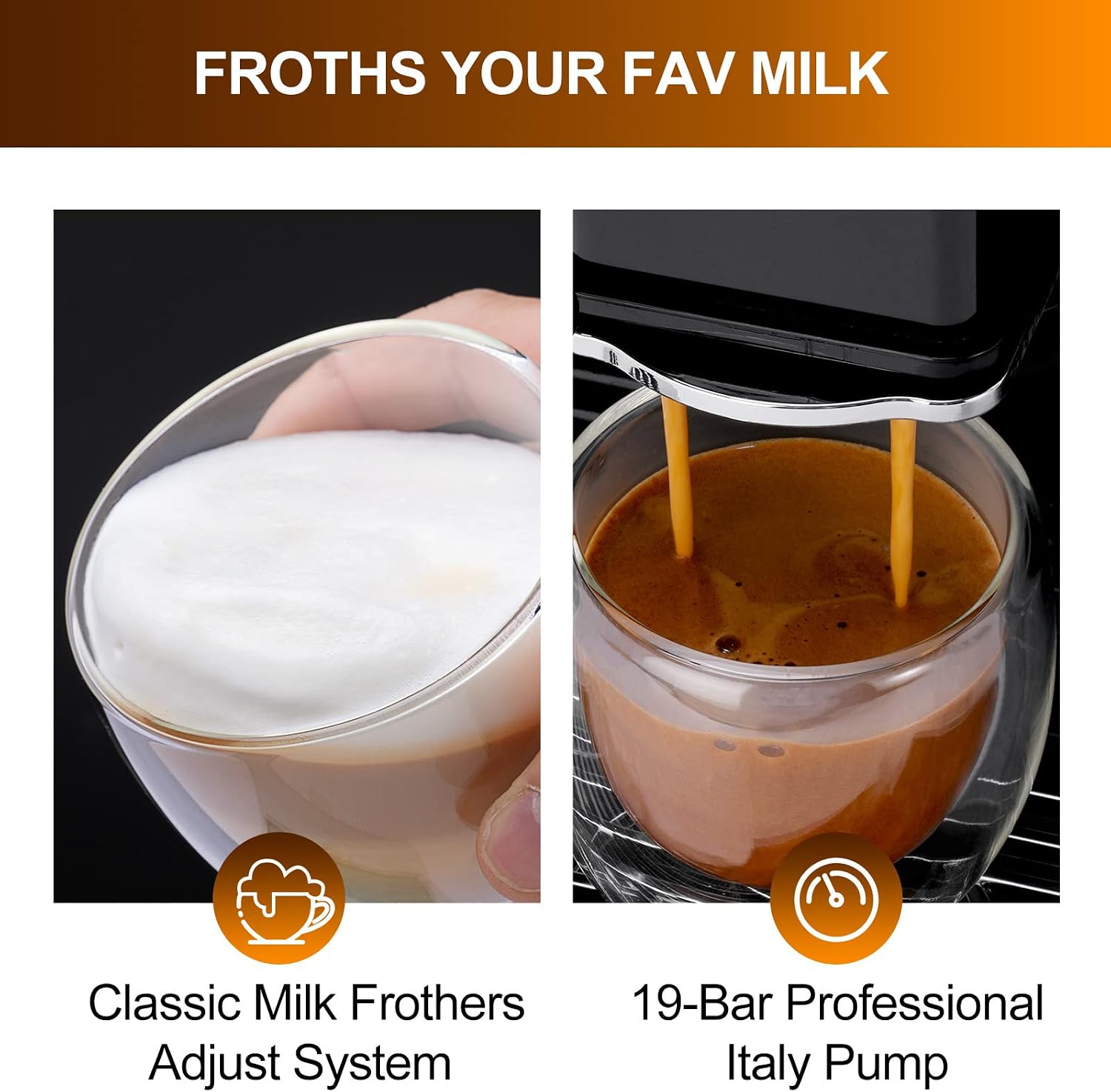
Figure 5: Milk frothing and espresso extraction process.
2.4 Dose Control Grinding
The integrated burr grinder allows you to control the coffee dose for desired strength.
- The machine automatically grinds the appropriate amount of beans for your selected beverage.
- Adjustments to coffee strength (dose) can be made via the touch screen settings for certain beverages.
2.5 Cup Warmer
The top surface of the machine features a metal cup warmer, utilizing residual heat from the boiler to keep your cups warm, enhancing the coffee experience.
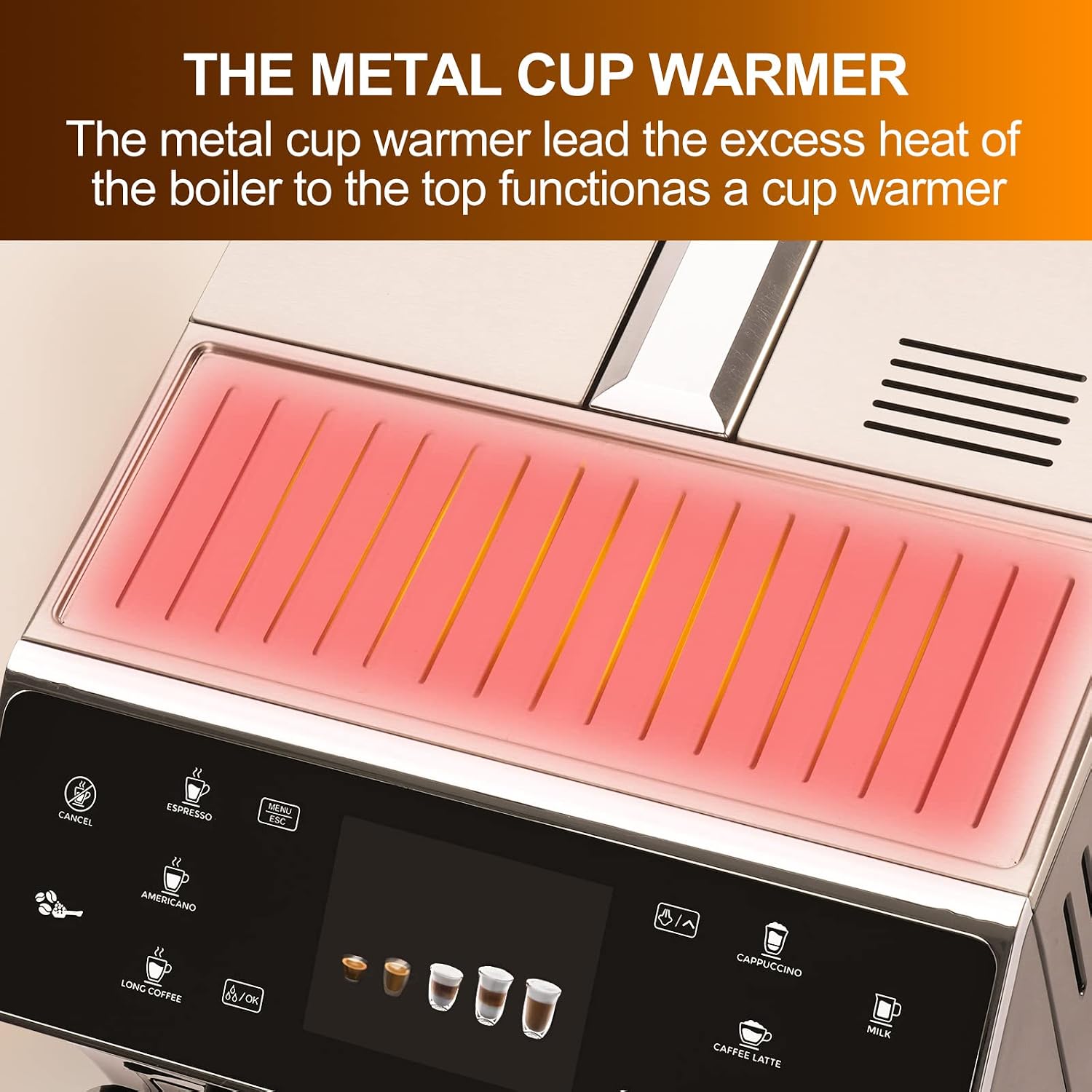
Figure 6: The integrated metal cup warmer.
2.6 Product Overview Video
Video 1: An overview of the Mcilpoog WS-202 Super Automatic Espresso Coffee Machine, demonstrating its features and operation.
3. Maintenance
Regular cleaning and maintenance are crucial for optimal performance and longevity of your machine.
3.1 Automatic Cleaning Functions
- The machine performs automatic cleaning cycles upon startup and shutdown.
- The milk foam system and brewing system also have automatic cleaning features. Follow on-screen prompts for these cycles.
3.2 Manual Cleaning of Components
- Drip Tray and Coffee Grounds Container: Regularly empty and clean the drip tray and the used coffee grounds container. These components should be cleaned daily to prevent mold growth and maintain hygiene.
- Brew Group: The brew group is detachable for thorough cleaning. Remove it according to the instructions in the full manual and rinse under running water. Allow it to air dry before reinserting.
- Milk Jug: After each use, disassemble and clean the milk jug and its components to prevent milk residue buildup.

Figure 7: The detachable brew group for easy cleaning.
3.3 Descaling
The machine will prompt you when descaling is required. Follow the on-screen instructions and use a suitable descaling solution designed for espresso machines.
4. Troubleshooting
This section addresses common issues you might encounter with your Mcilpoog WS-202 espresso machine.
| Problem | Possible Cause | Solution |
|---|---|---|
| Machine does not grind beans or shuts off during grinding. | Coffee beans are jammed or hopper is empty. Grinder mechanism may be obstructed. | Check if the bean hopper is sufficiently filled. Carefully inspect the grinder for any obstructions and remove them. If the issue persists, contact customer support. |
| Machine enters a continuous cleaning loop. | Sensor malfunction or internal blockage. | Perform a manual cleaning of the brew group and drip tray. Ensure all components are correctly seated. If the problem continues, contact customer support. |
| Coffee is watery or lacks strength. | Insufficient coffee dose, coarse grind setting, or low water temperature. | Adjust the coffee strength setting on the touch screen. Check the grind setting and adjust to a finer grind if necessary. Ensure the machine has preheated properly. |
| Milk frother not producing microfoam or milk floater issues. | Milk system components are clogged or improperly assembled. Milk type/temperature unsuitable. | Thoroughly clean all parts of the milk frothing system. Ensure the milk jug is correctly attached and the milk is cold. Use fresh, cold milk. |
| Lack of beans or water shortage reminder. | Hopper is empty or water tank is low. | Refill the coffee bean hopper or the water tank as indicated by the on-screen reminder. |
5. Specifications
| Feature | Detail |
|---|---|
| Brand | Mcilpoog |
| Model Name | WS-202 |
| Product Dimensions (D x W x H) | 13.39" x 22.4" x 18.19" |
| Item Weight | 29 pounds |
| Operation Mode | Fully Automatic |
| Human Interface Input | Touchscreen |
| Coffee Input Type | Whole Beans |
| Water Tank Capacity | 1.7 Liters |
| Coffee Bean Box Capacity | 250 Grams |
| Special Feature | Integrated Milk Frother, Built-in Burr Grinder, Cup Warmer |
6. Warranty and Support
Mcilpoog is committed to providing quality products and customer satisfaction.
6.1 Warranty Information
This product comes with a 12-month after-sales guarantee from the date of purchase. Please retain your proof of purchase for warranty claims.
6.2 Returns and Exchanges
Returns and exchanges are accepted within 30 days of purchase. Please refer to your retailer's return policy for specific procedures.
6.3 Customer Service
For any questions, technical assistance, or warranty claims, please contact Mcilpoog customer service. Support is available 24 hours online.
Contact information for support is typically found on the product packaging or the official Mcilpoog website.


