
Introduction
The Chargeworx CX9985 is an advanced wireless car charger designed to provide convenient and safe smartphone mounting and charging in your vehicle. It features a built-in motion sensor for automatic grip operation, wireless charging capability, and a versatile mounting system.
This manual provides instructions for the proper setup, operation, maintenance, and troubleshooting of your Chargeworx CX9985 wireless charging car mount.
Setup Instructions
Follow these steps to properly install your Chargeworx CX9985 car mount:
- Choose a Mounting Location: The CX9985 can be mounted on your dashboard, windshield, or air vent. Select a location that does not obstruct your view of the road or interfere with vehicle controls.
- Attach the Mount:
- For Dashboard/Windshield: Clean the surface thoroughly. Press the suction cup firmly onto the desired surface and engage the locking lever to secure it.
- For Air Vent: Attach the vent clip accessory to the main unit. Securely fasten the clip to a sturdy air vent slat.
- Adjust the Angle: Loosen the adjustment knobs on the mount to position the charging pad at an optimal viewing angle. Tighten the knobs once the desired angle is achieved.
- Connect Power: Connect the provided USB Type-C cable to the charging port on the mount and plug the other end into a compatible USB car charger (not included). Ensure the car charger provides sufficient power for wireless charging (e.g., 9V output).
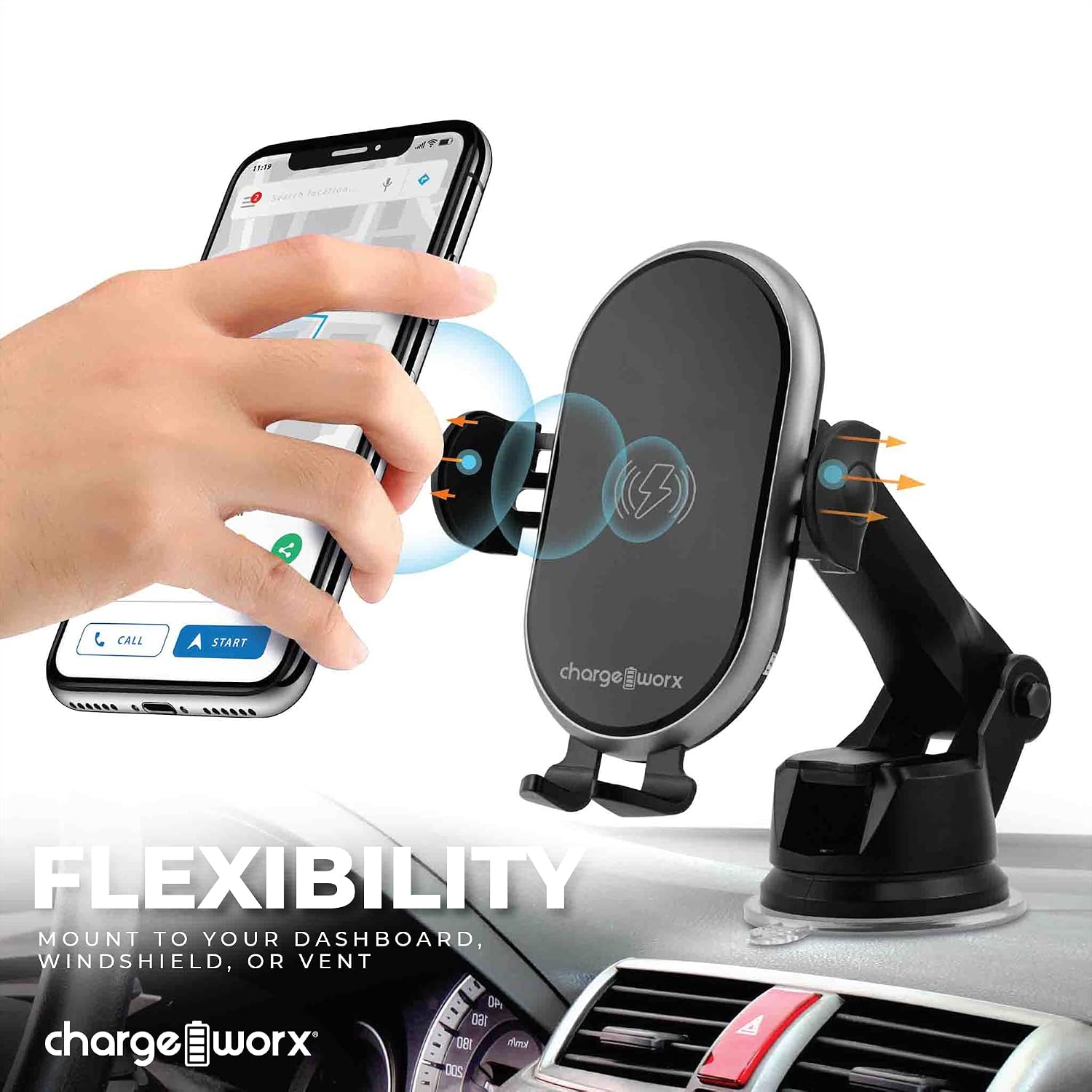
Image: The Chargeworx CX9985 mount attached to a dashboard, demonstrating its versatile mounting capabilities for dashboard, windshield, or vent.
Operating Instructions
The Chargeworx CX9985 is designed for ease of use with its automatic features.
- Placing Your Smartphone: When the mount is powered, the built-in motion sensor will detect your phone's presence. The side grips will automatically open. Place your Qi-compatible smartphone onto the charging pad. The grips will then automatically close to secure your device.
- Wireless Charging: Once your phone is securely placed, wireless charging will begin automatically. The LED charging indicator on the mount will illuminate to confirm that charging is active.
- Removing Your Smartphone: To remove your phone, gently touch the sensor area on the side of the mount. The grips will automatically open, allowing you to retrieve your device. The grips will then close after a few seconds.
- LED Charging Indicator: The LED indicator provides real-time status:
- Solid Blue/Green: Charging actively.
- Flashing: Error or foreign object detected. Remove the phone and check for obstructions.
- Off: Not charging or fully charged (depending on model behavior).

Image: A user demonstrating the one-handed operation of placing a smartphone into the Chargeworx CX9985 car mount.

Image: The Chargeworx CX9985 car mount with a smartphone, illustrating the LED charging indicator and the built-in motion sensor functionality.
Maintenance
To ensure the longevity and optimal performance of your Chargeworx CX9985, follow these maintenance guidelines:
- Cleaning: Use a soft, dry cloth to wipe down the surface of the mount. Avoid using abrasive cleaners, solvents, or harsh chemicals, as these can damage the device.
- Suction Cup Care: If using the suction cup mount, periodically clean the suction cup and the mounting surface to ensure a strong grip. If the suction cup loses adhesion, rinse it with warm water and let it air dry before reattaching.
- Environmental Conditions: Avoid exposing the device to extreme temperatures, direct sunlight for prolonged periods, or high humidity.
- Cable Management: Ensure the USB-C cable is not kinked or pinched, which can lead to damage.
Troubleshooting
If you encounter issues with your Chargeworx CX9985, refer to the following common problems and solutions:
| Problem | Possible Cause | Solution |
|---|---|---|
| Device not charging. |
|
|
| Grips not opening/closing automatically. |
|
|
| Mount not staying attached to surface. |
|
|
Product Specifications
| Brand | CHARGEWORX |
| Model Number | CX9985 |
| Connector Type | Wireless |
| Compatible Devices | Smartphones (Qi-compatible) |
| Special Feature | Charging Indicator, Motion Sensor |
| Color | Black |
| Input Voltage | 9 Volts |
| Output Voltage | 9 Volts |
| Connectivity Technology | Wireless |
| Mounting Type | Vent Mount, Dashboard, Windshield |
| Power Source | Vehicle Battery Powered (via USB-C) |
| Main Power Connector Type | USB Type C |
| Specification Met | Qi |
| Item Weight | 0.44 Pounds |
| UPC | 643620028056 |
Warranty Information
The Chargeworx CX9985 Touch-Activated Wireless Charging Car Mount is covered by a 90-day manufacturer's warranty from the date of purchase. This warranty covers defects in materials and workmanship under normal use.
The warranty does not cover damage resulting from accident, misuse, abuse, improper installation, unauthorized repair or modification, or external causes such as drops or spills. Please retain your proof of purchase for warranty claims.
Customer Support
For further assistance, technical support, or warranty inquiries, please contact Chargeworx customer service. You may also visit the official Chargeworx store for more product information and support resources.
Chargeworx Official Store: https://www.amazon.com/stores/Chargeworx/page/AB38787F-F422-41AA-BC71-4F58F23FD521